¶ Description
Download data from Google Analytics.
¶ Parameters
¶ Standard Tab
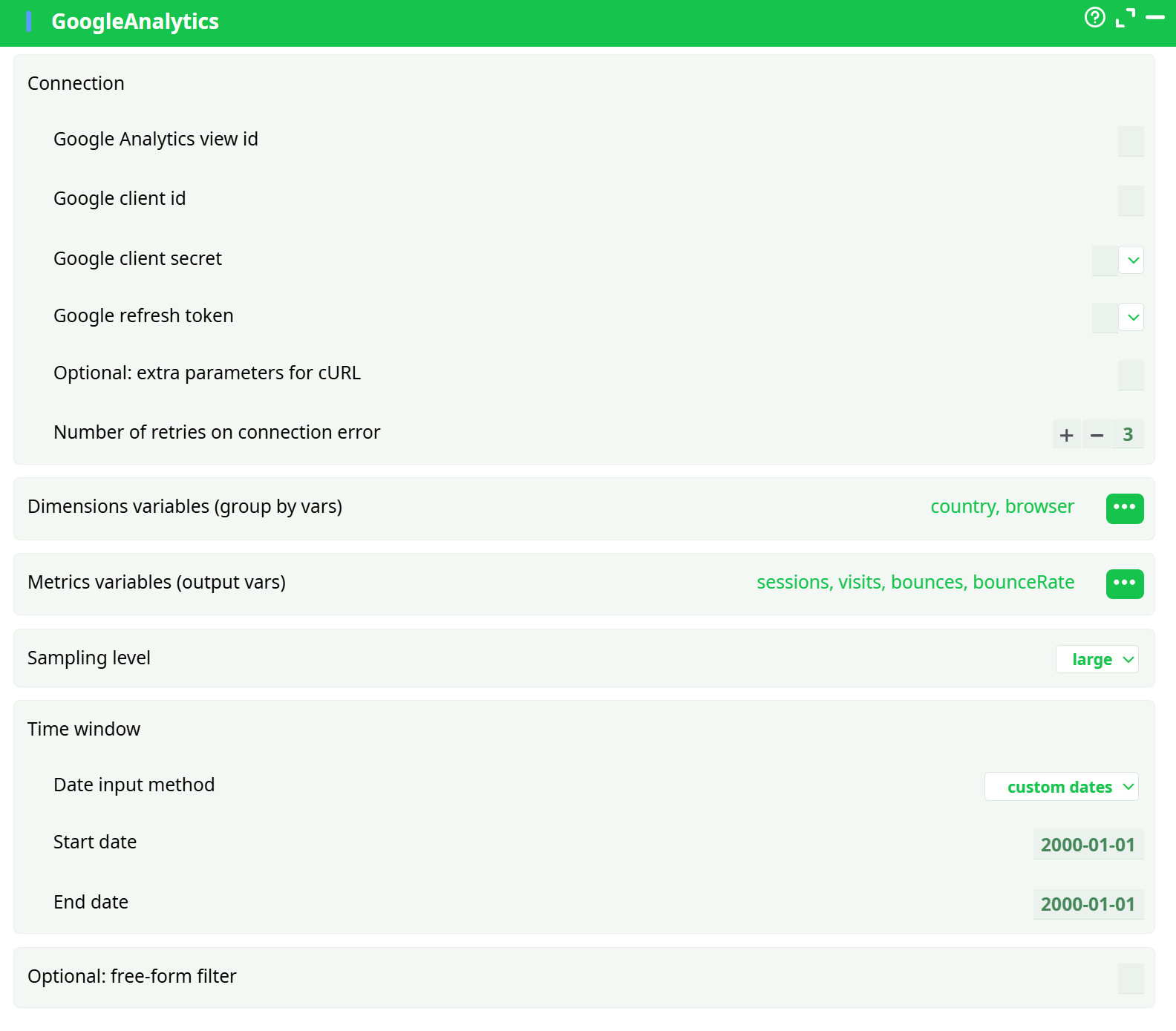
Parameters:
- Connection
- Google Analytics view id
- Google client id
- Google client secret
- Google refresh token
- Optional: extra parameters for cURL
- Retries on connection error
- Dimensions variables (group by vars)
- Metrics variables (output vars)
- Time window
- Date input method
- Start date
- End date
- Optional: free-form filter
¶ About
To be able to use this action, you need to get these 3 parameters from Google: (1) your “Client ID”, (2) your “Client Secret”, (3) your “Refresh Token”. To get these 3 parameters, you must use the “Unlock Google Services” action.
You can get your "Google-Analytics View ID", using the "account explorer" available here: https://ga-dev-tools.appspot.com/account-explorer/
Scroll down to the bottom of the page: Your “View-ID” is visible here:
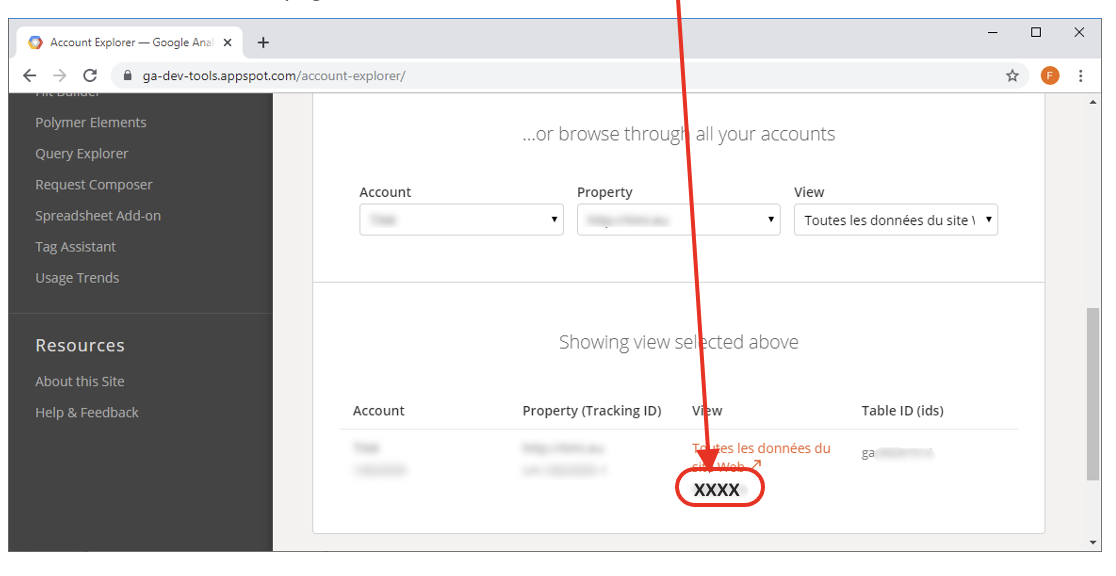
If you get the following error message: "User does not have sufficient permissions for this profile." ...this means that your "View ID" is incorrect.
Some Metrics or Dimensions variables contains a “XX” inside their name. These are “custom” Metrics/Dimensions: Inside these “custom” Metrics/Dimensions, the XX caracters are replaced by the value found in the last column of the table that allows you to select the Metrics/Dimensions to extract (this column is named “XX Parameters”).