¶ Description
Use the Unichek API to check for Plagiarism in your text corpus.
¶ Parameters
¶ Parameters tab
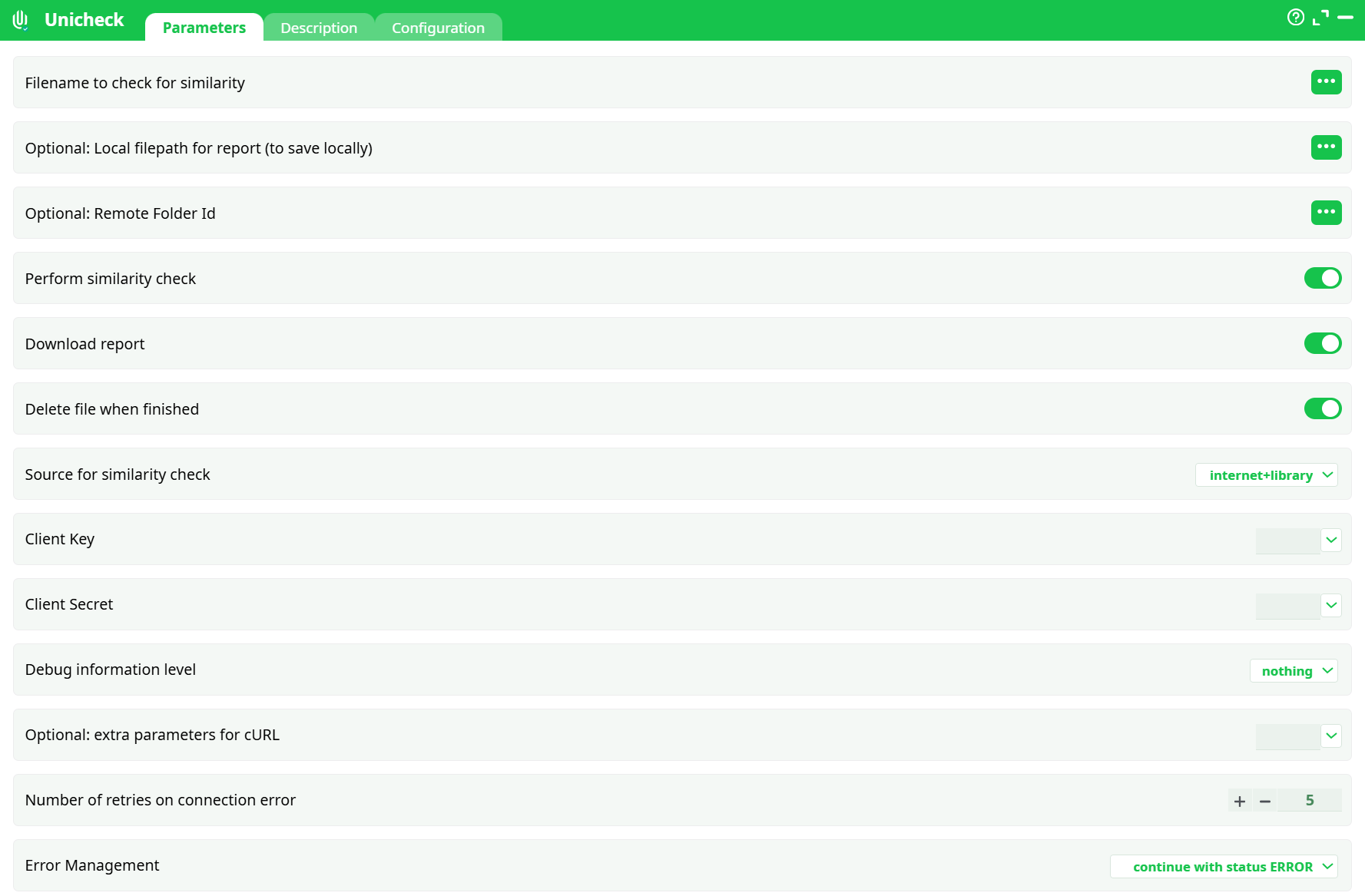
Parameters:
- Filename to check for similarity: self explanatory
- (Optional) Local filepath for report (to save locally)
- (Optional) Remote Folder Id
- Perform similarity check
- Download report
- Delete file when finished
- Source for similarity check
- Client Key
- Client Secret
- Debug information level
- Optional: extra parameters for cURL
- Number of retries on connection error
- Error Management
¶ Description tab
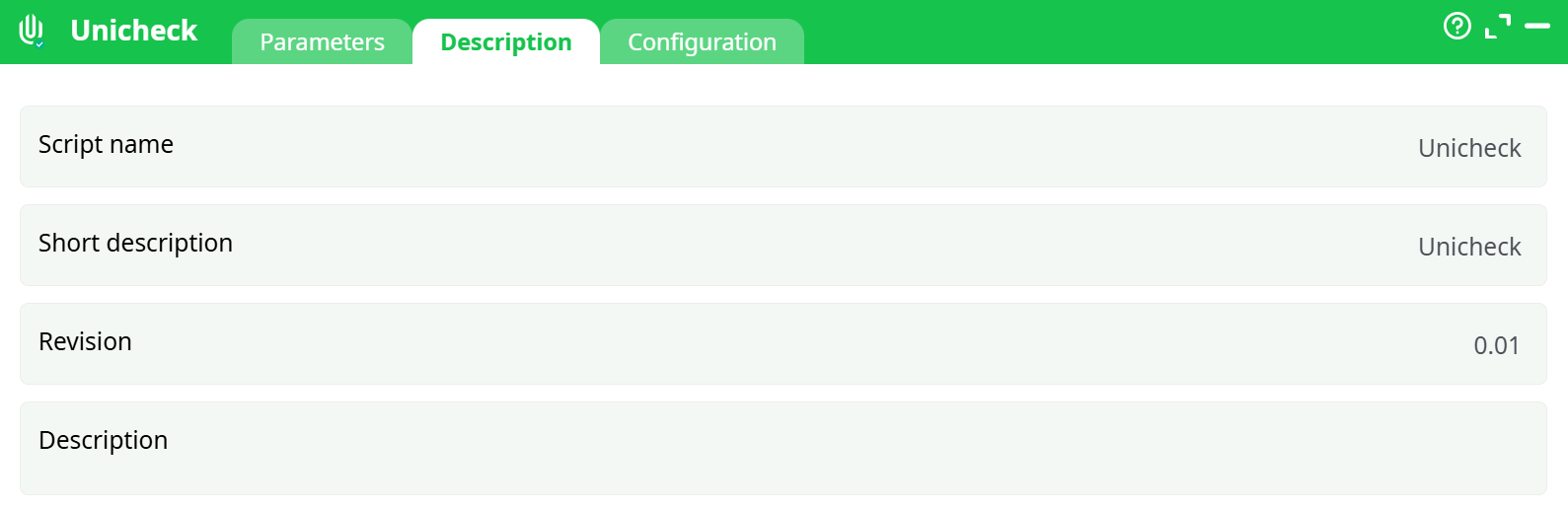
Parameters:
- Script name
- Short description
- Revision
- Description
¶ Configuration tab
See dedicated page for more information.
¶ About
To use this action, you’ll need to get one parameter from the Unicheck Website (i.e. you need the parameters P8 and P9). Please see the next section Unicheck first time setup for more details on how to get these parameters.
Once you have completed the “setup process”, you can use the parameter P1 to P7 to check for Plagiarism in your text corpus.
¶ Unicheck first time setup
Before using the Unicheck action inside ETL, you need to get the Unicheck Client Key and the Unicheck Client secret from the Unicheck website. Here are the steps to get these 2 parameters:
- Open the url: https://unicheck.com and log-in using your credentials.
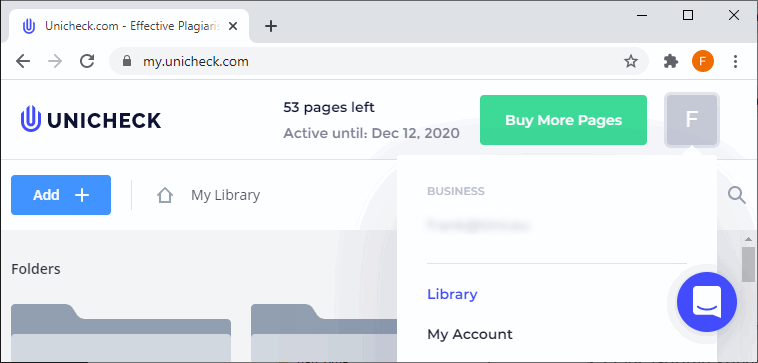
- Open the drop-down menu in the top-right corner and click “My account”:
- Click on the “API” menu in the middle:
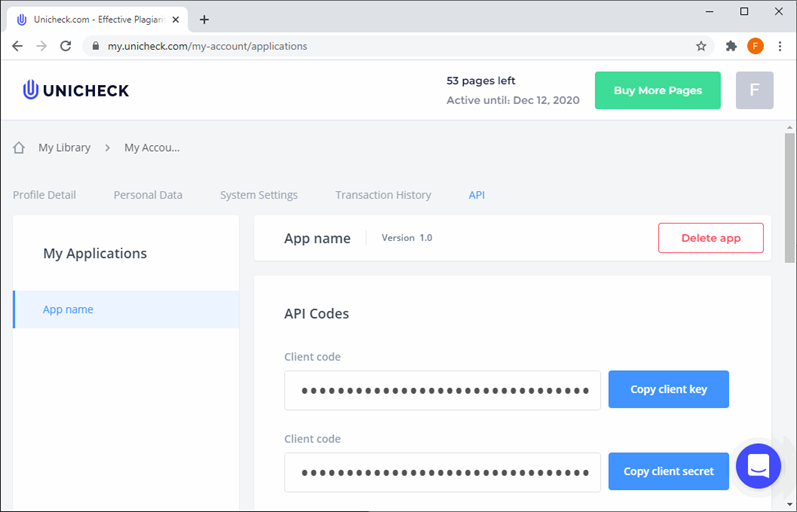
- The “Unicheck Client Key” and the “Unicheck Client Secret” are accessible from "Copy client" buttons.