¶ Description
Download files from Dropbox.
¶ Parameters
¶ Parameters Tab
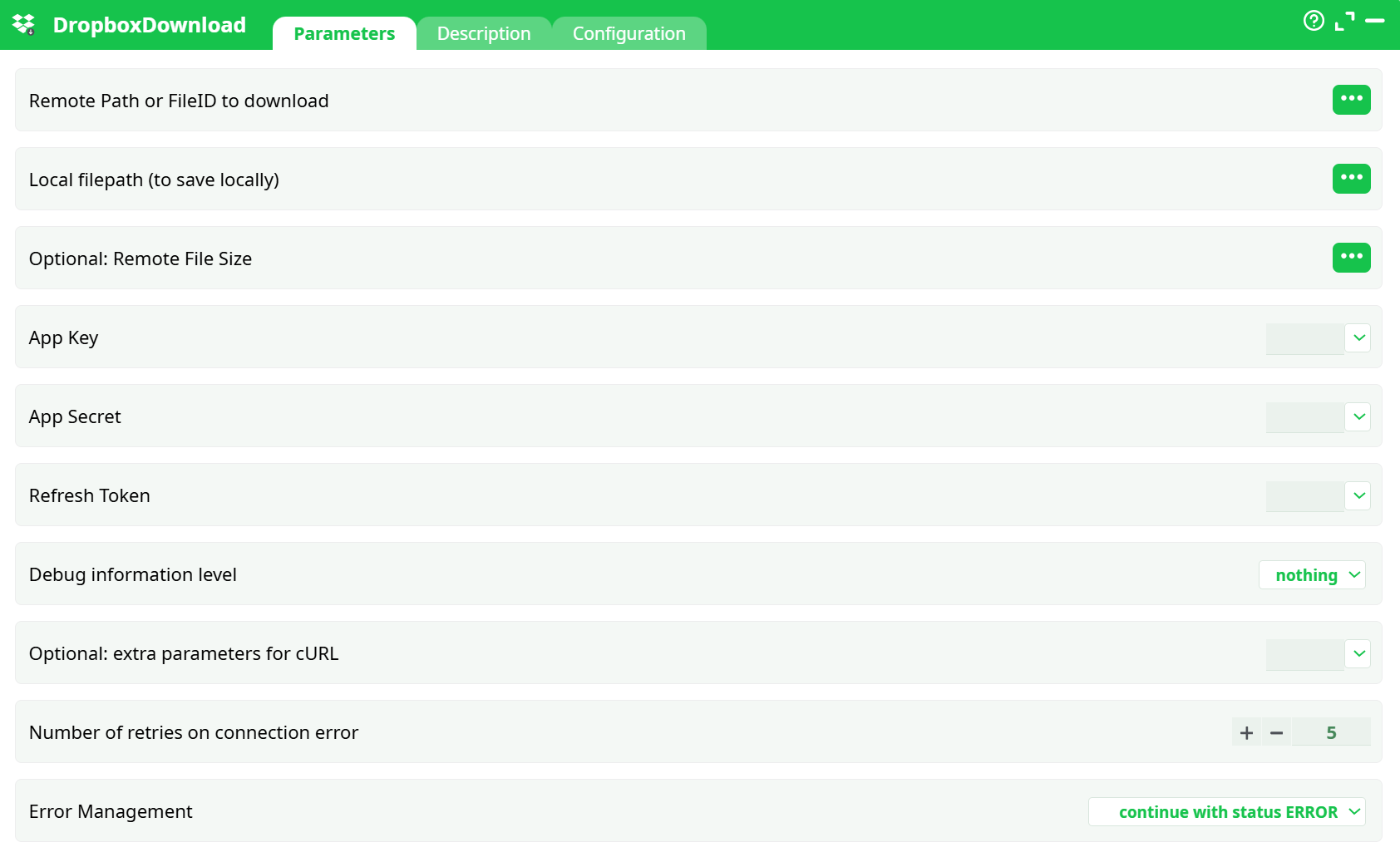
Parameters:
- Remote Path or FileID to download
- Local filepath (to save locally)
- Optional: Remote File Size
- App Key
- App Secret
- Refresh Token
- Debug information level
- Optional: extra parameters for cURL
- Number of retries on connection error
- Error Management
¶ Description Tab
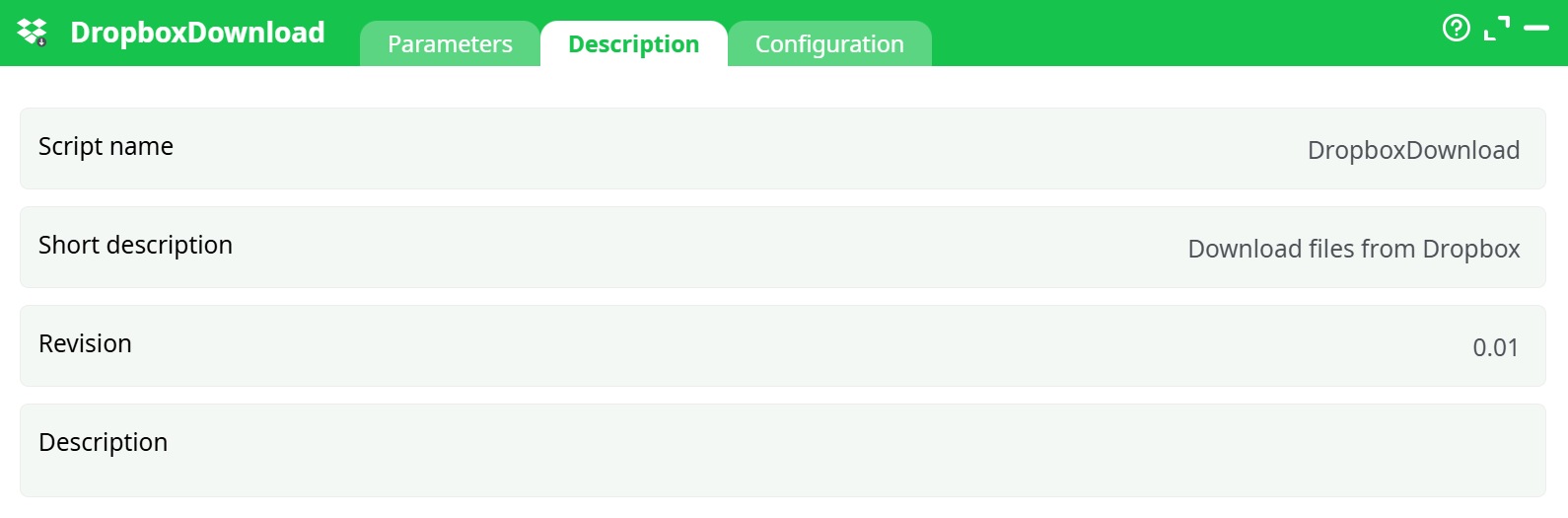
Parameters:
- Script name
- Short description
- Revision
- Decription
¶ Configuration Tab
See dedicated page for more information.
¶ About
DropboxDownload pulls a single file from your Dropbox App Folder to the job’s local filesystem.
Under the hood, it exchanges your Refresh Token for a short-lived access token, then downloads the file by path or file ID. The node retries transient errors, writes the file to the path you specify, and records both the remote path/ID and the local path in its Data output. Only items inside your app’s sandboxed Apps/ folder are reachable.
Need credentials? We provide full step-by-step instructions (create app → scopes → consent → refresh token) in the DropboxUnlock documentation.
¶ Required parameters
-
Remote Path or FileID to download (
Remote Path or FileID to download)
Use one:- Path (recommended for testing): the exact
path_lowerfrom ListFiles, with a leading slash
e.g./customer_orders.csv - File ID (best for prod; survives renames): keep the
id:prefix
e.g.id:bcpU3qGJdFcAAAAAAAAABg
- Path (recommended for testing): the exact
-
Local filepath (to save locally) (
Local filepath (to save locally))
A full path including filename.
Example:%assets%/Customer_Orders.csv
¶ Credentials
- App Key (
appKey) - App Secret (
appSecret) - Refresh Token (
refresh_token)
See DropboxUnlock for the complete, step-by-step guide to set up the app and obtain these values.
¶ Quick start
-
Set:
Remote Path or FileID to download→/customer_orders.csv(or)id:bcpU3qGJdFcAAAAAAAAABgLocal filepath (to save locally)→records/Customer_Orders.csv
-
Paste App Key, App Secret, Refresh Token.
-
(Optional) Set Debug to
verbosewhile testing. -
Run the node.
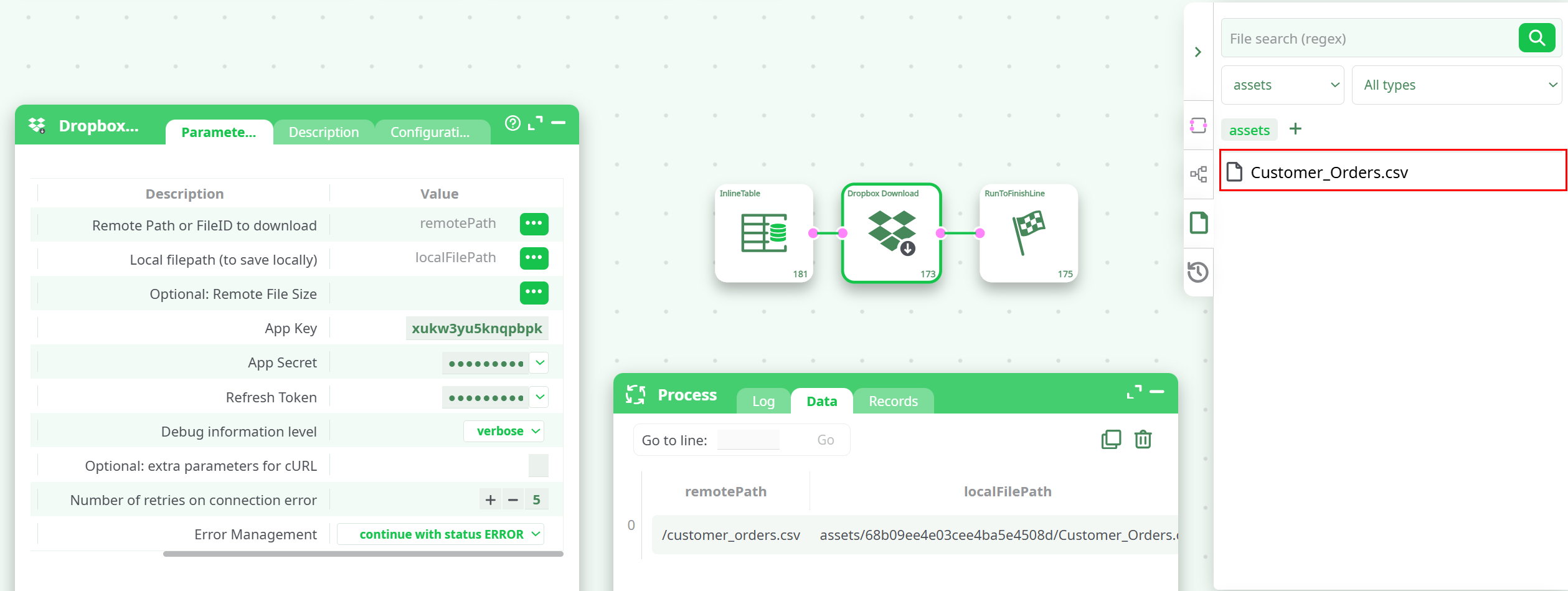
You should see
- In Process → Data:
remotePathandlocalFilePathpopulated. - In the Files panel:
records/<run-id>/Customer_Orders.csv. - In Log: token exchange followed by a successful download (no repeating “Download failed…” lines)
¶ Common mistakes & fixes
-
Download keeps failing but job ends “successful”
Local filepath (to save locally)points to a folder instead of a file. -
409 path/not_found
Remote path missing the leading slash, wrong casing, or not in the App Folder. Copy the exactpath_lowerfrom ListFiles. -
401 invalid_access_token
Bad/expired credentials. Regenerate using the DropboxUnlock steps and double-check the App Secret. -
403 access error
File isn’t in your app’s sandbox, or scopes are missing. Recreate per DropboxUnlock.
¶ Best practices
- Use File ID (
id:...) in production to survive renames/moves. - Keep Debug = nothing and Error Management = abort in production.
- Store secrets in a secret manager; don’t hard-code them.