¶ Description
List the files on Dropbox.
¶ Parameters
¶ Parameters Tab
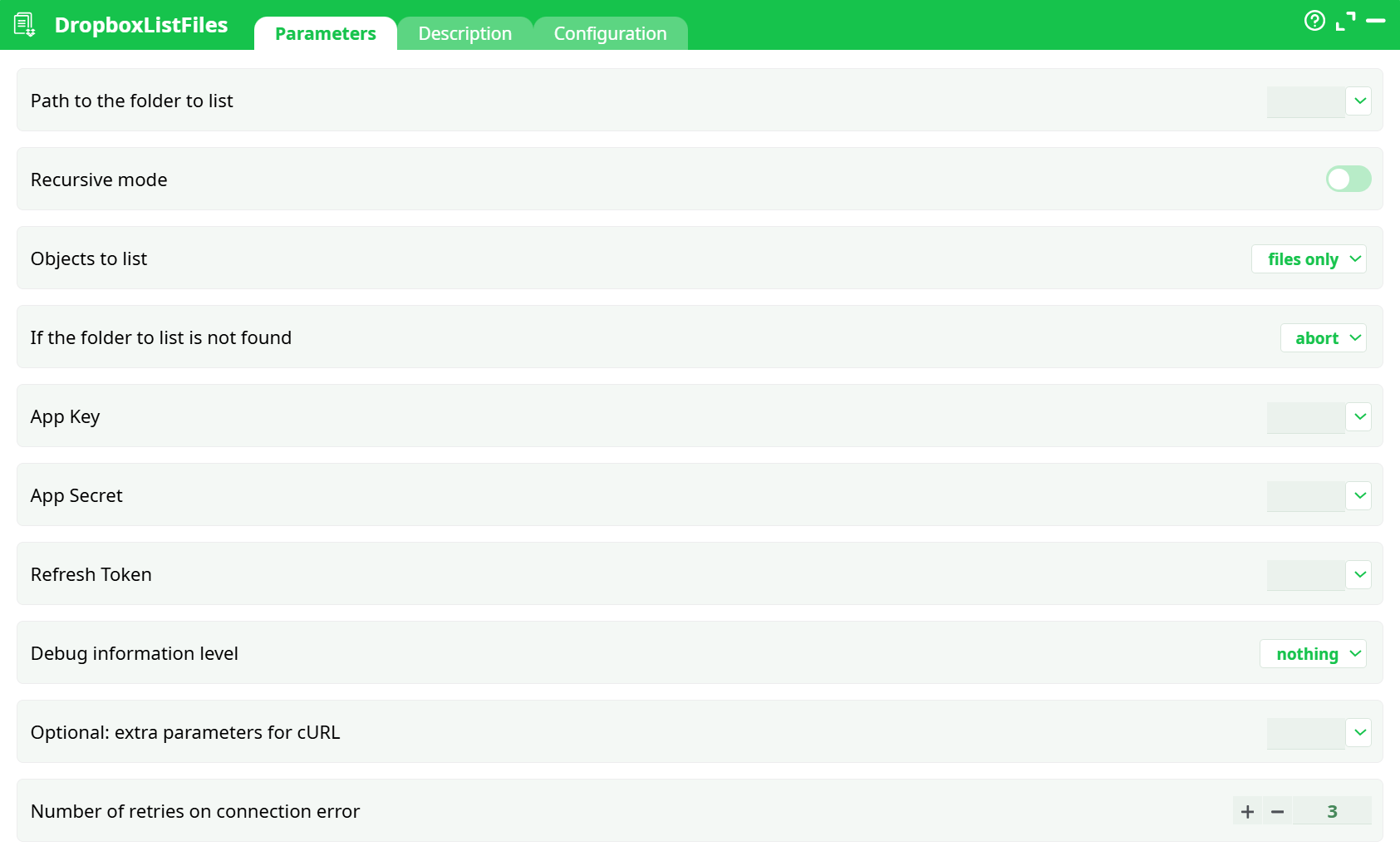
Parameters:
- Path to the folder to list
- Recursive mode
- Objects to list
- If the folder to list is not found
- App Key
- App Secret
- Refresh Token
- Debug information level
- Optional: extra parameters for cURL
- Number of retries on connection error
¶ Description Tab
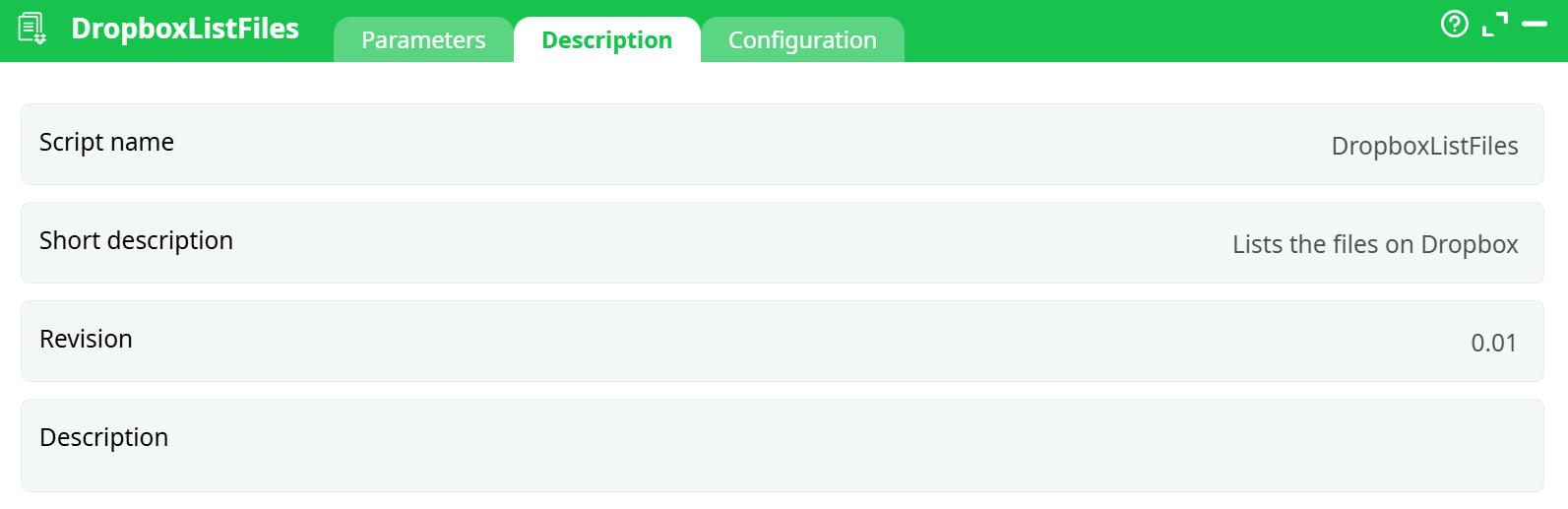
Parameters:
- Script name
- Short description
- Revision
- Decription
¶ Configuration Tab
See dedicated page for more information.
¶ About
Lists the content of a Dropbox folder (within your app’s App Folder scope) and returns a table with rich metadata (name, id, paths, timestamps, size, hash, etc.).
Under the hood the box exchanges your Refresh Token for a short-lived access_token and calls files/list_folder on the Dropbox API.
¶ Prerequisites
- A Dropbox Scoped App (App Folder) with an App key and App secret.
- A Refresh Token generated once via the Unlock flow (reuse the same values you used earlier).
- The file(s) you want to list live under:
Dropbox › Apps › <your-app-name>.
Example from our test:Apps/demoetl/Customer_Orders.csv.
¶ Quick start (step by step)
-
Drop the box on canvas.
-
Set the folder to list
-
Path to the folder to list (
Path to the folder to list)""or/→ the root of your app folder (recommended if you want everything)./sub/folder→ any subfolder under the app folder.
-
-
Choose recursion & object type
- Recursive mode: Off = only the specified folder; On = include subfolders.
- Objects to list:
all (files + folders)|files only|folders only.
-
Not-found behavior
- If the folder to list is not found:
abort(strict) orcontinue with a warning.
- If the folder to list is not found:
-
Credentials
- App Key:
<your app key> - App Secret:
<your app secret> - Refresh Token:
<your refresh token>
- App Key:
-
(Optional) Debug/Retries/Advanced
- Debug information level:
nothing | basic | verbose(helpful during setup). - Number of retries on connection error: defaults to
3. - Optional: extra parameters for cURL: extra flags if you need proxy/custom TLS.
- Debug information level:
-
Run the box
- Open the Data tab to see the table of results.
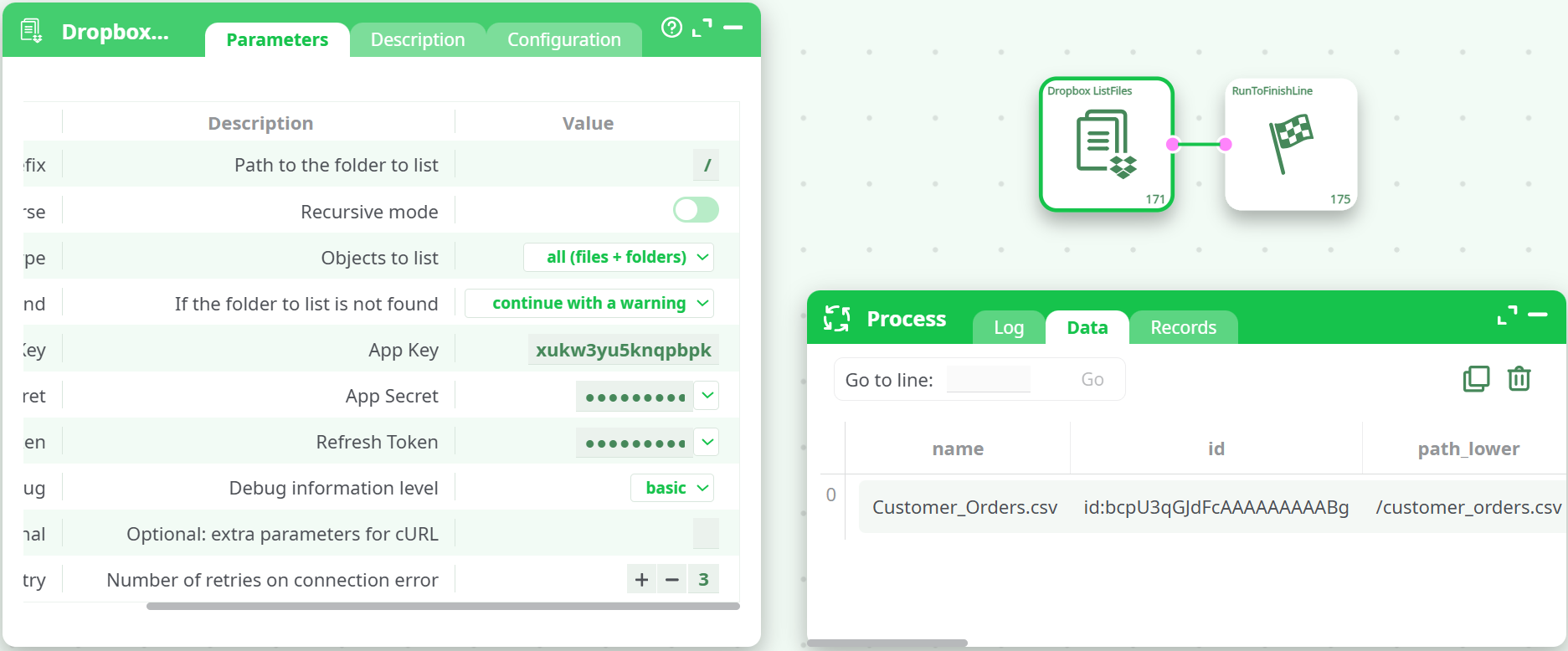
- Open the Data tab to see the table of results.
¶ Output schema (most relevant columns)
| Column | Meaning |
|---|---|
name |
File or folder name (e.g., Customer_Orders.csv) |
id |
Dropbox permanent id (e.g., id:bcpU3qGJdFcAAAAAAAAABg) |
path_lower |
Lower-cased path (stable for lookups) |
path_display |
Human-friendly display path |
size |
File size in bytes (files only) |
client_modified |
Timestamp set by the client that uploaded the file |
server_modified |
Timestamp recorded by Dropbox |
rev |
File revision tag |
is_downloadable |
Whether the item can be downloaded |
content_hash |
Strong hash of the file; perfect for dedup/integrity checks |
preview_url, sharing_info, export_info, … |
May be null depending on item and account |
¶ Path rules & scope notes
-
Your app is App-folder scoped, so the visible root for this box is
Apps/<your-app-name>.Path to the folder to list = "/"means “list the top of the app folder”.- Do not prefix with the user’s full Dropbox root—stay inside the app folder.
-
Paths are case-insensitive in
path_lower, case-preserving inpath_display.
¶ Performance tips
- The box requests up to 2,000 entries per call. For very large folders, prefer listing by subfolder or filtering at the next step.
- Use
content_hashfor change detection/dedup—more reliable than timestamps.
¶ Troubleshooting
-
It runs “successfully” but I see this line in the Log:
Authorization required, but no authorization protocol specified
→ This banner is harmless here. The OAuth is handled internally; the API calls already succeeded (you’ll see the JSON payload and table rows). -
No rows returned
- Check
Path to the folder to list(wrong path). Try/first. - Ensure the file is inside Apps/ in Dropbox.
- Check
-
401 /
invalid_clientorinvalid_grant- App Key/Secret/Refresh Token mismatch. Regenerate the refresh token if needed and make sure you didn’t mix environments.
-
403 /
insufficient_scope- Enable
files.metadata.readin the Dropbox app Permissions tab, then re-consent.
- Enable
-
Proxy/TLS issues
- Add cURL options in Optional: extra parameters for cURL (e.g.,
--proxy …,--cacert …).
- Add cURL options in Optional: extra parameters for cURL (e.g.,