¶ Description
Download JSON documents from Elastic Search.
¶ Parameters
¶ Parameters Tab
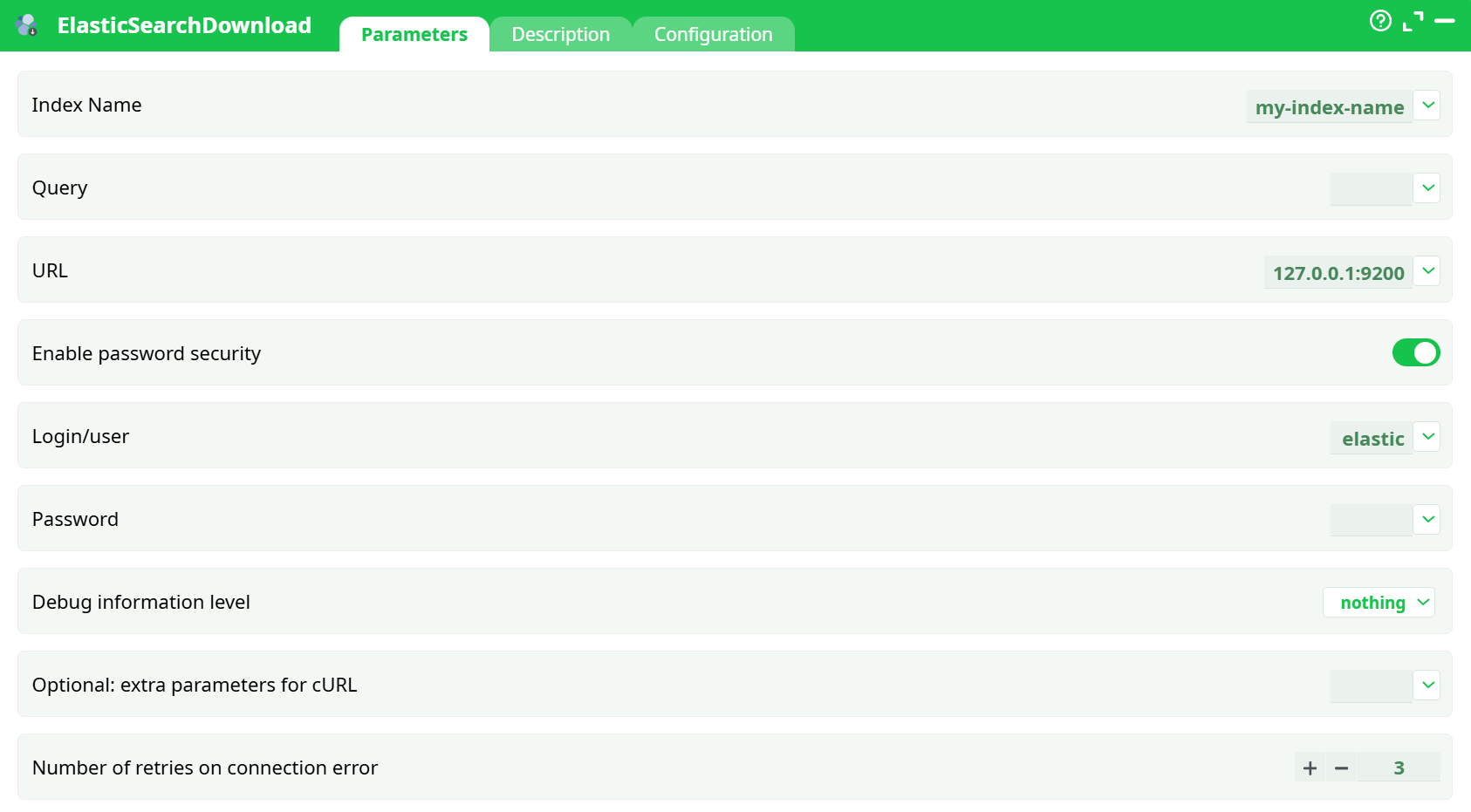
Parameters:
- Index NameQuery
- URL
- Enable password security
- Login/user
- Password
- Debug information level
- Optional: extra parameters for cURL
- Retries on connection error
¶ Description Tab
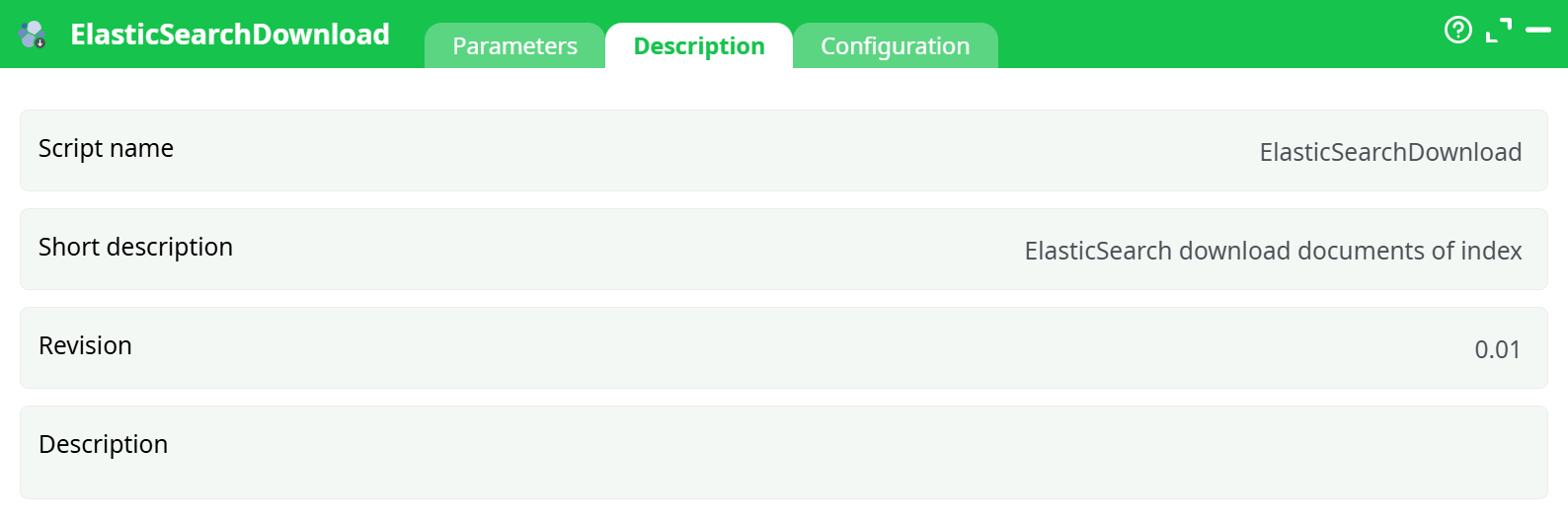
Parameters:
- Script name
- Short description
- Revision
- Decription
¶ Configuration Tab
See dedicated page for more information.
¶ About
ElasticSearchDownload reads documents from an Elasticsearch index and returns them to the ETL as rows. It uses a query string (Lucene syntax) and internally leverages Point-in-Time (PIT) + search_after to page safely and consistently.
Returned rows have the following shape:
| column | type | description |
|---|---|---|
| index | text | Index name for the hit |
| type | text | Legacy type (usually null) |
| id | text | Document _id |
| source | json | The document’s _source as JSON string |
This action’s Query parameter expects a query string, not JSON DSL.
¶ Architecture (How it works)
- Open a PIT (kept alive during the read) to make the search snapshot consistent.
- Execute
_searchwith your query string (q=) and the PIT id. - Page using
search_aftersorted by_shard_docuntil all hits are retrieved. - Emit each hit as one ETL row (
index,type,id,source).
This pattern avoids missed/duplicated hits while the index is being updated.
¶ Prerequisites
¶ What you need before you run it
-
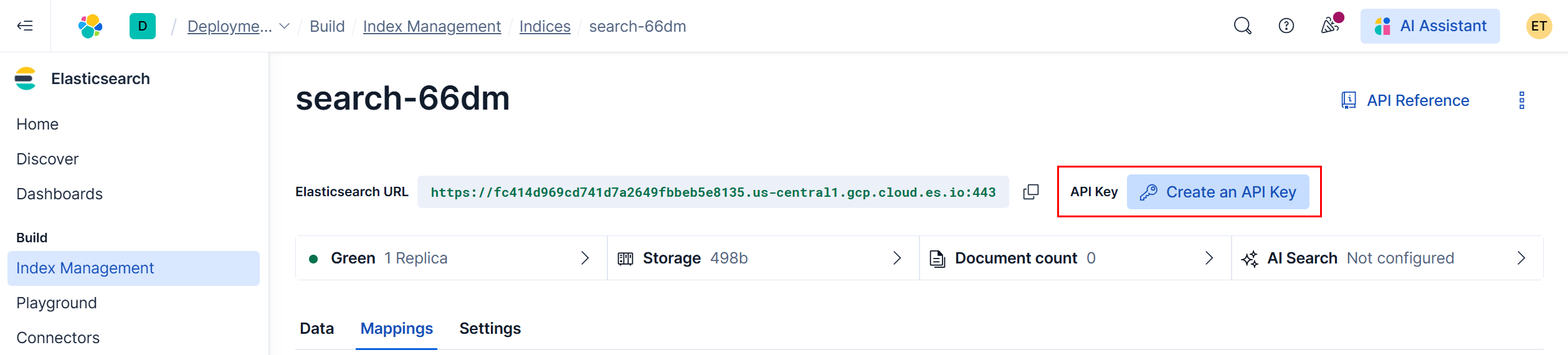
Cluster URL (Elastic Cloud example)
Looks like:https://<random>.us-central1.gcp.cloud.es.io:443
-
One of the two auth methods
-
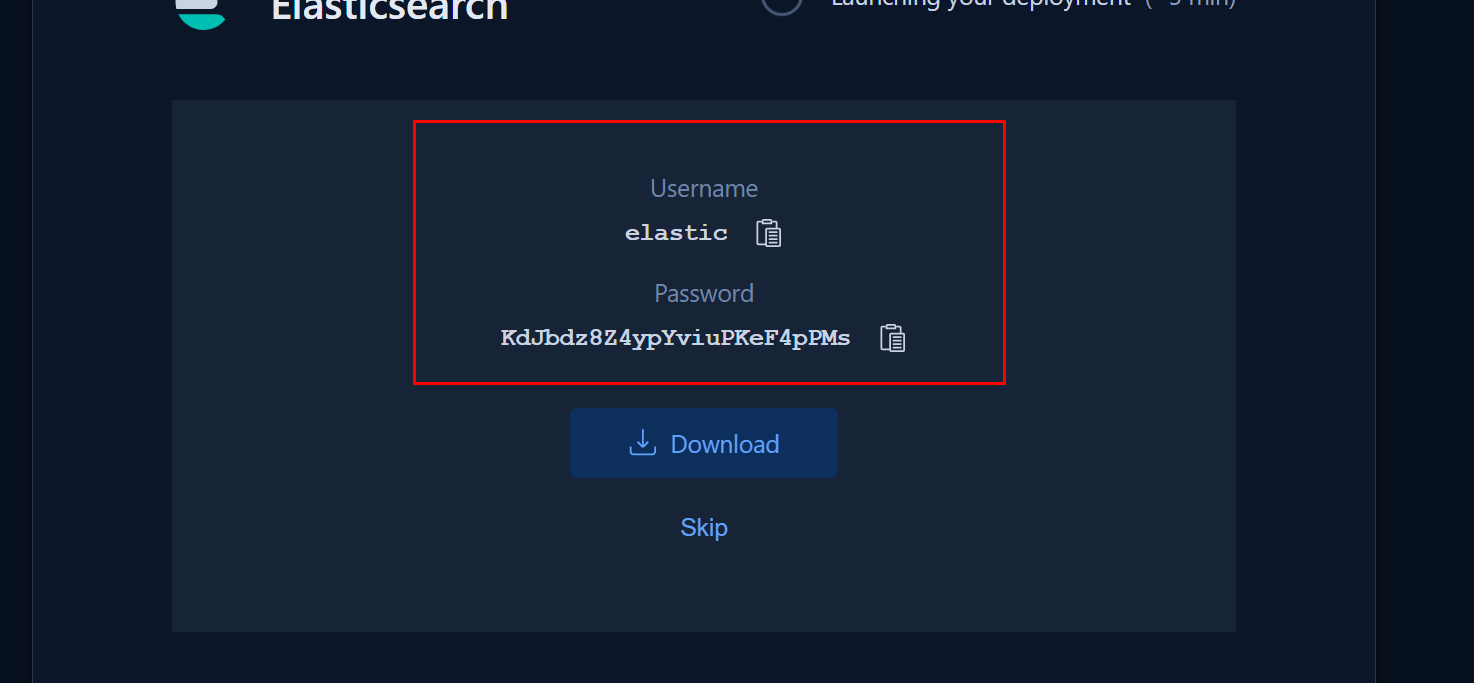
Basic auth
- Username: usually
elastic - Password: the long auto-generated one you saved at deployment time
- Username: usually
-
API key auth (recommended for production)
- Create in Elastic Cloud Console → Create an API key → Copy the Key value
¶ Configuration — Parameters
| Parameter | Required | Type | Default | Example / Notes |
|---|---|---|---|---|
Index Name (indexName) |
✅ | string | — | search-66dm — exact index name to query. |
Query (idQuery) |
✅ | string | * |
Query string, not JSON. |
URL (url) |
✅ | url | — | https://<…>.cloud.es.io:443 |
| Enable password security | ✅ | boolean | ON | Must be ON for Basic auth. |
Login/user (login) |
✅ | string | — | elastic |
Password (pw) |
✅ | secret | — | Your deployment password / API key (Basic). |
| Debug information level | — | enum | basic |
nothing, basic — logs curl requests & payloads. |
| Optional cURL parameters | — | string | — | Advanced: e.g., --insecure for self-signed TLS (not recommended). |
| Retries on connection error | — | integer | 3 |
Retries only for transient network issues. |
¶ Quick Start (Minimal Setup)
-
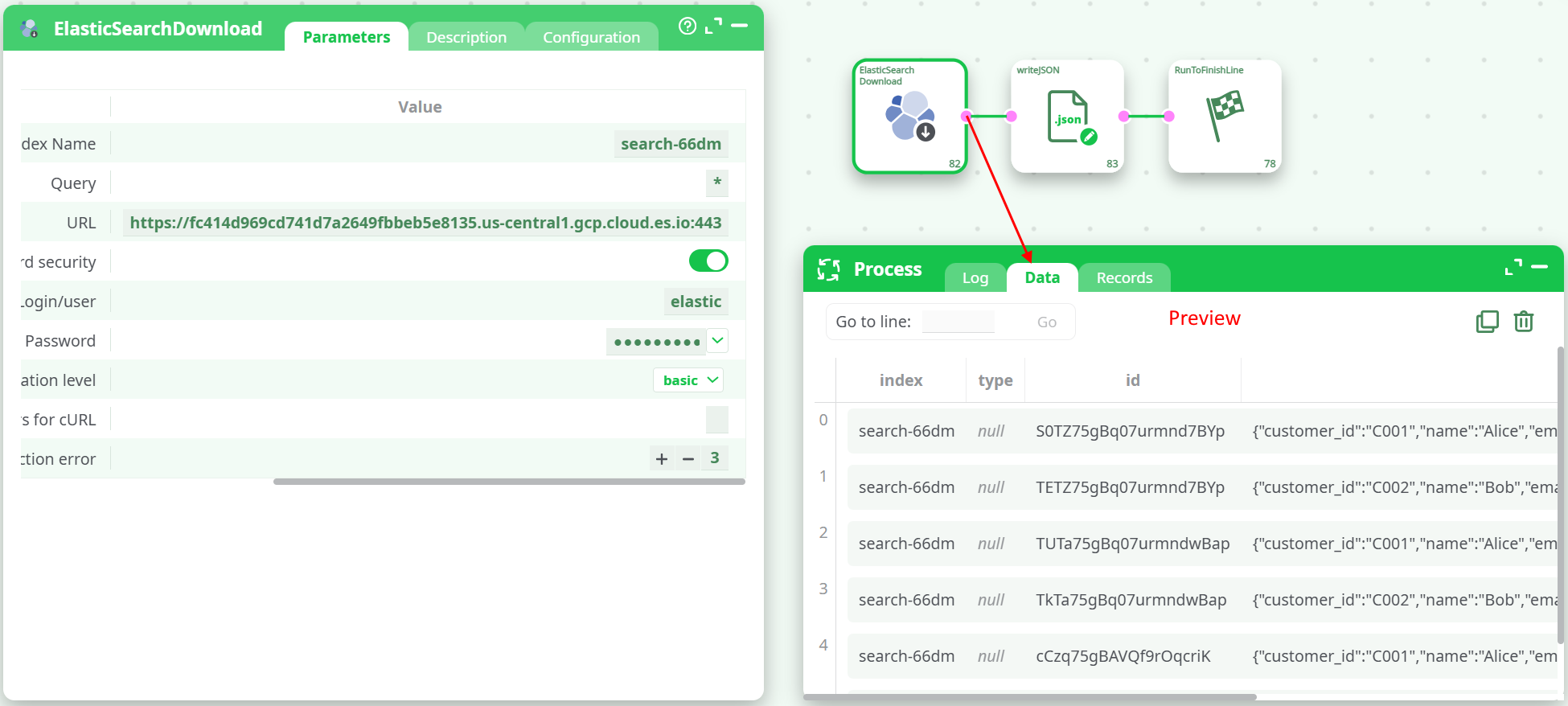
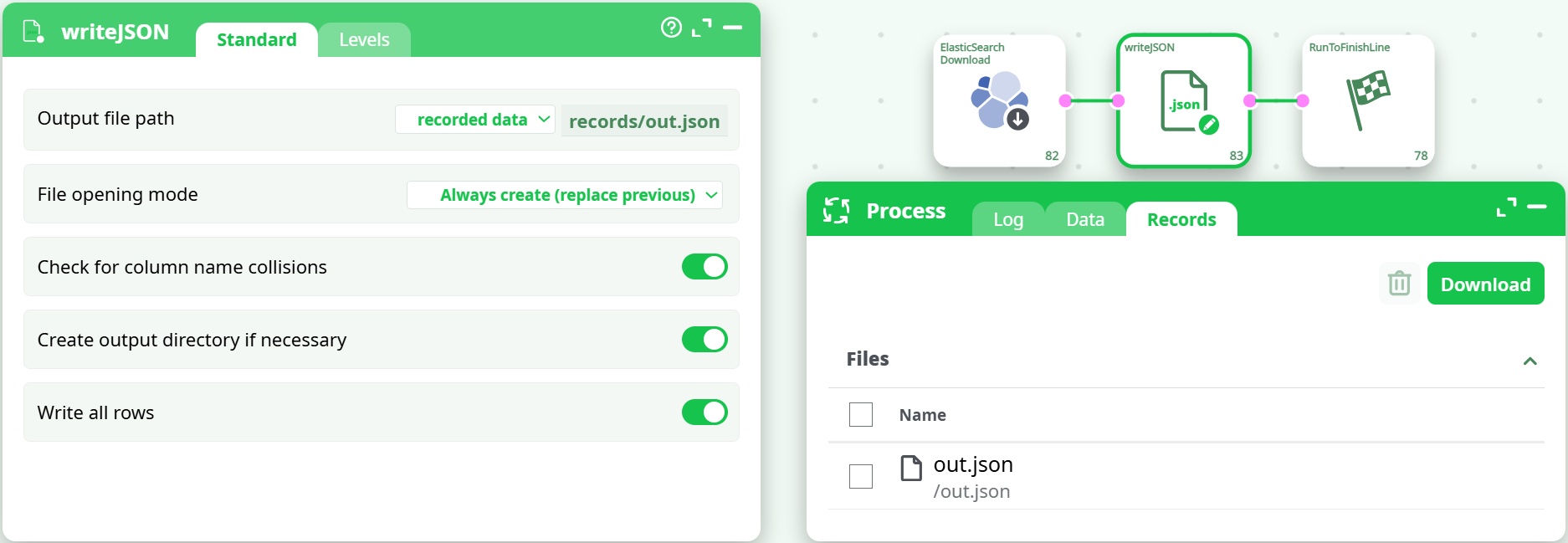
Drop ElasticSearchDownload on the canvas and connect to RunToFinishLine.
-
Fill Index Name with your index, e.g.
search-66dm. -
Set Query to
*(return all documents). -
Paste URL, e.g.:
https://fc414d969cd741d7a2649fbbeb5e8135.us-central1.gcp.cloud.es.io:443 -
Toggle Enable password security = ON.
-
Login
elastic, Password = your Elastic Cloud password. -
Run.
Expected outcome
- Log shows: PIT created → search requests → success.
- Data shows rows with
index | type | id | source(your docs as JSON).
- Optionally, you can connect the writeJson action to create a JSON file, which you can then find in the Records tab.
¶ Query String — Cookbook
Use Lucene query string syntax (not JSON).
All documents
*
Exact value
customer_id:C001
Wildcard
email:*@example.com
name:Ali*
OR / AND / NOT
name:(Alice OR Bob)
name:Alice AND -email:*@spam.com
Date ranges (if created_at is a date)
created_at:[2025-08-20T00:00:00Z TO *]
created_at:[now-7d TO now]
Multiple conditions
customer_id:C001 AND created_at:[2025-08-20T00:00:00Z TO *]
Do not paste JSON DSL like
{"query":{"match_all":{}}}— it will fail to parse.
¶ Output Schema & Post-processing
Returned rows:
index(text)type(text; oftennull)id(text)source(JSON string containing document_source)
Turning JSON into columns
Downstream, use a JSON/Extract/Map action to parse source and project fields (e.g., customer_id, email, created_at) into their own columns.
¶ Performance & Tuning
- Filter early: Prefer narrow Query (e.g.,
created_at:[now-1d TO now]) over downloading everything. - Keep PIT short: The action manages it for you; long-running jobs should narrow time windows.
- Debug level: Use
basicwhile configuring. Switch tonothingin production to reduce log noise. - Avoid sorting in query: The action already pages using
_shard_doc. Sort/limit later in ETL if needed.
¶ Troubleshooting
| Symptom / Log snippet | Probable Cause | Fix |
|---|---|---|
query_shard_exception: Failed to parse query [{ "query": ... }] |
JSON DSL pasted into Query | Replace with query string (see §6). |
401/403 unauthorized |
Wrong creds or security disabled | Enable password security; verify user/password; ensure index read privileges. |
No results |
Index or query mismatch | Confirm Index Name spelling; test with *; then refine. |
Authorization required, but no authorization protocol specified (appears before success) |
Informational line from shell environment | Safe to ignore if requests succeed—real Authorization header is sent. |
| TLS handshake errors | Certs / proxy / self-signed | Add proper CA, or (last resort) put --insecure into Optional cURL parameters (not recommended). |
¶ 11. Usage Examples
¶ A) Download everything (demo)
- Index Name:
search-66dm - Query:
* - Result: All docs (e.g.,
Alice,Bob) appear under Data as rows withsourceJSON.
¶ B) Only one customer
- Query:
customer_id:C001
¶ C) Last 7 days
- Query:
created_at:[now-7d TO now]
¶ D) Domain filter
- Query:
email:*@example.com
¶ Known Limitations
- The action exposes query string only (no JSON DSL body). Complex aggregations must be performed with other components/API calls.
- Sorting is internal for paging. Apply business sorting downstream.
¶ FAQ
Q: Can I sort by created_at in the query?
A: The action handles paging with _shard_doc sort. Do business sorting later in ETL to avoid interfering with paging.
Q: How do I get specific fields instead of full _source?
A: Fetch full _source and project the fields you need with a JSON/Extract step.
Q: Will this read from a data stream?
A: If the data stream exposes an index alias/name you can query, yes—use that alias/name in Index Name.