¶ Description
List Indexes on an Elastic Search Server.
¶ Parameters
¶ Parameters Tab
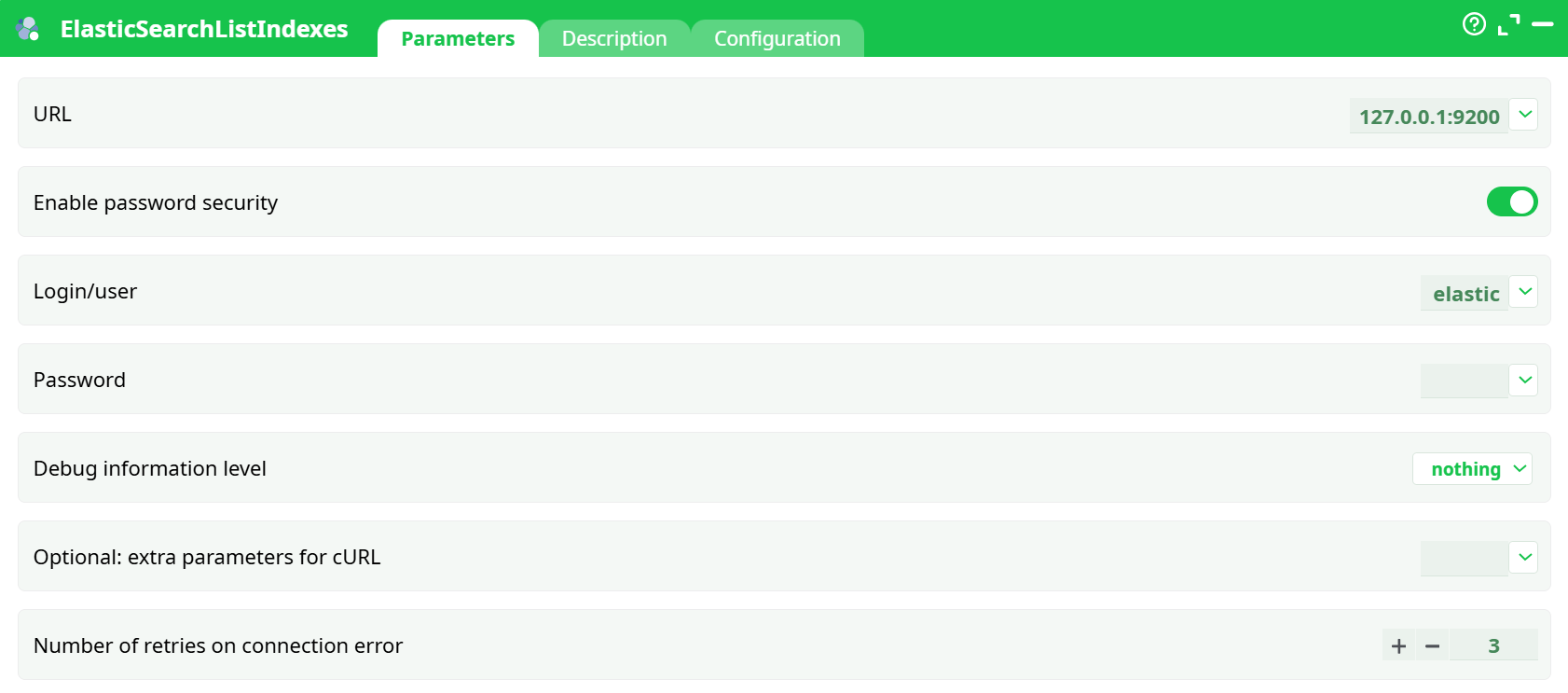
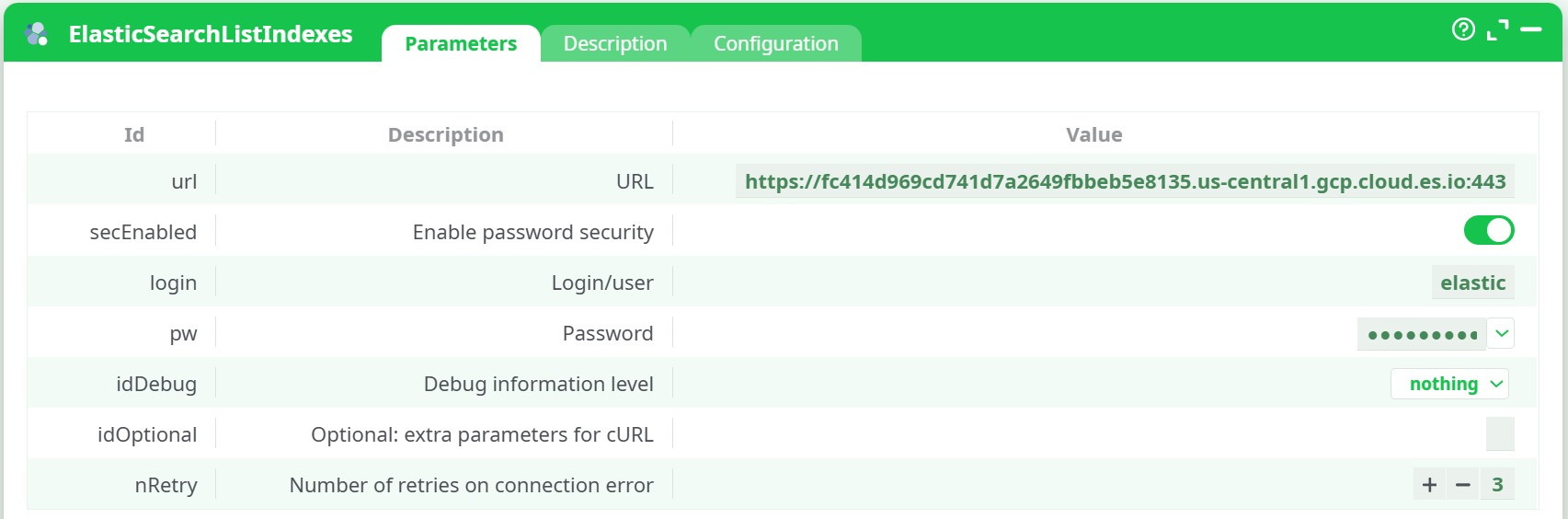
Parameters:
-
URL Full HTTPS endpoint of your Elasticsearch cluster.
-
Enable password security toggle:
- ON for Basic auth (fill Login/user and Password)
- OFF if using API Key (auth via header, see Optional cURL below)
-
Login/user
-
Password
-
Debug information level
-
Optional: extra parameters for cURL
-
Retries on connection error Integer ≥ 0 (default
3). Retries transient TCP/TLS failures.
¶ Description Tab
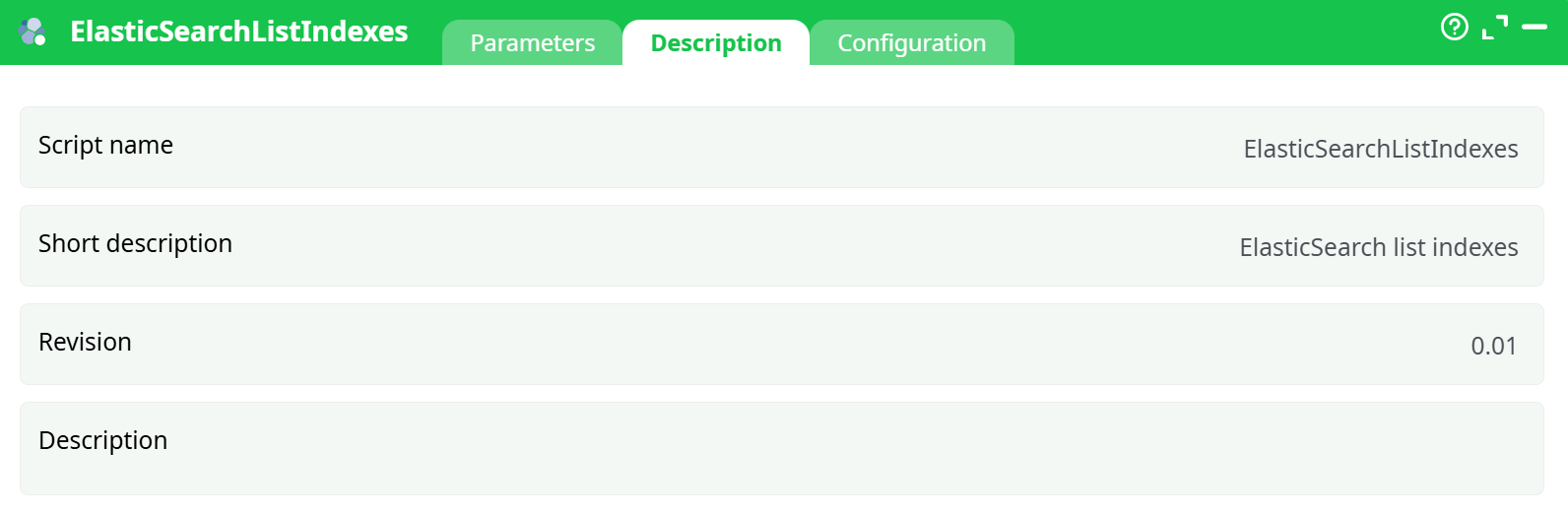
Parameters:
- Script name
- Short description
- Revision
- Decription
¶ Configuration Tab
See dedicated page for more information.
¶ About
This action lists all indices visible to your credentials in an Elasticsearch cluster and returns them as a table you can preview, filter, or feed to downstream steps. It is read-only (no data is created, changed, or deleted).
¶ What you need before you run it
-
Cluster URL (Elastic Cloud example)
Looks like:https://<random>.us-central1.gcp.cloud.es.io:443
-
One of the two auth methods
-
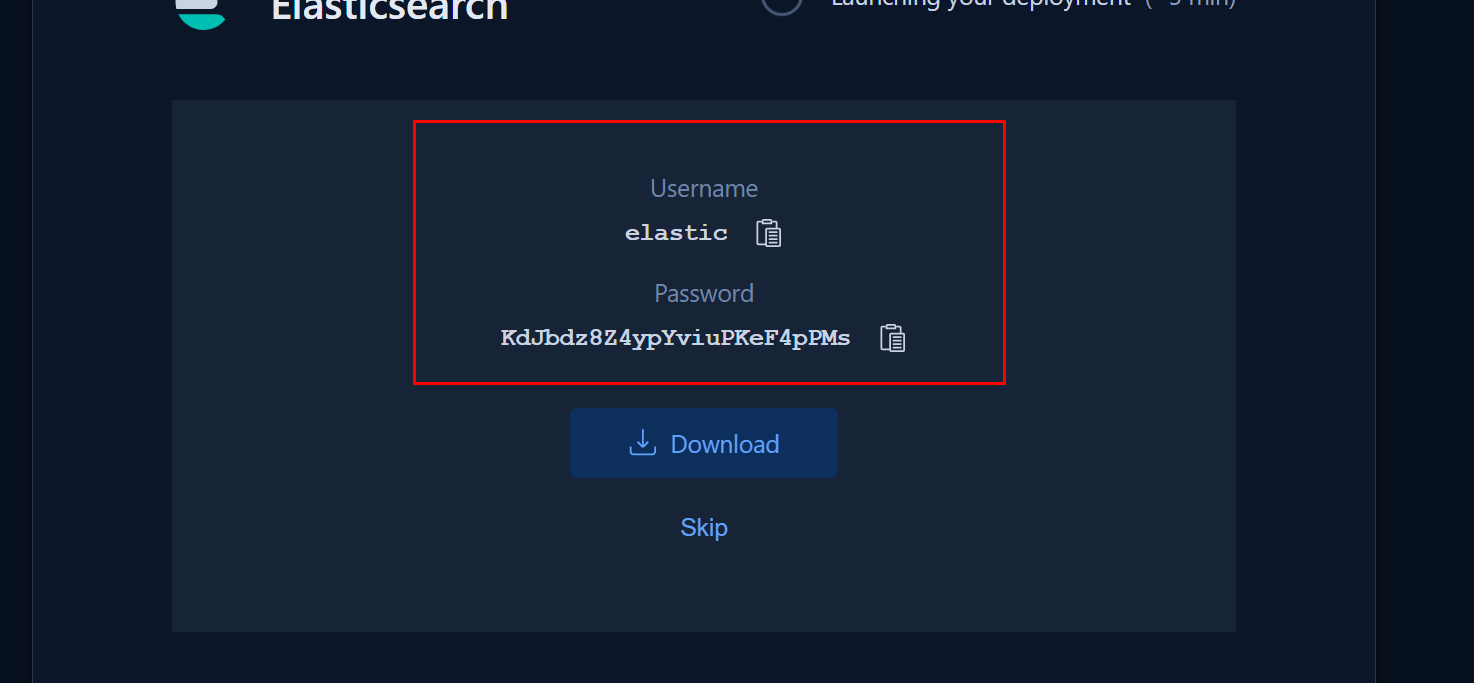
Basic auth
- Username: usually
elastic - Password: the long auto-generated one you saved at deployment time
- Username: usually
-
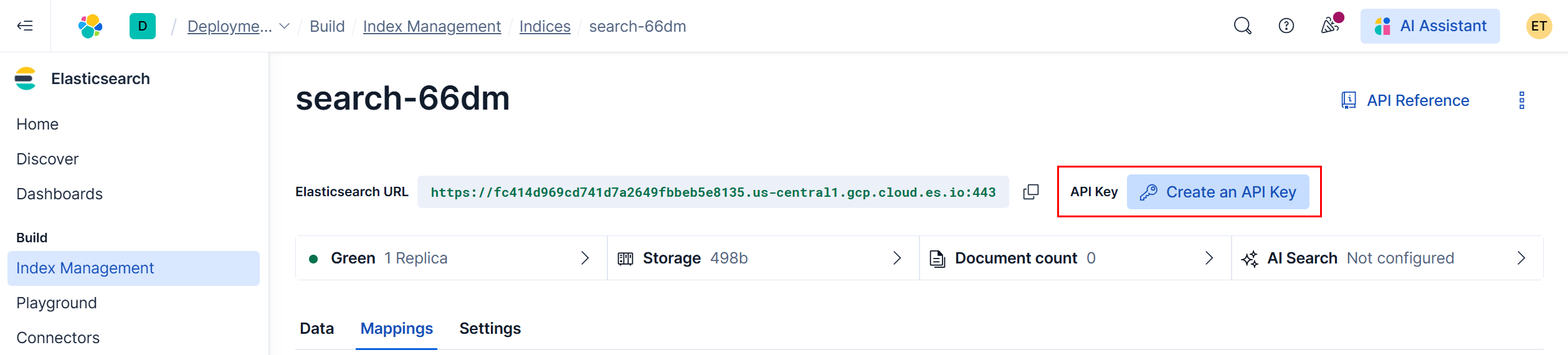
API key auth (recommended for production)
- Create in Elastic Cloud Console → Create an API key → Copy the Key value
¶ Quick start (5 steps)
-
Drop the action into your pipeline and open it.
-
Parameters → URL: paste your Elasticsearch URL (must be
https://…:443). -
Choose authentication
-
Basic:
- Enable password security: ON
- Login/user:
elastic(or your user) - Password: your password
-
API Key:
-
Enable password security: OFF
-
Optional: extra parameters for cURL:
-H "Authorization: ApiKey <YOUR_API_KEY>"
-
-
-
(Optional) Retries / debug
- Number of retries on connection error: keep default
3(tune later) - Debug information level: set to
headersorverbosewhen diagnosing
- Number of retries on connection error: keep default
- Run preview (magnifier icon) or Run the pipeline.
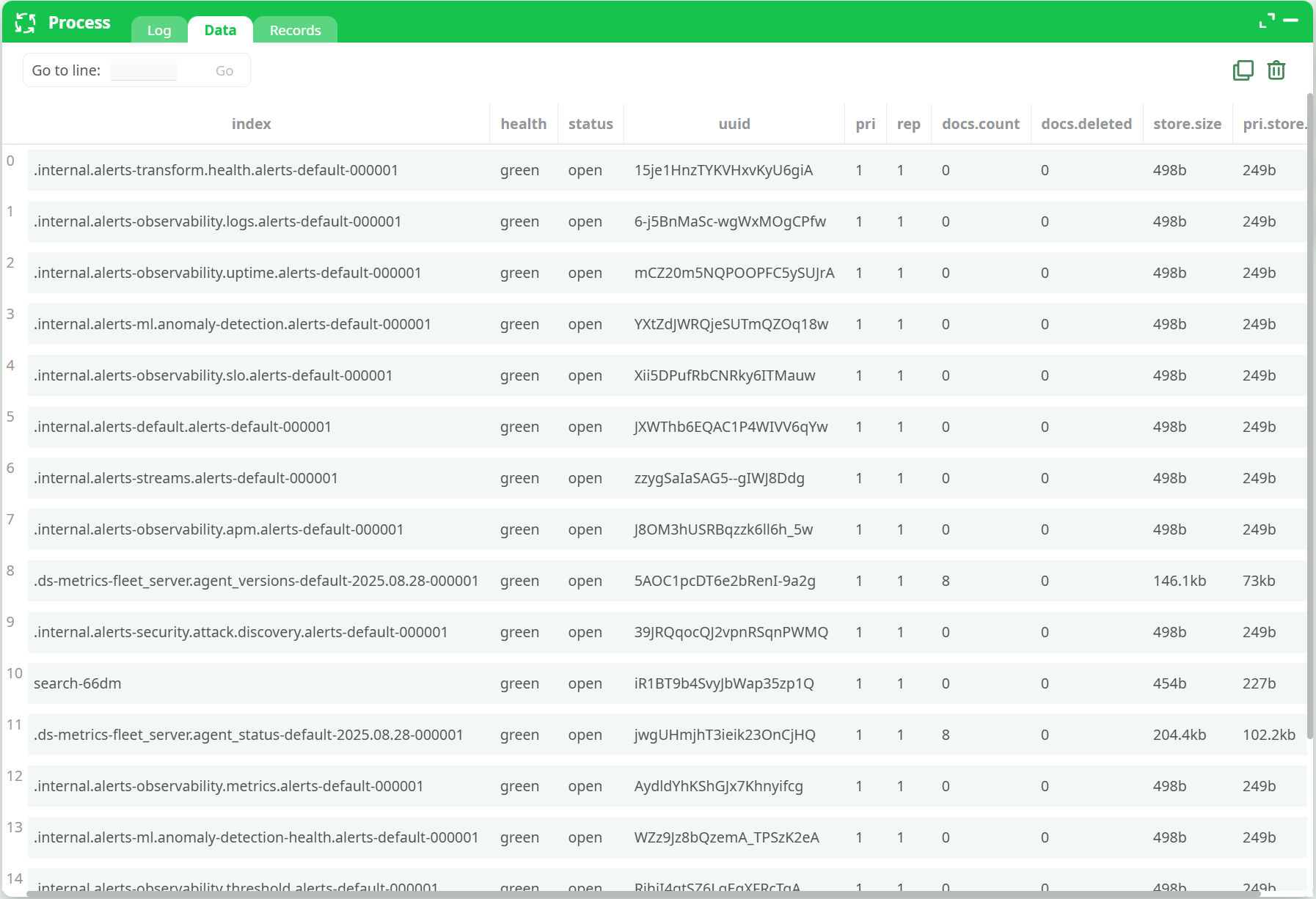
Open the Data tab to see the list of indices.
You should see rows including your test index (e.g., search-66dm) alongside internal system indices.
¶ Inputs & Outputs
¶ Inputs
- None from upstream nodes. The action calls your cluster’s
/_cat/indices?format=jsonendpoint using the credentials you supply.
¶ Outputs (columns you’ll get)
Typical columns (may vary slightly by version):
index— index namehealth—green|yellow|redstatus—open|closeuuid— index UUIDpri— number of primary shardsrep— number of replicasdocs.count— live docs (approximate)docs.deleted— deleted docs (approximate)store.size— total index storage sizepri.store.size— primary shards storage size
¶ How it works (under the hood)
The action issues:
GET /_cat/indices?format=json
with either:
- Basic auth header (when Enable password security is ON), or
Authorization: ApiKey <key>(when you provide it via Optional cURL parameters).
The JSON payload is normalized to the tabular schema above.
¶ Troubleshooting
| Symptom | Likely cause | Fix |
|---|---|---|
401 Unauthorized |
Wrong password or API key used while Enable password security is ON | For Basic: keep security ON and correct user/pw. For API key: turn security OFF and set the header in Optional cURL. |
403 Forbidden |
API key lacks privileges | Recreate the key with monitor privileges (or broader as needed). |
| SSL / TLS errors | Wrong scheme / port | Ensure URL is https and includes :443. |
| Hangs / timeouts | Network or firewall | Allow outbound HTTPS to *.cloud.es.io:443. Consider --connect-timeout / --max-time. |
| Log shows “Success!” but also a trailing note like “Authorization required, but no authorization protocol specified” | Benign runner summary line in some environments | If the Data tab shows rows, you’re fine; otherwise check auth settings as above. |
¶ Security & best practices
- Prefer API keys over the superuser
elasticin production. - Keep Debug at
nothingin production (avoid leaking headers to logs). - Never use
-k(insecure TLS) unless you fully understand the risk.
¶ Limitations
- This action is read-only and non-destructive.
- It lists indices; it does not upload, download, or delete documents (those are separate actions).