¶ Description
Download files from Google Drive.
¶ Parameters
¶ Parameters tab
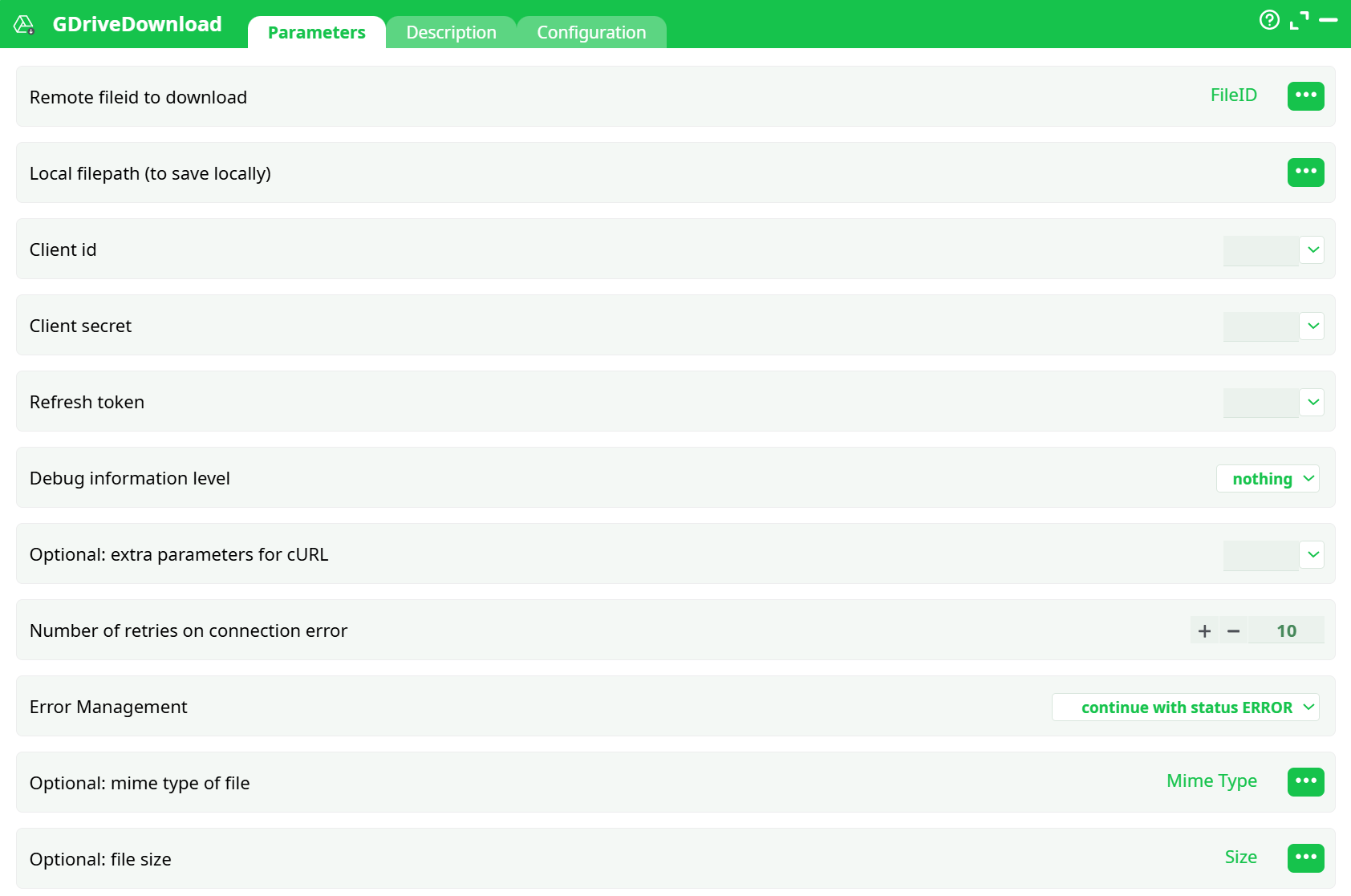
Parameters:
- Remote fileid to download
- Local filepath (to save locally)
- Client id
- Client secret
- Refresh token
- Debug information level
- Optional: extra parameters for cURL
- Number of retries on connection error
- Error management:
- Optional: mime type of file
- Optional: file size
¶ Description tab
See dedicated page for more information.
¶ Configuration tab
See dedicated page for more information.
¶ About
Download or export files from Google Drive by ID and save them to your job’s working folder.
¶ Google setup (one-time)
-
Create a Cloud project → enable Google Drive API.
-
Configure OAuth consent screen (External, add yourself as test user).
-
Create OAuth 2.0 Client (Web application)
- Authorized redirect URI:
https://developers.google.com/oauthplayground
- Authorized redirect URI:
-
In OAuth 2.0 Playground:
- Tick Use your own OAuth credentials, paste Client ID/Secret.
- Pick scopes (below) → Authorize APIs → Exchange to get tokens.
- Copy client_id, client_secret, refresh_token for the action.
¶ Recommended scopes
- Read/download only:
https://www.googleapis.com/auth/drive.readonly - Read + write (for future uploads/deletes):
https://www.googleapis.com/auth/drive - Minimal write for app-created files:
https://www.googleapis.com/auth/drive.file
¶ Minimal pipeline
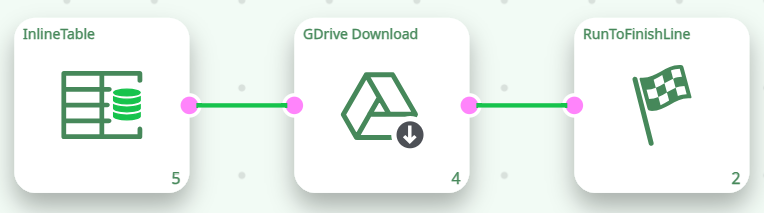
¶ InlineTable (inputs)
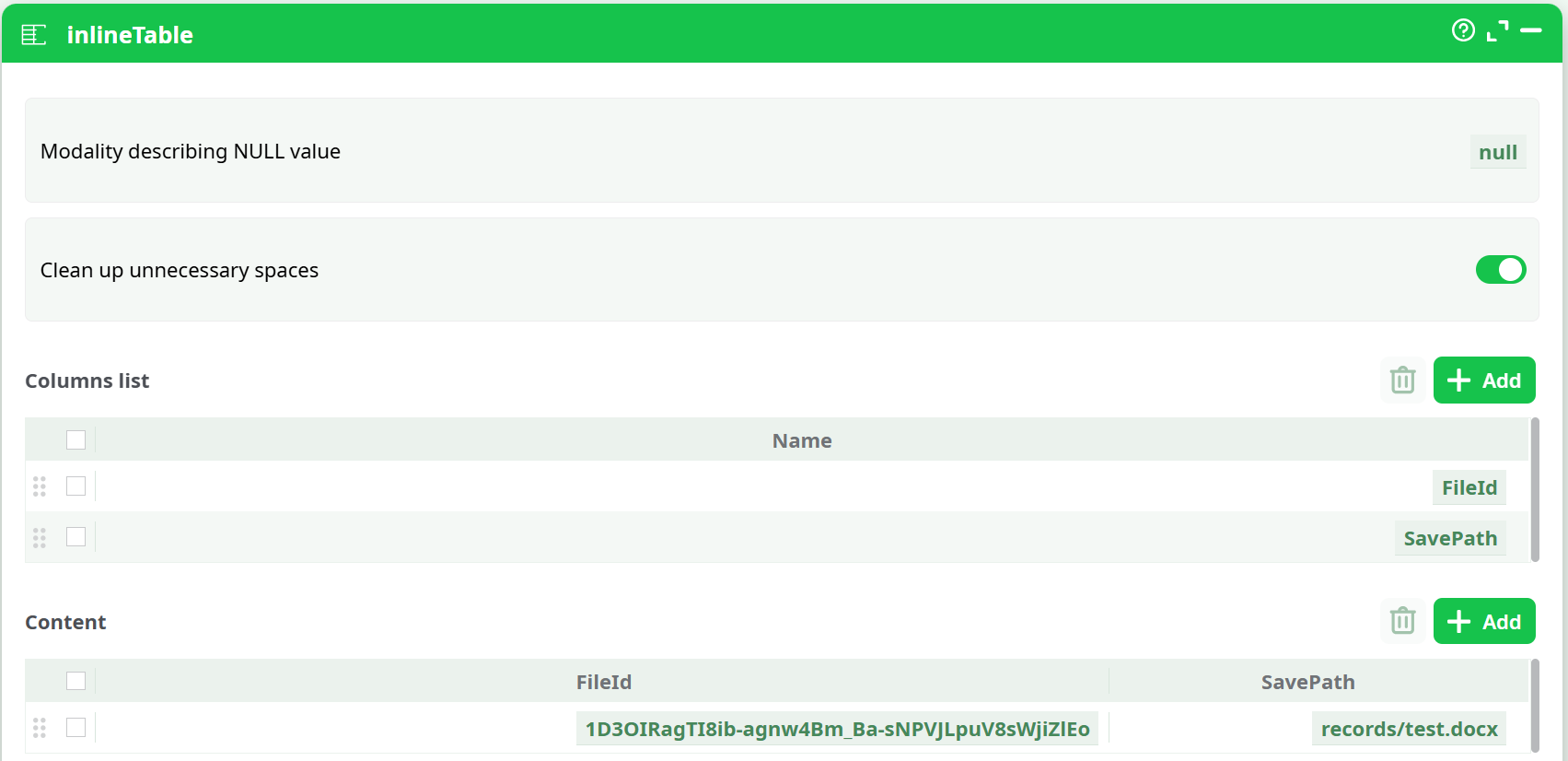
Note
- Use the plain file ID (not the whole Drive/Docs URL).
- Always save under
records/…(e.g.,records/test.pdf,records/photo.jpg).
¶ GDriveDownload — parameters
| Parameter | Set this |
|---|---|
| Remote fileid to download | Select FileID column |
| Local filepath (to save locally) | Select SavePath column |
| Client id / Client secret / Refresh token | Values from OAuth Playground |
| Debug information level | basic (switch to verbose for troubleshooting) |
| Number of retries on connection error | 2 (bump to 3 if needed) |
| Error Management | continue with status ERROR |
| Optional: extra parameters for cURL | (Leave blank to start) |
¶ Run & verify
-
Click Run.
-
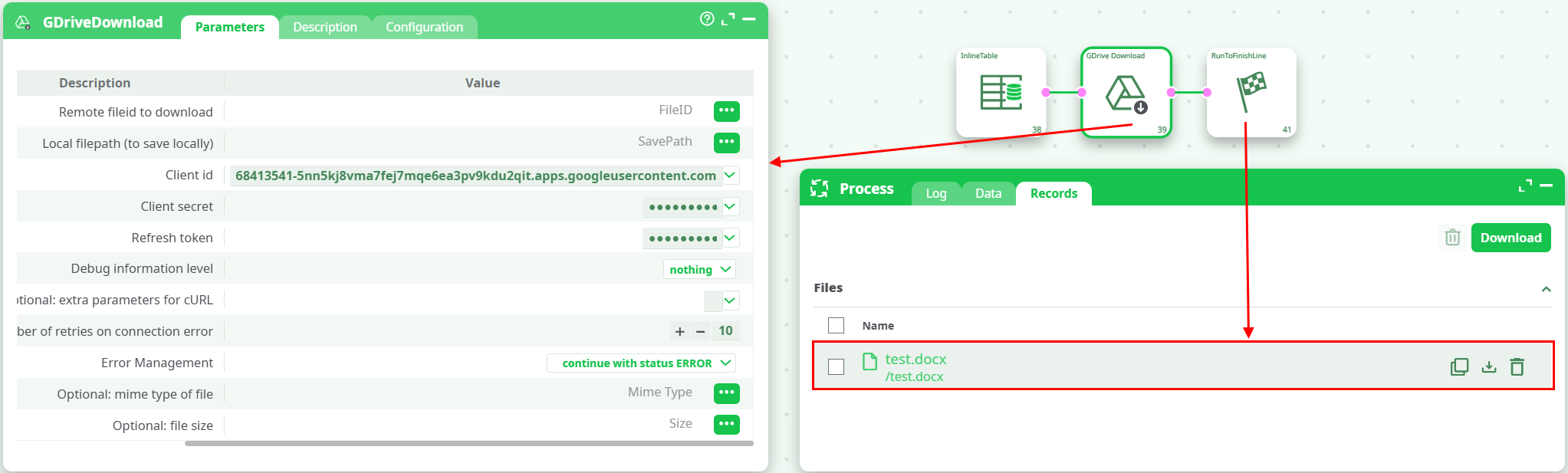
Process → Data tab shows one row per input:
FileID,SavePath,_GDrive_Status(e.g.,ok,Error (connection),Not found).
-
Check records panel for your file, e.g.
records/test.docx.
¶ Troubleshooting
-
404 Not Found
- You passed a URL instead of an ID, or the file isn’t shared with the account that issued the refresh token.
-
Error (connection)/ repeated “Download failed… Retrying…”- Confirm you save under
Records/.... - Clear Optional cURL params; try again with
retries=3.
- Confirm you save under
-
insufficientPermissions(403)- Re-obtain the refresh token with a scope that allows download/export (e.g.,
drive.readonlyordrive). - Ensure the Drive file is accessible by that Google account.
- Re-obtain the refresh token with a scope that allows download/export (e.g.,
-
Line “Authorization required, but no authorization protocol specified”
- This is a benign framework line printed even on success. Real auth issues show HTTP 4xx in the verbose log.