¶ Description
Download files contained in a Google Cloud Storage bucket.
¶ Parameters
¶ Parameters tab
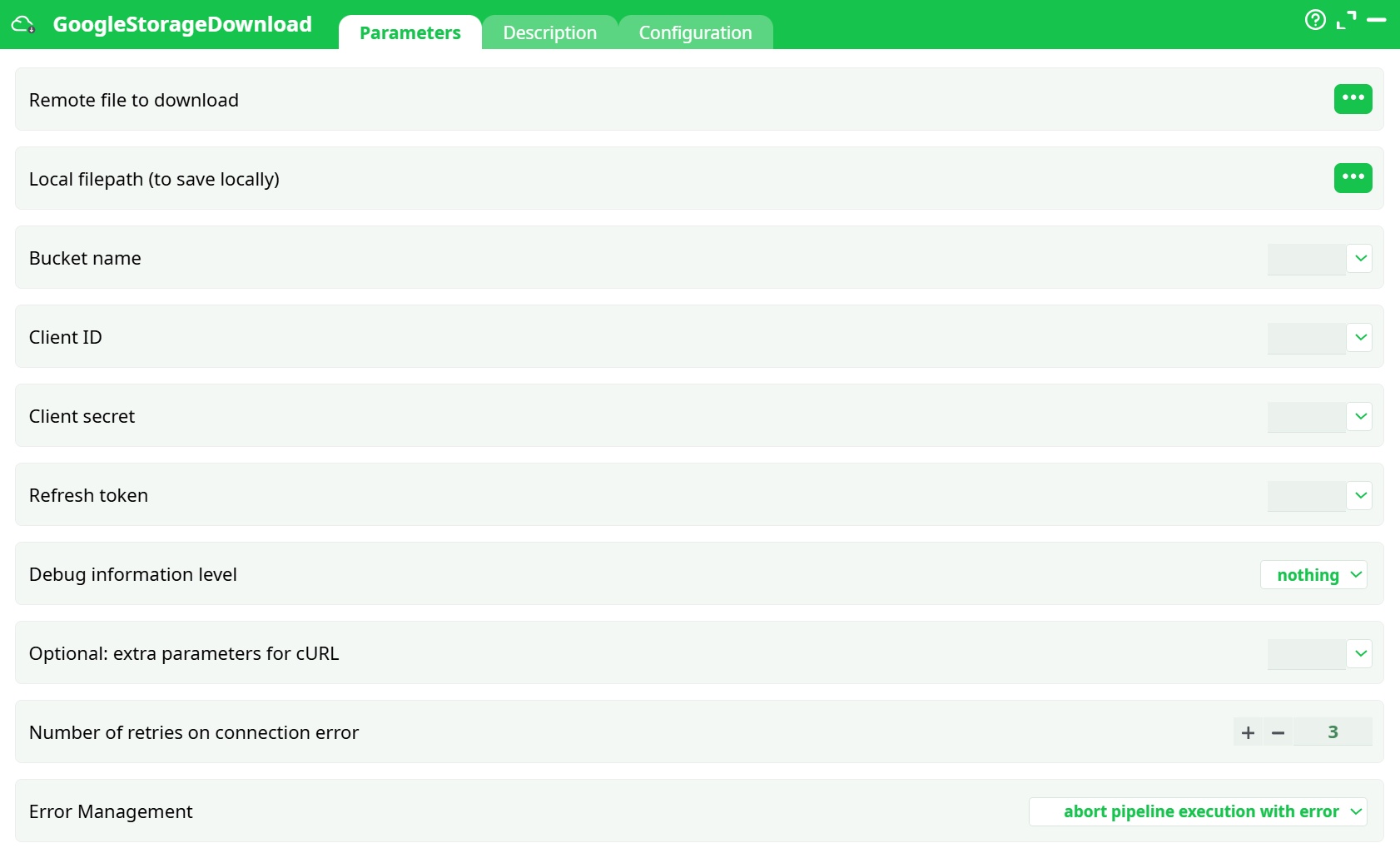
Parameters:
- Remote file to download
- Local filepath (to save locally)
- Bucket name
- Cient ID
- Client secret
- Refresh token
- Debug information level
- Optional: extra parameters for cURL
- Number of retries on connection error
- Error management
¶ Description tab
See dedicated page for more information.
¶ Configuration tab
See dedicated page for more information.
¶ About
Goal: download a single object from Google Cloud Storage (GCS) to a local path
¶ Prerequisites
-
A working GoogleStorageListFiles node for the same project/bucket.
-
Reuse its credentials:
- Client ID
- Client secret
- Refresh token
- (Cloud Storage JSON API is already enabled if ListFiles works)
You do not need to run a separate “get refresh token” flow here—copy the 3 values above from the ListFiles node.
¶ Minimal wiring
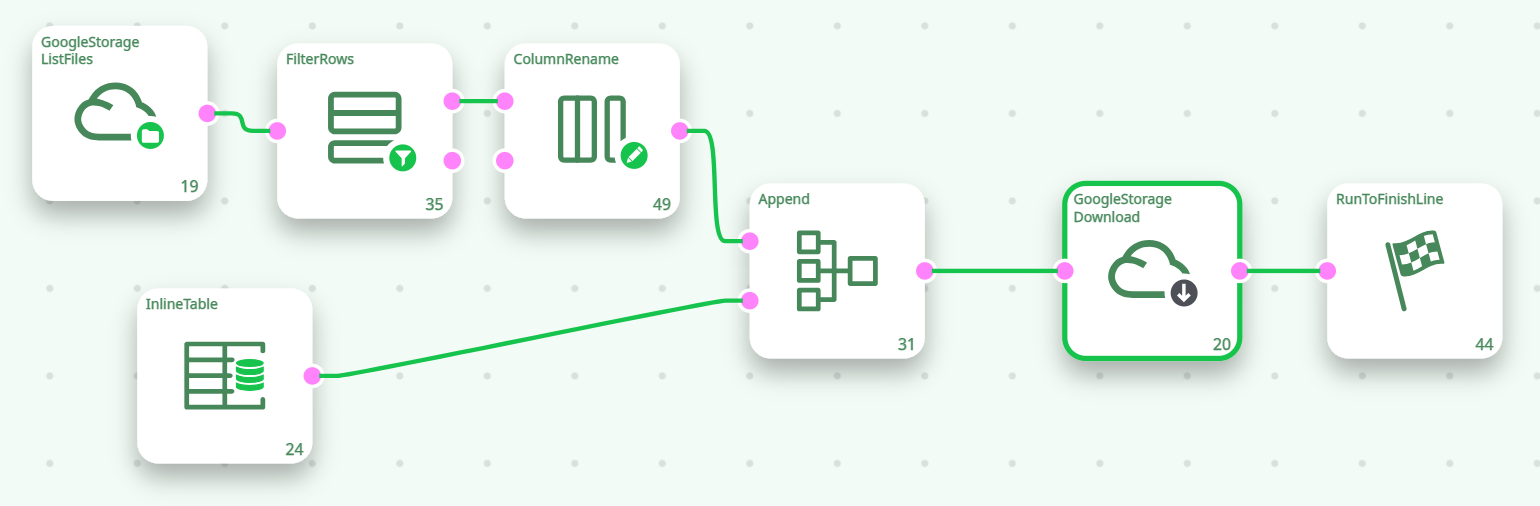
- ListFiles provides the file metadata.
- FilterRows (recommended): keep just the row you want (e.g.,
Name == "uploads/test.csv") or at least remove folders (Size > 0). - ColumnRename (recommended): rename
Size→sizeif your build capitalizes the column name. This avoids a size undefined error in Download. - InlineTable produces one column named out with the destination path (e.g.,
records/test.csv). - Append merges the filtered ListFiles row(s) with the out column so Download can see both fields.
Tip: Download is most predictable when it receives a single row (one remote file → one local file).
¶ Node setup: GoogleStorageDownload
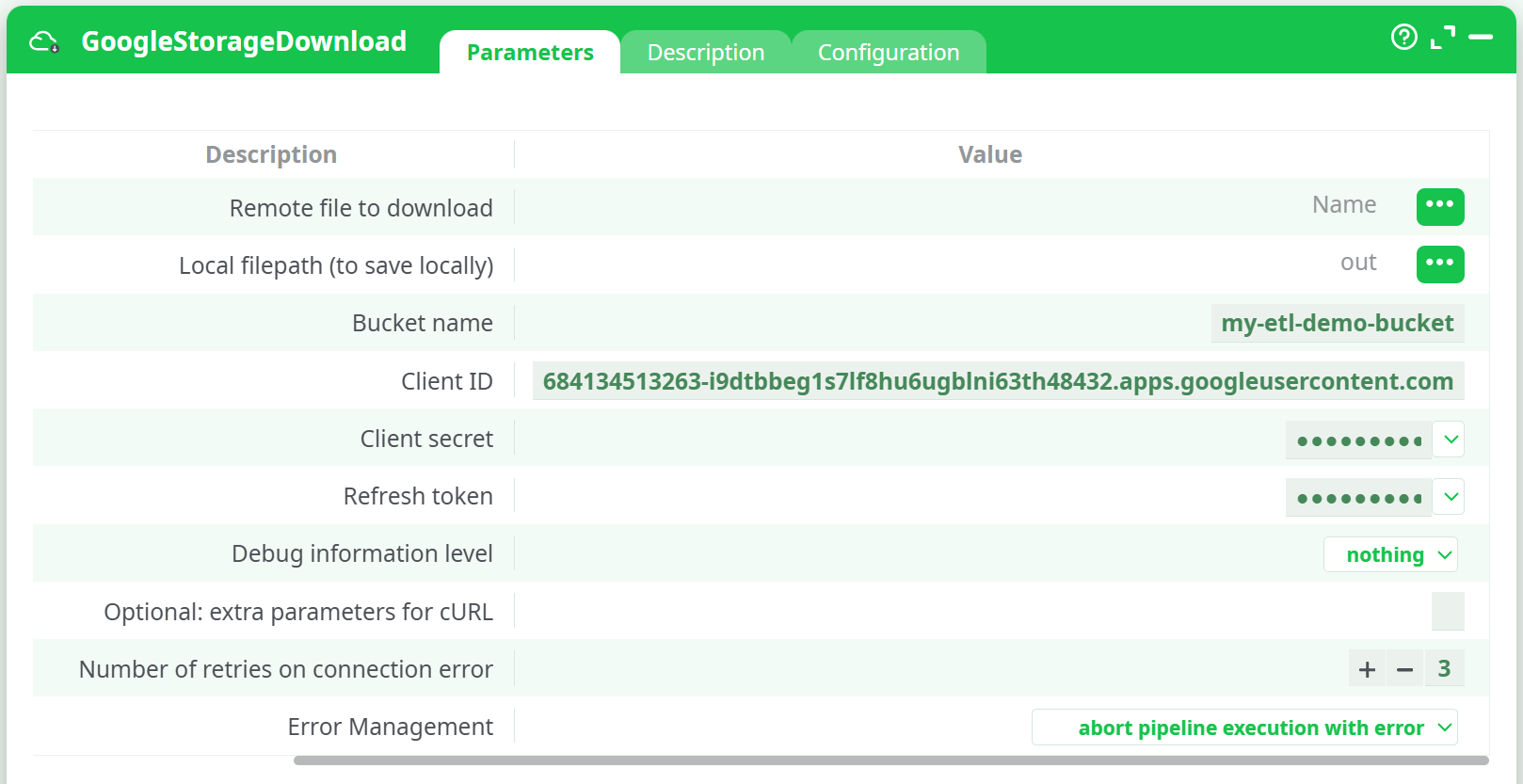
Open GoogleStorageDownload → Parameters and set:
¶ Example
- InlineTable →
out = records/test.csv - FilterRows →
Name == "uploads/test.csv"(orSize > 0+ pick the row in a prior step) - Download selects:
Id→ Remote file to download,out→ Local filepath
Run the pipeline. After success, the file appears at records/test.csv and is ready for whatever comes next (e.g., readCSV)
¶ Troubleshooting
Error: TypeError: Result of expression 'size' [undefined] is not an object.
Cause: the upstream table lacks a lowercase size or includes a folder row.
Fix: add ColumnRename (Size → size) and FilterRows (Size > 0). Then ensure you pass only file rows.
Log shows: Authorization required, but no authorization protocol specified (but job finishes).
This informational line can appear while the node negotiates OAuth. If the step ultimately succeeds, you can ignore it.
Nothing downloads / 404
- Make sure the Id you pass actually exists (you can see it in the ListFiles Data tab).
- If you filter by
Name, confirm the exact prefix (e.g.,uploads/vsdemo/).
403 / insufficient permissions
Use the same account you used for ListFiles. If ListFiles works, permissions are OK; double‑check you copied the same Client ID/Secret/Refresh token.
Overwriting files
The out path is overwritten on reruns. Use dynamic names if needed (e.g., include a timestamp upstream).
¶ Notes on selecting the file
- Pick by Name: add a filter like
Name == "uploads/test.csv". - Pick by prefix: set the ListFiles prefix (e.g.,
uploads/) and then choose the row to download. - Single run, single file is the simplest pattern; for multi‑file downloads, iterate or split into multiple branches.
That’s it—once ListFiles is working, GoogleStorageDownload is plug‑and‑play: just pass the Id and a local out path, reuse your ListFiles OAuth values, and run.# GoogleStorageDownload — Quick Start