¶ Description
List buckets of a Google Cloud Storage project.
¶ Parameters
¶ Parameters tab
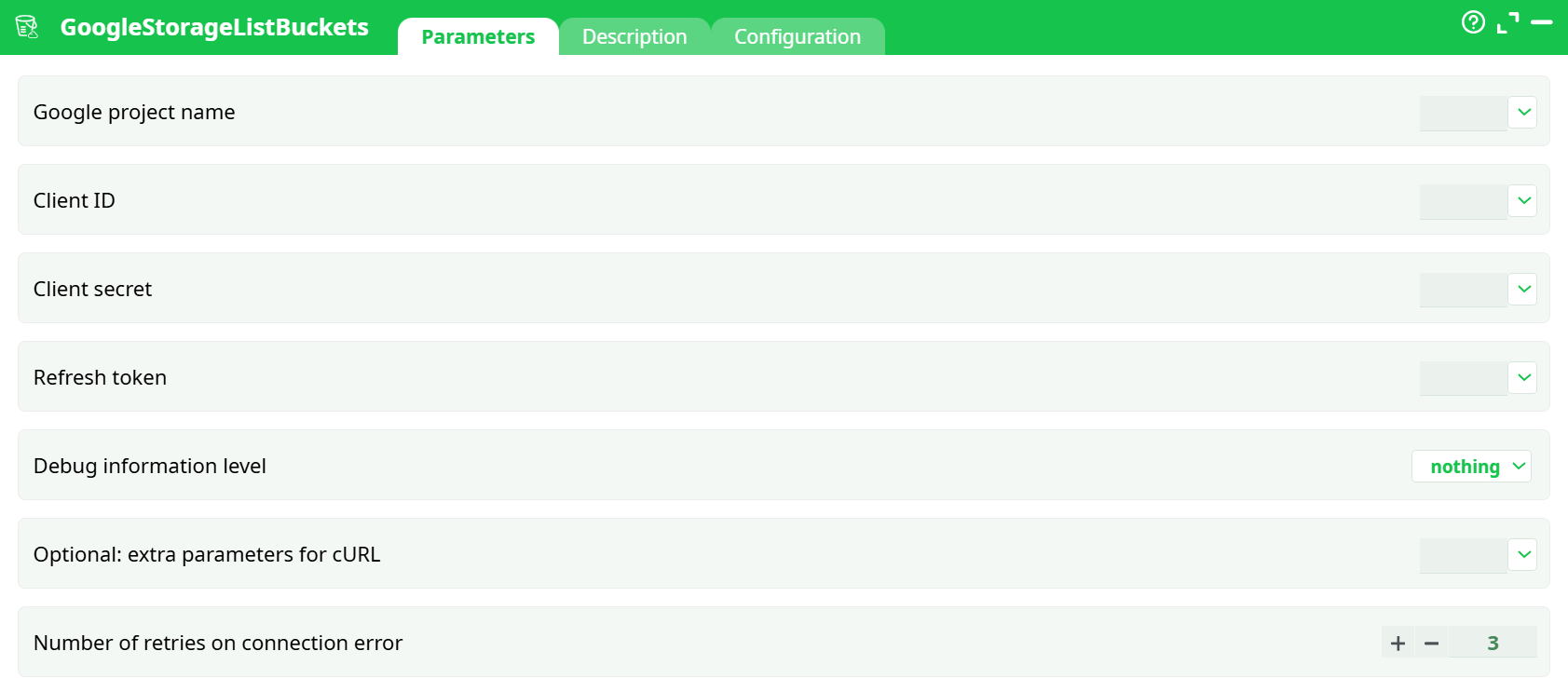
Parameters:
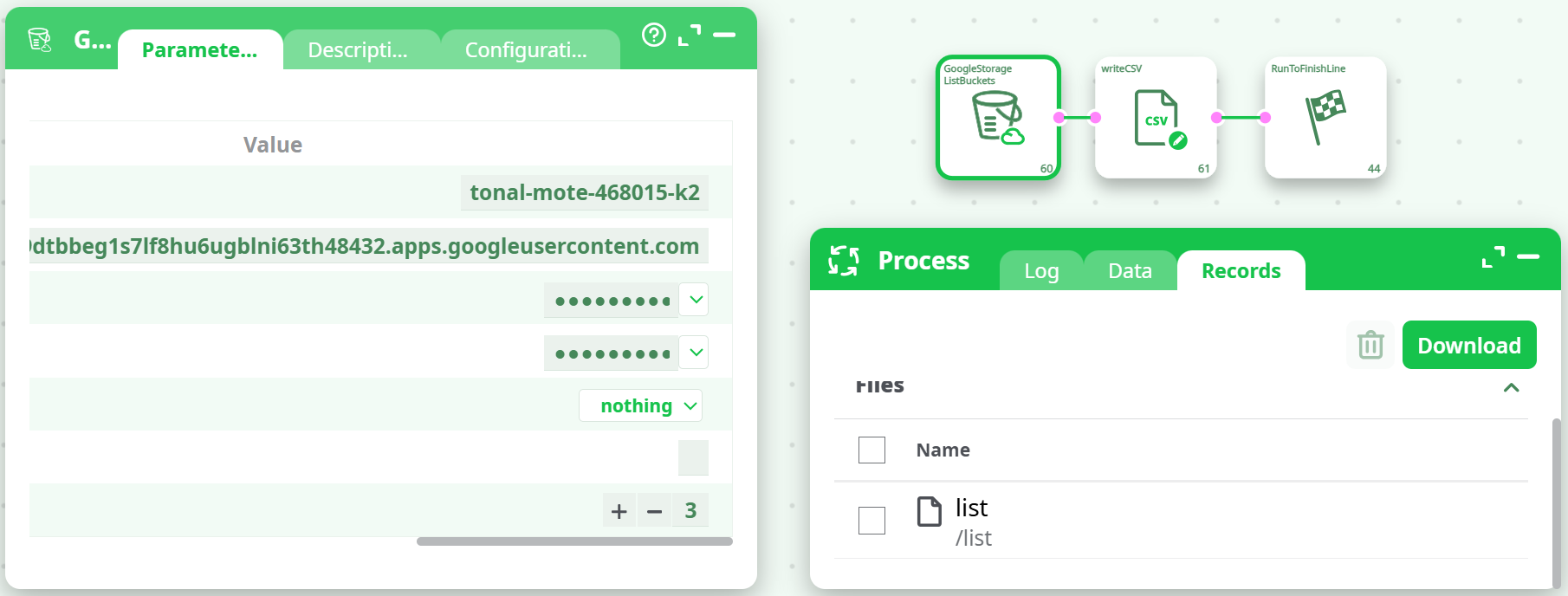
- Google project name
- Client ID
- Client secret
- Refresh token
- Debug information level
- (Optional) extra parameters for cURL
- Number of retries on connection error
¶ Description tab
See dedicated page for more information.
¶ Configuration tab
See dedicated page for more information.
¶ About
GoogleStorageListBuckets queries Google Cloud Storage (GCS) and returns the list of buckets in a given Google Cloud Project, including location and creation time.
It is a source action: it does not require upstream data and produces a table you can preview or save to file for auditing, monitoring, or branching logic in your pipelines.
Cloud setup note: The complete Google Cloud/OAuth setup (create OAuth client, get a Refresh Token, enable APIs, assign permissions) is documented once in GoogleStorageListFiles. Refer users there for end-to-end setup; the same credentials are reused by all GCS actions.
¶ Input
This action does not read from an input table. It requires the following configuration:
-
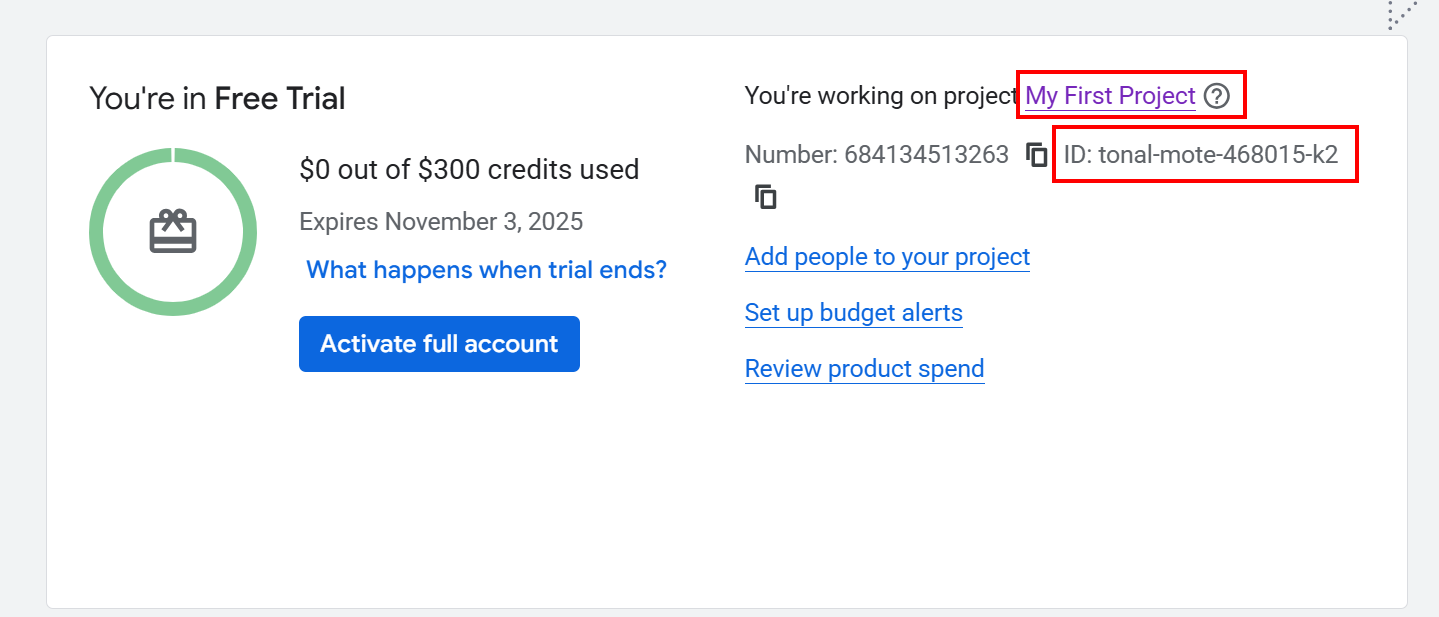
Google project ID (e.g.,
tonal-mote-468015-k2ormy-project-id)
-
OAuth2 credentials with access to the Cloud Storage JSON API:
- Client ID
- Client Secret
- Refresh Token (offline access)
-
(Optional) Debug level, extra cURL parameters, retry count
Accepted formats:
- Project ID: string matching your project’s ID (not the numeric project number).
- Credentials: standard OAuth 2.0 values obtained during setup.
¶ Output
-
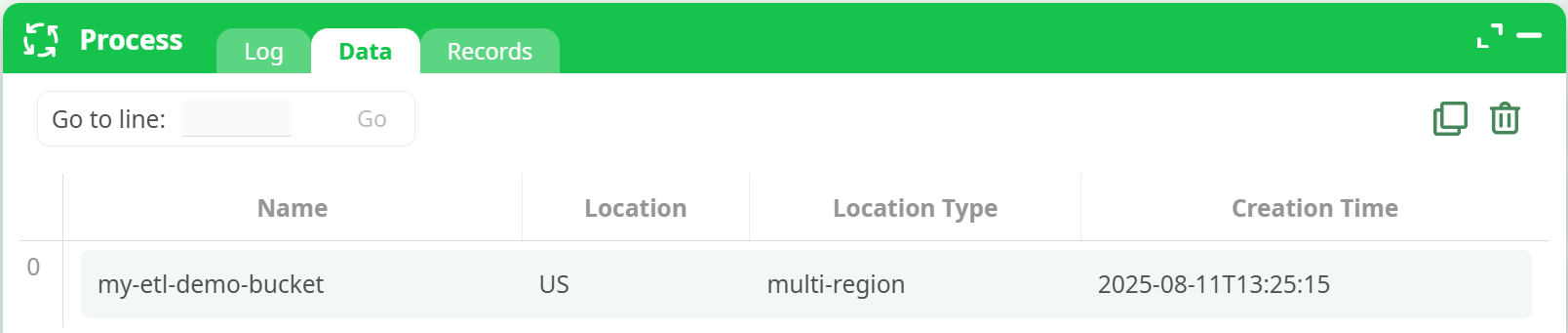
Data table with one row per bucket. Typical columns include:
Name— bucket nameLocation— region/multi-region (e.g.,US)Location Type—region,dual-region, ormulti-regionCreation Time— ISO timestamp
-
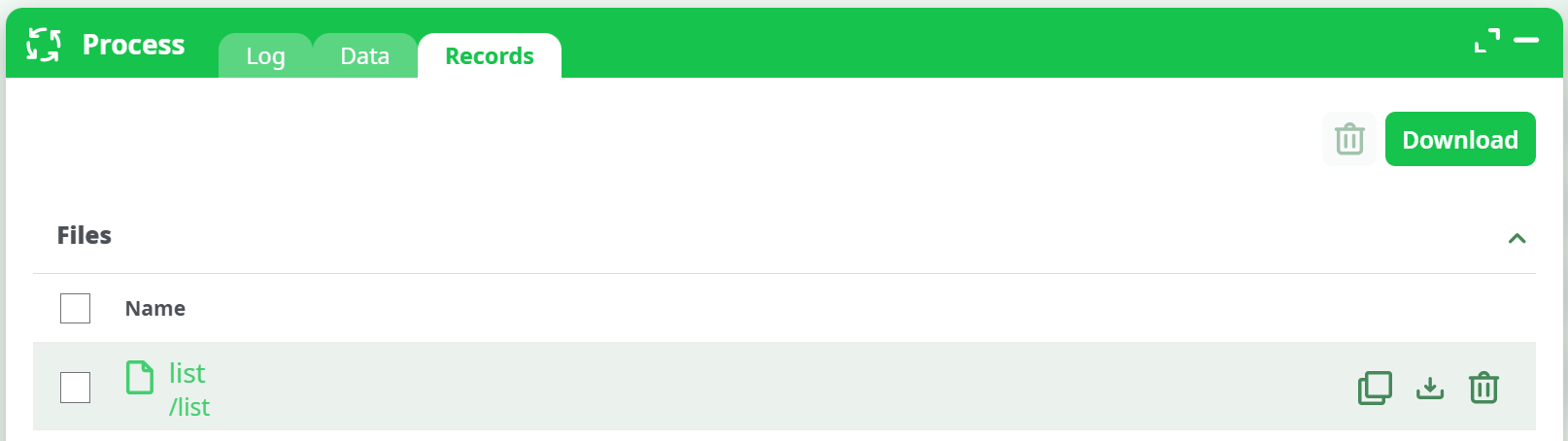
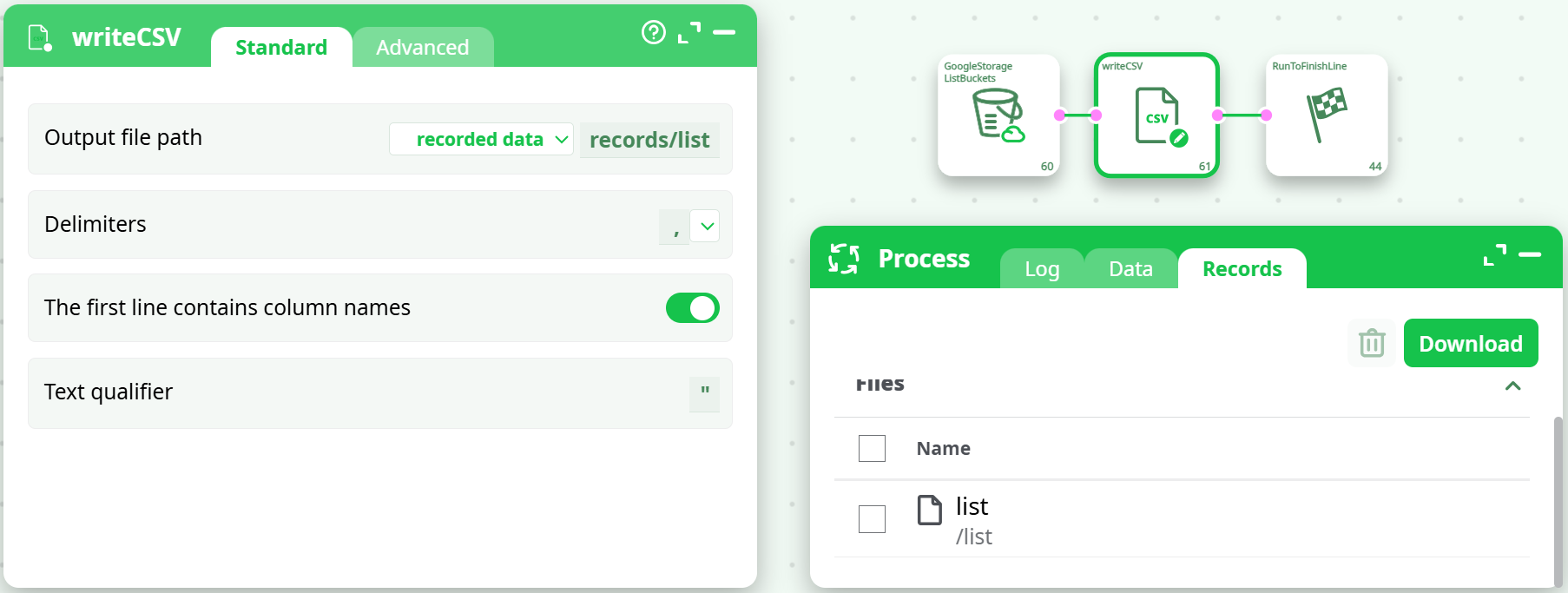
Records tab file — an artifact named
list(implementation-dependent; usewriteCSVto persist to a CSV/JSON file if needed).
Where to find it:
-
In the run panel, open Data to preview the rows.
-
Open Records to download the generated
listartifact.
¶ Parameters
| Id | Description | Required | Example | Notes |
|---|---|---|---|---|
| Google project name | Google project name (ID) | ✓ | tonal-mote-468015-k2 |
Must be the Project ID you see in Cloud Console. |
| clientID | Client ID | ✓ | xxxx.apps.googleusercontent.com |
From your OAuth client. |
| clientSecret | Client secret | ✓ | •••••••• |
Store securely. |
| refresh_token | Refresh token | ✓ | •••••••• |
Must be issued with a Cloud Storage scope (read or full control). |
| Debug information level | Debug information level | – | nothing |
nothing, basic, verbose. Controls HTTP/cURL verbosity. |
| Optional: extra parameters for cURL | Optional: extra parameters for cURL | – | --connect-timeout 10 |
Append custom cURL flags (networking, TLS, etc.). |
| Number of retries on connection error | Number of retries on connection error | – | 3 |
Retries transient failures. |
¶ How to Run
-
Ensure Cloud setup is done
Follow the GoogleStorageListFiles documentation to: enable the Cloud Storage API, create an OAuth client, and obtain a Refresh Token with a Storage scope. -
Add the action and configure parameters
- Drag GoogleStorageListBuckets onto the canvas.
- Set Google project name to your Project ID (e.g.,
tonal-mote-468015-k2). - Paste clientID, clientSecret, refresh_token.
- Optionally set Debug information level, Optional: extra parameters for cURL, Number of retries on connection error.
-
(Optional) Save results
Connect writeCSV (or your preferred sink) to persist the bucket list.
-
Run and verify
- Execute the pipeline.
- Check Data for the rows and Records for the
listfile.
¶ Use Cases
- Inventory & monitoring — enumerate all buckets for audits, chargeback, or posture checks.
- Dynamic routing — branch pipelines based on whether required buckets exist in a project.
- Governance reports — join the list with policy/IAM exports to validate compliance.
¶ Troubleshooting
403 “Permission ‘storage.buckets.list’ denied”
- The OAuth principal must have a role that includes
storage.buckets.liston the project (not just on a single bucket).
Common choices: Storage Viewer or Storage Admin; project Owner also works. - Confirm Google project name is correct and you’re listing the same project where the role is granted.
- Reissue the refresh token if scopes were too narrow; using scope like
https://www.googleapis.com/auth/devstorage.read_only(read) or.../devstorage.full_control(full) is sufficient.
“Authorization required, but no authorization protocol specified” appears, yet run succeeds
- This message can appear from the UI environment and is harmless if it shows after the green “Success!” line. You can ignore it.
Empty result
- No buckets exist in the project, or the selected project ID is incorrect.
Networking/timeouts
- Increase Number of retries on connection error and add cURL flags in Optional: extra parameters for cURL (e.g.,
--connect-timeout 20 --retry 5).
For credentials creation and Google Cloud setup steps, direct users to the GoogleStorageListFiles documentation where the shared GCS setup guide lives.