¶ Description
List all the planned jobs in a Jenkins server.
¶ Parameters
¶ Parameters Tab
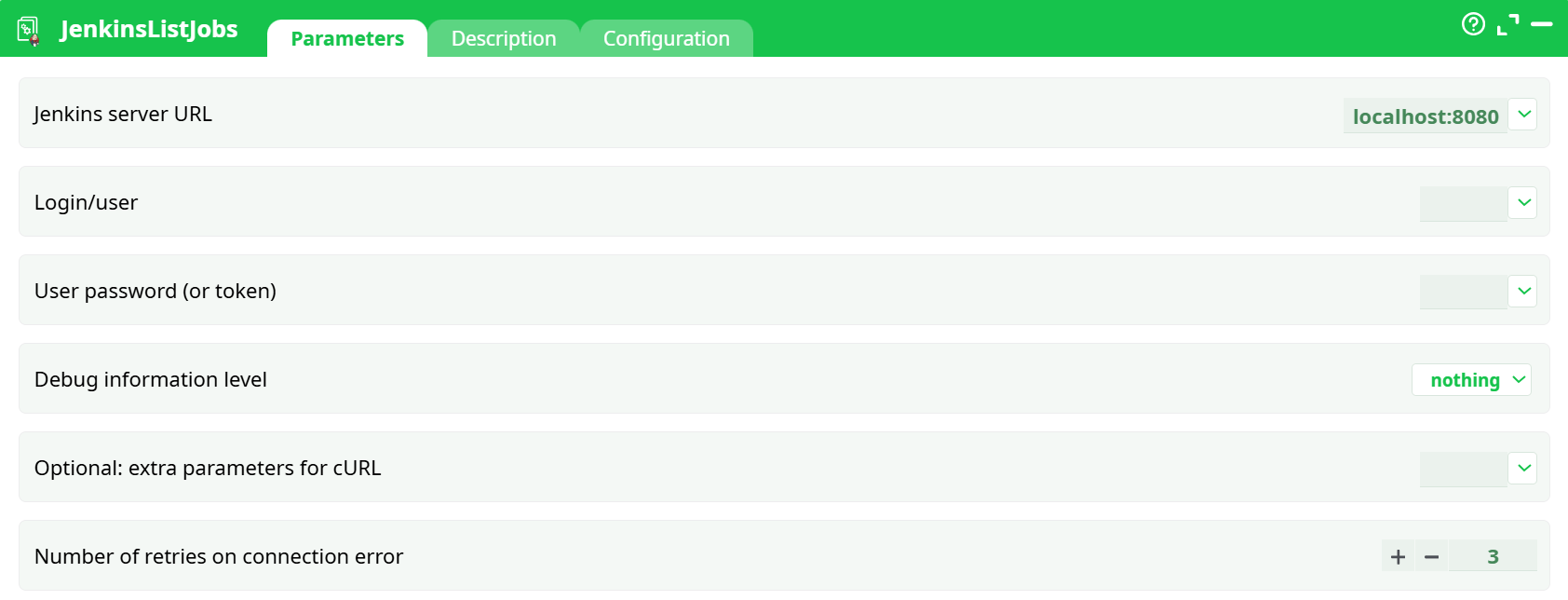
Parameters:
- Jenkins server URL
- Login/user
- User password (or token)
- Debug information level
- Optional: extra parameters for cURL
- Number of retries on connection error
¶ Description Tab
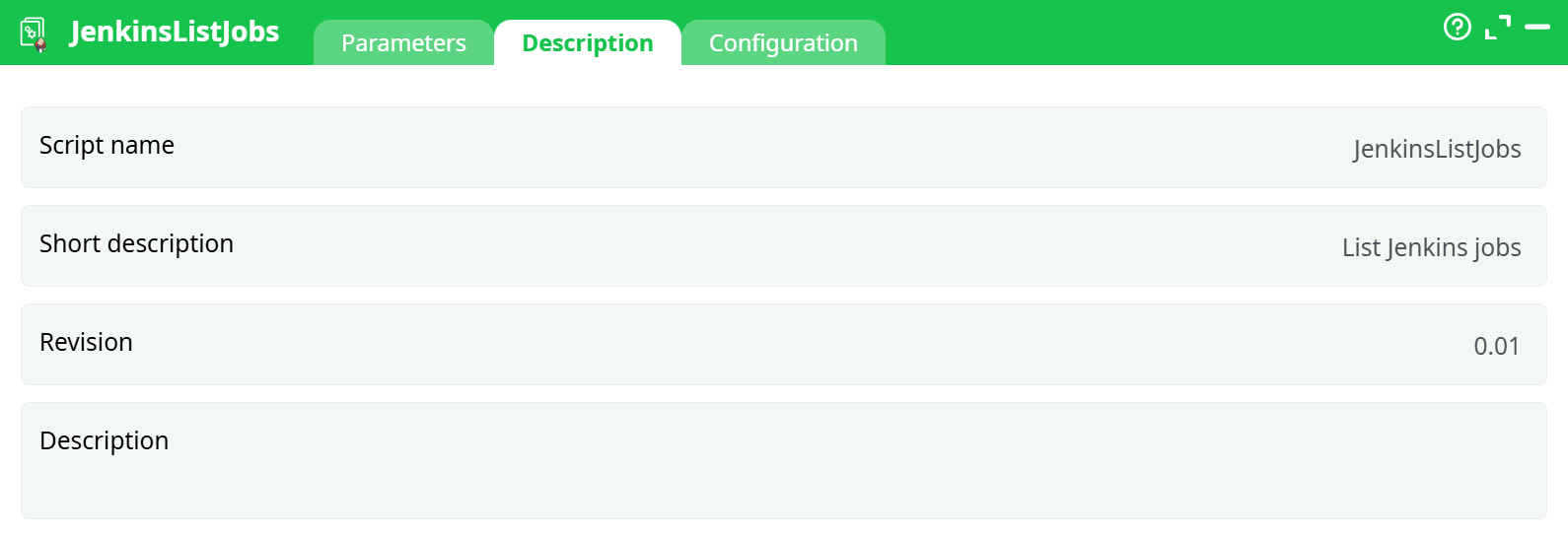
Parameters:
- Script name
- Short description
- Revision
- Decription
¶ About
JenkinsListJobs connects to your Jenkins controller and lists all jobs it can see for the supplied user. It performs an authenticated GET of the Jenkins REST endpoint and returns the JSON as well as a neat table with job names, URLs, and last-known status (the “color” field).
¶ Prerequisites
-
A reachable Jenkins controller.
-
Typical choices:
https://<your-cloudflare-tunnel>.trycloudflare.com(recommended for local dev)http://host.docker.internal:8080(if the workflow runs in Docker on the same machine)http://<your-LAN-IP>:8080
-
-
A Jenkins user and API Token (preferred over password).
- In Jenkins: user menu (top-right avatar) → Configure → API Token → Generate → copy the token.
-
Jenkins base URL set correctly (so links in responses are right):
Manage Jenkins → System → Jenkins Location → Jenkins URL (use the same external URL you pass to this button).
¶ Parameters (how to fill them)
| Field | What to put | Example / Notes |
|---|---|---|
| Jenkins server URL | The externally reachable base URL (no trailing slash) | https://milwaukee-heated-deeper-easily.trycloudflare.com |
| Login/user | Jenkins username | Vasmar |
| Password (or token) | The API token for that user | Paste the generated token |
| Debug information level | Logging verbosity | Use nothing (prevents the script from treating curl’s debug text as an error) |
| Parameters for cURL | Extra curl flags (optional) | Leave empty. Only add if you really need something like --connect-timeout 5 --max-time 20 or --insecure for self-signed TLS (last resort). |
| n connection error | Retry attempts on transient network errors | Default 3 is fine |
Tip: If you ever see the button return data but still show a red “error”, it’s almost always verbosity/flags confusing the script. Set Debug =
nothingand clear extra curl flags.
¶ What the button calls
- HTTP Method:
GET - Endpoint:
${JENKINS_URL}/api/json
(The button then extracts job info from the returned JSON.)
Typical response fields used:
{
  "jobs": [
    {
      "_class": "hudson.model.FreeStyleProject",
      "name": "smoke",
      "url": "https://<your-url>/job/smoke/",
      "color": "blue|red|notbuilt|disabled|..."
    }
  ]
}
¶ Outputs
- Data tab / output table:
name,url,colorfor each job. - Raw JSON: full
/api/jsonpayload for downstream processing. - Records/Log: request/response metadata (kept quiet if Debug =
nothing).
¶ Step-by-step quick start
- In Jenkins, generate an API token for your user.
- Set Manage Jenkins → System → Jenkins URL to your external URL (e.g., your Cloudflare tunnel).
- Drop the JenkinsListJobs button into your workflow.
- Fill parameters as shown above (URL, user, token). Set Debug = nothing. Leave Parameters for cURL empty.
- Click Preview (or run the pipeline).
You should see your jobs (e.g.,smoke) in the output table.
¶ Troubleshooting
¶ Network / connectivity
-
Could not resolve host (e.g.,
host.docker.internal)
Use your Cloudflare tunnel, or your LAN IP, or ensure the runtime can resolve that hostname. -
Failed to connect / host unreachable
- Verify Jenkins is running and listening on the expected port.
- If using a LAN IP on Windows, ensure an inbound firewall rule allows TCP 8080, or expose Jenkins via a tunnel.
-
TLS certificate issues
Prefer a valid cert. If you must, add--insecuretemporarily in “Parameters for cURL” (not recommended for long-term).
¶ Authentication / permissions
-
401 Unauthorized
- Use the API token (not the login password).
- Ensure the user has at least Overall/Read in Jenkins.
-
403 / crumb errors
Not expected for this GET action. (Crumbs are needed for POST like “build”.)
¶ Button shows red but data is returned
- Set Debug information level =
nothingand remove extra curl flags. The script can misinterpret verbose/stderr as failure.
¶ Advanced connectivity options (optional)
- Cloudflare Tunnel (recommended for local dev)
A quick way to exposelocalhost:8080securely and give the button a stable HTTPS URL. - Docker on the same host
Tryhttp://host.docker.internal:8080(works on Docker Desktop for Windows/macOS). - Direct LAN IP
Usehttp://<your-lan-ip>:8080and allow the port through your OS firewall.
¶ Security best practices
- Use API tokens, not passwords.
- Grant the user least privilege (read-only is enough for listing).
- Treat tokens as secrets; rotate them periodically.