¶ Description
Download Files from a Mailbox.org drive.
¶ Parameters
¶ Parameters tab
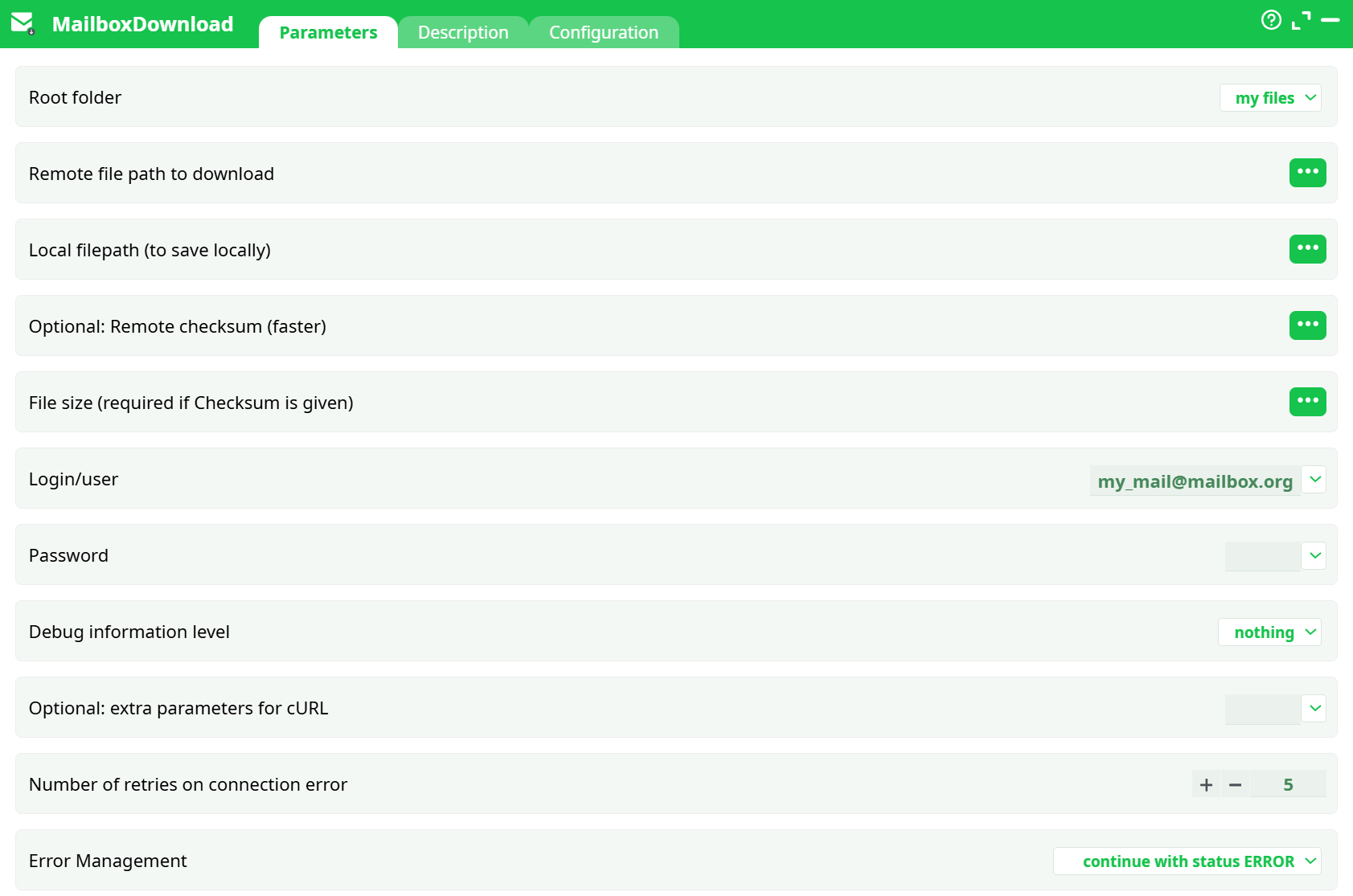
Parameters:
- Root folder
- Remote file path to download
- Local filepath (to save locally)
- Remote checksum (optional - faster)
- File size (required if Checksum is given)
- Login/user
- Password
- Debug information level
- Optional: extra parameters for cURL
- Number of retries on connection error
- Error Management
¶ Description tab
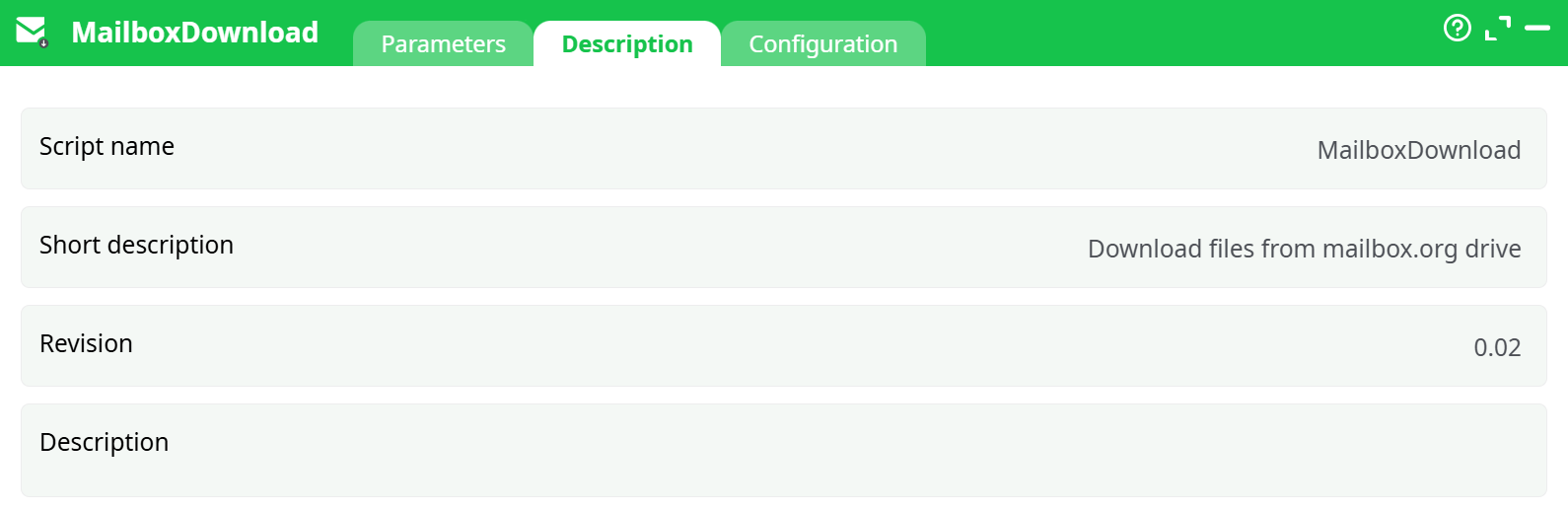
Parameters:
- Script name
- Short description
- Revision
- Decription
¶ Configuration tab
See dedicated page for more information.
¶ About
Download one or more files from your mailbox.org Drive into the local pipeline workspace.
Need help creating the mailbox.org app password and finding your login format?
Follow the step-by-step mailbox setup in the MailboxUpload documentation. Use the very same login and application password here.
¶ When to use
- Fetch reference datasets, templates, or media stored in mailbox.org Drive.
- Stage files locally for downstream readers (CSV/Excel/Parquet, etc.).
- Keep local copies in sync by leveraging checksum/size to skip unchanged downloads.
¶ Inputs & outputs
Input: a table with at least these columns
remoteFilePath– path of the file inside the chosen root (e.g.,Documents/example.xlsx)localFilePath– absolute or workspace-relative destination path
Output: the same rows passed through (so you can chain next steps). Files are written to disk at localFilePath.
Notes
- Paths can be given with or without a leading
/. Use plain names (the action URL-encodes special characters). - If you provide
Optional: Remote checksum (faster)you must also provideFile size (required if Checksum is given). The action will first check the remote metadata and skip the download when the checksum/size already match.
¶ Step-by-step example
We’ll download Documents/example.xlsx to a local file inside the pipeline workspace.
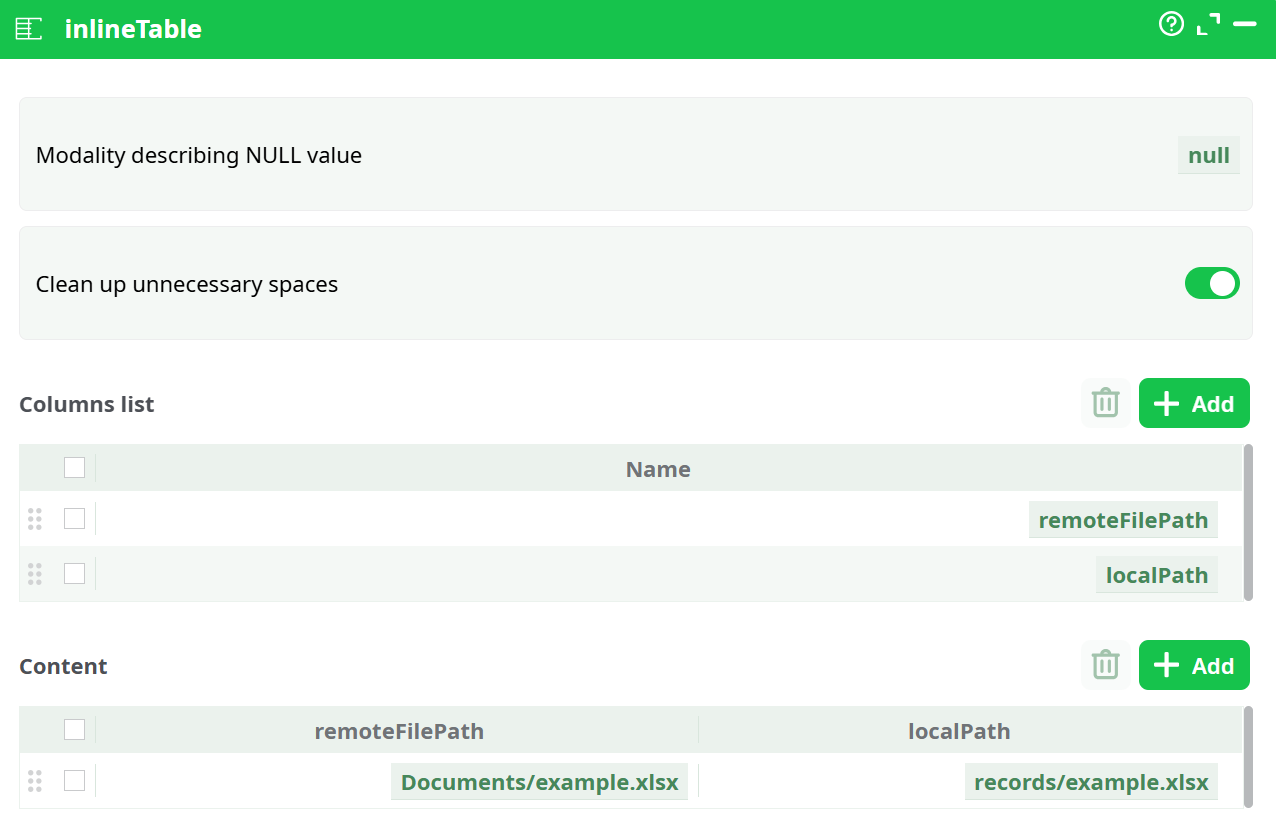
¶ 1) Create an InlineTable with the two paths
-
Columns:
remoteFilePath,localFilePath -
Row example:
remoteFilePath=Documents/example.xlsxlocalFilePath=records/example.xlsx(or any writeable path in your workspace)
¶ 2) Wire InlineTable → MailboxDownload and map columns
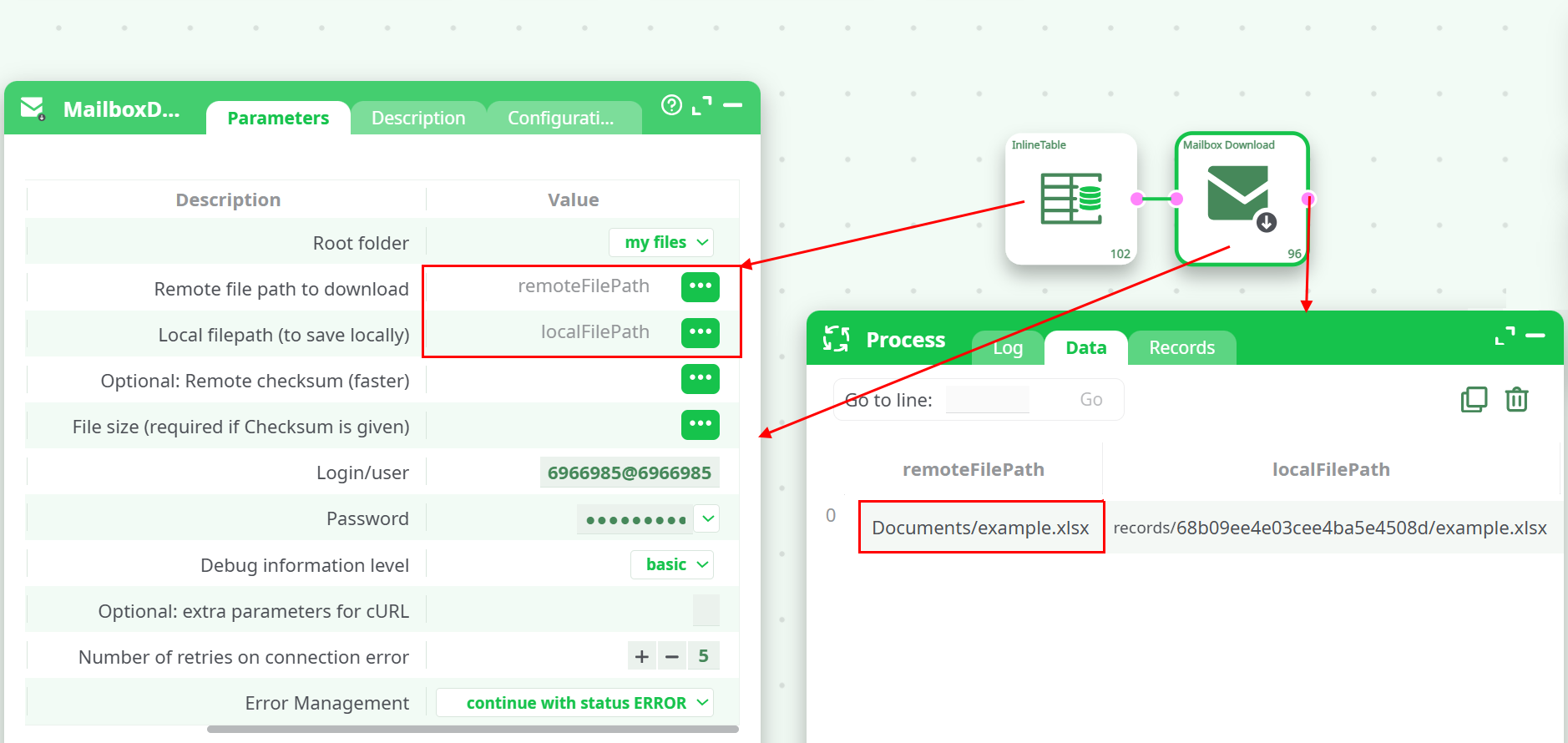
- Root folder:
my files - Remote file path to download: select column
remoteFilePath - Local filepath (to save locally): select column
localFilePath - Login/user and Password: reuse the credentials created for MailboxUpload (WebDAV app password).
¶ 3) (Optional) Enable basic debug
Choose Debug information level = basic to see summary calls in the run log.
¶ 4) Run and verify
- The Data tab will show the mapped
remoteFilePath→localFilePath. - The file appears in your workspace at the destination path (you can open it with your preferred reader).
¶ Remote path examples
Root (Root folder) |
Example remoteFilePath |
Meaning |
|---|---|---|
my files |
Documents/example.xlsx |
File inside your personal Documents |
my files |
Pictures/Logo.png |
File inside Pictures |
public files |
team/price_list.csv |
Public area file |
shared files |
Project A/notes.txt |
File in a shared folder |
¶ Tips & best practices
- Skip unchanged downloads: supply
Optional: Remote checksum (faster)(MD5) andFile size (required if Checksum is given). If they match remotely, the action won’t download again. - Retries: leave
Number of retries on connection error≥ 3 for flaky networks. - Chaining: immediately follow with a CSV/Excel reader, using the
localFilePathcolumn.
¶ Troubleshooting
- Authentication errors: confirm you’re using the same Login/user and WebDAV Client app password as in MailboxUpload.
- File not found: verify
Root folderand the exactremoteFilePath(names are case-sensitive). Check the file in mailbox.org Drive UI under the same root. - Permission denied: ensure your mailbox.org user can access the chosen root/folder and that the file exists there.
¶ Related
- MailboxUpload — end-to-end mailbox.org Drive setup and upload examples (includes the step-by-step mailbox setup you can reuse here).
- MailboxListFiles — list folders/files to help you discover paths you can pass into MailboxDownload.
¶ Quick recipe (copy/paste checklist)
- Create InlineTable with columns:
remoteFilePath,localFilePath. - Add a row:
Documents/example.xlsx,records/example.xlsx. - Drop MailboxDownload, connect the table.
- Set Root =
my files; map both columns. - Reuse Login/user & WebDAV app password from MailboxUpload.
- Run → file appears at
records/example.xlsx.