¶ Description
List files on a Mailbox.org drive.
¶ Parameters
¶ Parameters Tab
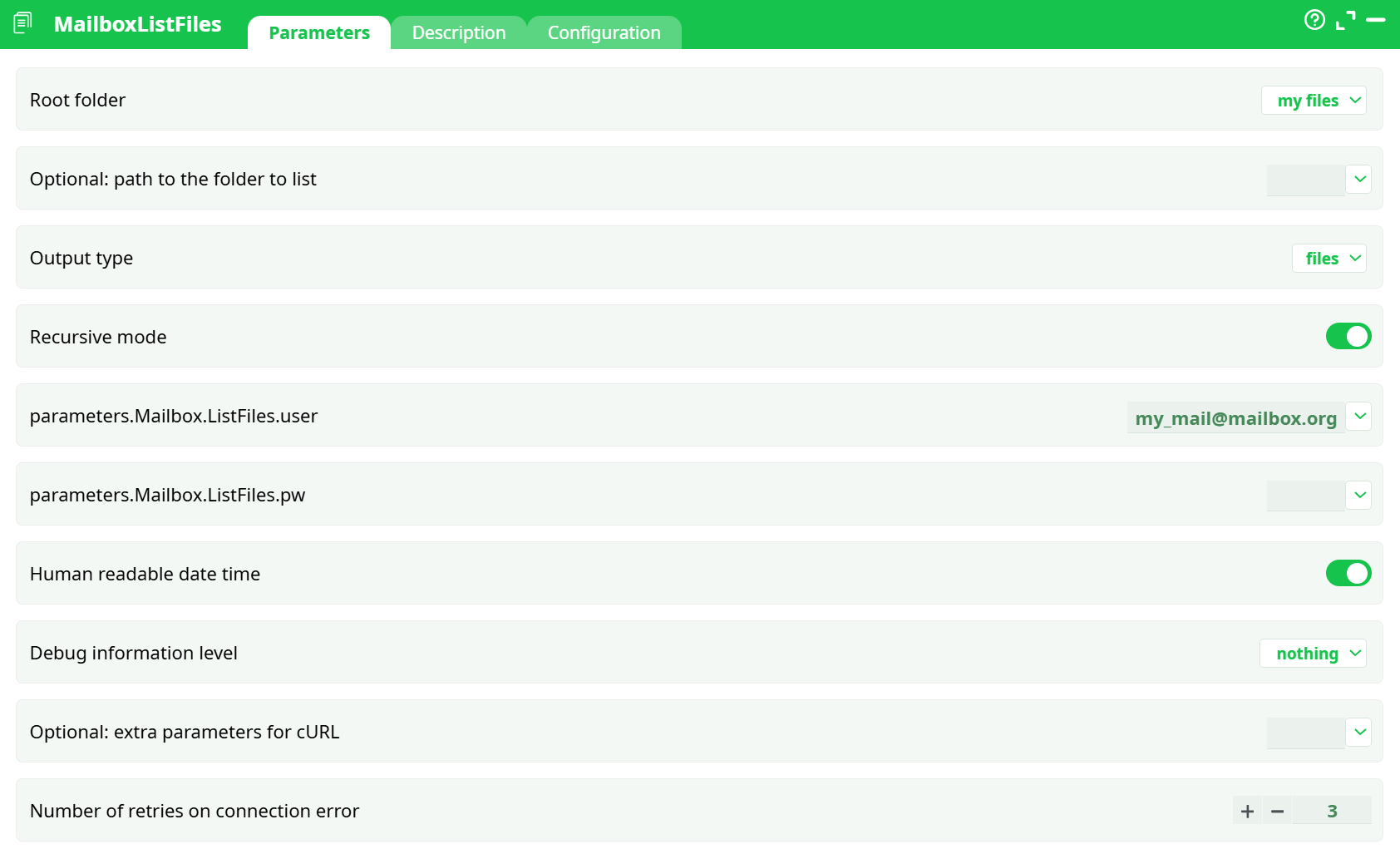
Parameters:
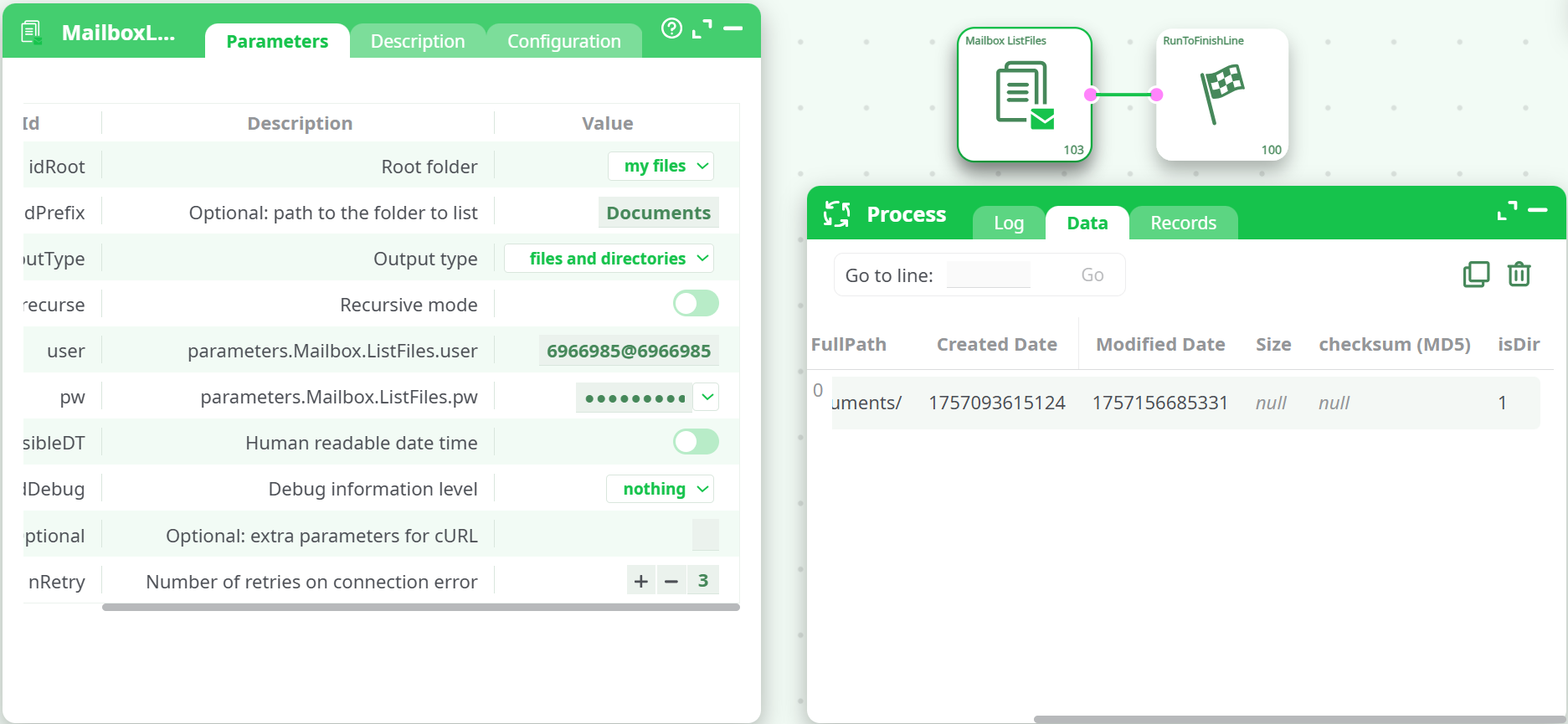
- Root folder
- Optional: path to the folder to list
- Output type
- Recurse in (sub)directories?
- parameters.Mailbox.ListFiles.user
- parameters.Mailbox.ListFiles.pw
- Human readable date time
- Debug information level
- Optional: extra parameters for cURL
- Number of retries on connection error
¶ Description Tab
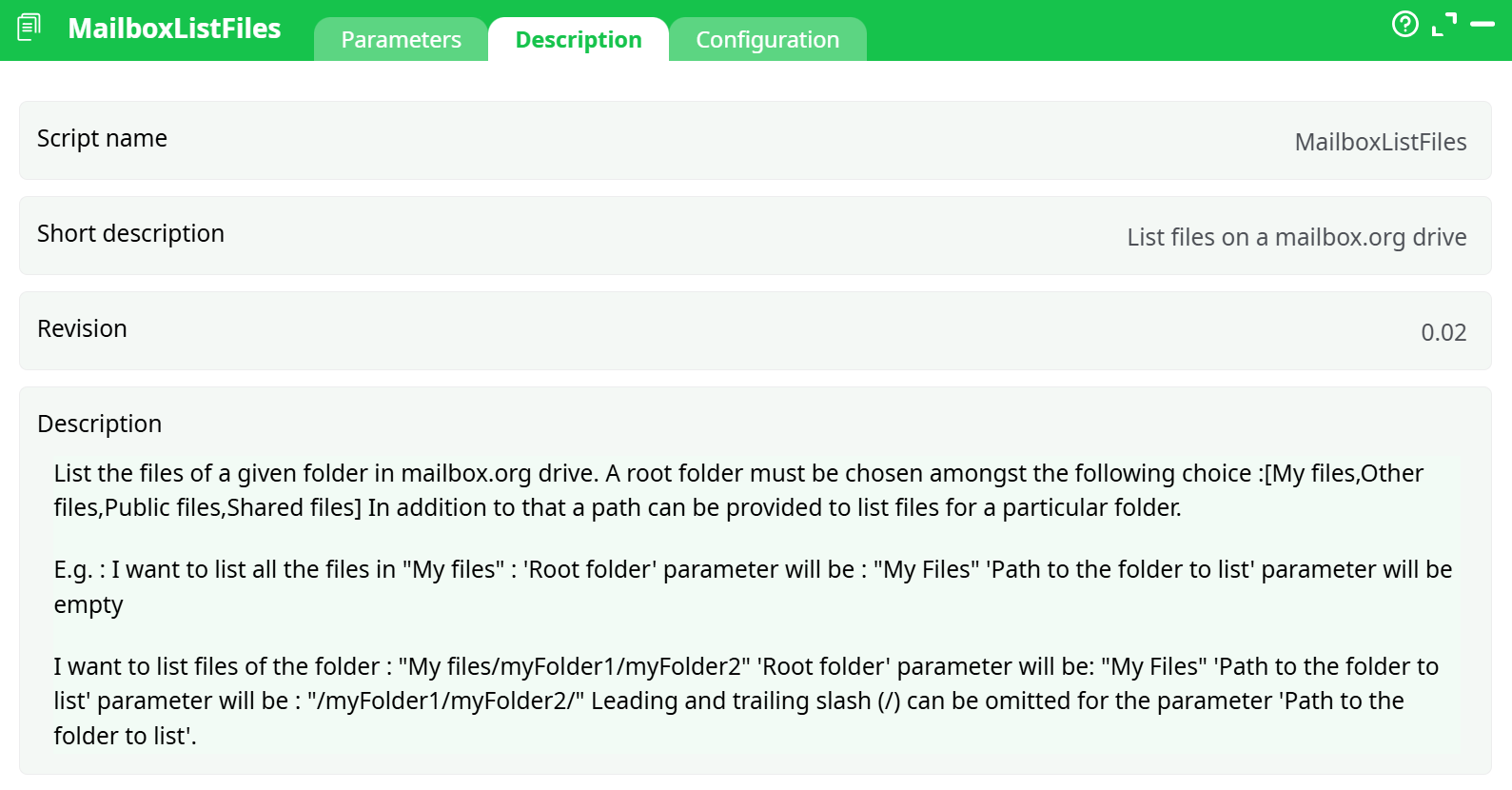
Parameters:
- Script name
- Short description
- Revision
- Decription
¶ Configuration Tab
See dedicated page for more information.
¶ About
This action lists content from your mailbox.org Drive into a tabular dataset you can feed to the next steps in your flow.
Full, step-by-step mailbox account setup is covered in the Mailbox Upload documentation.
¶ What it does
- Reads a mailbox.org Drive folder and returns one row per item (folder and/or file).
- Can list only directories, only files, or both.
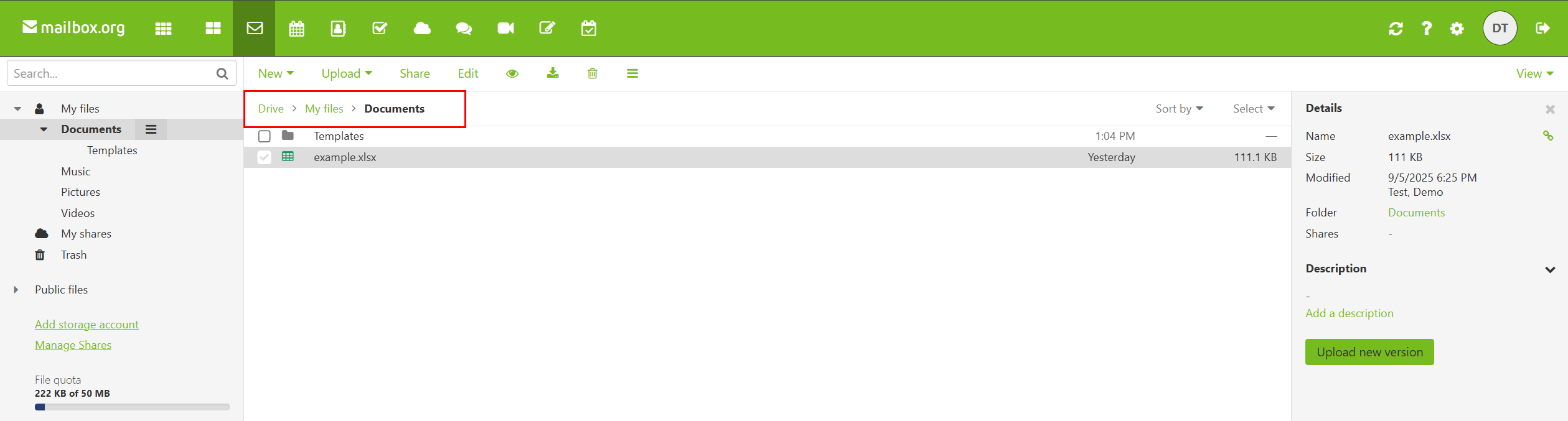
- Can run at the top level (“My files”) or inside a sub-path (e.g.,
Documents/…). - Optional recursive mode walks all nested subfolders.
¶ Prerequisites
-
A mailbox.org account.
-
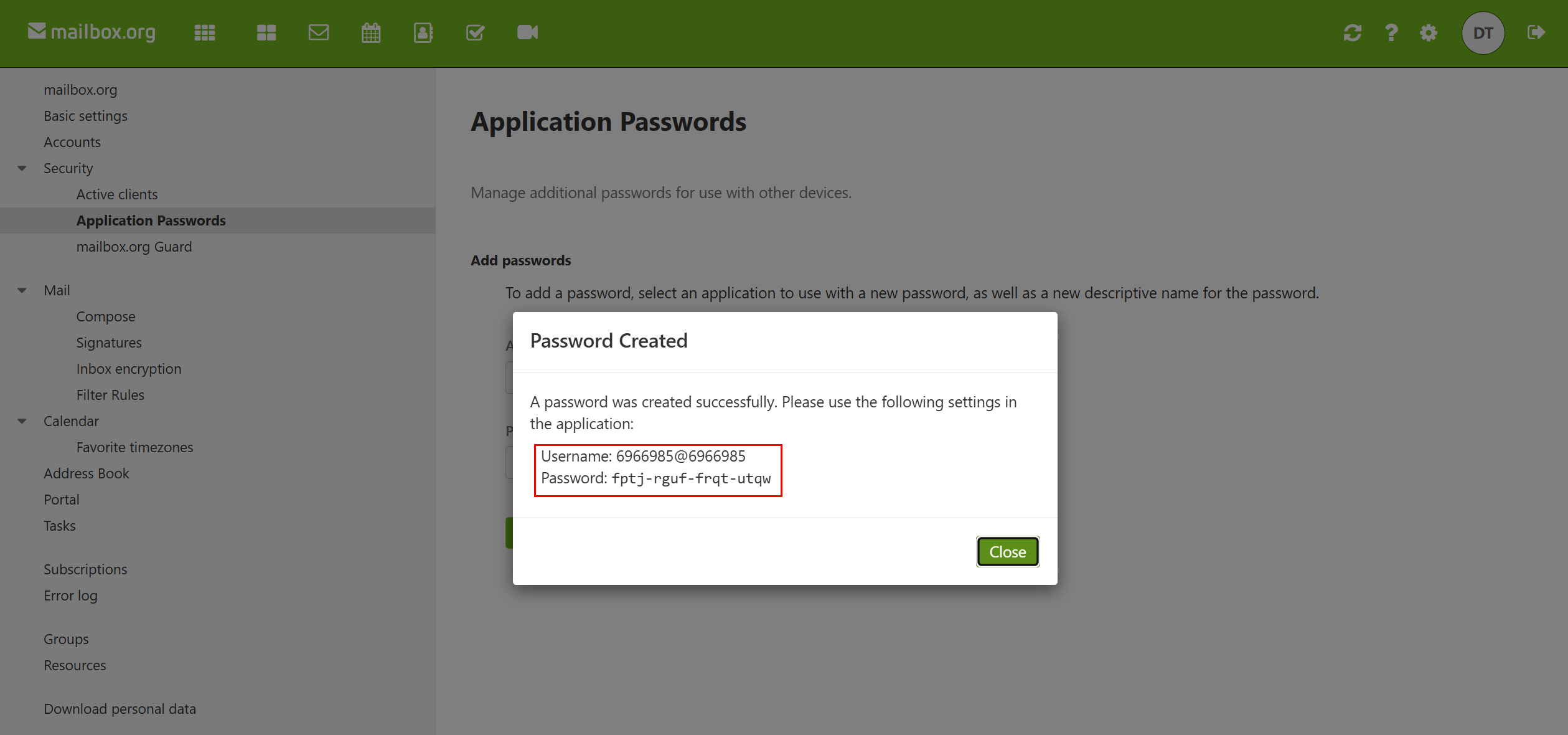
An Application Password (same one you created when setting up MailboxUpload).
Create/manage at: Settings → Security → Application Passwords.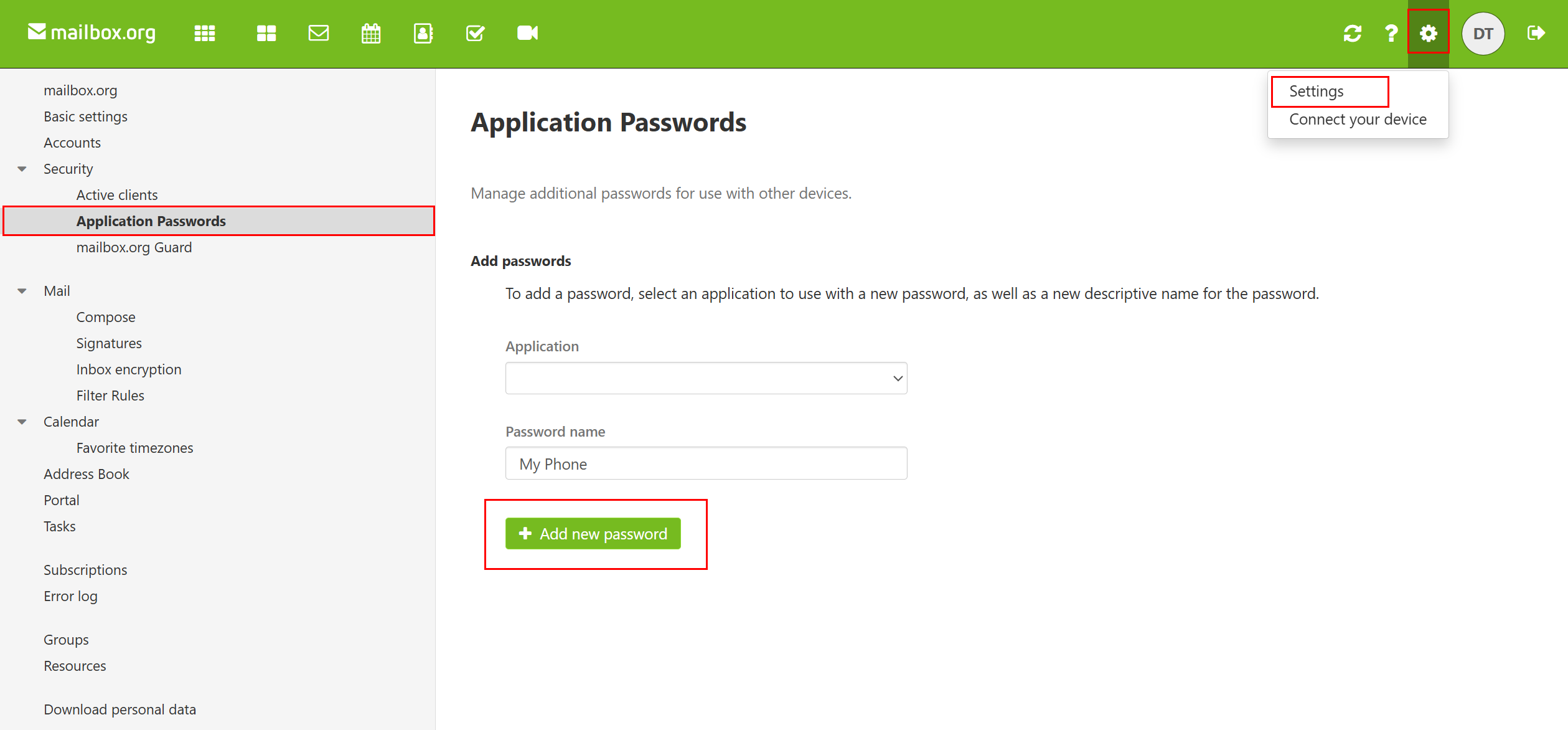
¶ Output schema
Each listed item becomes one row with these fields:
- FilePath – the folder path relative to the chosen root (e.g.,
Documents/). - FileName – the item name (blank for the row that represents the folder itself).
- FullPath –
FilePath + FileName(or just the folder path). - Created Date – creation timestamp (format depends on Human readable date time).
- Modified Date – last modified timestamp.
- Size – file size in bytes (empty for folders).
- checksum (MD5) – MD5 if available (files only).
- isDir –
1for directory,0for file.
¶ Tips & notes
- Paths: both
DocumentsandDocuments/work. Avoid double slashes. - Names with spaces: just use them normally (e.g.,
Project Files/Q3). - Large trees: Recursive mode can return many rows — consider filtering at the next step.
- Timestamps: switch Human readable date time on/off to match your downstream expectations.
¶ Troubleshooting
-
Empty result at the top level
Ensure Root folder is correct (my files for your personal Drive). -
Folder not found
Double-check Path to the folder to list spelling and capitalization. -
Auth errors
Re-enter Login/user and the Application Password (from mailbox.org → Security → Application Passwords).
Try Debug = basic and re-run; inspect the Log tab for details.