¶ Description
Download JSON from a MongoDB server.
¶ Parameters
¶ Standard tab
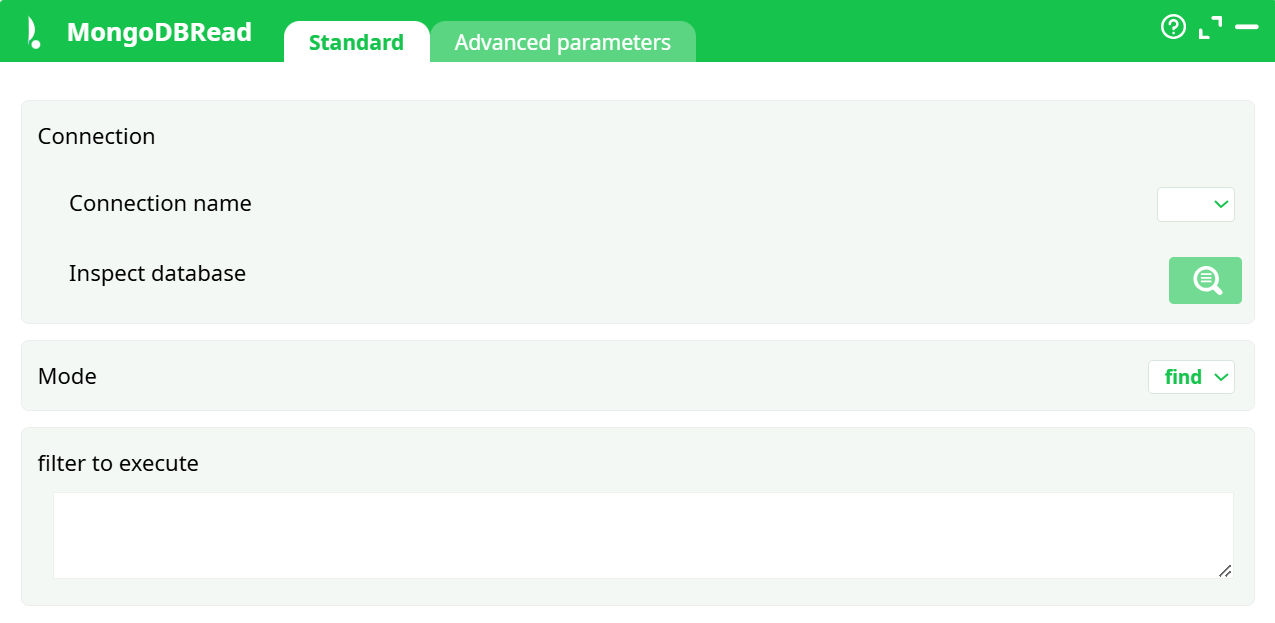
Parameters:
- Connection name – select the Oracle connection you created in Services.
- Inspect database – browse available schemas and tables from the connected Oracle instance.
- Mode – defines the type of SQL execution:
- SQL code – the SQL statement or script to execute.
¶ Advanced tab

Parameters:
- Get ObjectID as separate column
¶ About
The MongoDB Read action connects to a MongoDB database and retrieves JSON documents from the selected collection.
It supports both find and aggregate query modes, enabling flexible data extraction from MongoDB into your ETL pipeline.
This action uses the unified connection system through Pipeline Parameters → Services, allowing centralized management of database credentials and secure authentication using secrets.
¶ When to use it
Use MongoDB Read to:
- Import data stored in MongoDB collections into your ETL process.
- Perform queries or aggregations directly on MongoDB using native JSON syntax.
- Combine NoSQL data with relational or file-based data sources.
- Automate data integration workflows involving MongoDB servers.
¶ Connection management
¶ Defining a MongoDB connection
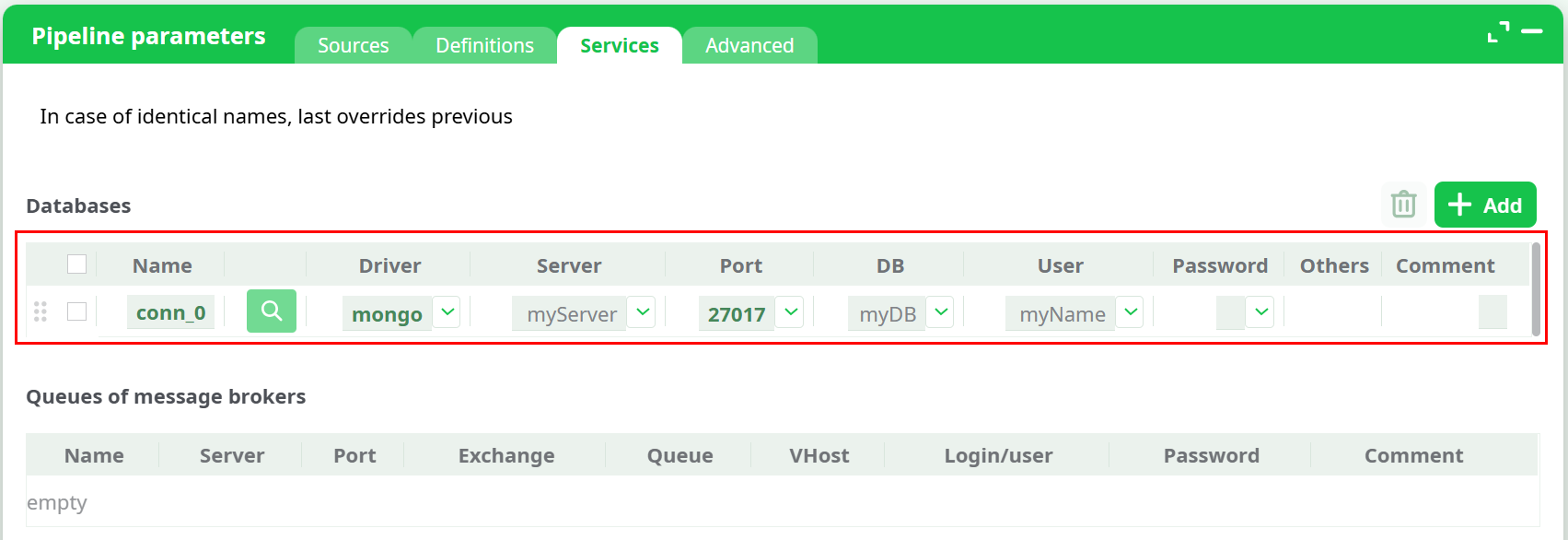
Before using this action, you must create a MongoDB connection in the Pipeline parameters → Services tab.
-
Open the Pipeline parameters window and select the Services tab.
-
Click the Add button to create a new connection entry.
-
In the Driver dropdown, select MongoDB.
-
Fill in the connection fields:
- Name – unique connection identifier (e.g.,
mongo_conn). - Server – hostname or IP address of the MongoDB server.
- Port – usually
27017. - DB – target database name.
- User / Password – credentials for MongoDB authentication.
- Others – optional connection flags (e.g., SSL/TLS parameters).
- Name – unique connection identifier (e.g.,
¶ Using secrets
For security, passwords can reference secrets defined in the Definitions tab.
This allows you to store credentials safely and reuse them without exposing sensitive information.
Example:
-
In Definitions → Secrets, add:
secret_0 = MySecurePassword -
In the Password field of your MongoDB service, type
secret_0instead of the real password.
¶ Connection priority
Connections defined inside a pipeline override any connections defined in Sources → Services.
If two definitions share the same name, the last defined one takes precedence.
Tip:
This makes it easy to reuse global configurations while allowing specific pipelines to override credentials or connection parameters locally.
¶ Query examples
¶ Example 1 – Simple find query
Retrieves all documents where price is greater than 100:
{ "price": { "$gt": 100 } }
¶ Example 2 – Aggregation pipeline
Counts the total number of documents per category:
[
  { "$group": { "_id": "$category", "count": { "$sum": 1 } } }
]
¶ Example 3 – Filter with multiple conditions
{ "region": "EU", "active": true }
¶ Step-by-step workflow
- Open your pipeline and navigate to Pipeline parameters → Services.
- Add a new connection and select MongoDB as the driver.
- Fill in the server address, port, database name, and credentials.
- Return to the MongoDB Read box and choose the connection name.
- Click Inspect database to preview available collections.
- Choose Mode =
findoraggregate. - Write the JSON filter or aggregation expression in Filter to execute.
- Run the pipeline to load data from MongoDB into your ETL process.
¶ Troubleshooting
- Connection failed – Check server, port, and credentials. Ensure MongoDB is reachable from the ETL host.
- Authentication error – Verify the username/password or the secret reference name.
- Invalid JSON – Ensure your filter or aggregation is valid JSON (use double quotes).
- Empty results – Confirm the collection and query match existing data.
- Permission denied – Ensure the user account has read access to the target collection.
¶ Summary
The MongoDB Read action provides a reliable and secure way to extract JSON data from MongoDB databases.
It supports centralized connection management, secret-based authentication, and both direct document queries and aggregation pipelines.
This makes it ideal for integrating MongoDB data with other ETL sources in a unified workflow.