¶ Description
Download Data from Odoo.
¶ Parameters
¶ Standard tab
Parameters:
¶ Advanced tab
Parameters:
¶ About
This BOX also works when accessing the web through a PROXY server.
To use this BOX, you’ll need to get several parameters from the Odoo Website (i.e. you need the parameters P5, P6 and P7).
Once you have completed the “setup process” , you can use the parameters P1 to P4 to download data from your Odoo server. The parameters P1 to P2 are self-explanatory. The parameter P3 is the number of rows to extract from Odoo (leave empty to extract all the rows).
The parameter P4 is an expression that allows to select&download some of the rows of the input table (instead of downloading all the rows). For example, let’s assume that we want to download the rows that have an “id” (“id” is one of the column of the input table to download) that is between 30 (included) and 50 (excluded). In other words, our row-filter is:

Unfortunately, you cannot directly write such an expression inside the parameter P4 because this parameter expects a different syntax based on XML. The same row-filter expression translated to the Odoo XML syntax is:

You’ll find here a complete documentation on how to write these row-filter expressions using the Odoo XML syntax:
https://www.odoo.com/documentation/master/reference/orm.html#reference-orm-domains.
¶ Odoo first time setup
Before using the Odoo BOX inside ETL, you need to get:
• Your username
• Your password
• Your Database name
…from the Odoo website. Here are the steps to get these 3 parameters:
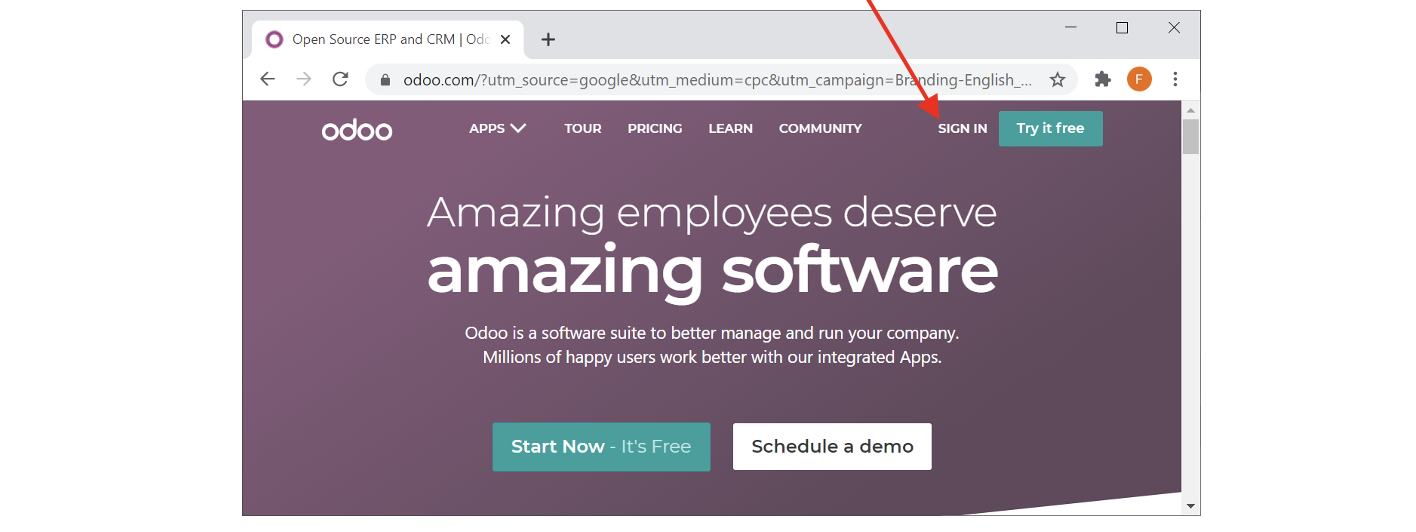
- Open the url: https://odoo.com/ and click on “sign in”:
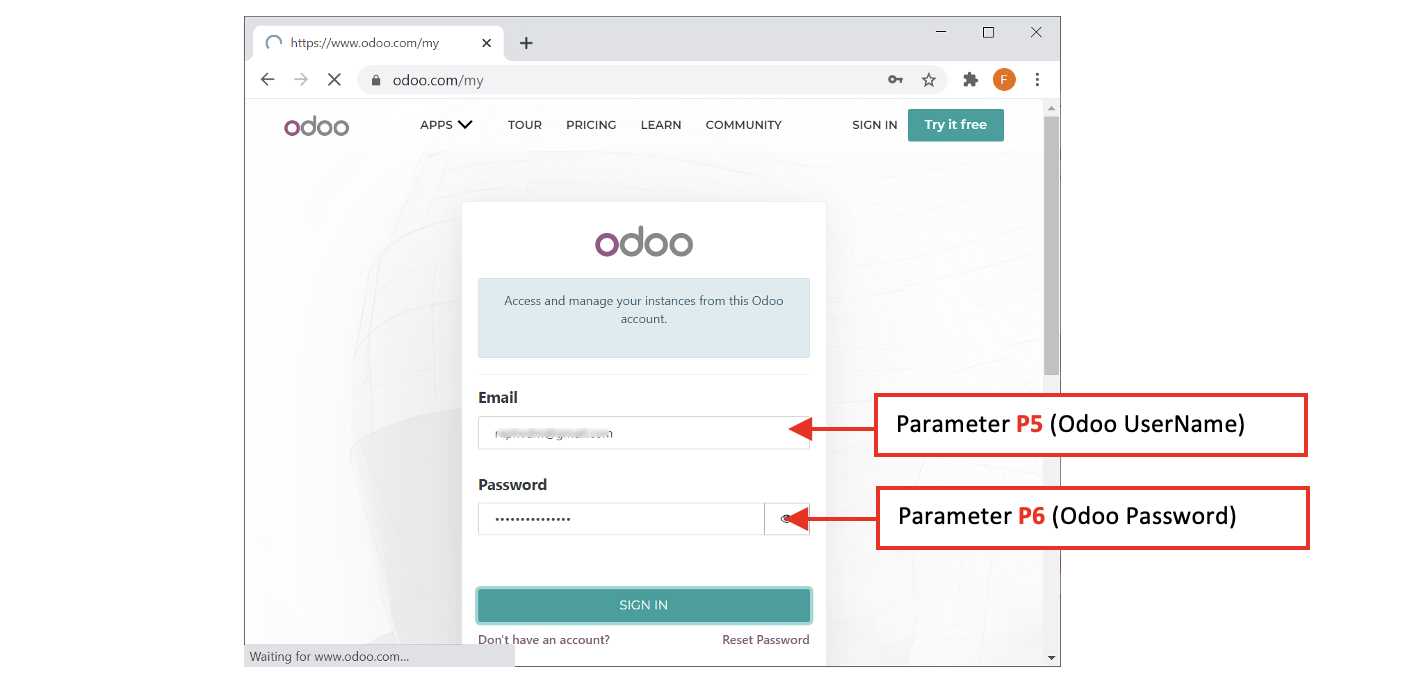
- Sign-in using your Odoo credentials: These are the parameters P5 (Odoo UserName) and P6 (Odoo Password):
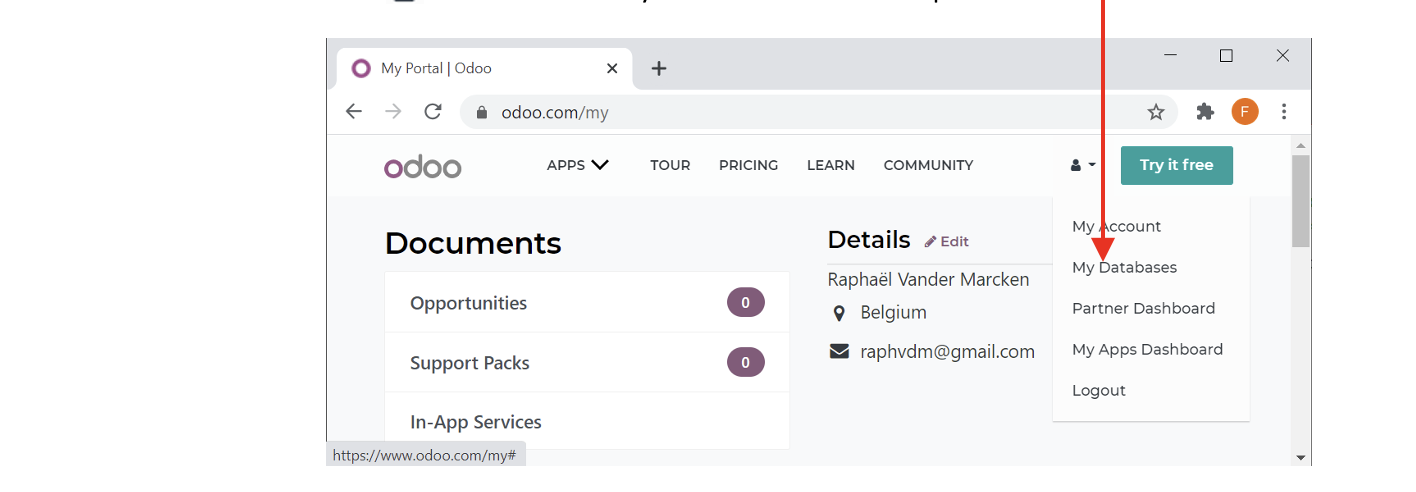
- Click on the “ ” icon and select “My databases” inside the drop-down menu:
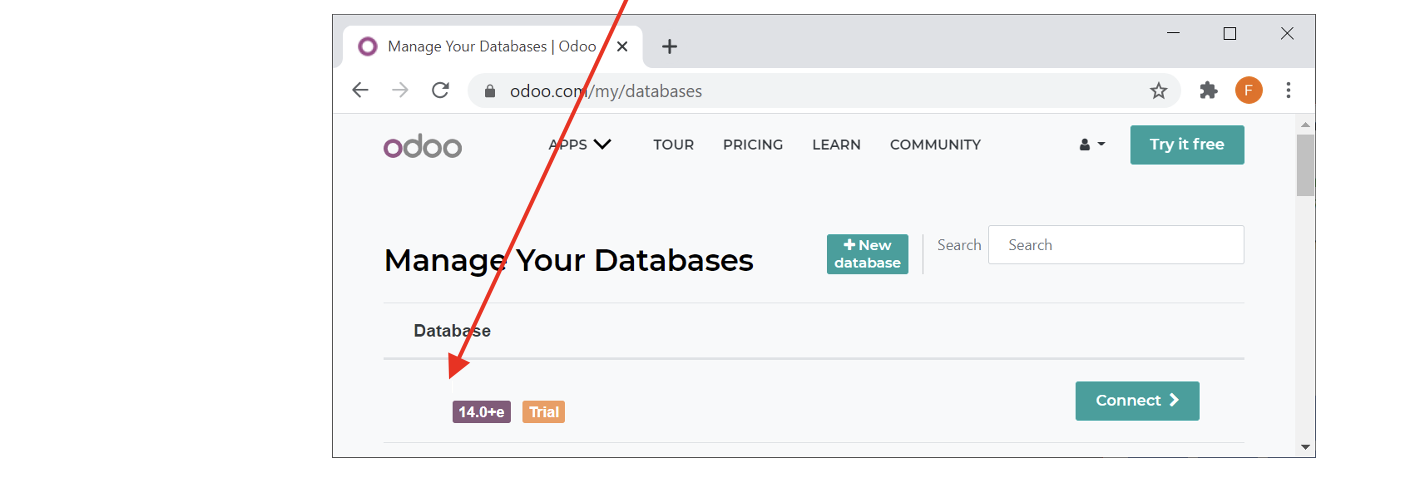
- The last parameter P7 (i.e. your Odoo database name) is now visible.
In the example below, it’s “timi1”: