¶ Description
Read a parquet file.
¶ Parameters
¶ Standard tab
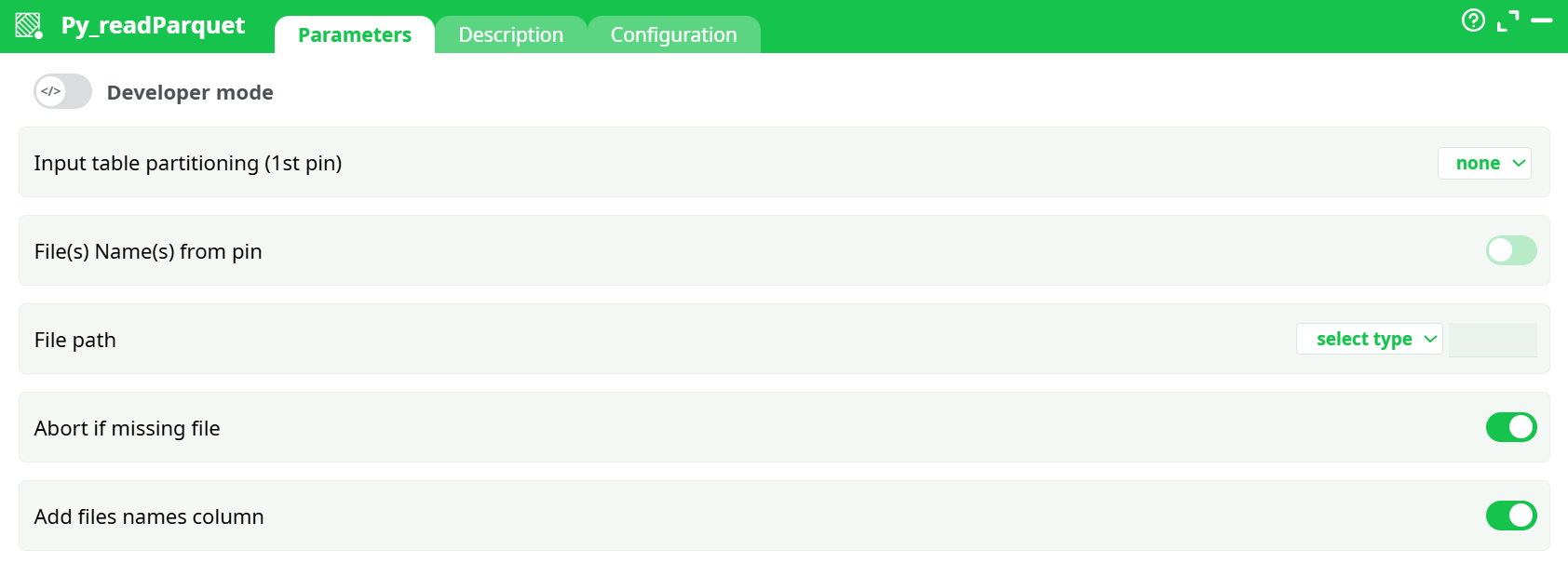
Parameters:
- Input table partitioning (1st pin)
- File(s) Name(s) from pin
- File path
- Abort if missing file
- Add files names column
¶ Description tab
See dedicated page for more information.
¶ Configuration tab
See dedicated page for more information.
¶ About
Read one or many .parquet files into the pipeline. Works in two modes:
- From a column on the 1st pin (a table of file paths you pass in)
- From a fixed path you set in the box
No credentials are needed; the files must exist in one of the supported locations (assets, temporary data, recorded data, …).
¶ Quick start
¶ A) Read paths coming from the previous box
- Connect the 1st pin to a table that contains a column with full file paths.
- In Parameters → File(s) Name(s) from pin (
idSel) → ON. - Column of files paths (
File path) → click … and pick the column that holds the paths. - (Optional) Abort if missing file (
Abort if missing file) → ON to fail fast when any file is missing. - (Optional) Add files names column (
Add files names column) → ON to append the source file path as a new column in the output. - Run. The output is the union of all read Parquet files.
¶ B) Read a single, fixed file
-
File path (
idFile) → choose select type and then:- assets – a file you uploaded as an asset
- temporary data – a path created earlier in the pipeline (e.g.,
temp/out.parquet) - recorded data – a path persisted by a previous run
- JavaScript expression – build the path with an expression
-
(Optional) Abort if missing file (
Abort if missing file), Add files names column (Add files names column) as needed. -
Run.
¶ Parameters
¶ Input table partitioning (1st pin)
Controls how the incoming file-list table (only relevant when when reading file from pin) is split for processing:
- none (default) – process as a single batch.
- fixed number of lines (excluding last) – processes the input table in fixed-size chunks.
- by column – partition by distinct values of the chosen column (useful for parallelism).
If you read a single fixed file, this setting is ignored.
¶ Main options
| Id | Description | What to set |
|---|---|---|
File path* |
Column of files paths | Available when idSel = ON. Pick the column that holds the full paths. |
idFile* |
File path | Available when idSel = OFF. Choose a source type (assets / temporary data / recorded data / JavaScript expression) and provide the path. |
Abort if missing file |
Abort if missing file | ON = stop with error if any file is missing; OFF = skip missing files. |
Add files names column |
Add files names column | ON = append a column containing the source file path for each row. |
* Only one of File path or idFile is used at a time depending on idSel.
¶ Output
- A single table containing the rows read from all input Parquet files (merged/unioned).
- If Add files names column is ON, the output also includes a column with the originating file path for each row.
¶ Notes & tips
- Paths must point to valid Parquet files accessible to the runtime (assets, temp, recorded, or a path built via JS expression).
- When reading many files, prefer passing a table of paths (mode A) so you can partition the input and improve throughput.
- Schemas across files should be compatible. If they differ, the engine attempts type alignment; otherwise you may see a schema error.
¶ Common errors & how to fix
- “Missing file” / “No such file or directory”
Turn Abort if missing file OFF to skip, or correct the path / asset name. - Schema / type mismatch
Ensure the files share compatible column sets and types, or pre-normalize them. - Empty result
Check that your file list column really contains full paths and that your partitioning doesn’t filter all rows.
¶ Minimal examples
Read two files listed upstream
- Upstream table has column
parquet_path - Set:
File path=parquet_path→Abort if missing file=ON →Add files names column=ON - Run → returns the merged table with an extra “file path” column.