¶ Description
Download files from a S3 bucket
¶ Parameters
¶ Parameters Tab
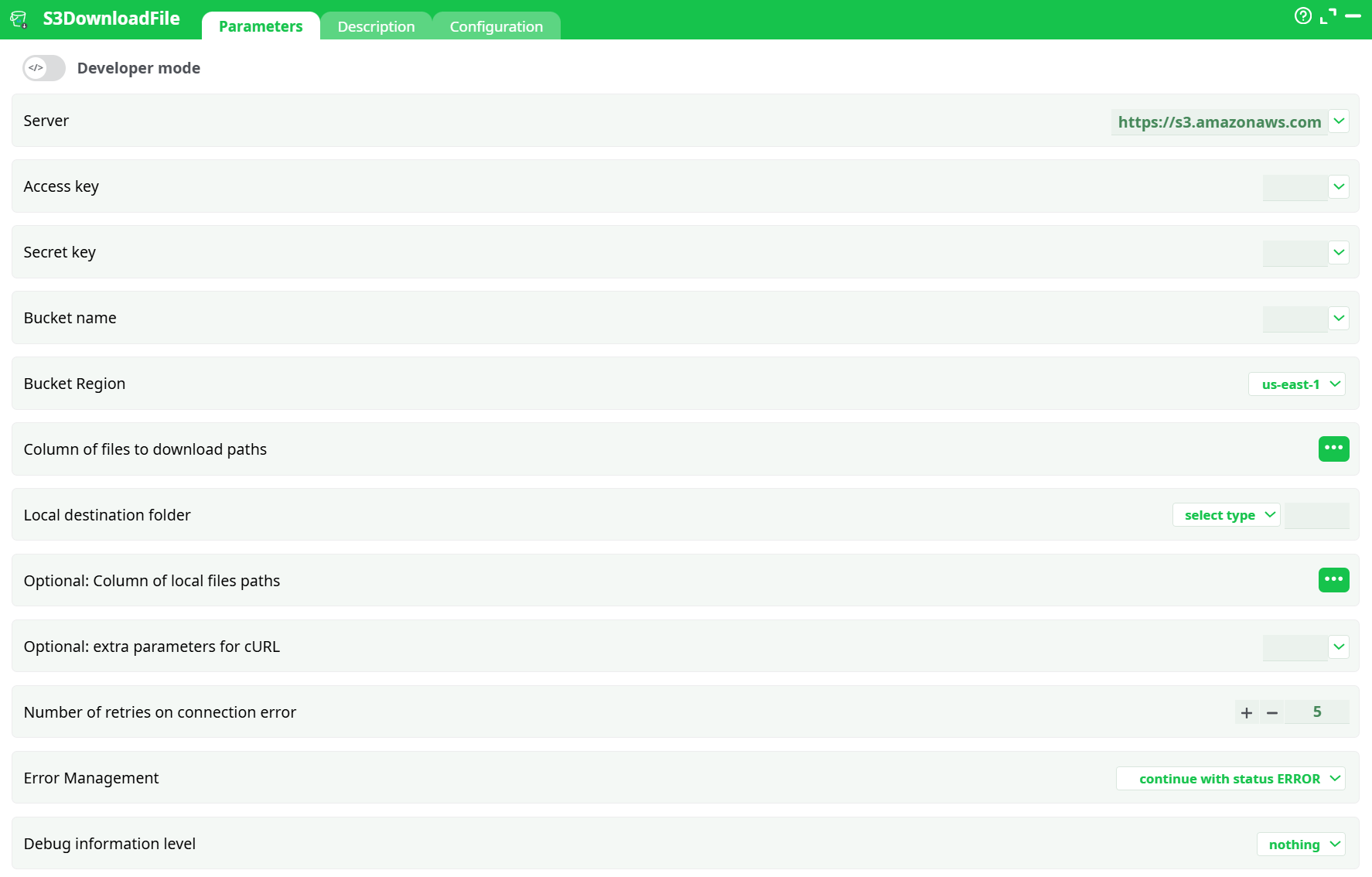
Parameters:
- Server
- Access key
- Secret key
- Bucket name
- Bucket Region
- Column of files to download paths
- Local destination folder
- Optional: Column of local files paths
- Optional: extra parameters for cURL
- Number of retries on connection error
- Error Management
- Debug information level
¶ Description Tab
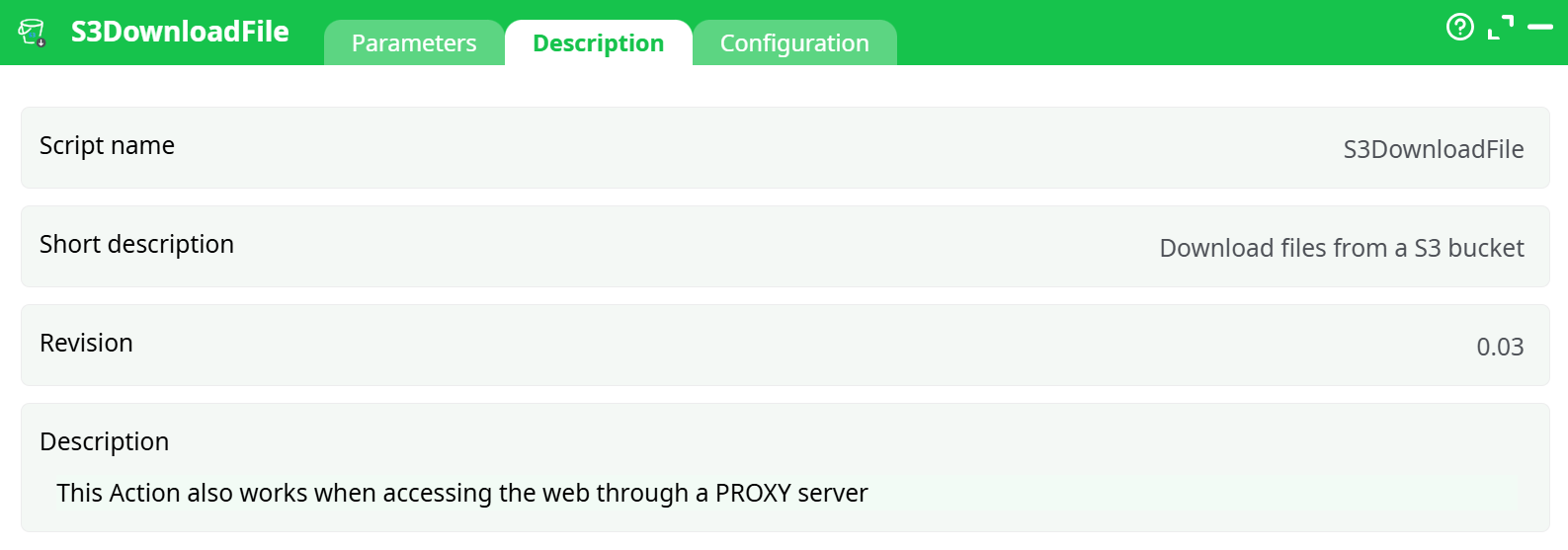
Parameters:
- Script name
- Short description
- Revision
- Decription
¶ Configuration Tab
See dedicated page for more information.
¶ About
Pull one or many objects from an S3 bucket to a local path. Works in corporate networks (supports HTTP/S proxies).
Good to know: If you haven’t set up AWS credentials yet, follow the Step-by-step: Create IAM user, keys & policy section in the S3UploadFile documentation. This Download box uses the exact same keys.
¶ What you’ll need
- Bucket name and Bucket Region (must match the bucket’s real region exactly).
- Access Key ID and Secret Key for an IAM user allowed to read from the bucket (at least
s3:GetObject). - A local folder where the file can be saved (write permissions).
¶ Quick start (5 steps)
- Map your inputs
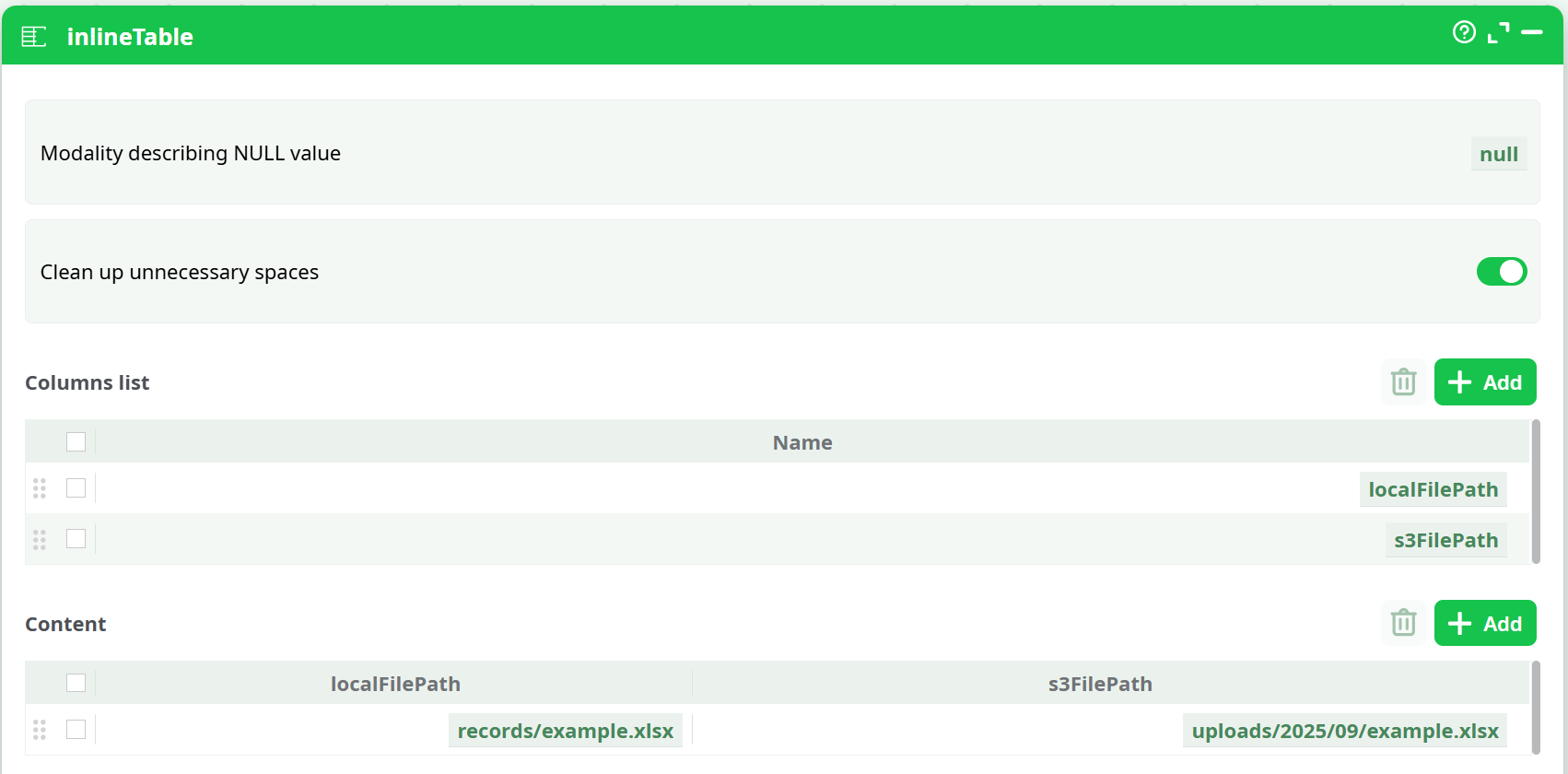
Add an InlineTable (or any table source) with these columns:
-
Open the S3DownloadFile action and wire it to your table.
-
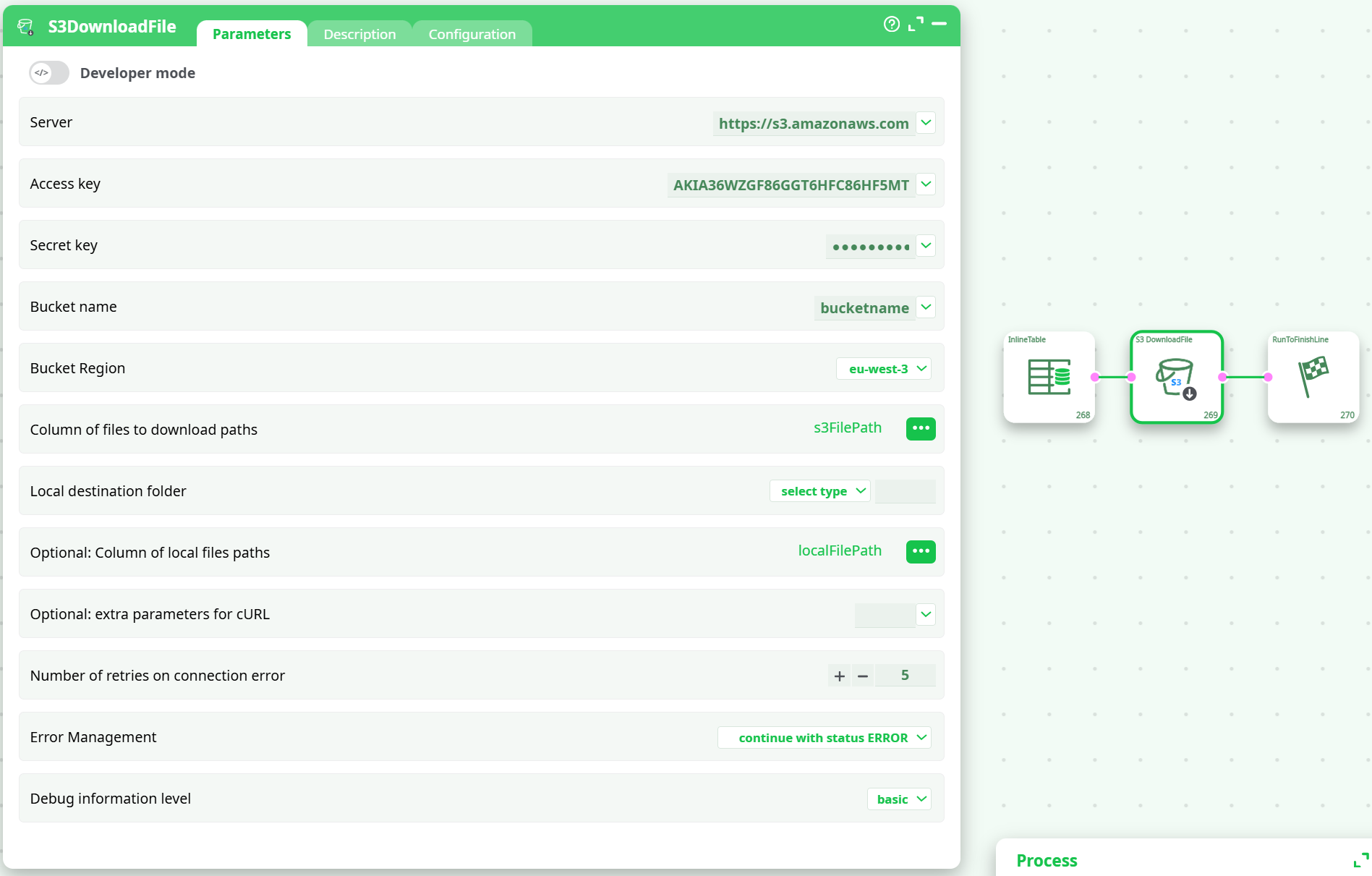
Enter the parameters manually, or choose them from the dropdown if you’ve configured them as Global Parameters
- Bucket name:
bucketname(your bucket) - Bucket Region:
eu-west-3(or the bucket’s region) - Access key / Secret key: your AWS keys
- Column of files to download paths (Remote File):
s3FilePath(select from the 3-dots menu) - Optional: Column of local files paths (Local filepath):
localFilePath(select from the 3-dots menu) - Debug information level:
nothing(useverbosewhile testing) - Error Management:
continue with status ERROR(recommended for batches)
- Bucket name:
-
(Optional) Corporate proxy
In Optional: extra parameters for cURL, pass cURL flags, e.g.:
--proxy http://proxy.mycorp.local:8080 --proxy-user USER:PASS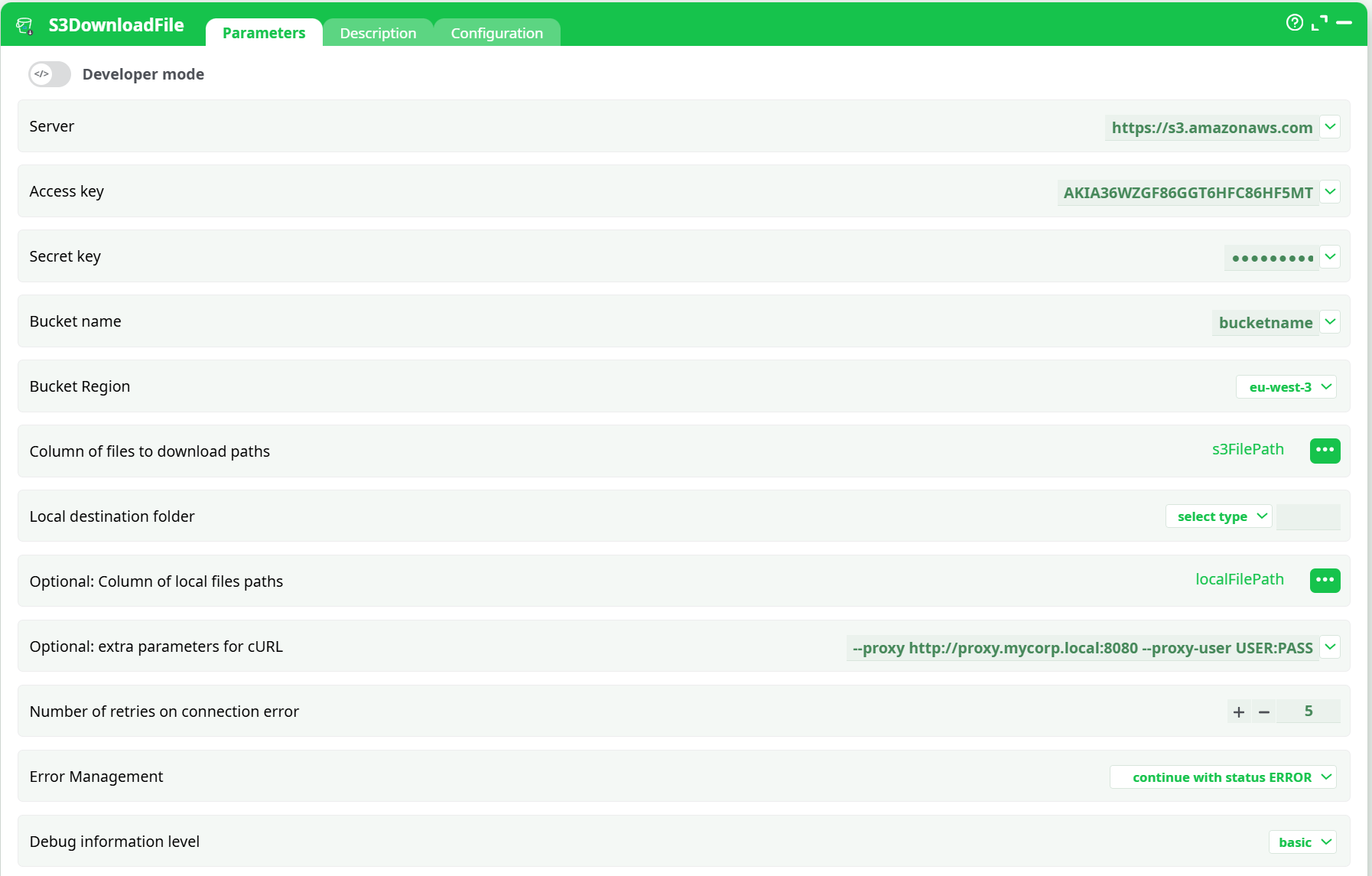
¶ Troubleshooting
307 TemporaryRedirect / 301 Moved Permanently
- Cause: Region mismatch. S3 tells you the correct region in the response header
x-amz-bucket-region. - Fix: Set Bucket Region to that exact value (e.g.,
eu-west-3).
403 AccessDenied
- Cause: Keys lack
s3:GetObject, or the object/key path is wrong. - Fix: Update IAM policy, confirm bucket/key, and that you’re in the right account.
404 NoSuchKey
- Cause: The object key doesn’t exist at that path.
- Fix: Verify the exact key (including case, folder prefixes, and file extension).
SignatureDoesNotMatch
- Cause: Using the wrong region, bucket name, or time skew on the runner.
- Fix: Correct Bucket Region/Bucket name. Ensure system time is accurate (NTP).
RequestTimeout / Connection timed out
- Cause: Network/proxy issues.
- Fix: Increase timeouts in Optional: extra parameters for cURL, e.g.,
--connect-timeout 60 --max-time 1200. Check proxy settings.
407 Proxy Authentication Required
- Fix: Add
--proxy-user USER:PASSin **Optional: extra parameters for cURL`.
Local save fails (permission denied / no such file or directory)
- Fix: Ensure the folder exists or add
--create-dirsin **Optional: extra parameters for cURL`. Confirm write permissions and path correctness.
Notes:
This Action also works behind a PROXY server (use Optional: extra parameters for cURL to pass cURL proxy flags).