¶ Description
Query the SMS delivery Status.
¶ Parameters
¶ Standard tab
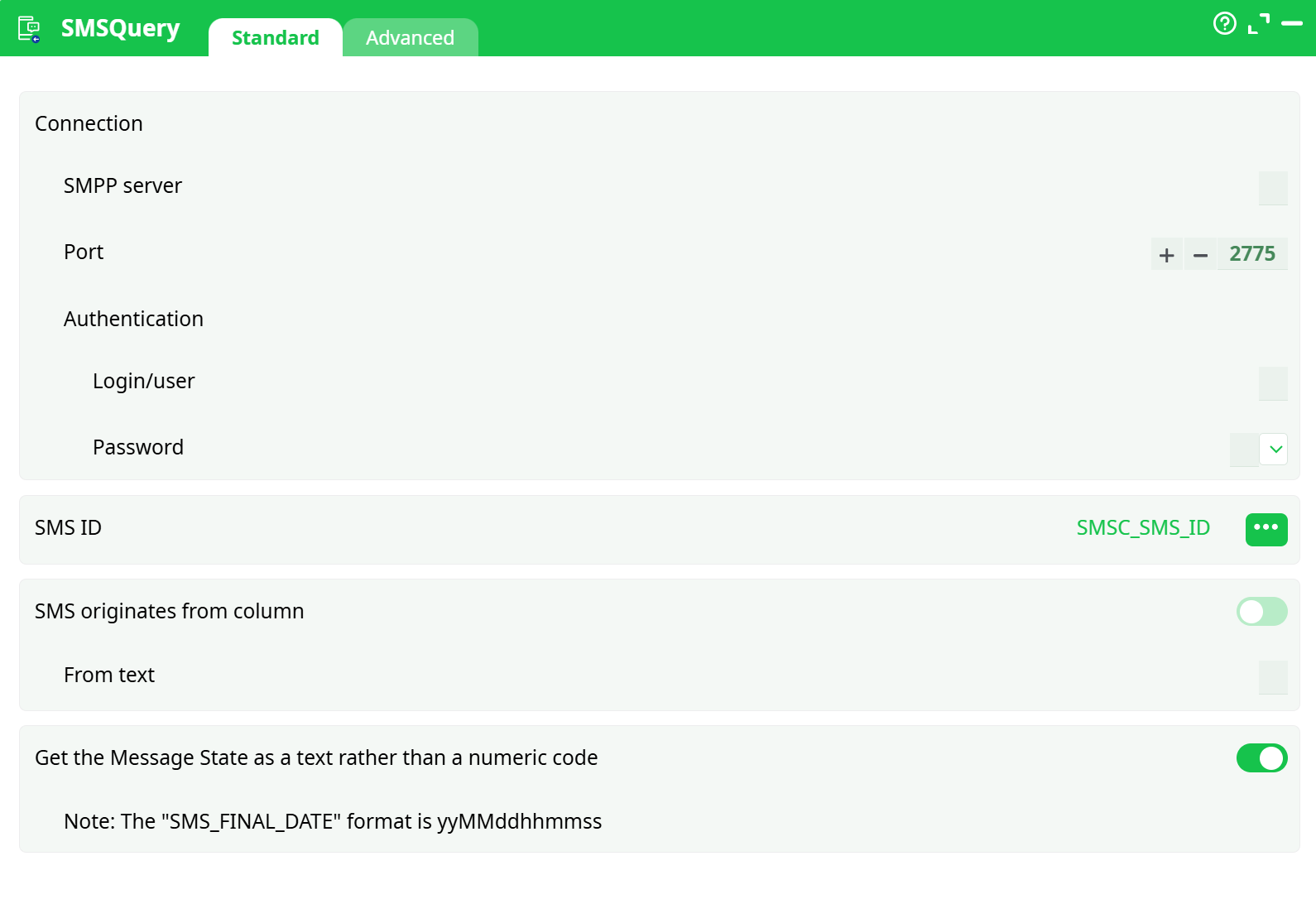
Parameters:
- Connection
- SMPP server
- Port
- Authentication
- Login/user
- Password
- SMS ID
- SMS originates from column
- From text
- Get the Message State as a text rather than a numeric code
¶ Advanced tab
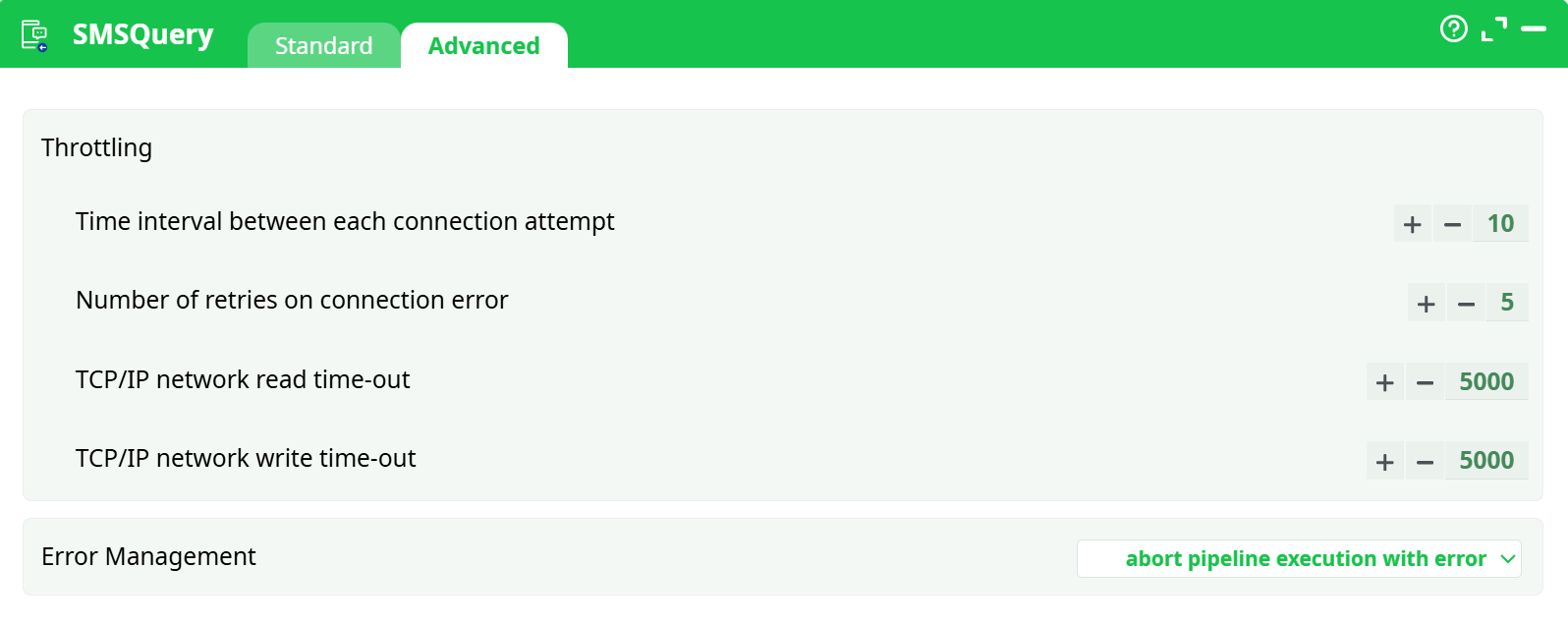
Parameters:
- Throttling
- Time interval between each connection attempt
- Number of retries on connection error
- TCP/IP network read time-out
- TCP/IP network write time-out
- Error Management
¶ About
Query the SMS delivery Status. The status of a SMS can be:
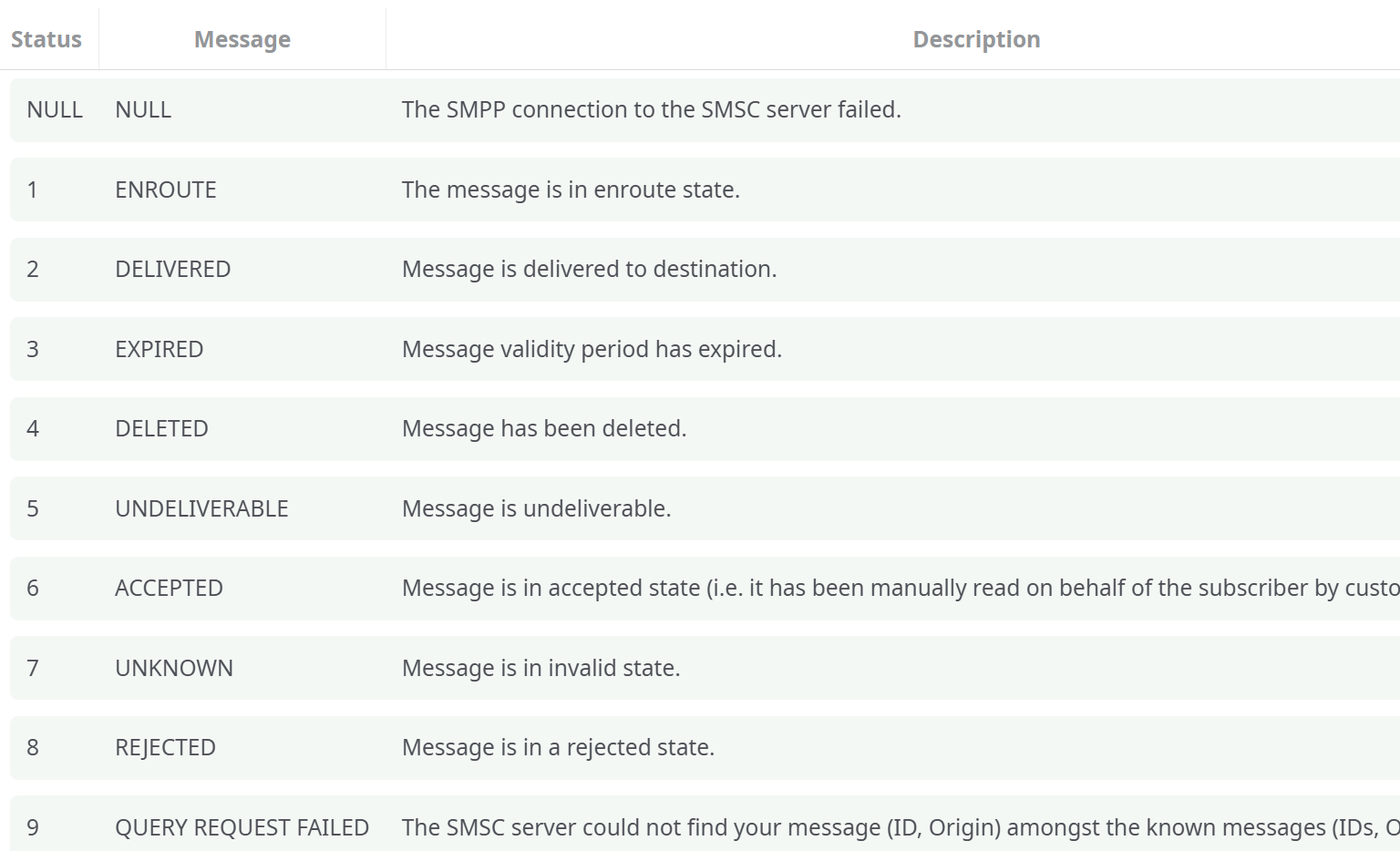
The SMSC server returns for the status of the SMS’s that are specified inside the input table. The SMSC identifies precisely each SMS based on 2 criterions:
- The SMS ID (that is returned by the SendSMSsmpp action)
- The origin of the SMS.
Thus, inside the QuerySMS action, you need to specify the SAME origin as the origin that was used inside the SendSMSsmpp action (when sending the email). If the SMSC server does not find any SMS that matches the given ID and Origin, it returns Status=9 (QUERY REQUEST FAILED).
For each query to the SMSC server, you obtain 3 fields:
- “SMS_STATE”: contains the status (ENROUTE, DELIVERED, EXPIRED, DELETED, UNDELIVERABLE, ACCEPTED, UNKNOWN, REJECTED, QUERY REQUEST FAILED)
- “SMS_FINAL_DATE”: Date and time when the queried message reached a final state. For messages which have not yet reached a final state this field will contain a NULL.The date-time format is “YYMMDDhhmmss”.
- “SMS_ERROR_CODE”: Where appropriate this holds a network error code defining the reason for failure of message delivery. The range of values this field may have, depends entirely on the underlying telecommunications network.