¶ Description
List Surveys from Survey Monkey.
¶ Parameters
¶ Parameters tab
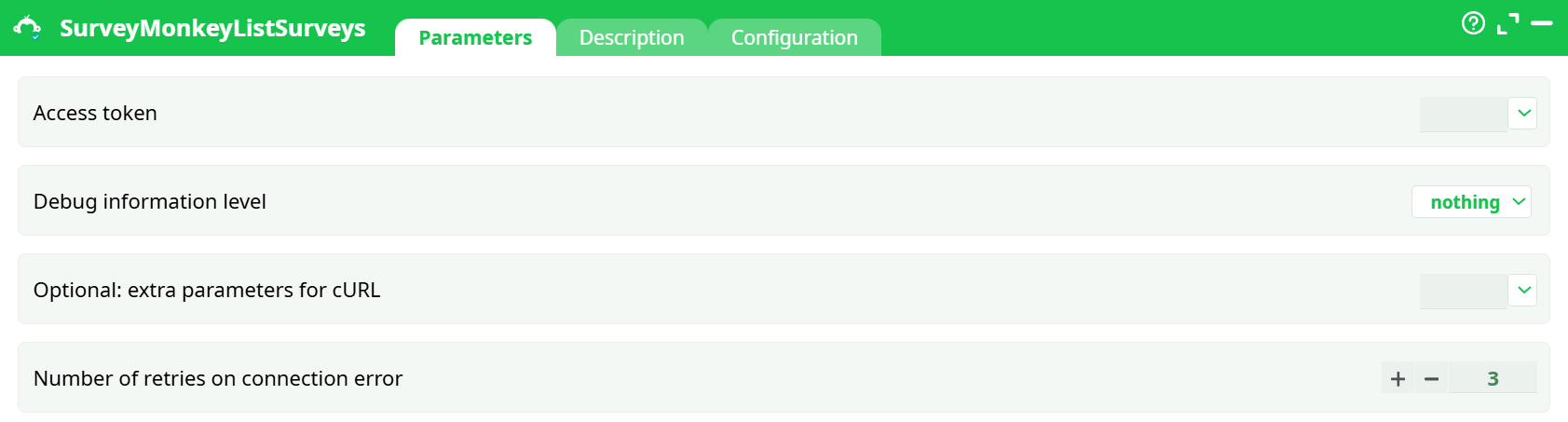
Parameters:
- Access token
- Debug information level
- Optional: extra parameters for cURL
- Number of retries on connection error
¶ Description tab
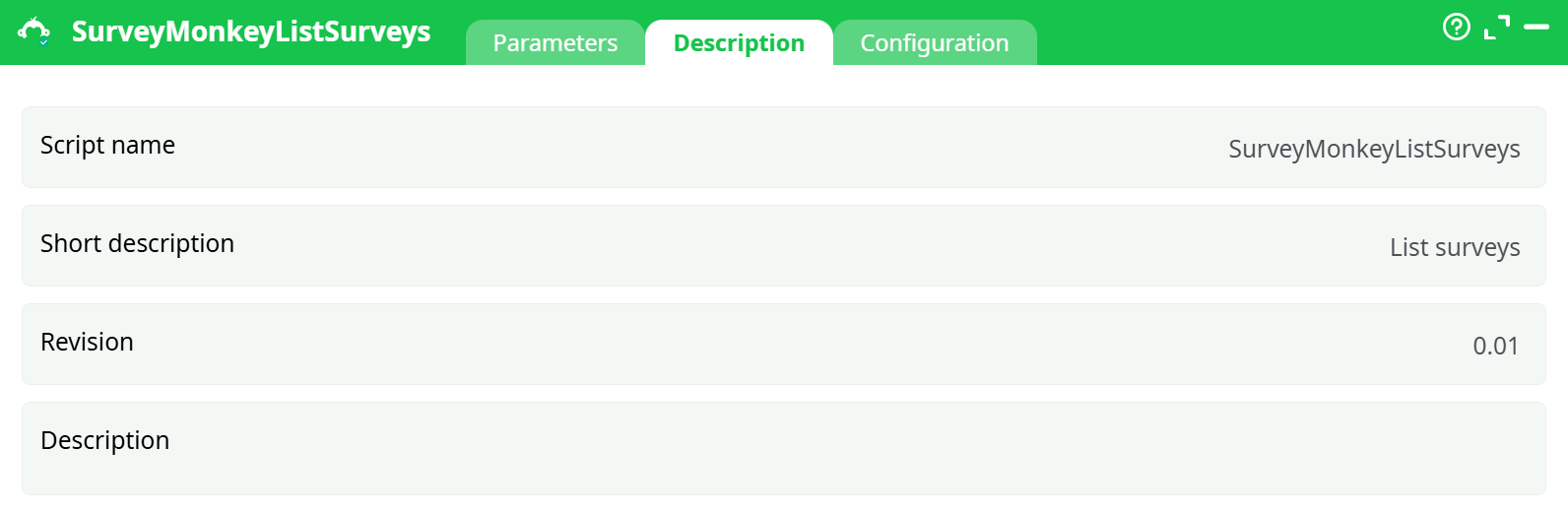
Parameters:
- Script name
- Short description
- Revision
- Decription
¶ Configuration tab
See dedicated page for more information.
¶ About
This action also works when accessing the web through a PROXY server.
¶ Survey Monkey First Time setup
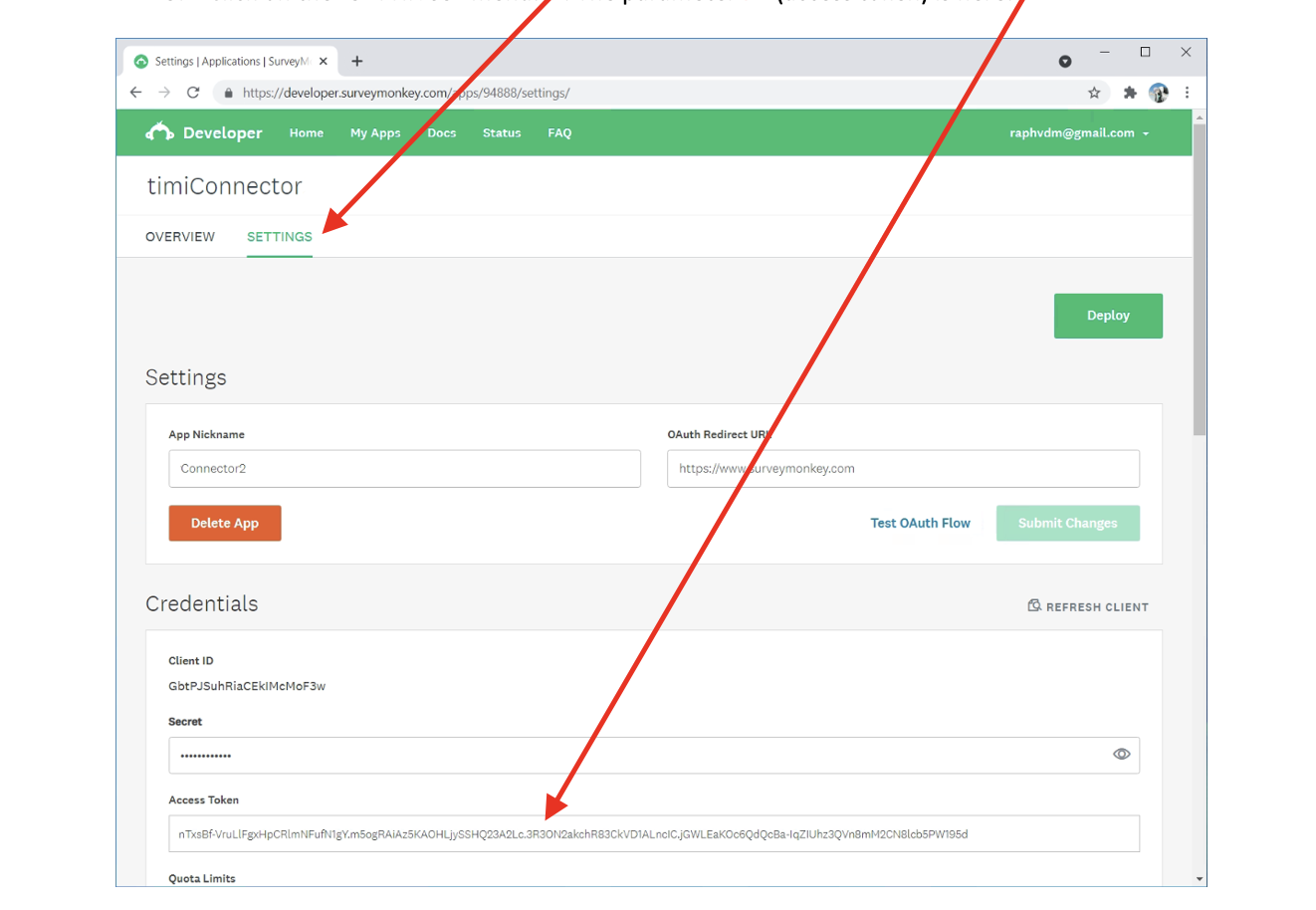
Before using SurveyMonkey (and to get your access token, the parameter P1), you need to follow the following procedure:
- Log-in to Survey Monkey, open the URL : https://developper.surveymonkey.com/apps/
and click on the button “Add a New App”:
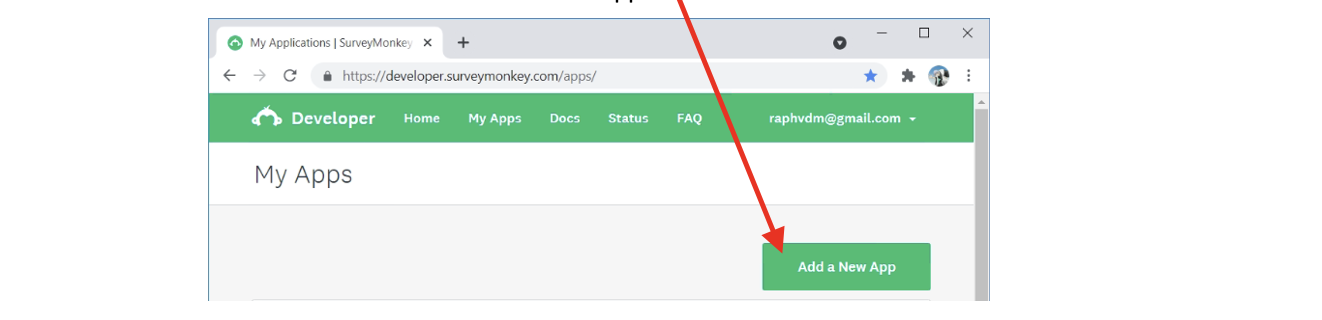
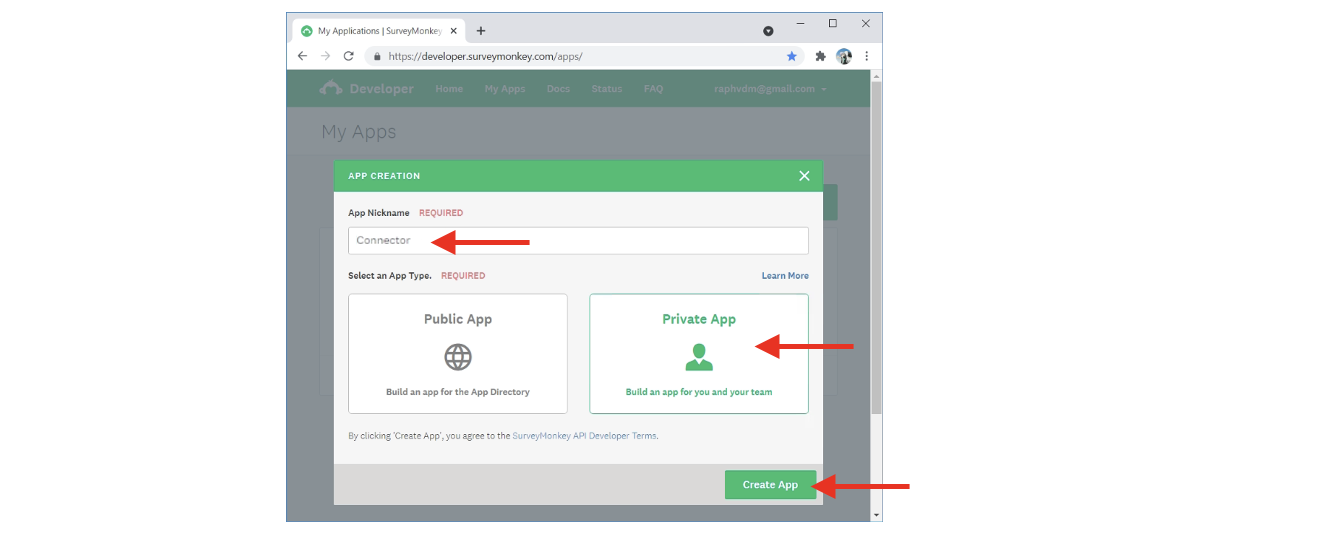
- Give a name to your app, select “Private App” and click on the “Create App” button:
- Click on the “SETTINGS” menu: . The parameter P1 (access token) is here:
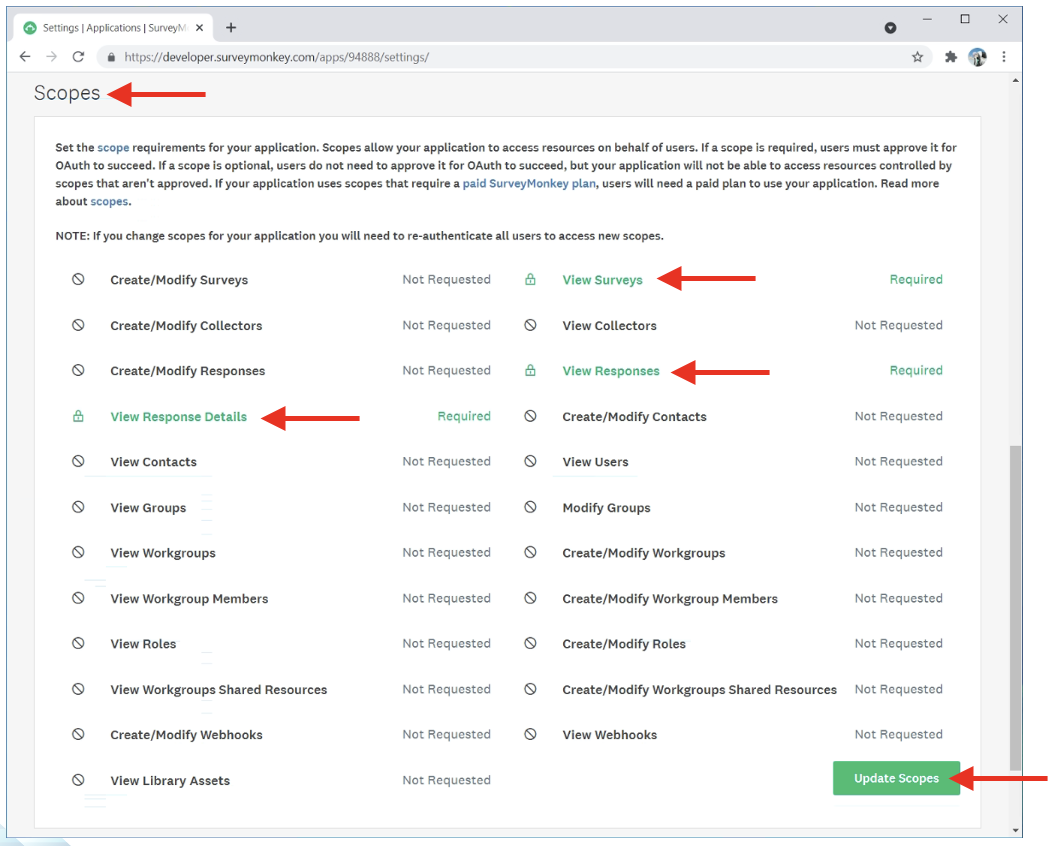
- On the same webpage, scroll down to the section named “Scopes”, select these 3 scopes: “View Surveys”, “View Responses”, “View Response Details” and click on the “Update Scopes” button: