¶ Description
Download issue-related data from a Jira server using a JQL query.
¶ Parameters
¶ Parameters Tab
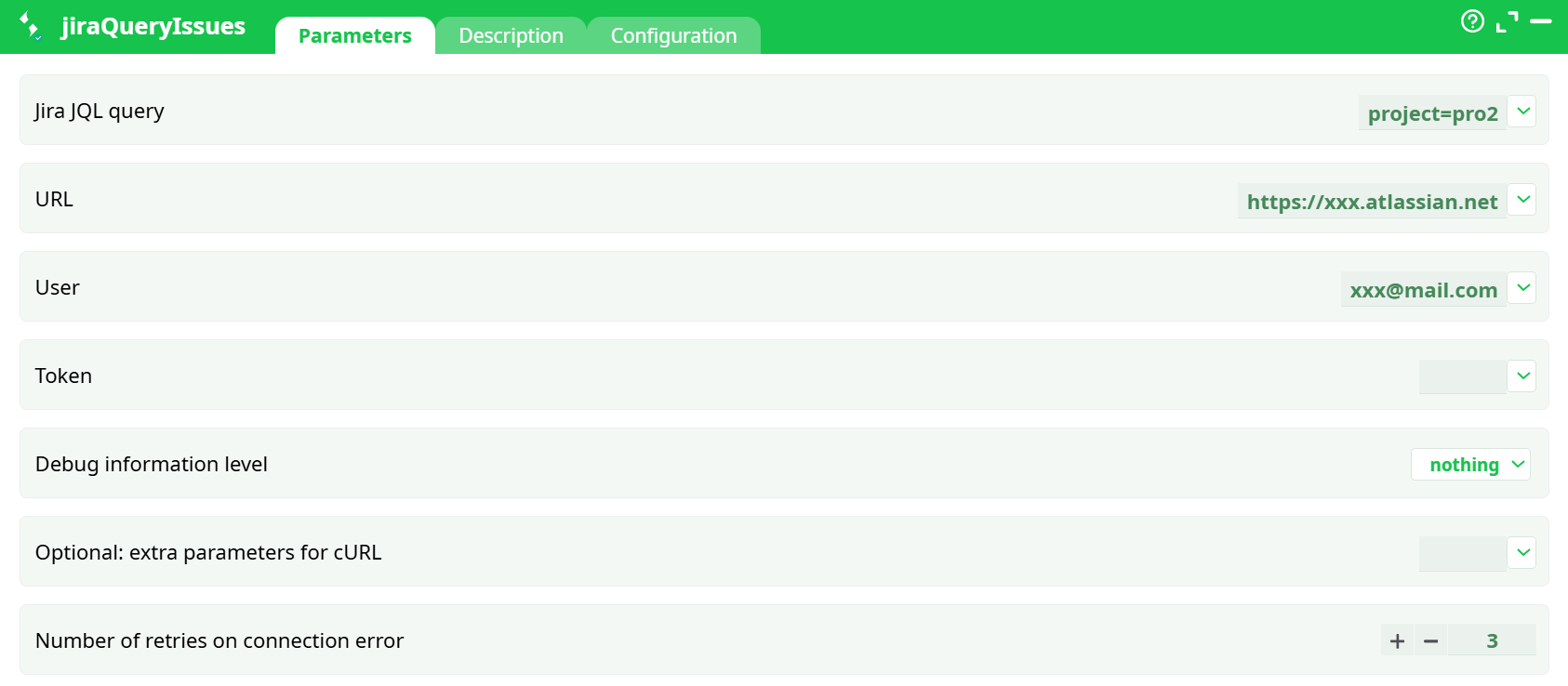
Parameters:
- Jira JQL query
- URL
- User
- Token
- Debug information level
- Optional: extra parameters for cURL
- Number of retries on connection error
¶ Description Tab
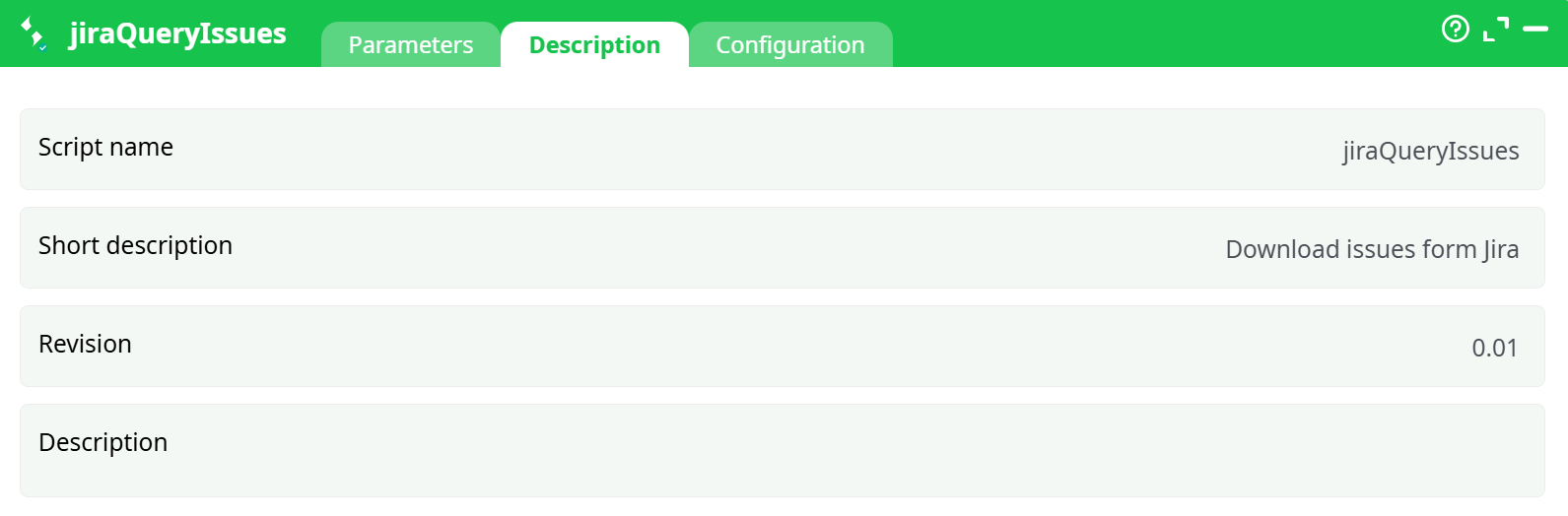
Parameters:
- Script name
- Short description
- Revision
- Decription
¶ Configuration Tab
See dedicated page for more information.
¶ About
This action also works when accessing the web through a PROXY server.
The parameter P1 is the Jira JQL query executed on your Jira Server. For more information about the JQL syntax, please refer to this webpage:
https://www.atlassian.com/software/jira/guides/expand-jira/jql
All the parameters of this action are self-explanatory with the exception of the parameter P4: it’s the “Jira token”.
¶ 1) What it does
Runs a JQL query against your Jira Cloud and returns the matched issues as a table (one row per issue). Good for reporting/exports or feeding later steps (e.g., writeCSV).
¶ 2) Prereqs
- Jira Cloud site (e.g.,
https://YOURDOMAIN.atlassian.net) - Atlassian account email
- API token (Account → Security → Create API token)
¶ 3) Parameters (what to fill)
| Field | What to enter | Example |
|---|---|---|
| Jira JQL query | A valid JQL string | project = SCRUM ORDER BY created DESC |
| url | Base Jira site URL (no project/board path) | https://********.atlassian.net |
| user | Atlassian account email | you@company.com |
| token | The API token you generated | ******** |
| Debug information level | Log verbosity | nothing (default) / basic / verbose |
| Optional: extra parameters for cURL | Extra curl args (rare) | (leave empty) |
| Number of retries on connection error | Retries on connection errors | 3 |
Use only the site base URL. Don’t paste board or project URLs.
¶ 4) Quick start (working recipe)
-
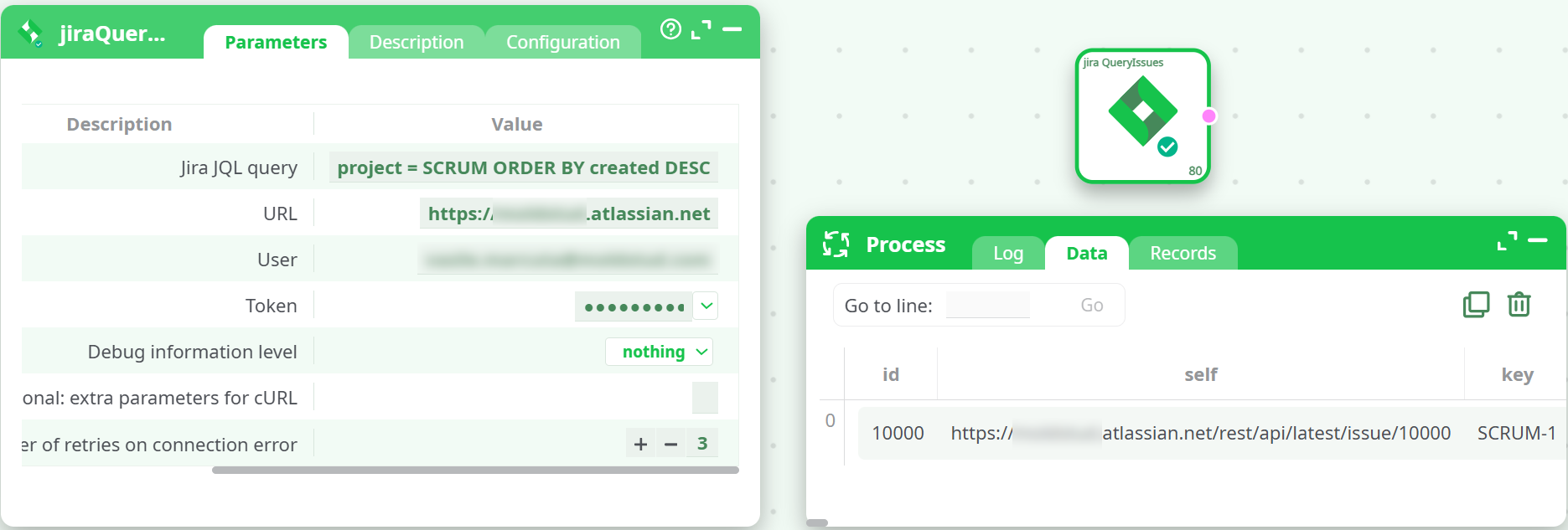
Set:
Jira JQL query:project = SCRUM ORDER BY created DESCurl: your base siteuser&token: your email & API token
-
Run preview.
-
Check Data tab for rows; nested objects appear as JSON strings in columns (e.g.,
statusCategory,project,issuetype).
¶ 5) Typical pipeline
[ jiraQueryIssues ] → (optional mappers/filters) → [ writeCSV ]
If you want to export, drop a writeCSV action, map all columns, and run.
¶ 6) JQL cheat-sheet
- All issues in a project:
project = SCRUM - Only open:
project = SCRUM AND statusCategory != Done - Last 7 days:
project = SCRUM AND created >= -7d - Assigned to me:
assignee = currentUser() - Sort newest first:
ORDER BY created DESC - Combine:
project = SCRUM AND issuetype in (Bug, Task) AND created >= -30d ORDER BY priority DESC, created DESC
¶ 7) Reading the output
- Each issue is a row with flat fields (e.g.,
id,key,summary,created) and some JSON blobs for complex fields (project,issuetype,statusCategory, etc.). - If you need to break out nested JSON into columns, add a JSON-flatten/map step before exporting.
¶ 8) Troubleshooting
| Symptom | Likely cause | Fix |
|---|---|---|
Jira Error(2): Error in the JQL Query… expecting operator |
JQL isn’t valid (e.g., just SCRUM) |
Use proper JQL: project = SCRUM … |
HTML response (<!DOCTYPE html>) |
You used a board/project URL instead of base | Use https://YOURDOMAIN.atlassian.net |
200 OK but {"total":0,"issues":[]} |
Query returned no issues | Relax JQL or create a test issue |
| Nothing in Data/Records but green success | Same as above (no matches) | Use a broader query like project = SCRUM |
| Need more details | Low debug level | Switch Debug information level to verbose and re-run |
| Auth problems | Wrong email/token | Regenerate API token; copy carefully (no spaces) |
¶ 9) Notes
- Rate limiting: if you hit burst limits, simply re-run (the step already retries
Number of retries on connection errortimes for network errors). - Dates & IDs come in Jira’s native formats; transform downstream if needed.