¶ Description
List files in a zip archive.
¶ Parameters
¶ Parameters tab
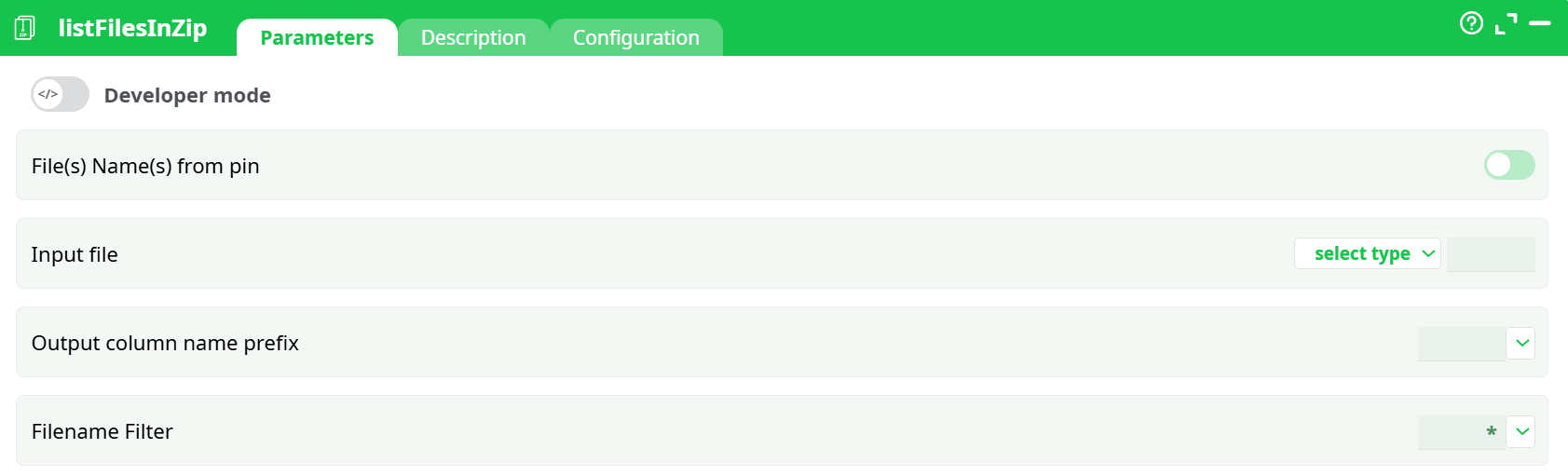
Parameters:
- Developer mode
- File(s) Name(s) from pin
- Input file
- Column with files paths
- Output column name prefix
- Filename Filter
¶ Description tab
See dedicated page for more information.
¶ Code tab
listFilesInZip is a scripted action. Embedded code is accessible and customizable through this tab.
¶ Configuration tab
See dedicated page for more information.
¶ About
The listFilesInZip action extracts a list of filenames contained within one or more ZIP archives. This action is particularly useful in workflows that require inspection or processing of files within compressed ZIP containers, without extracting the archive.
Once executed, the action parses the ZIP file(s) and outputs metadata such as filenames, sizes, and possibly compression details into a structured tabular format. This output can then be used for filtering, routing, or further ETL processing downstream.
Use this when:
- You need to preview the structure of ZIP archives before decompression.
- You want to verify the contents of multiple ZIP files in a batch.
- You're building an automation flow that depends on file presence inside ZIPs.
Supports multiple ZIPs input via an input pin.
Optional filtering and output column prefixing available.
¶ How It Works
- Reads the ZIP file(s) specified in the input table.
- Iterates over the contents of each archive.
- Extracts a list of contained files.
- Outputs a structured table listing each file found, with optional filtering and prefixed columns.
¶ Example Pipeline

¶ Step-by-Step:
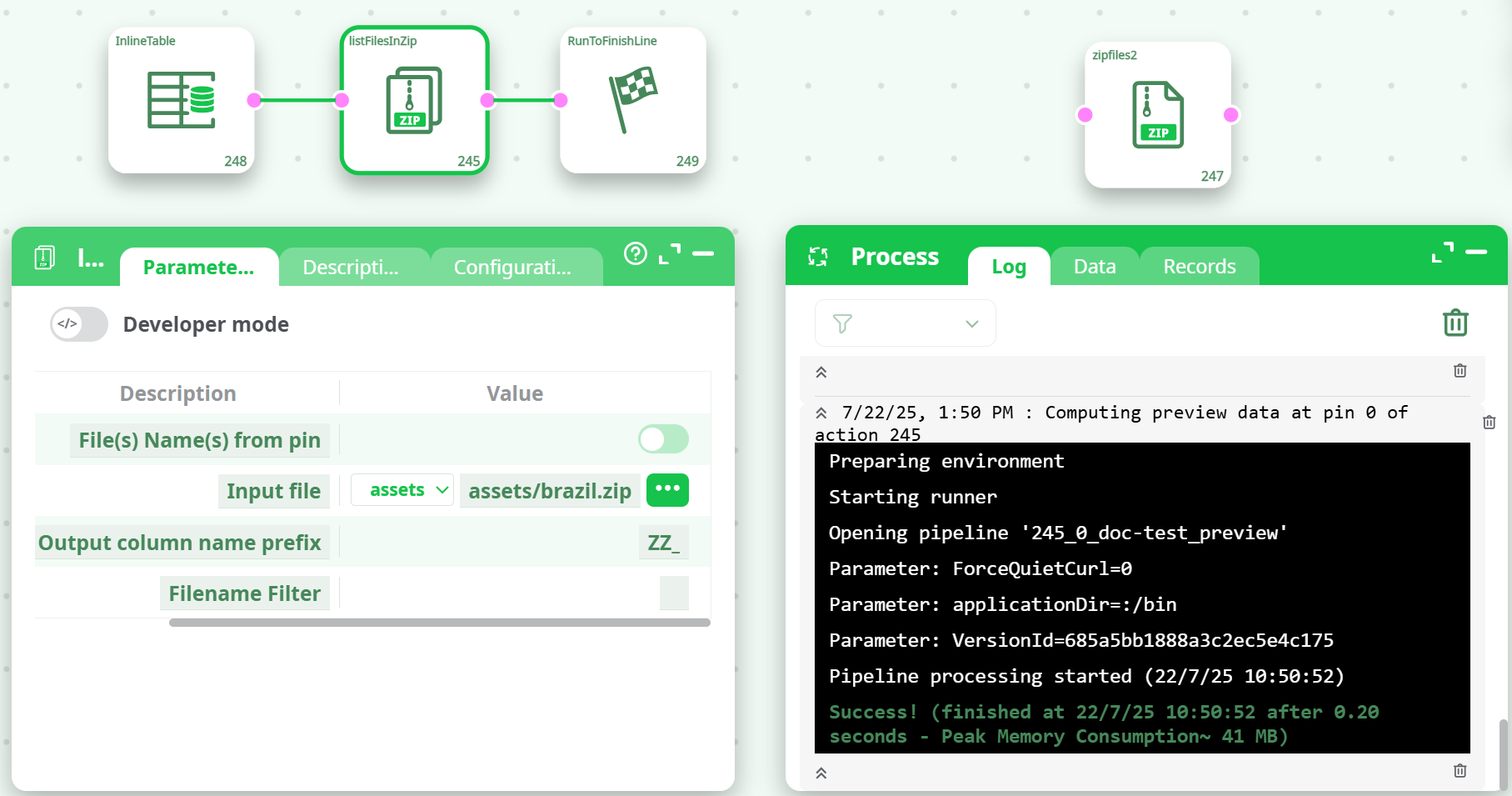
-
Create an
InlineTablewith one column (e.g.,C1) containing ZIP file paths:C1 assets/brazil.zip -
Connect the
InlineTableto thelistFilesInZipaction. -
Set parameters:
File(s) Name(s) from pin= enabled (true)Input file=C1Output column name prefix=ZZ_Filename Filter= (leave empty or use*.csv,*.txt, etc. if needed)
-
Run the pipeline.
¶ Use Cases
- Extract file lists from ZIP archives before processing.
- Generate audit trails or logs of compressed contents.
- Build dynamic pipelines that branch depending on ZIP contents.
- Validate the existence or structure of ZIP file payloads.
Notes:
- The action does not extract the ZIP file contents.
- Wildcards (.csv, report_.pdf, etc.) are supported in the filename filter.
- Prefixing output columns helps avoid column name collisions in downstream actions.
¶ Summary
The listFilesInZip action enables a lightweight, fast, and flexible way to explore ZIP file contents inside an ETL workflow. It offers an essential step in automating archive inspection and is ideal for batch file validation, ingestion planning, or integration with other extraction or processing steps.