¶ Description
Load a .shp file.
¶ Parameters
¶ Standard Tab
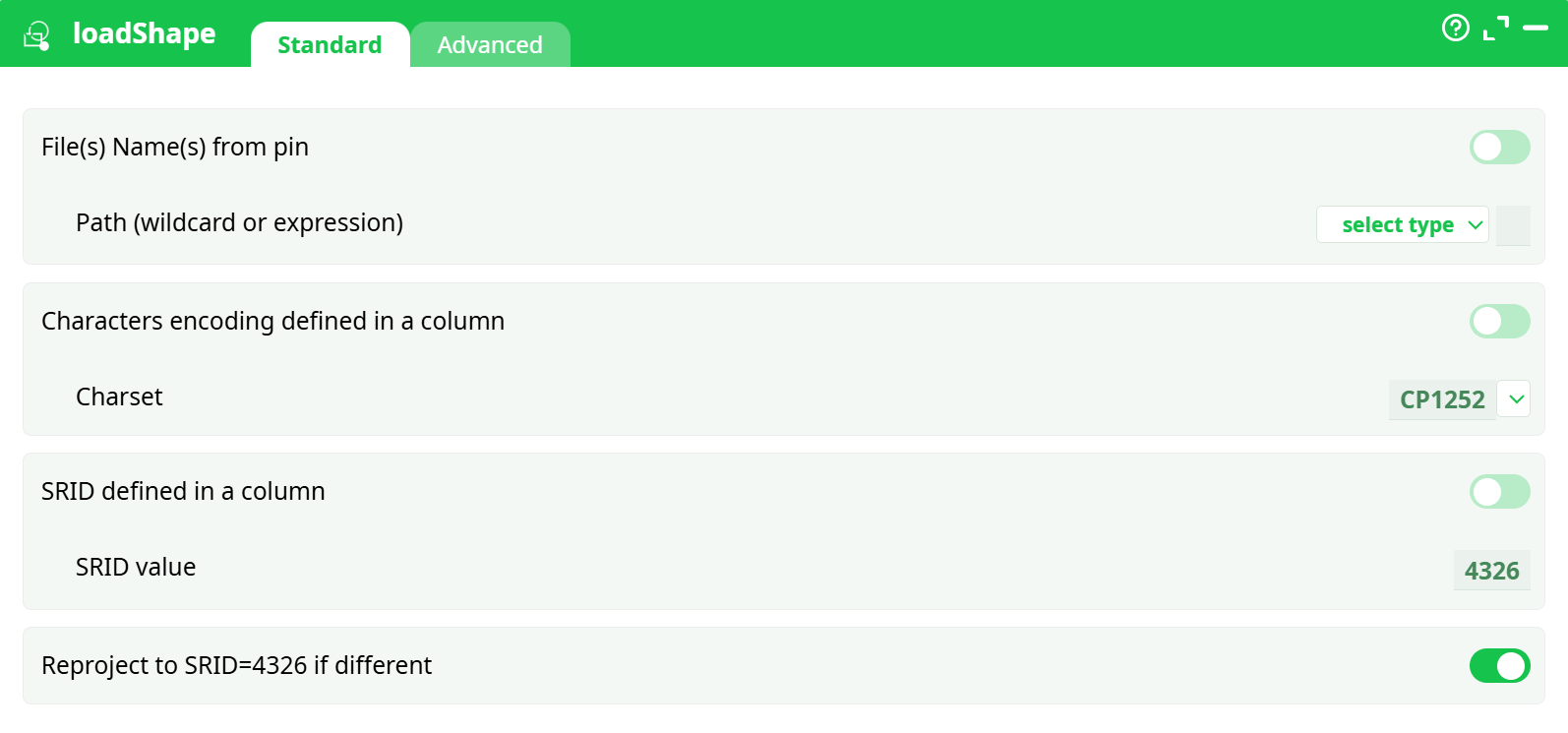
Parameters:
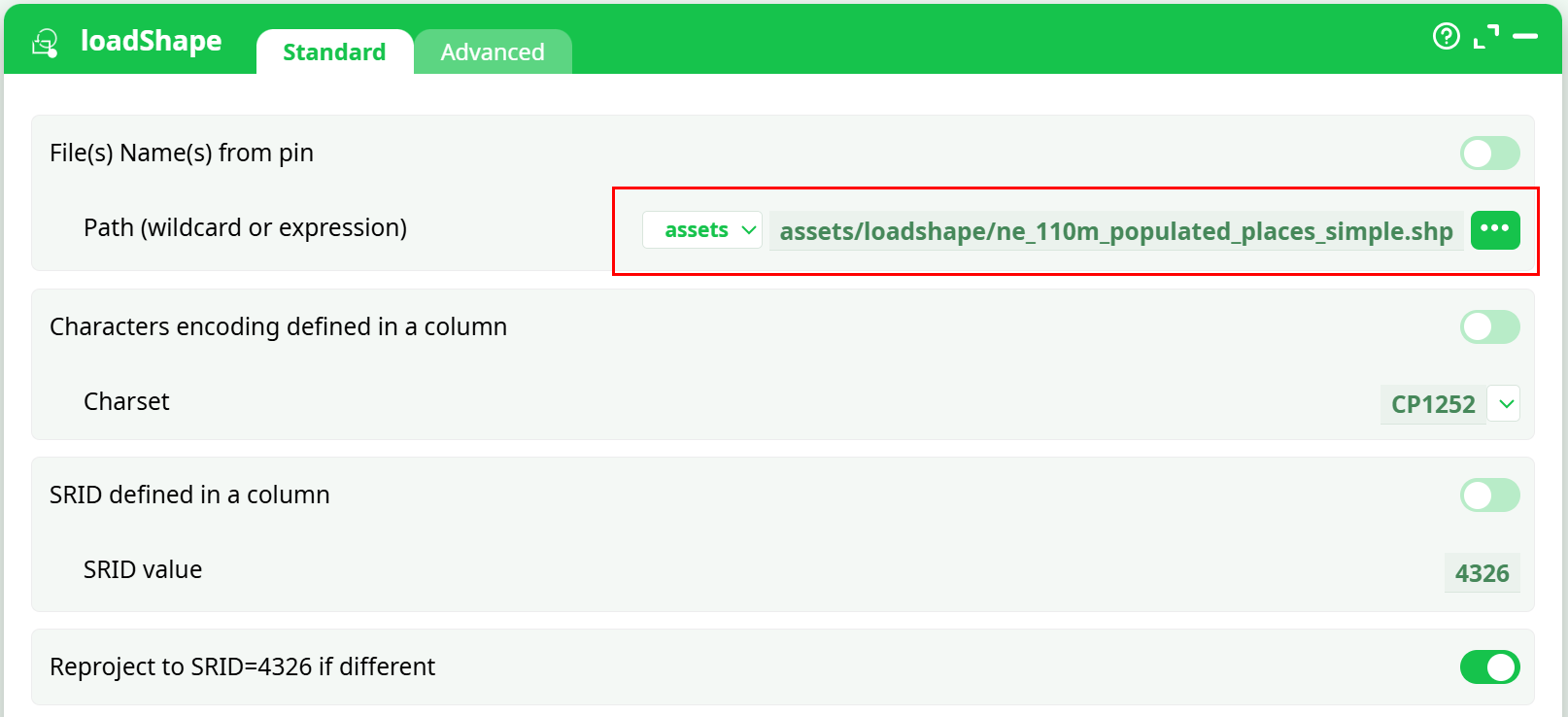
- File(s) Name(s) from pin
- Path (wildcard or expression)
- Characters encoding defined in a column
- Charset
- SRID defined in a column
- SRID value
- Reproject to SRID=4326 if different
¶ Advanced Tab
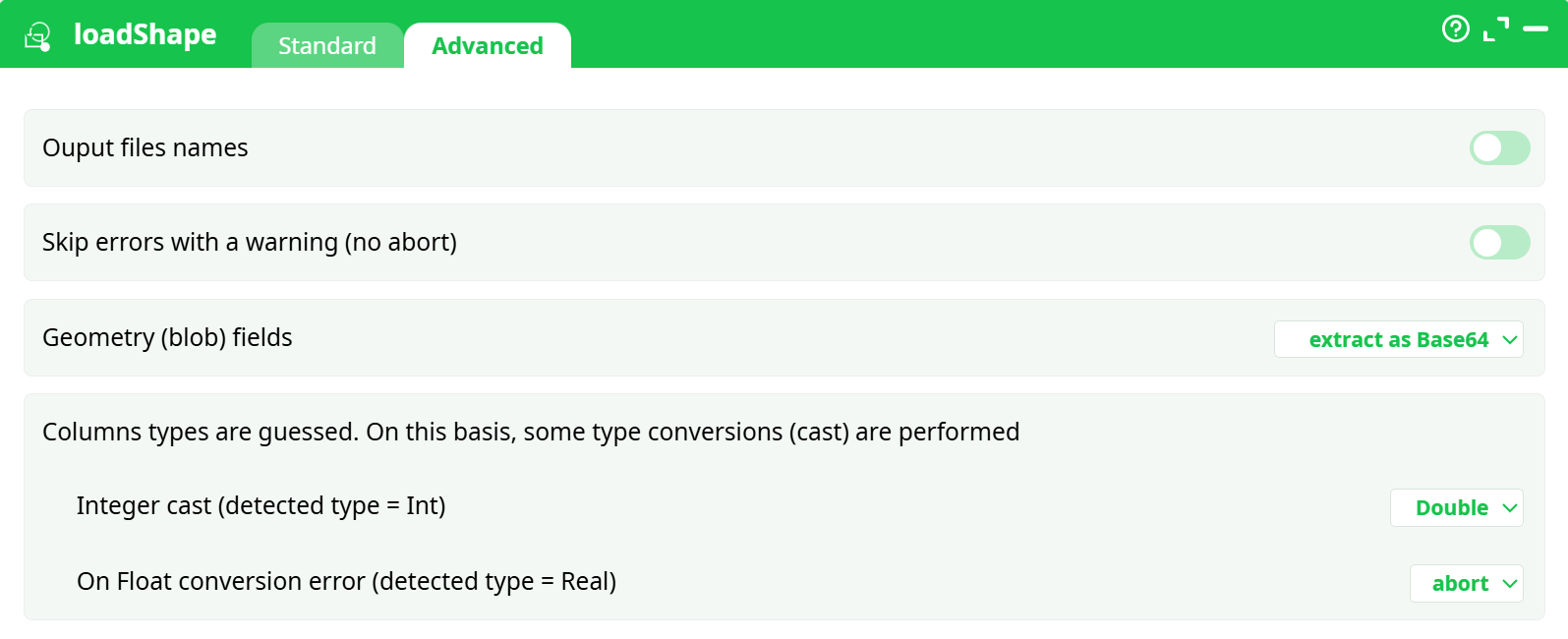
Parameters:
- Ouput files names
- Skip errors with a warning (no abort)
- Geometry (blob) fields
- Columns types are guessed. On this basis, some type conversions (cast) are performed
- Integer cast (detected type = Int)
- On float conversion error (detected type = Real)
¶ About
loadShape ingests an ESRI Shapefile into your pipeline, producing a tabular dataset with an explicit geometry column that downstream steps can transform, export, or visualize. It handles character encodings, CRS/SRID detection, and can reproject geometries to a target SRID (WGS84 / EPSG:4326) for universal mapping compatibility.
¶ When it’s useful
- Bringing Natural Earth, census, cadastral, or any ESRI Shapefile into a data pipeline.
- Conforming mixed incoming GIS assets to a consistent encoding and coordinate system.
- Converting shapes into a portable geometry field (WKB as BASE64 or HEX) for storage, joins, and export.
- Preparing geometry to publish maps, tiles, or vector downloads via saveShapeGIS.
¶ How it works (high level)
- Reads a complete shapefile bundle from storage (see prerequisites).
- Parses the .prj to infer CRS; if missing or overridden, uses the SRID you specify.
- Optionally reprojects all features to EPSG:4326 to normalize coordinates.
- Guesses attribute types and standardizes integers/floats according to your rules.
- Emits a table where one column holds the geometry (WKB encoded), plus all attributes.
¶ Inputs & prerequisites
¶ 1) A complete shapefile bundle (unzipped)
Place all sidecar files in the same folder. The loader requires these together:
- .shp — geometry
- .dbf — attributes
- .shx — index
- .prj — CRS (recommended)
- optional: .cpg (declares DBF encoding), README/metadata
If any mandatory sidecar is missing (e.g.,
.shx), the action cannot open the shapefile and fails with “cannot open shapefile … cause: unable to open … .shx … No such file or directory.” (see Troubleshooting).
¶ 2) Path selection
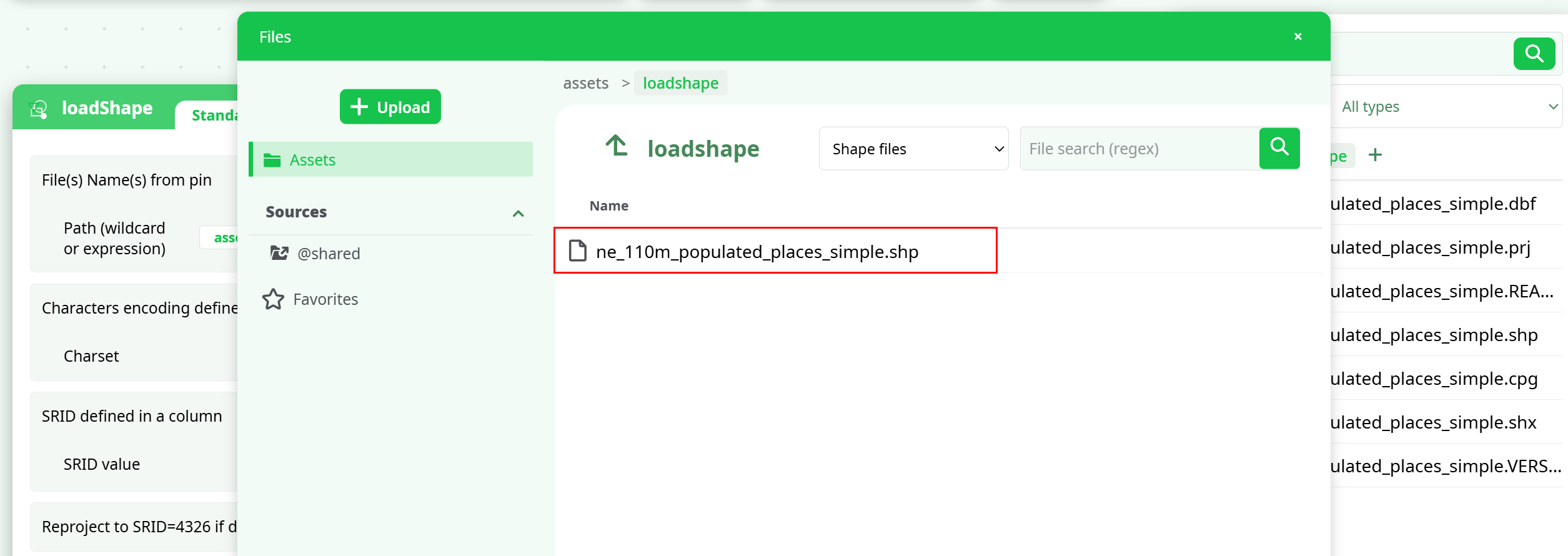
In the file picker you’ll select the .shp file (only the .shp is shown), but ensure all the other sidecars are present in the same folder.
Screenshots :
¶ Configuration workflow (concise)
¶ A. Standard tab
- Path (wildcard or expression): point to the
.shpinside your folder (e.g.,assets/loadshape/ne_110m_populated_places_simple.shp). - Charset: choose the text encoding for attribute labels. For Natural Earth, CP1252 often matches; UTF-8 is also available.
- SRID defined in a column: leave off unless your data carries SRIDs per row.
- SRID value: if needed, set a known SRID (e.g., 4326).
- Reproject to SRID=4326 if different: toggle on to ensure WGS84 output (recommended for web mapping).
¶ B. Advanced tab
-
Output files names: optional, adds file name context to outputs.
-
Skip errors with a warning (no abort): useful for imperfect datasets; off = strict.
-
Geometry (blob) fields:
- do not extract — keep raw geometry (not typical)
- extract as hexadecimal — WKB as HEX
- extract as Base64 — WKB as BASE64 (recommended)
-
Column type guessing & casting:
- Integer cast → choose Double (default) or Key (ID-like).
- On Float conversion error → abort, set to NULL, set to NaN, or set to 0. Pick based on your data quality policy.
¶ Output structure
- A table with all shapefile attributes plus a
Geometrycolumn containing WKB (BASE64 or HEX, per your setting). - If reprojection is active, geometries are returned in EPSG:4326 (lon/lat).
¶ Typical downstream: visualize with saveShapeGIS
While loadShape finishes the ingestion, saveShapeGIS turns the result into a deliverable (HTML preview, SHP, or GPKG).
¶ Wiring
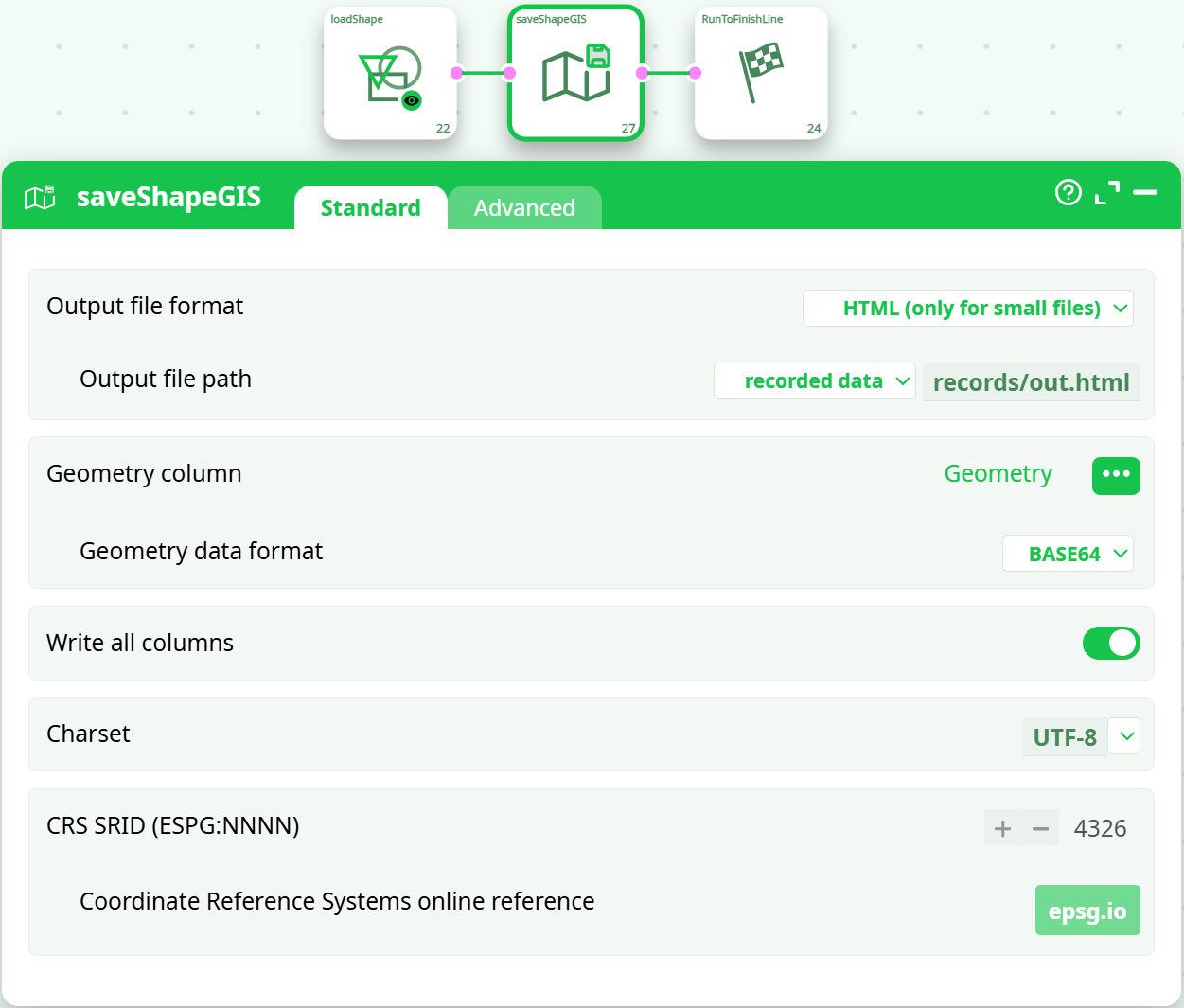
loadShape → saveShapeGIS → RunToFinishLine
¶ saveShapeGIS essentials
-
Output file format:
- HTML (only for small files) — quick in-browser preview (as you did).
- SHP — write a new shapefile.
- GeoPackage (.gpkg) — a single-file SQLite container.
-
Output file path: e.g., recorded data →
records/out.html. -
Geometry column: select
Geometry. -
Geometry data format: BASE64 (matches your loader setting).
-
Write all columns: on for a full attribute dump.
-
Charset: UTF-8 (safest for web).
-
CRS SRID: 4326 (web-map standard).
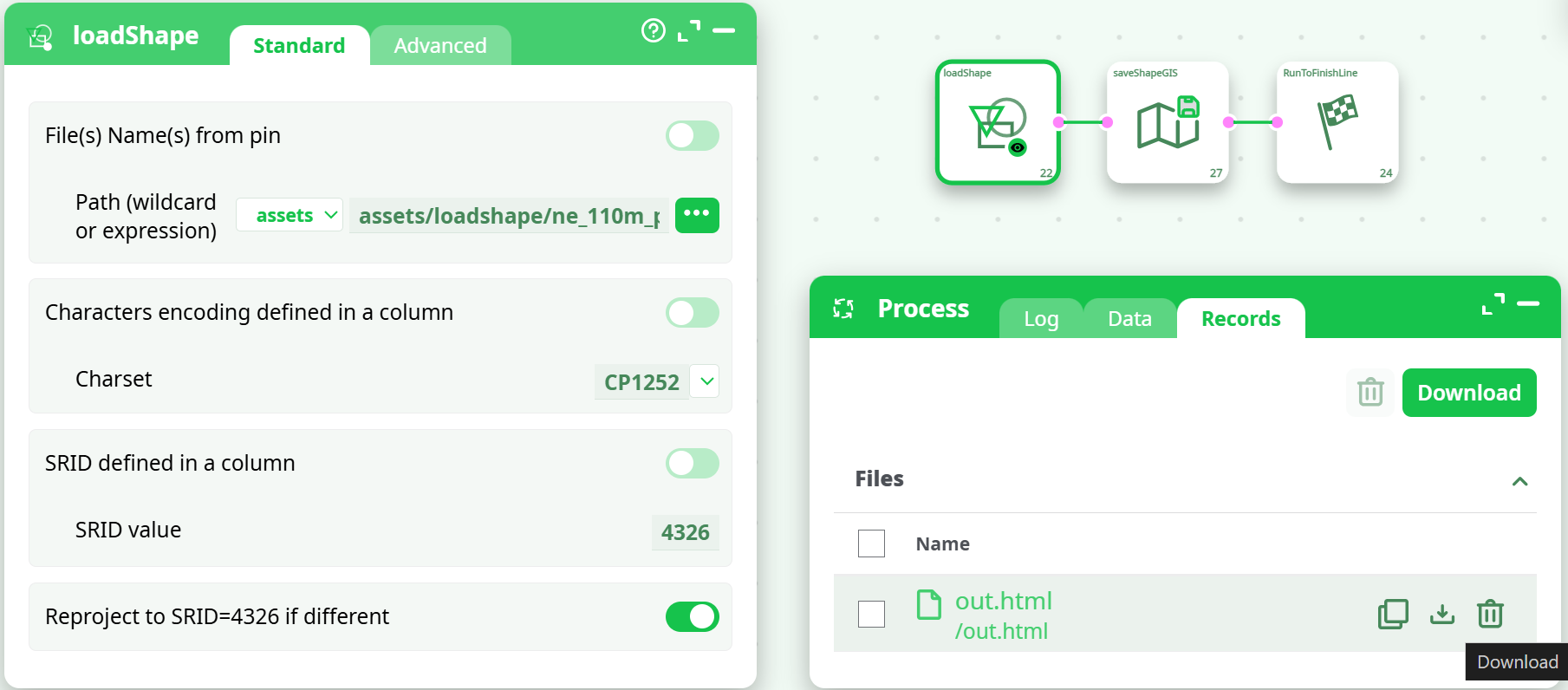
Run the pipeline. In Records you’ll see the generated file (e.g., out.html) ready to Download and open.
Screenshots :
¶ Troubleshooting
Problem: “cannot open shapefile … cause: unable to open … .shx”
- Cause: The sidecar files were not all present next to the
.shp. - Fix: Unzip the download fully into one folder and ensure .shp + .dbf + .shx + .prj are together. Refresh the picker and re-run.
Problem: Garbled attribute text
- Cause: Charset mismatch (e.g., using UTF-8 when data is CP1252).
- Fix: Switch the Charset in
loadShapeStandard tab (CP1252 ↔ UTF-8). If a.cpgis present, prefer that encoding.
Problem: Points render in the wrong place or off the map
- Cause: Wrong or missing SRID / CRS.
- Fix: Provide the correct SRID value (if known) and enable reprojection to 4326. Verify
.prjexists and matches the data.
Problem: Run log shows “Authorization required, but no authorization protocol specified”
- Notes: This message is benign in your environment and not related to shapefile parsing. If the action succeeded otherwise, you can ignore it.
Problem: HTML output missing or very large datasets fail to preview
- Cause: The HTML format is intended only for small files.
- Fix: Export to GeoPackage (.gpkg) or SHP for large datasets, or filter/simplify first.
¶ Best practices
- Keep shapefile bundles intact. Always unzip into a dedicated folder and avoid renaming individual sidecars.
- Normalize to EPSG:4326 for cross-tool compatibility and easy web mapping.
- Favor BASE64 geometry for compactness and safer transport across systems.
- Be explicit about encodings. If labels matter, confirm CP1252 vs UTF-8 early.
- Version inputs. Store Natural Earth or other sources with a release tag in your assets path.
¶ What you’ll see when it’s right
- Data tab after
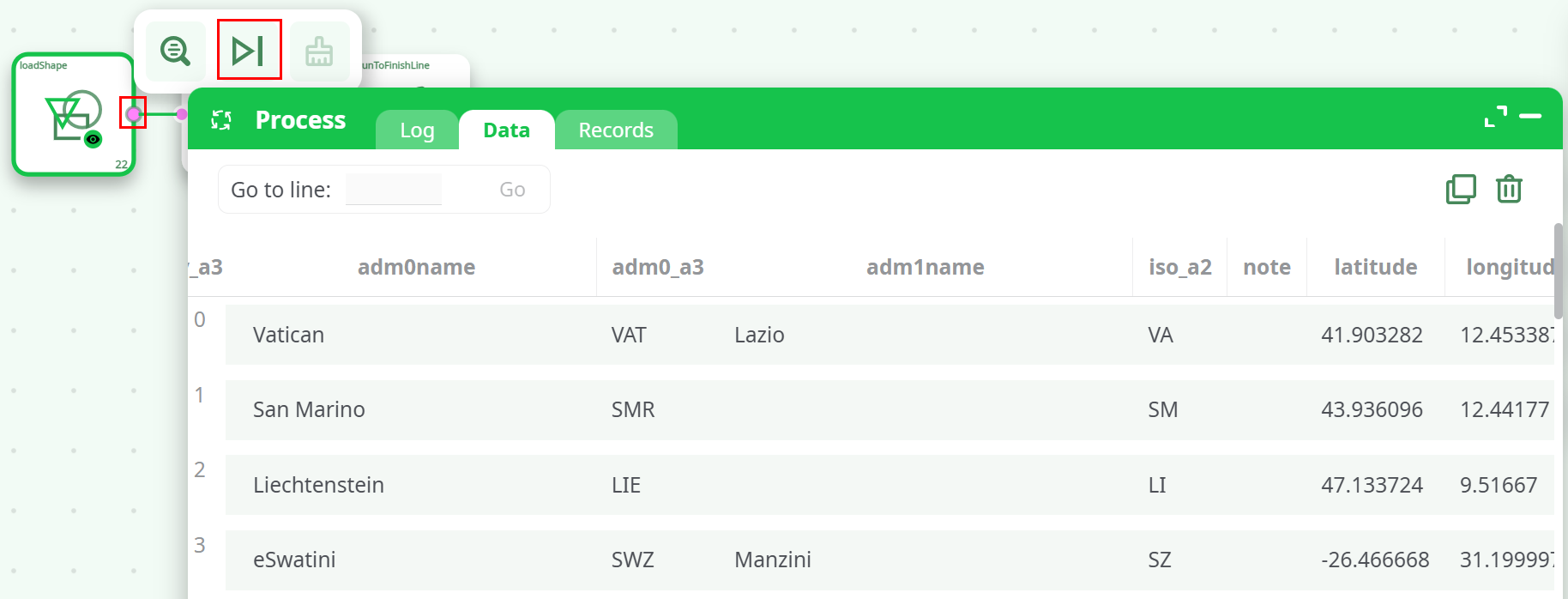
loadShape: attribute columns plus aGeometrycolumn filled with BASE64 strings. - Records tab after
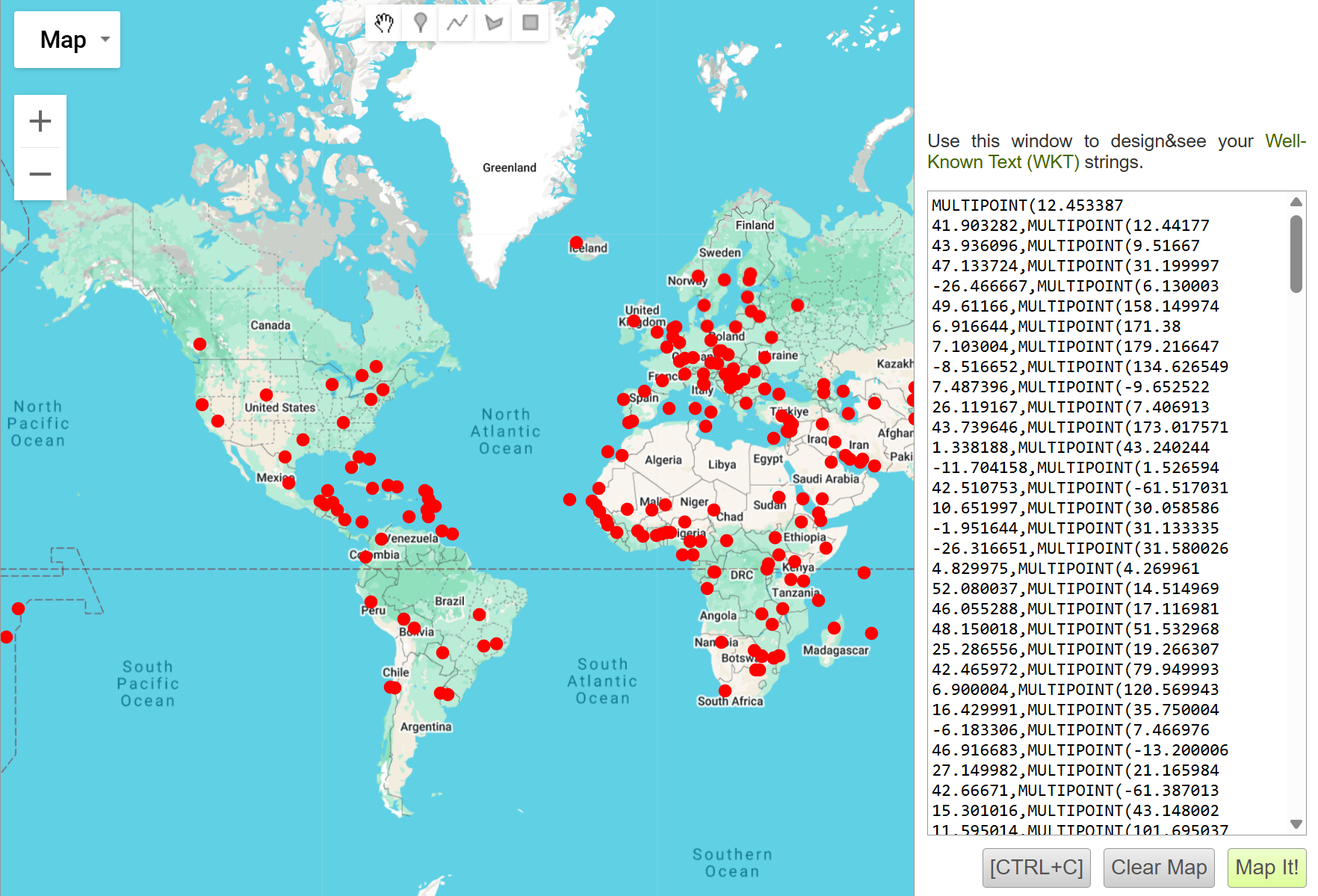
saveShapeGIS: a file (e.g.,out.html) that opens to a map where features plot correctly.