¶ Description
Reads a table from a “.cgel” file (and from the associated “column set” data files “*.NNN.cs”).
¶ Parameters
¶ Standard tab
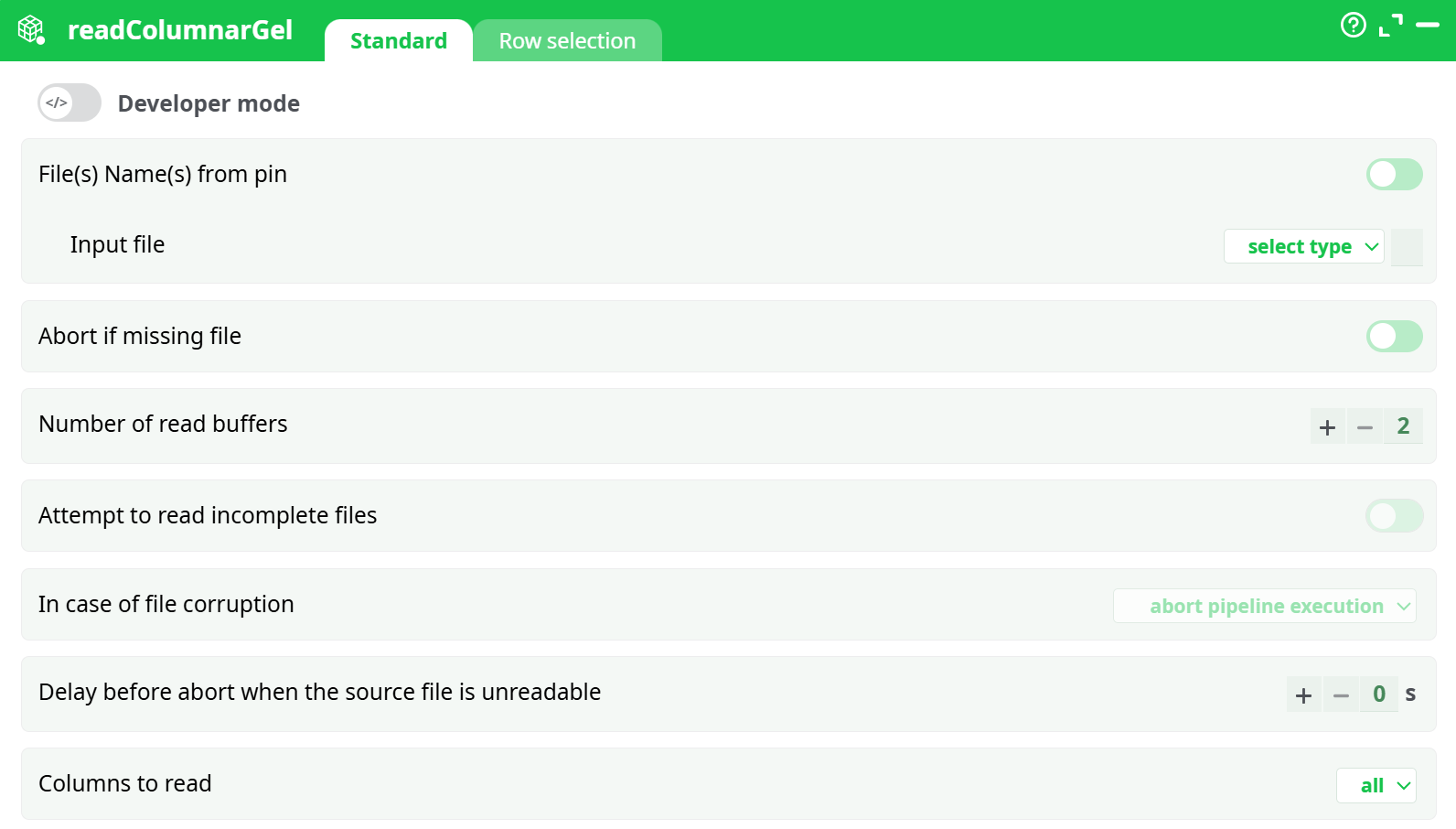
Parameters:
- File(s) Name(s) from pin
- Input file
- Abort if missing file
- Number of read buffers
- Attempt to read incomplete files
- In case of file corruption
- Delay before abort when the source file is unreadable
- Columns to read
¶ Row selection - main tab

Parameters:
- Activate row/data block selection
¶ Row selection - extra tab
¶ About
You can connect to the input pin of the ColumnarGelFile Reader a table containing (many) filenames.
NOTE :
You can drag&drop a “.cgel” file from a MS-File-Explorer-Window into an ETL-Pipeline-Window: This will directly create the corresponding readGel action inside the ETL Pipeline.
ETL possesses two highly efficient proprietary file formats that allow you to handle any “Big Data” problem with ease. These two file formats are:
-
“.gel” files:
Optimized for speed and low RAM consumption. Ideal for processing all columns and all rows within a table. Because “.gel” files consume relatively little RAM, you can open thousands of them simultaneously (for example, when using the mergeSortInput action). -
“.cgel” files:
Optimized for maximum speed and minimal I/O transfer. To reduce the number of bytes read from the hard drive, you can configure the ColumnarGelFile Reader to read only a subset of columns and a subset of rows. The smaller the subset, the faster the processing.
The Columnar Gel files have the same set of great features as the simpler “.gel” files. More precisely:
-
The Columnar Gel files contain the same meta-data as a standard “.gel” file.
(To recap, these meta-data include: column names, column types — Key, Float, or Unknown/String — sorting flags, and the “complete” flag.)
In addition, Columnar Gel files include extra meta-data that enables reading only a subset of the columns and rows from disk, reducing I/O load and improving performance. -
All data within the files is compressed.
Unlike the simpler “.gel” files that use a single generic compression algorithm, “.cgel” files use different compression algorithms depending on the data type, which results in slightly better compression. -
All I/O operations use an asynchronous (i.e. non-blocking) I/O algorithm:
- Inside the ColumnarGelWriter action, asynchronous I/O is used to write both
.cgeland.csfiles. Additionally, you can use multiple threads/CPUs to further increase writing speed. - Inside the ColumnarGelFile Reader action, asynchronous I/O is also used to read
.cgeland.csfiles.
This results in very fast read speeds.
- Inside the ColumnarGelWriter action, asynchronous I/O is used to write both
-
It is possible to read incomplete columnar gel files.
-
It is possible to read corrupted columnar gel files.
As you can see, the “.cgel” Columnar Gel files improve upon the simpler “.gel” files in nearly every aspect. However, “.gel” files still have the upper hand in the following situations:
-
When the number of columns is large (>300):
The RAM consumption required to read and write columnar gel files can become prohibitive.
For most predictive data mining tasks (which often involve a large number of columns), it is still preferable to use the simpler, row-based “.gel” files.
In contrast, for classical Business Intelligence tasks where only a small subset of columns is typically used, the “.cgel” Columnar Gel files are usually the better option. -
When reading many data tables simultaneously (e.g. more than 40 files):
For example, when using the mergeSortInput action, it is more efficient to use the simpler “.gel” files.
This is because “.gel” files consume significantly less RAM compared to the columnar format.
A complete explanation on the proper usage of all the parameters of the ColumnarGelFile Reader.