¶ Description
Reads a table from an ODBC datasource. Launch the execution any free-form SQL statement(s).
¶ Parameters
¶ Standard tab
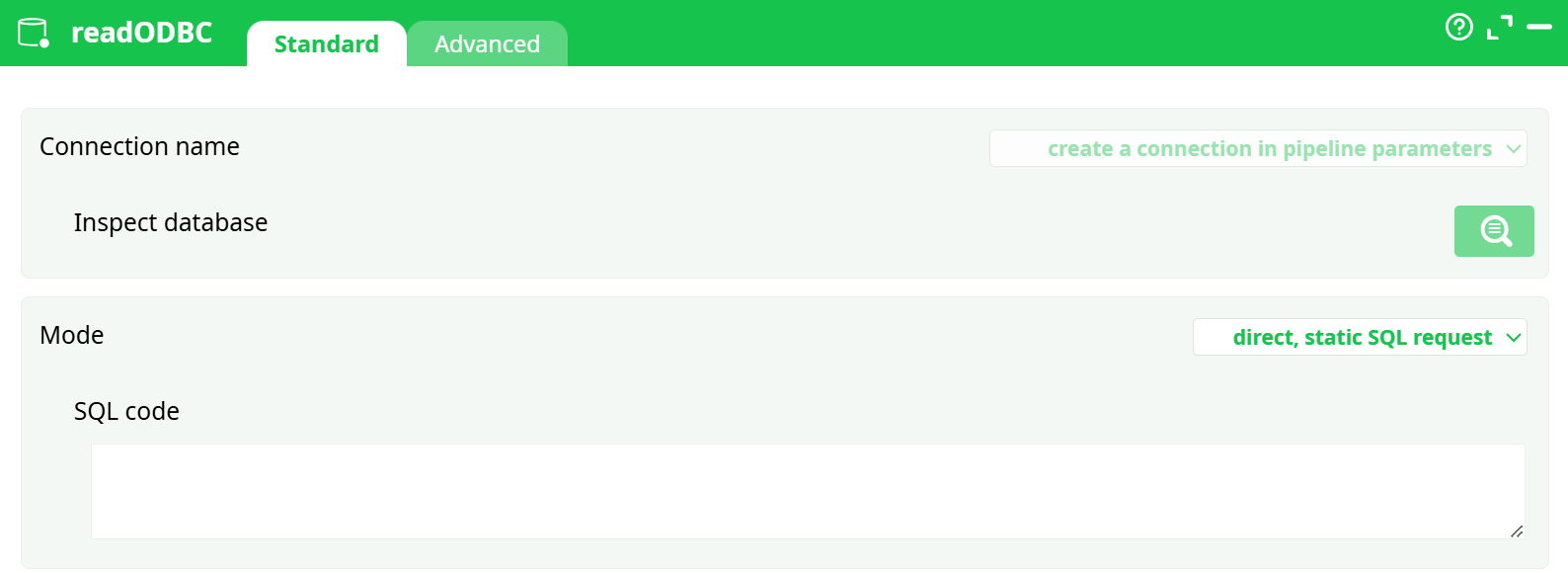
Parameters:
- Connexion name
- Mode
- SQL Code
¶ Advanced tab
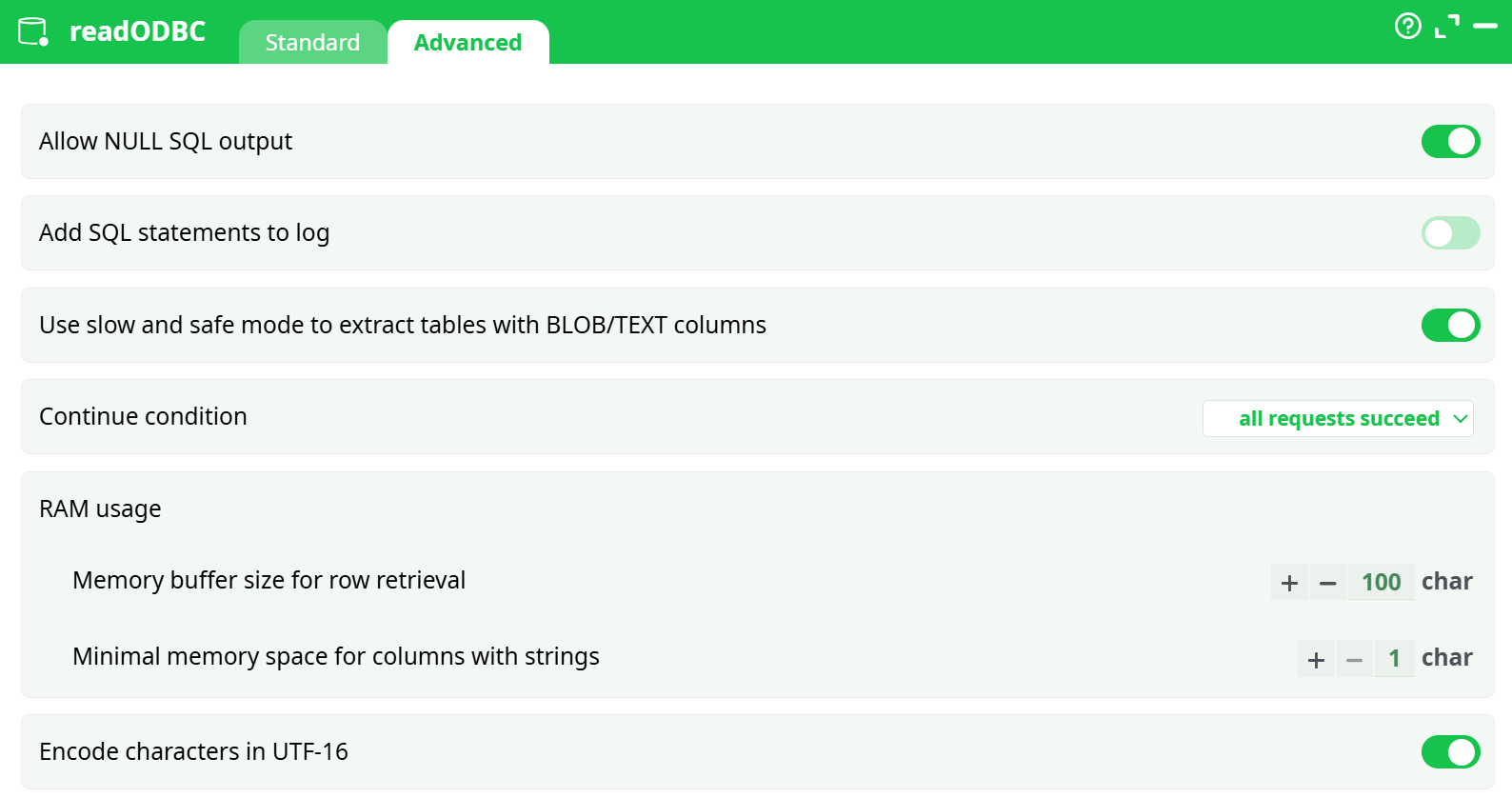
Parameters:
- Allow NULL SQL output
- Add SQL statements to log
- Use slow and safe mode to extract tables with BLOB/TEXT columns:
- Continue condition
- RAM usage
- Memory buffer size for row retrieval
- Minimal memory space for columns with strings
- Encode characters in UTF-16
¶ About
ODBC is a generic technique to access the content of almost any relational databases. ODBC is the oldest technique available to access data contained into relational databases. All the databases have an ODBC driver.
Before executing the readODBC action, you must first define an ODBC connection. Once you have a working ODBC connection, you can directly execute any SQL command.
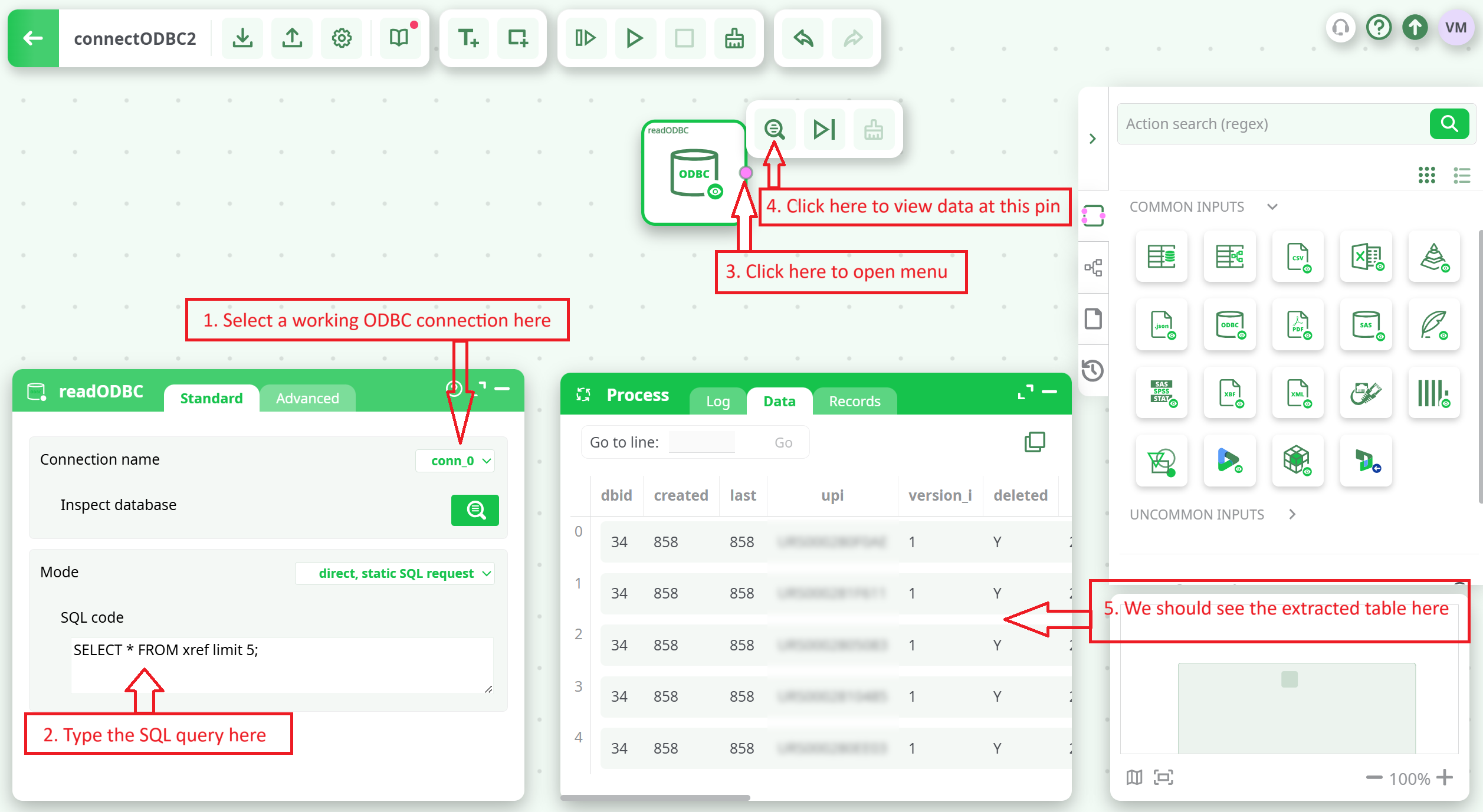
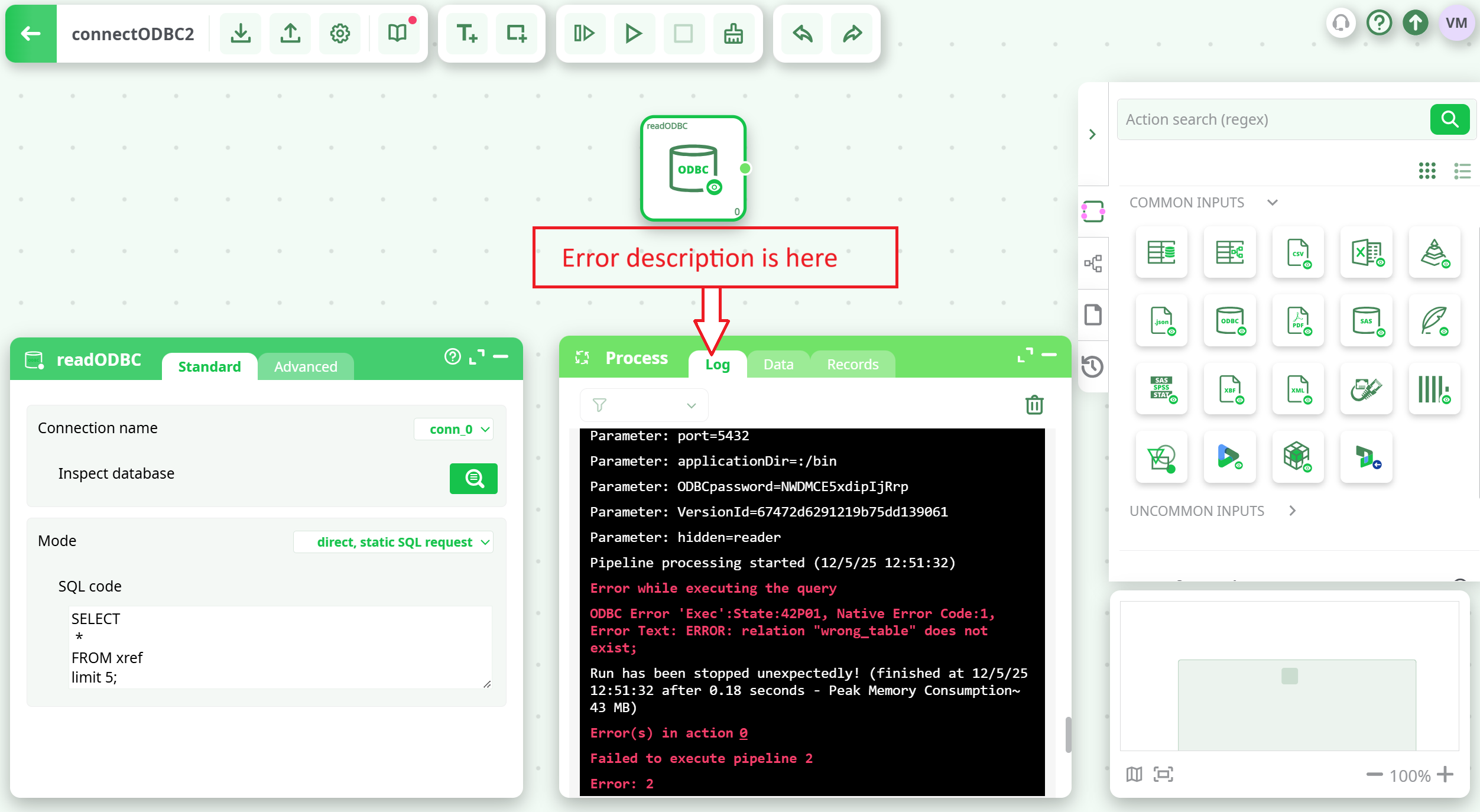
What happens if your SQL query has some error in it? Don’t worry! ETL will give you a complete description of the error inside the “Log window”:
The ODBC reader action submits your SQL statments to the database and, then waits for the output rows that the database can (optionally) return (some SQL statements do not return any results). This means, in particular:
-
- If you are experiencing very long execution times, it means that the database engine is having difficulty processing your SQL statement (…and ETL is innocent!). Try simplifying your SQL statements—adding TOP 100 usually helps. Queries that include JOINs are often too CPU-intensive (especially on large tables), and in many cases, it's faster to perform the joins using ETL.
-
- Some database engines have strict limitations on the number of tables that can be included in a JOIN statement (for example, Access 2010 is limited to 5 tables). In such cases, it's best to extract one table at a time and perform the join using ETL.If the SQL statement fails due to a limitation of the database engine, ETL will display an ODBC error message explaining the nature of the error, helping you identify and resolve the issue.
-
- ODBC error messages are generated by your database. Please refer to your database documentation for more information about the reported errors.
There are 6 operating modes for the ReadODBC action:
-
- Direct, Static SQL request
-
- Direct, Static SQL request (each statement executed in a separate request)
-
- Calculated request from JavaScript code
-
- Request from Input Pin
-
- Request and Data from input pin
-
- Request and Data from input pin, only returns "_Status"
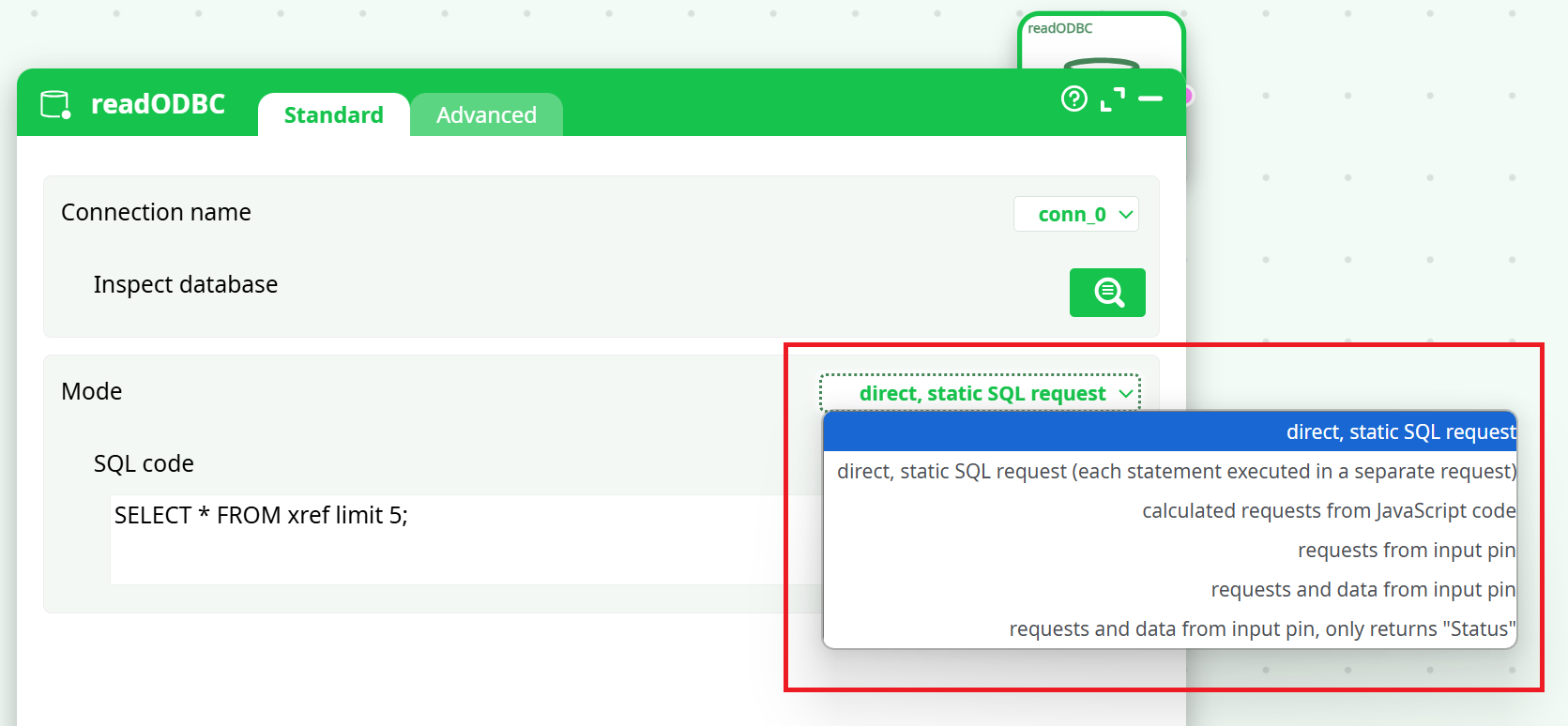
These 6 operating modes are described in the remainder of this section.
Operating Mode 1: Direct, Static SQL Query
This text action can include many different SQL statements (the statements are typically separated from each other with a “;” character):
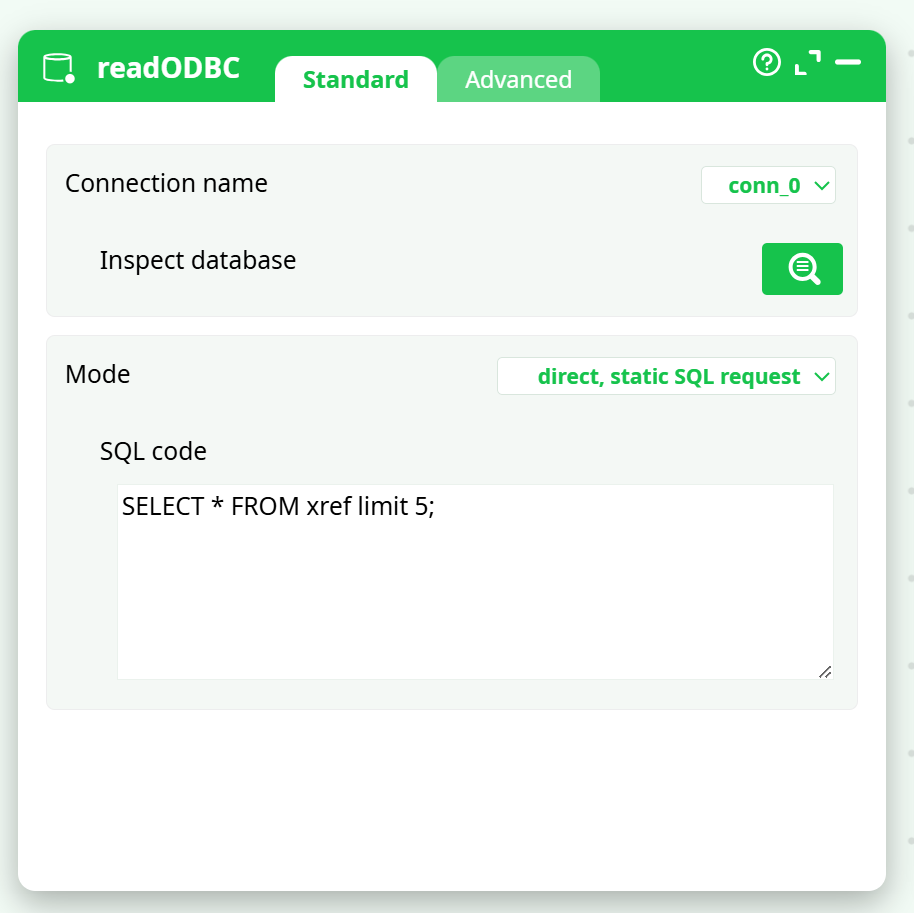
In “Operating Mode 1”, the whole content of the text action is sent in “one go” to the ODBC driver for execution. Unfortunately, some databases (e.g. Teradata) are limited: i.e. They cannot run more than one SQL statement at-a-time. This means that, for example, if your text action contains two SQL statements, the Teradata database will return an error and the pipeline execution will stop. To bypass this limitation of the database, there now exists an “Operating Mode 2” inside ETL.
Operating Mode 2: Direct, Static SQL request (each statement executed in a separate request)
When using “Operating Mode 2”, ETL splits the content of the text action in many different SQL statements (currently the “split procedure” is primitive: ETL just splits the text action simply looking for the “;” character). Each SQL statement is then sent one-by-one to the ODBC driver. This allows to bypass the limitation of some ODBC drivers that are only able to execute one SQL statement for each string that they receive.
Operating Mode 3: Calculated request from JavaScript code
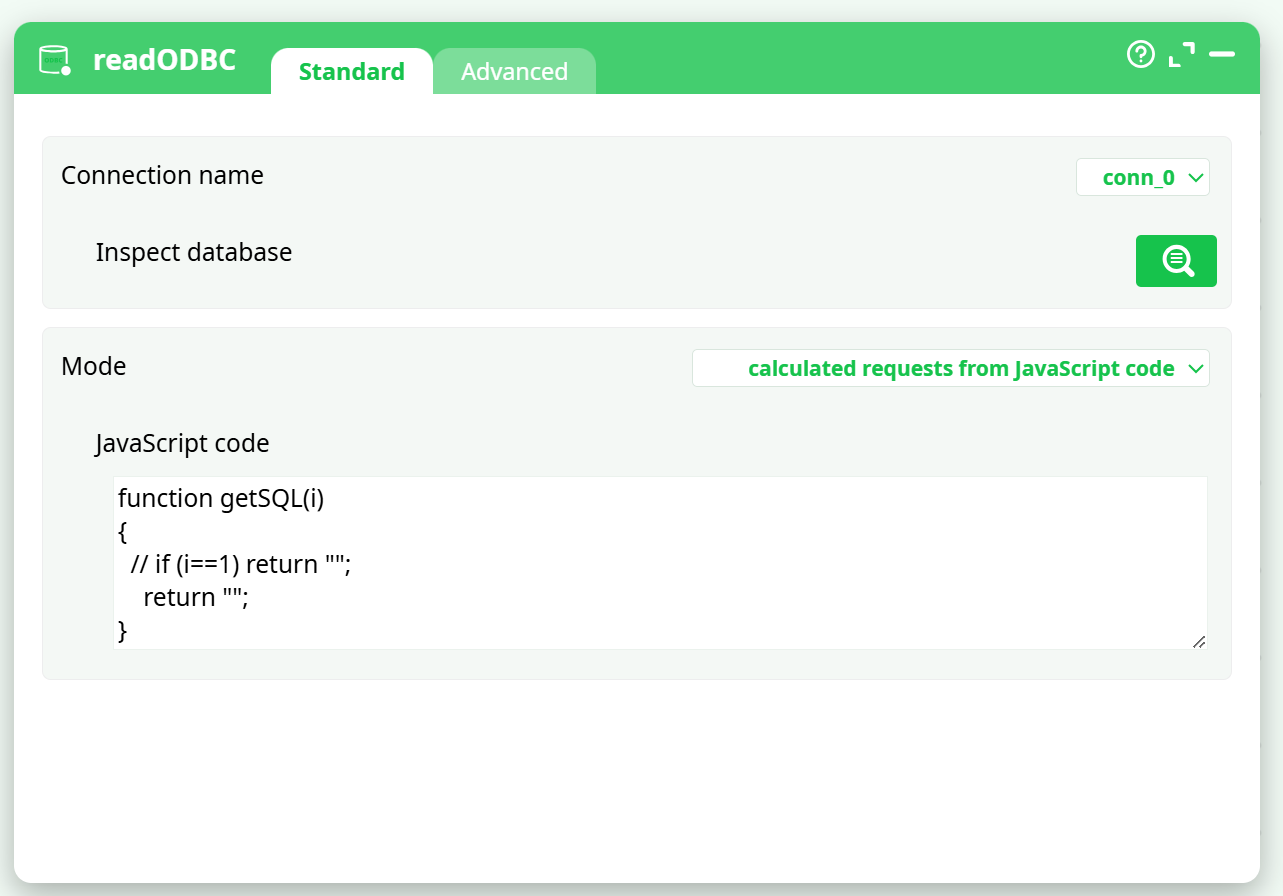
This third operating mode allows you to execute SQL statements that are generated using a given JavaScript code. This offers several advantages over writing a simple "constant" SQL statement directly:
-
You can use global variables within your JavaScript code, allowing you to parameterize your data transformation pipeline..
-
Sometimes, it's easier to write JavaScript code that generates a very complex and lengthy SQL statement than to write the statement directly..
-
When your SQL statement is a union of many different statements, it’s easier to use a JavaScript code.
For example, instead of writing:
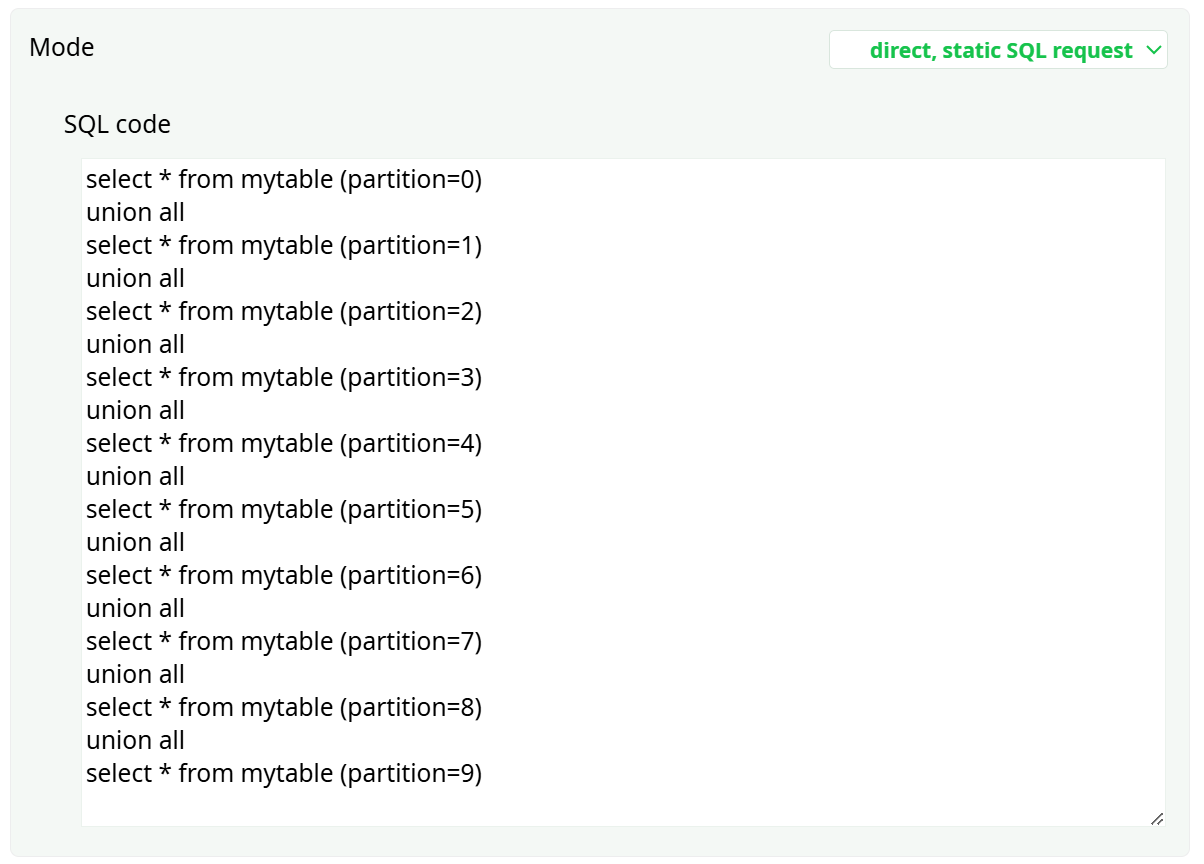
… you can simply write:
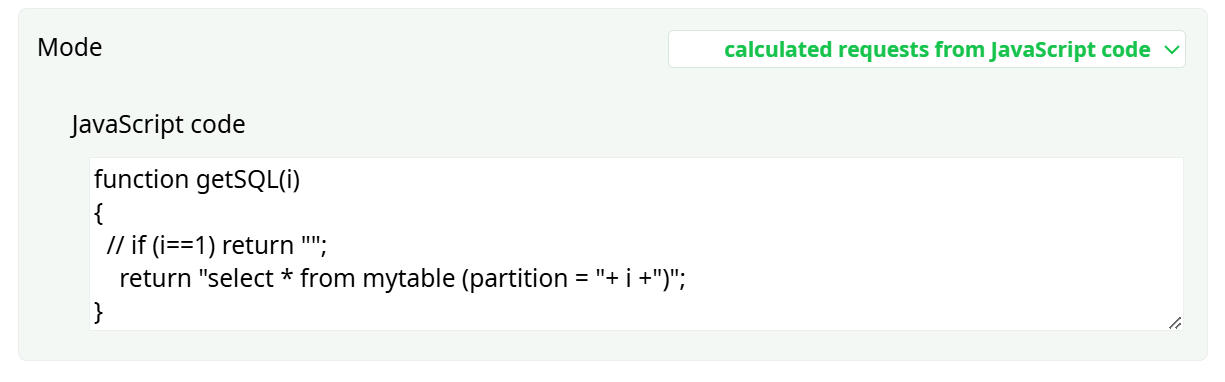
In this way, the "union" is performed by ETL rather than by the database engine. This provides greater flexibility, as ETL imposes virtually no restrictions on the "union" operation—unlike unions performed by the database.
Operating Mode 4: Request from Input Pin And Operating Mode 5: Request and Data from input pin
For example, these last 2 modes are useful when you want to extract from the relational database some specific rows about some specific customers:
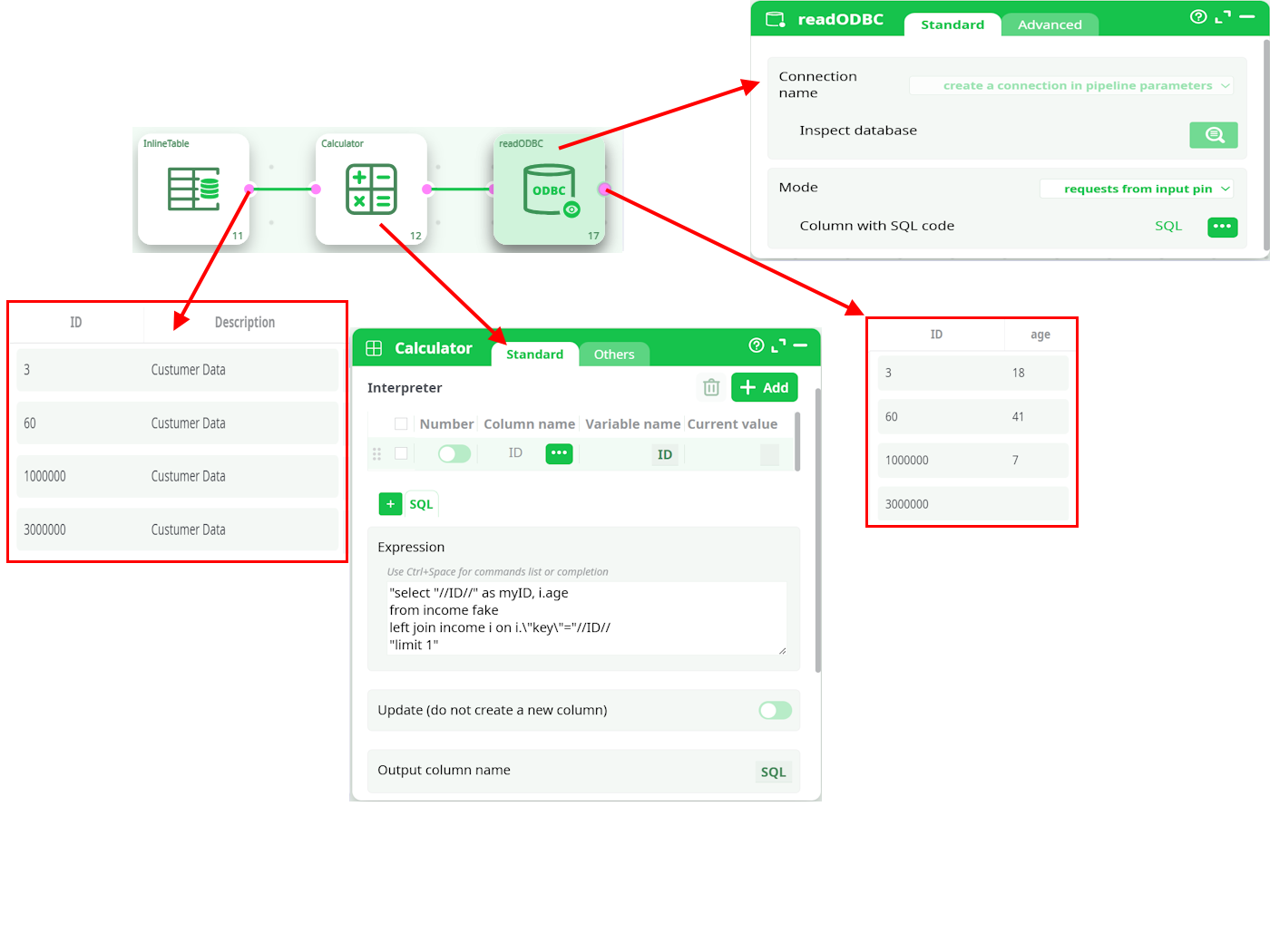
Operating Mode 6: Request and Data from input pin, only returns ("_Status")
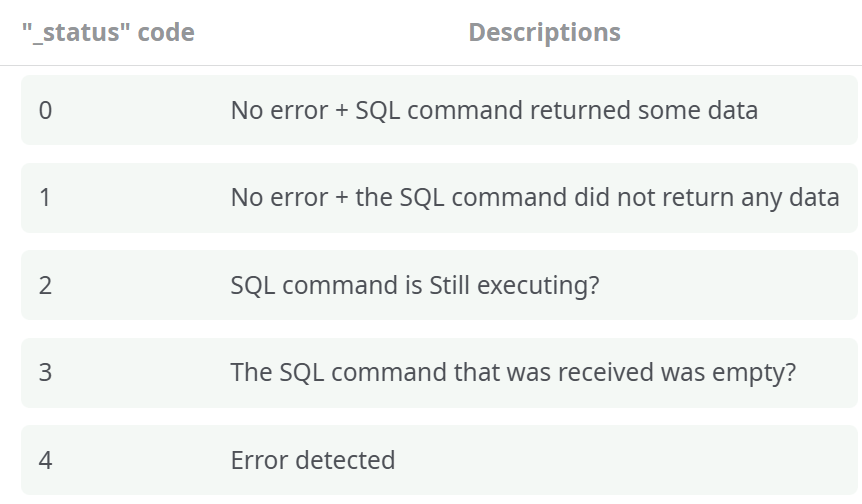
This mode forwards the input table to the output pin, execute the SQL command given in input and adds a new column named “_status”. The content of the column “_status” is a number code: