¶ Description
PCAP file reader.
¶ Parameters
¶ Parameters tab
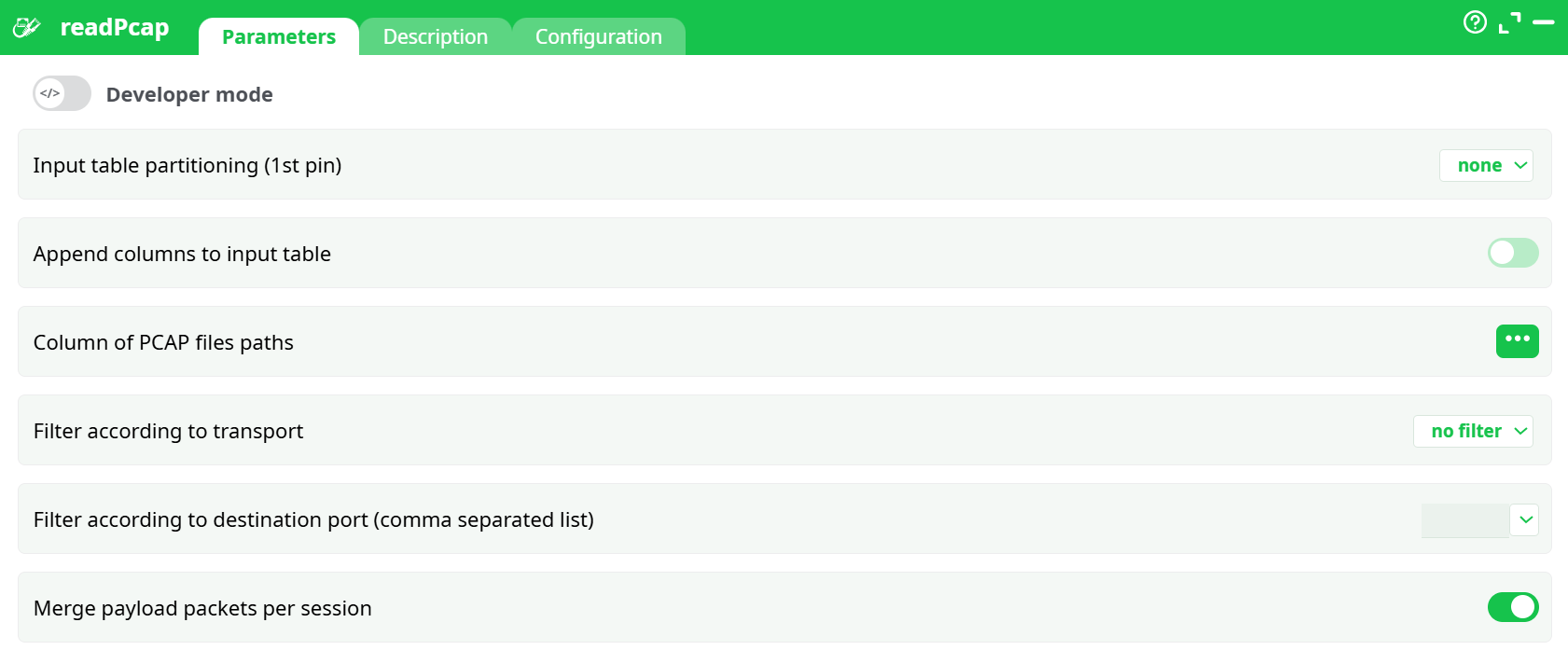
Parameters:
- Developer mode
- Input table partitioning (1st pin)
- Append columns to input table
- Column of PCAP files paths
- Filter according to transport
- Filter according to destination port (comma separated list)
- Merge payload packets per session
¶ Description tab
See dedicated page for more information.
¶ Configuration tab
See dedicated page for more information.
¶ About
The readPcap action is used to read and parse network packet capture (PCAP) files. It extracts network traffic data from the provided .pcap files, enabling further processing or export.
Use Case Example
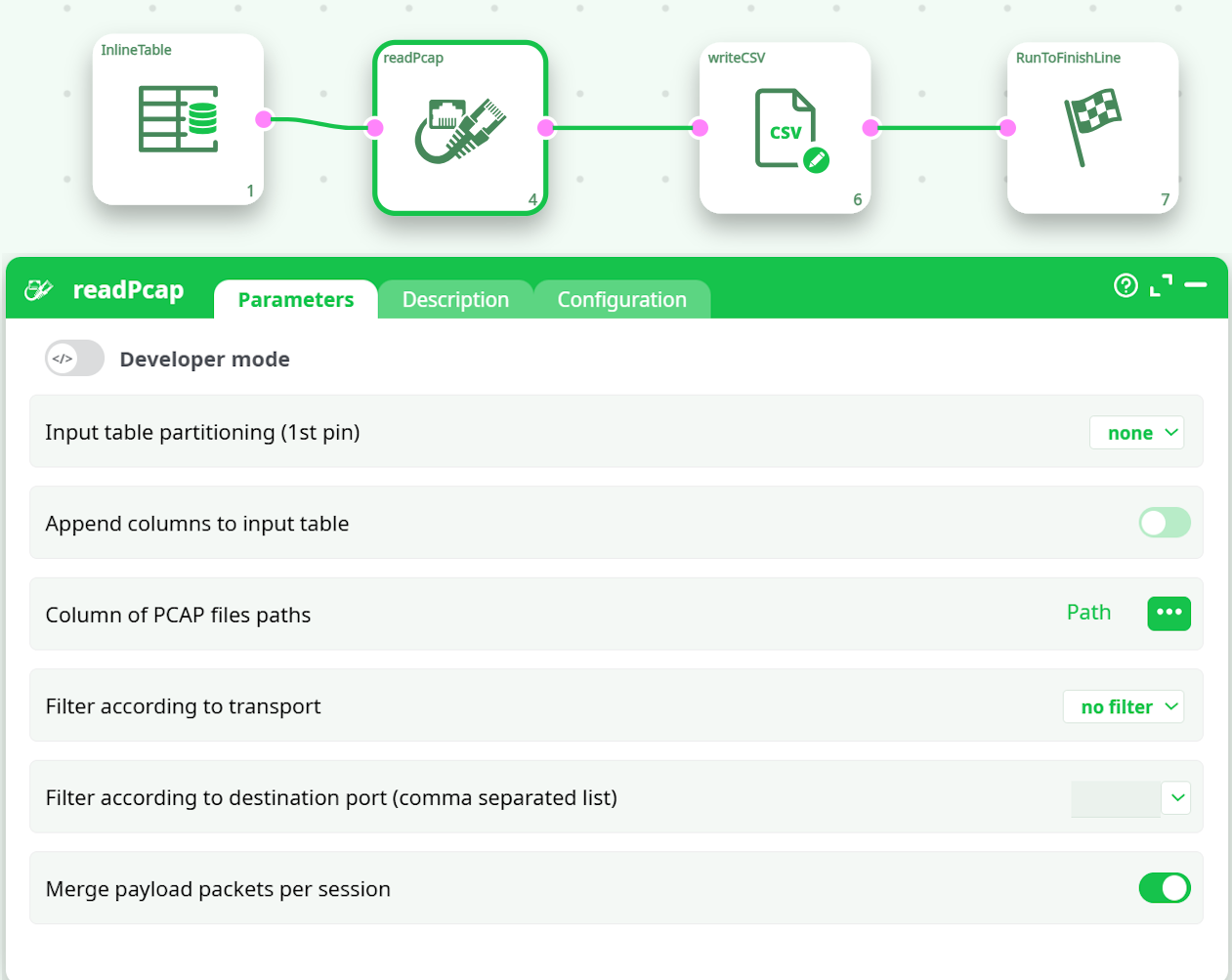
In the provided example pipeline:
-
InlineTable: Supplies the file path to the .pcap file.
-
readPcap: Reads the PCAP file, with optional filtering by transport protocol and port.
-
writeCSV: Saves the extracted data into a CSV file for analysis or reporting.
-
RunToFinishLine: Marks the pipeline's successful completion.
Key Functionalities
PCAP File Input:
Reads a specified .pcap file containing captured network traffic data.
-
Optional Filters:
Allows filtering by:-
Transport Layer Protocols (TCP/UDP)
-
Destination Ports (comma-separated list)
-
-
Packet Merging:
Merges payload packets per session if needed. -
Flexible Output:
The extracted data can then be saved or used for further transformations.Typical Workflow
-
Provide a table with the path to the .pcap file.
-
Select filters and settings:
-
Protocol filter (TCP, UDP, both, or none).
-
Destination port filtering (optional).
-
Merge packets per session (optional).
-
-
Execute the pipeline to extract and process the PCAP file data.
-
Export the processed data.
NOTE
This action requires a valid .pcap file as input.