¶ Description
SQLite files are self-contained, serverless, zero-configuration, transactional SQL databases. SQLite is the most widely deployed SQL database engine in the world.
¶ Parameters
¶ Standard tab
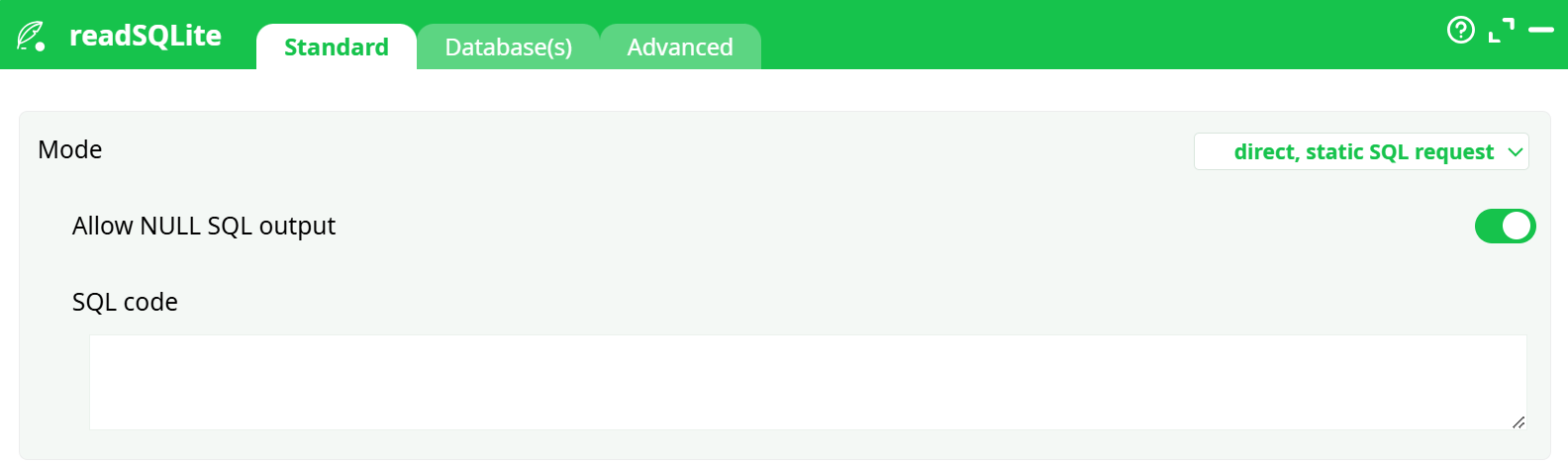
Parameters:
- Mode
- Allow NULL SQL output
- SQL code
¶ Database tab
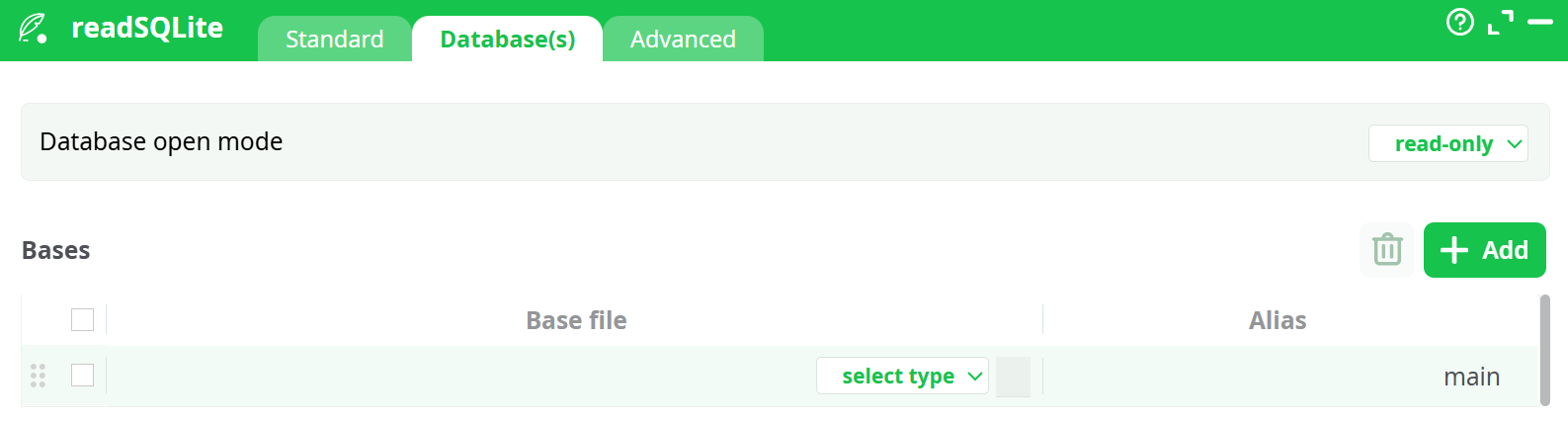
Parameters:
- Database open mode
- Bases
¶ Advanced tab
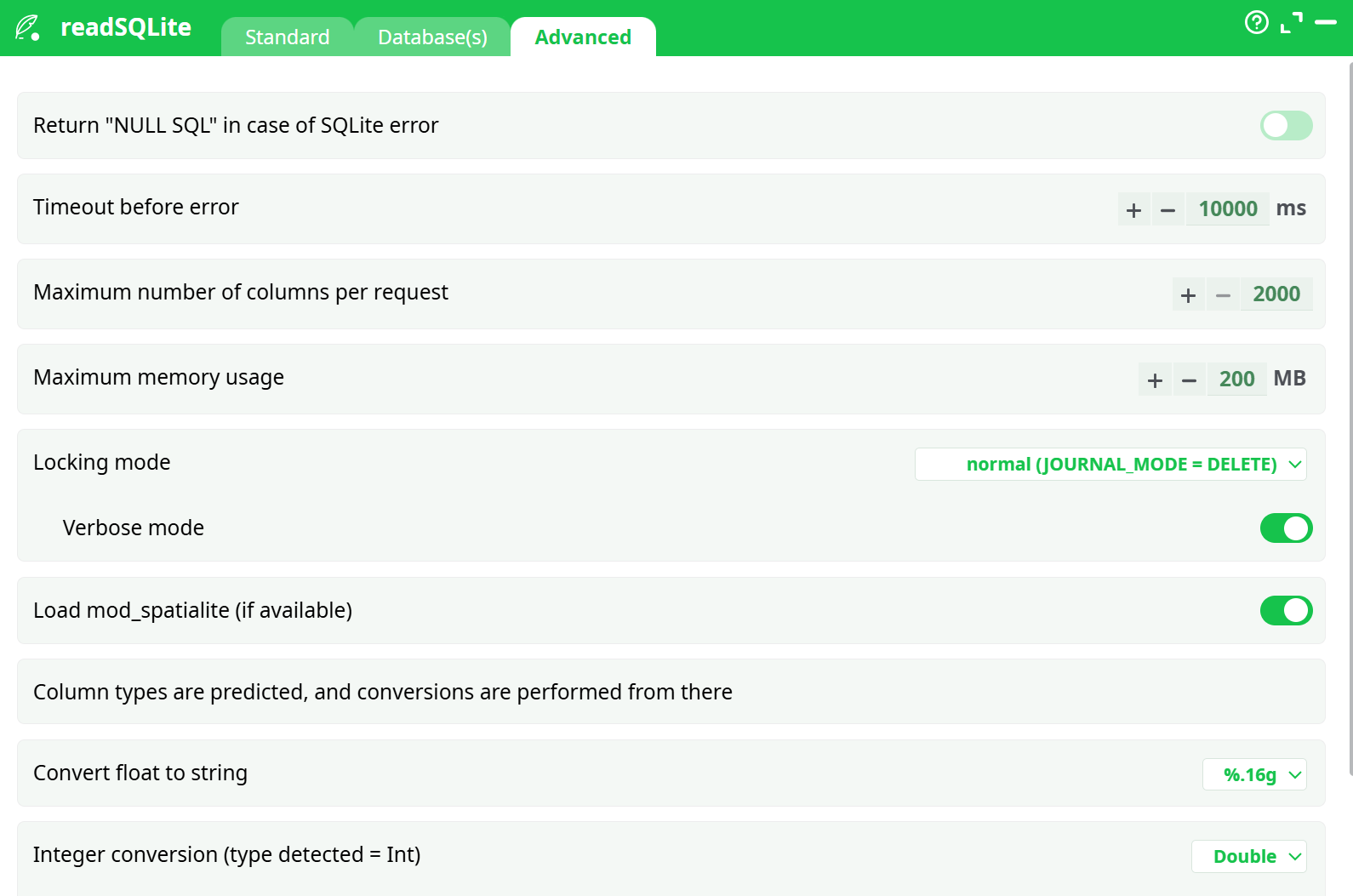
Parameters:
- Return "NULL SQL" in case of SQLite error
- Timeout before error
- Maximum number of columns per request
- Maximum memory usage
- Locking mode
- Verbose mode
- Load mod_spatialite (if available)
- Column types are predicted, and conversions are performed from there
- Convert float to string
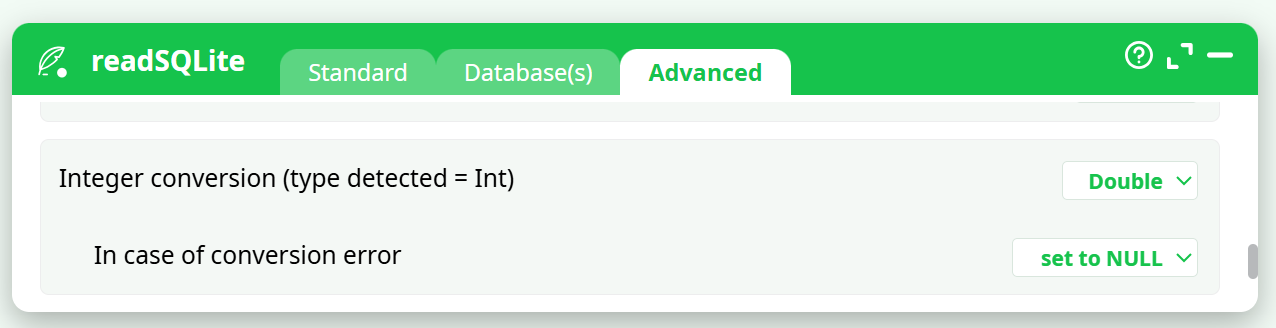
- Integer conversion (type detected = Int)
- In case of conversion error
- Real number conversions (type detected = Real)
- In case of conversion error
¶ About
SQLite is an embedded SQL database engine. Unlike most other SQL databases, SQLite does not have a separate server process. The SQLite engine runs directly inside the ETL process.
The SQLite engine reads from and writes directly to ordinary disk files. A complete SQL database—with multiple tables, indexes, triggers, and views—is contained in a single disk file. The database file format is 100% cross-platform. Inside SQLite, all transactions are ACID (Atomicity, Consistency, Isolation, Durability), even in the event of system crashes or power failures. This makes SQLite databases particularly resilient and reliable. These features make SQLite a popular choice as a convenient file format for exchanging data between different applications.
Although the SQLite engine is one of the fastest database engine available, you should not use it for heavy data transformations on Big Data. If you need to perform large and complex data transformations, avoid using the SQLite engine, as it is significantly slower and less scalable than standard ETL data transformations (i.e., ETL actions). The SQLite engine has been included in ETL primarily for the purpose of easy data exchange between applications—not for performing heavy-duty data transformations using SQL.
NOTE :
If you need to perfom large data transformations, you should always use the ETL > Engine rather than the SQLite Engine. However, there is one data transformation operation where the SQLite engine might be faster than the standard ETL engine: It’s the rowFilter action. Inside ETL, the rowFilter action always performs a “full table scan”: It reads all the rows of the input table and outputs only the desired rows (This is because the .gel_etl file do not contain any INDEXING structure of any kind). If you need to output a very small number of rows, it might be faster to create an INDEX on the table to “filter” and use this INDEX to find the desired rows to output (This avoids reading the whole table because you only need to read the INDEX data and the selected rows). With the SQLite engine, you can create INDEXES on > tables and use these INDEXES (inside a SQL statement) as a substitute to the rowFilter action. Of course, if the rowFilter action outputs anyway, 95% of the rows of the input table, this substitution makes no sense (because, in such a case, a “full table scan” approach is more efficient than an INDEX-based approach). One last alternative is to use a columnar “.cgel” file. Columnar files are also able to filter rows very efficiently.
SQLite databases are limited in size to 140 terabytes.
NOTE:
An SQLite database is not intended to be an enterprise database engine. It is not designed to compete with Oracle, Teradata, or PostgreSQL. Use SQLite in situations where simplicity of administration, implementation, and maintenance are more important than the countless complex features that enterprise database engines provide. SQLite is a “small” engine (with a limited set of features) that is easy to administrate.
The major limitation of SQLite is the relatively small number of simultaneous users able to write to the database. SQLite supports an unlimited number of simultaneous readers, but only allows one writer at any given time. This is usually not a problem because each application writes its changes to the database quickly and releases the lock within a few milliseconds. However, some applications that require higher write concurrency may need a different solution.
This makes SQLite databases particularly well-suited for enterprise data warehouses that are populated using batch processing with ETL. Such data warehouses are infrequently modified (and only in batch, meaning there is usually a single writer: the ETL process), but they are accessed daily by hundreds of users (i.e., many readers) for:
- Creating reports and plotting charts (using OLAP reporting tools such as Tableau, Quickview, Mondrian, Business Objects, etc.)
- Analyzing website logs
- Analyzing sports statistics
- Compiling programming metrics
- Analyzing experimental results
- Etc.
Since SQLite supports an unlimited number of simultaneous readers, it is particularly well-suited for these scenarios.
According to the developers, the three main advantages of SQLite over other solutions are: “SQLite is Small, Fast & Reliable.”
NOTE :
You can drag&drop a .SQLite file or a .db3_file from your local machine into an ETL-Pipeline Editor page: This will directly create the corresponding SQLReader action inside the ETL Pipeline.
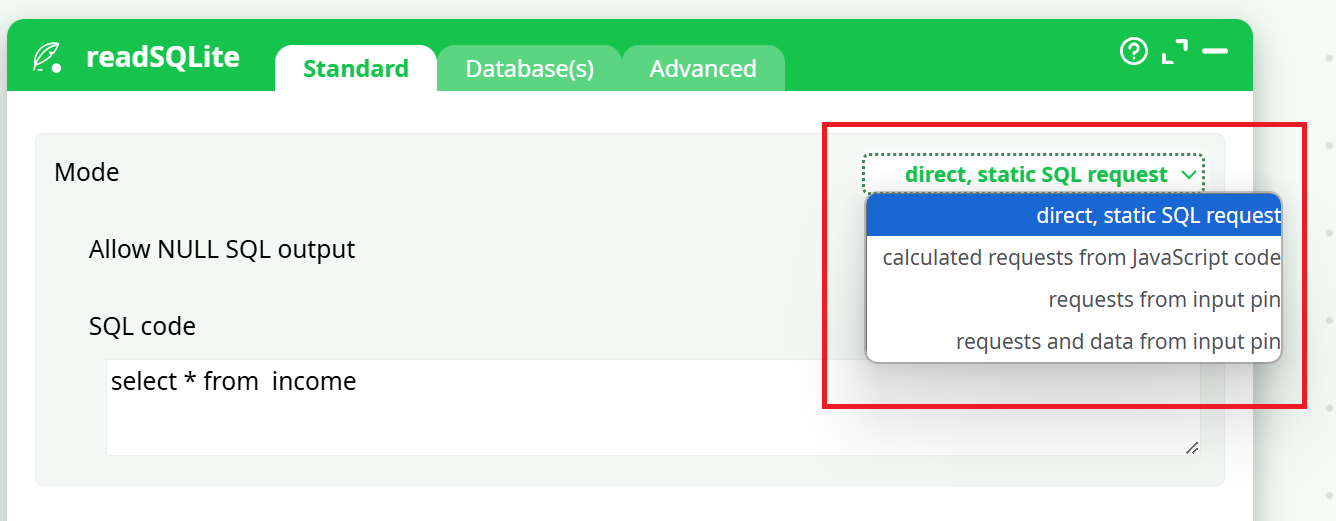
There are 4 operating modes for the SQLiteReader action:
- Direct, Static SQL request.
- Calculated request from JavaScript code.
- Request from Input Pin.
- Request and Data from Input Pin.
You can select the operating mode here:
The SQLite database engine is able to compute the results of SQL queries that combine different tables from different databases (i.e., from different files). This is very useful because it saves computing time—you don’t need to merge all required tables into a single database file before using them. You can work directly on the source database files without copying any data. Click the Add Database button to add the different databases (i.e., files) needed to write the required SQL statements.
Inside the Database(s) tab, you can also select which mode is used to open a connection to a SQLite database:
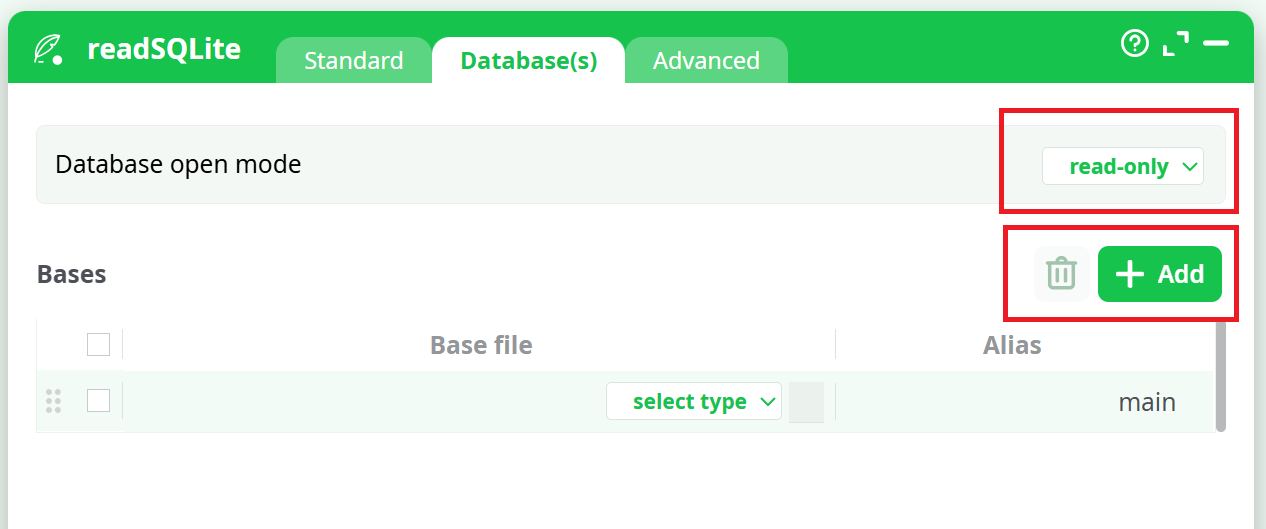
The “Database Open Modes” are:
- “Read Only” Mode: If the database does not already exist, an error is returned.
- “Read & Write” Mode: The database is opened for reading and writing if possible, or reading only if the file is write protected by the operating system. In either case the database must already exist, otherwise an error is returned.
- “Read & Write – Create if not Exists” Mode: The database is opened for reading and writing, and it is created if it does not already exist.
When opening SQLite databases, you should always favour the “Read Only” mode since the SQLite database engine allows an unlimited number of “readers” but only one writer at any instant in time. When a database is opened in “Read & Write” Mode, all readers must wait until the “write” operations are complete (unless you are using the “WAL” locking mode. A writer that uses the “WAL” mode does not block the readers but it slows them down radically).
The SQLite engine runs directly inside the ETL process (it’s an “embedded” SQL database engine). Some complex SQL queries might consume a large amount of RAM memory. To prevent the SQLite engine to use all the memory available for the ETL process, you can set an upper bound on the memory used by the SQLite engine (see the parameter “Maximum memory usage” inside the “Advanced Settings” tab).
The default value for the parameter “Maximum number of columns per request” is 2000. You can change this value to a higher number. However, a larger number might slow down radically the time required to prepare the SQL statements (Because there are places in the SQLite code generator that are using algorithms that are O(N²) where N is the number of columns.).
When a SQLite database is opened in “Read & Write” mode, you can run SQL commands to change the content of the database. All these SQL commands are included inside one unique transaction (unless you manually add some “COMMIT; BEGIN TRANSACTION;” in the middle of your SQL code). There are basically 3 different ways used by the SQLite engine to handle transactions:
- All rollback mechanisms are disabled (i.e. “JOURNAL_MODE=OFF"). This is very insecure but it’s also the fastest mode.
- Standard rollback mode (i.e. “JOURNAL_MODE=DELETE”): We create a JOURNAL file that contains all the required information to undo the changes made to the database, if a rollback is required.
- New Write-Ahead-Logging (ie. “JOURNAL_MODE=WAL”): During a transaction, we write all required changes inside a separate WAL file without modifying the database (Multiple transactions can be appended to the end of a single WAL file). At one point in time, we move all the transactions back into the database (This is called a "checkpoint").
For most operations, “Write-Ahead-Logging” (i.e. “WAL” mode) is usually a lot faster than the old Standard Rollback Mode (i.e. the “JOURNAL_MODE=DELETE”). You’ll find more information about this subject here: http://www.sqlite.org/draft/wal.html
Using the “Locking Mode” parameter inside the “Advanced Settings” tab, you can select which mechanism (i.e. JOURNAL_MODE=OFF, DELETE or WAL) is used to handle your transactions.
If your SQL statement is not returning any rows (i.e. it’s not a “SELECT” statement but it’s rather a “TRUNCATE”, “CREATE INDEX”, etc. statement), you need to check the “Allow NULL SQL result” checkbox otherwise ETL will abort with an error message.
All normal SQL database engines use static, rigid typing. With static typing, the datatype of a value is determined by the column in which the value is stored. Static typing is also used inside ETL.
In opposition, in SQLite, all cells inside a table can, potentially, have a different datatype (In this regard, SQLite is very similar to MS-Excel). This means that you can have a column that is filled with floating point values (i.e. the “Guessed Datatype” of the column is “REAL”) and suddenly, in the middle of the column, you find a String! Aaargh! There can be several solutions to this annoying situation:
- You declare inside ETL that the whole column contains Strings:
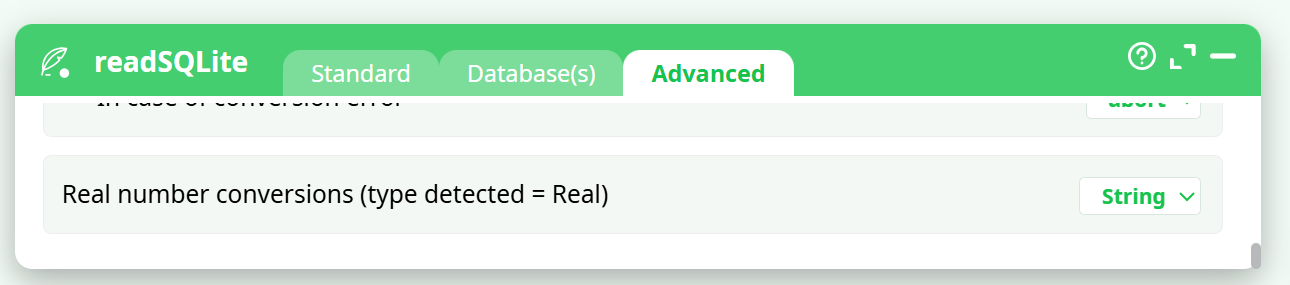
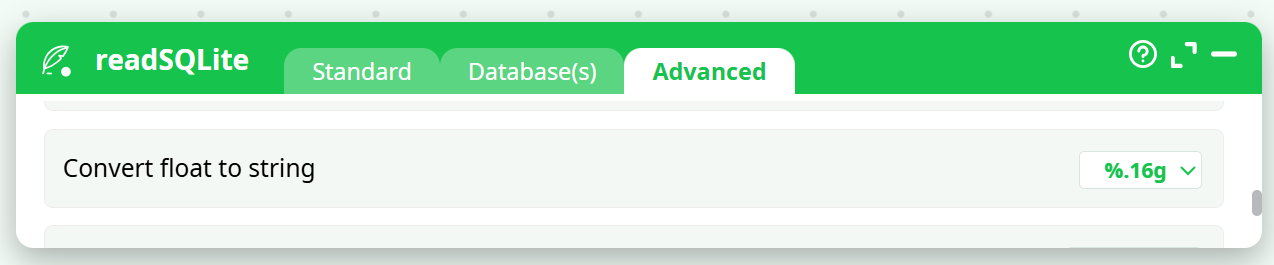
- In this case, you also need to specify how to convert your numbers into strings using the following formatting parameter:
-
You are trying to cast (i.e., convert) the string to a floating-point value. In this case, you need to specify how the system should react if the conversion fails:
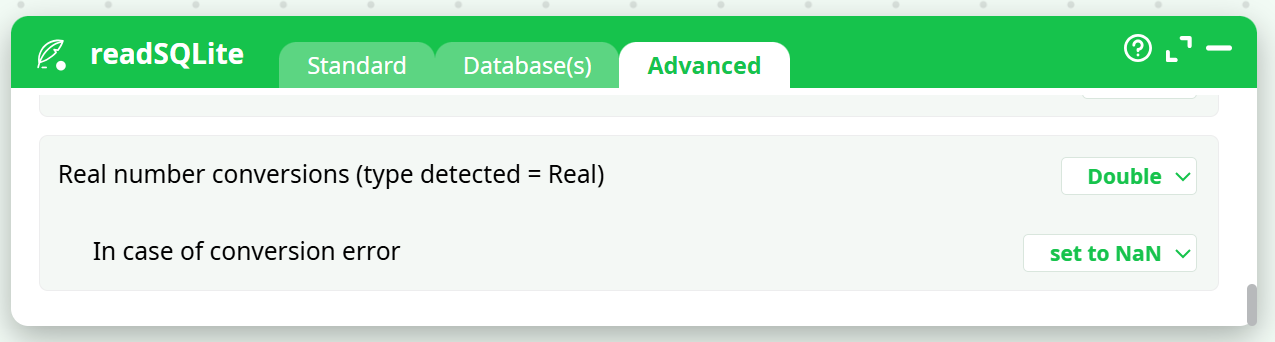
In the above example, ETL guessed that the column datatype is “floating point” (i.e. “Double”).
How is ETL guessing the datatype of each column?
The result of the guess can either be: TEXT, INTEGER or REAL.
ETL analyses how the columns were declared inside the “CREATE TABLE” statement.
-
If there are no declared type for that column, we look at the first row of data:
2.1. If the cell data type is INTEGER the Guessed Type is INTEGER.
2.2. If the cell data type is REAL the Guessed Type is REAL.
2.3. Otherwise the Guessed Type is TEXT. -
If the declared type contains the string "INT" then:
4.1. If the declared type contains the string "POINT" then the Guessed Type is REAL.
4.2. Otherwise the Guessed Type is INT. -
If the declared type contains the string "CHAR", “CLOB”, “TEXT”, “STRING” then the Guessed Type is TEXT.
-
If the declared type contains the string "REAL", “FLOA”, “DOUB” then the Guessed Type is REAL.
-
If the declared type contains the string "BOOL” then the Guessed Type is INT.
-
Otherwise, the Guessed Type is TEXT.
ETL attempts to guess the type of each of the column. The result of the guess can be:
• A column seem to be filled with TEXT
You can control the data-type conversion of this column using this parameter:
• A column seem to be filled with INTEGER numbers:
You can control the data-type conversion of this column using this parameter:
• A column seem to be filled with REAL (floating point numbers)
You can control the data-type conversion of this column using this parameter: