¶ Description
Read SAS, SPSS, STATA dataset file.
¶ Parameters
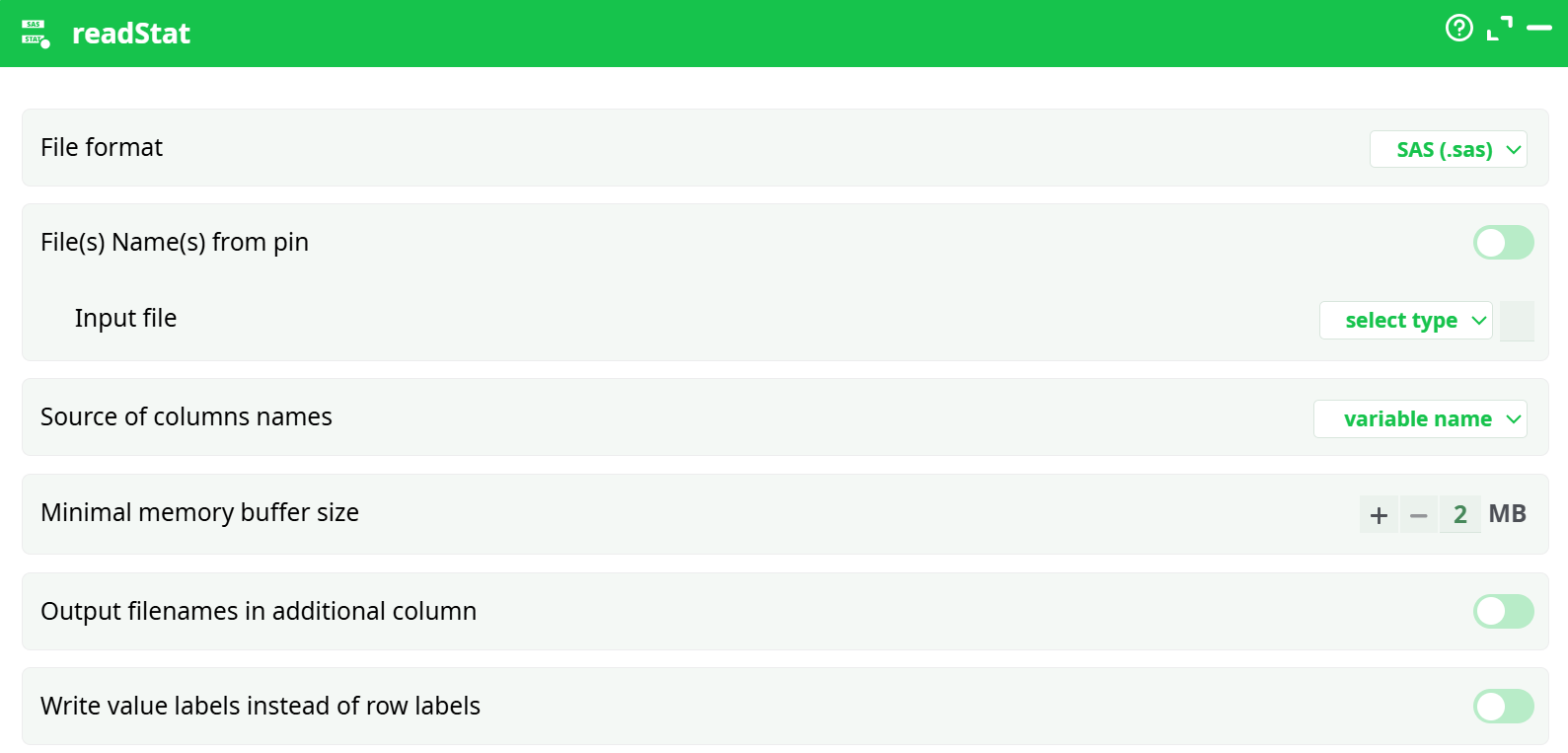
Parameters:
- File format
- File(s) Name(s) from pin
- Input file
- Source of columns names
- Minimal memory buffer size
- Output filenames in additional column
- Write value labels instead of row labels
¶ About
You can connect to the input pin of the readStat action a table containing (many) filenames.
NOTE:
You can drag & drop a “.sas7bdat” file, a “.sav” file, a “.por” file, or a “.dta” file
from a MS-File-Explorer-Window into an ETL-Pipeline-Window. This will directly create the corresponding ReadStat action inside the ETL pipeline.
The readStat action supersedes the old readSAS action, which was the only option available in older ETL versions (prior to v1.38). The readStat action offers several advantages over the old readSAS action:
- It is approximately three times faster.
- It does not require the installation of any SAS OleDB drivers to operate. This means you can read
.sas7bdatfiles without needing “administrative” privileges from your IT department (which are usually required to install the SAS OleDB driver).
For improved performance, the readStat action uses an asynchronous (i.e. non-blocking) I/O algorithm.
NOTE:
Sometimes, the readStat action does not correctly extract the dates stored in some “date fields” inside a.sas7bdatfile (i.e. you see a number instead of the actual date and time).
When this happens, you need to perform an extra step to convert these values to standard ETL dates. Use the “to String from Elapsed Time” option of the ChangeDataType action with the following parameters:
- Reference Time: 19600101 00:00:00
- Elapsed Time Unit: day
DISCLAIMER
This action allows the extraction of data stored in files originating from various commercial statistical systems (namely SAS, SPSS, and Stata). The supported file extensions are:.sas7bdat(from SAS),.sav(from SPSS),.por(from SPSS), and.dta(from Stata). These files will be referred to throughout this section as the "Data Files".The format of these Data Files belongs to their respective owners. These formats are proprietary and undocumented. Various students and developers around the world have attempted to decipher the internal structure of these formats. The result of their work is an open-source library named ReadStat, which is used by this ETL action to read and decode the Data Files.
Since we had no access to any kind of documentation (official or unofficial) for these formats, we cannot guarantee the complete or accurate extraction of the data. This means:
- The safest way to extract data from SAS is to use the old readSAS action. However, this requires SAS OleDB drivers to be installed on your computer and is significantly slower (approximately three times slower than this action).
- The safest way to extract data from SPSS or Stata is to export the data as plain text files (comma-separated), then read them into ETL using the readCSV action.
To ensure the data is properly extracted from your Data Files, you should validate the following:
- For SAS files: Character encoding — if some (accented) characters appear incorrectly or are missing, consider using a different encoding (e.g. "ISO-8859-16" instead of the default "UTF-8").
- For SAS files: SAS treats NaN and Null floating-point numbers in unusual ways. Verify that Nulls and NaNs are extracted correctly.
- For all formats: Always validate the “Date” variables — they are often handled in the most unconventional ways.