¶ Description
Test file existance.
¶ Parameters
¶ Parameters tab
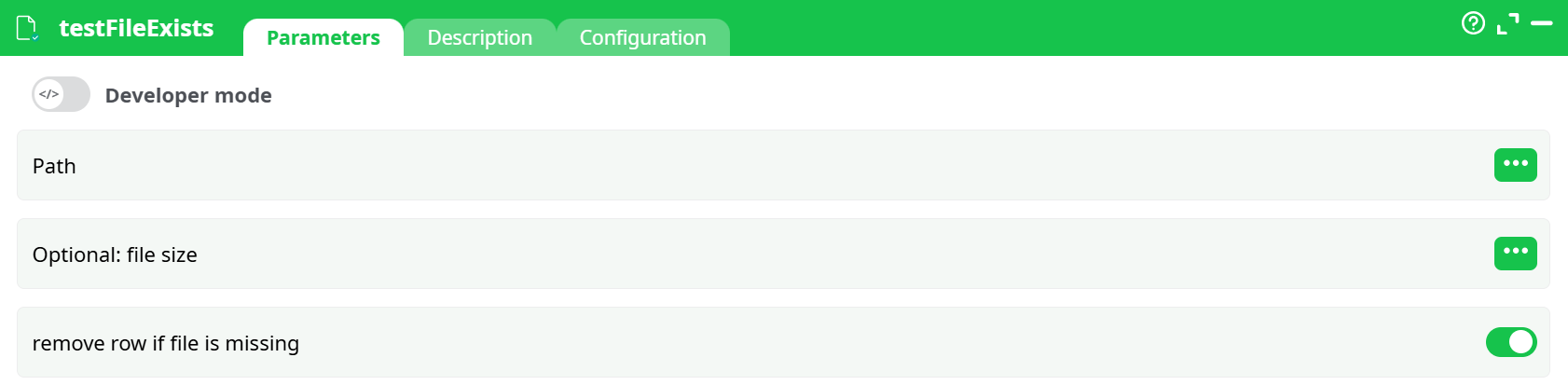
Parameters:
- Developer mode
- Path
- Optional: file size
- remove row if file is missing
¶ Description tab
See dedicated page for more information.
¶ Code tab
testFileExists is a scripted action. Embedded code is accessible and customizable through this tab.
¶ Configuration tab
See dedicated page for more information.
¶ About
The testFileExists action is used to verify the existence of files specified in the input dataset. It is typically used as a validation step in ETL pipelines before performing operations such as copying, deleting, or transforming files. This action ensures that subsequent processes only proceed with records referencing existing files.
Additionally, the action can optionally validate file size and remove rows from the dataset where the referenced file does not exist. This makes it a valuable utility for building robust file-handling pipelines.
¶ Parameters
| ID | Description | Type | Required | Example Value |
|---|---|---|---|---|
Path |
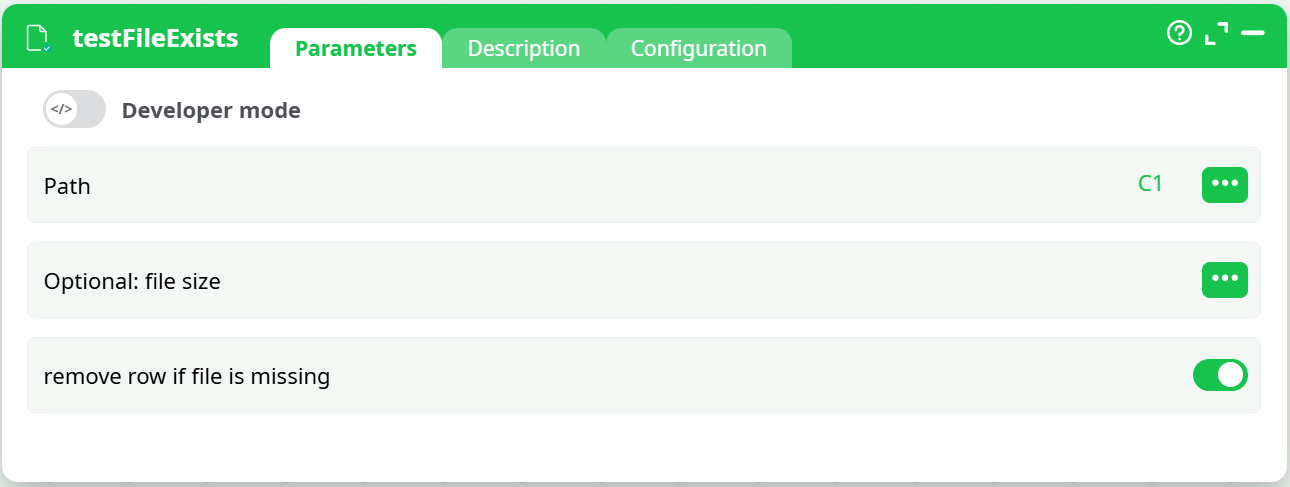
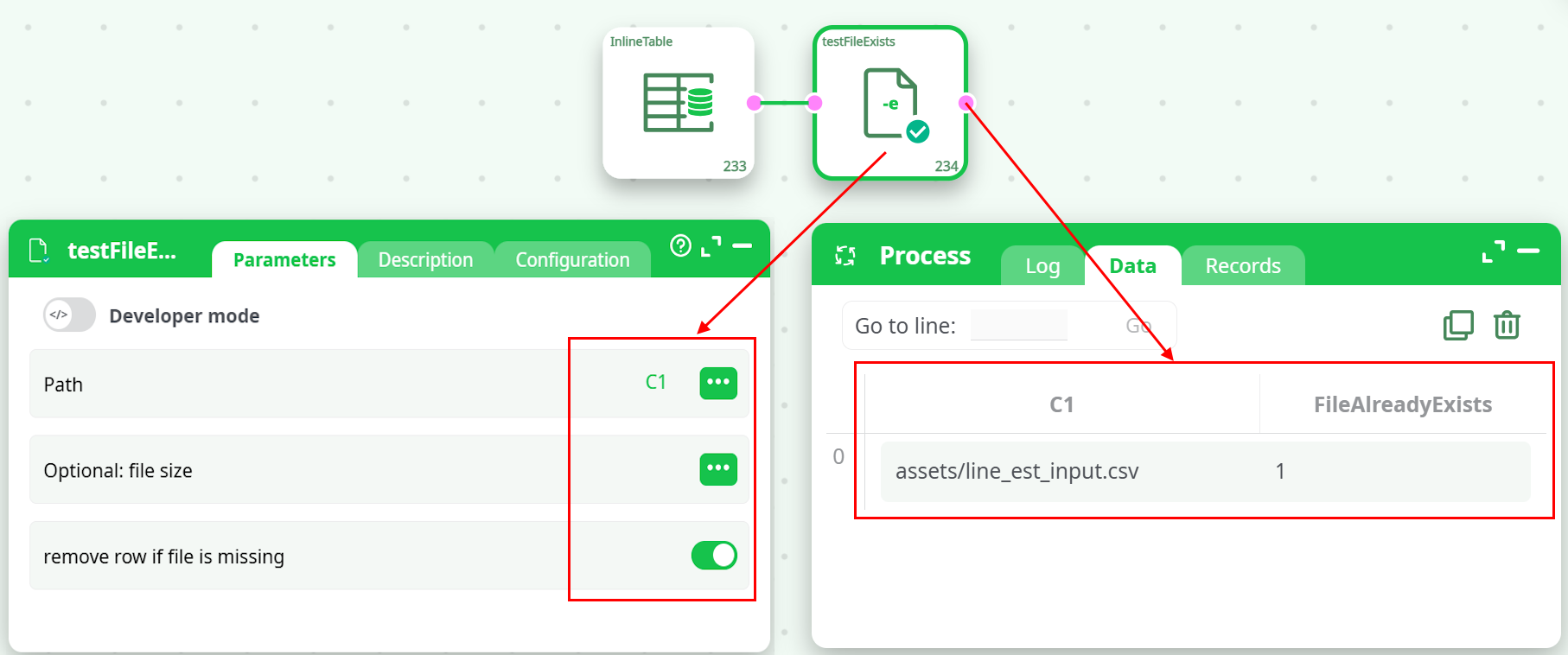
Path to the file to check | Column | Yes | C1 |
Optional: file size |
Optional: Expected file size | Column | No | C2 (optional) |
remove row if file is missing |
Remove row if file is missing | Switch | No | true or false |
¶ Output
- Adds a column (e.g.,
FileAlreadyExists) to the output dataset. - The column contains:
1if the file exists (and matches the size if specified).0if the file does not exist or the size is mismatched.
- If
remove row if file is missingis enabled, rows with missing or mismatched files are removed.
¶ Use Cases
- Validate files before processing to prevent runtime errors.
- Filter datasets dynamically based on file presence.
- Check that archived files are correctly generated and accessible.
- Ensure input files are available before performing destructive actions like deletions or overwrites.
¶ Example Configuration
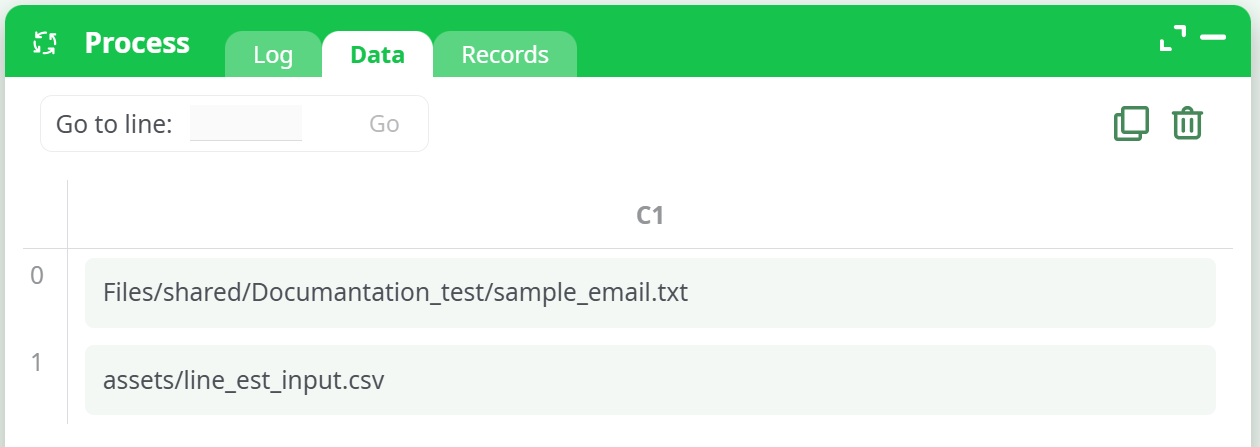
¶ InlineTable (Input Data)
¶ testFileExists (Configuration)
¶ Example Output
With remove row if file is missing = false
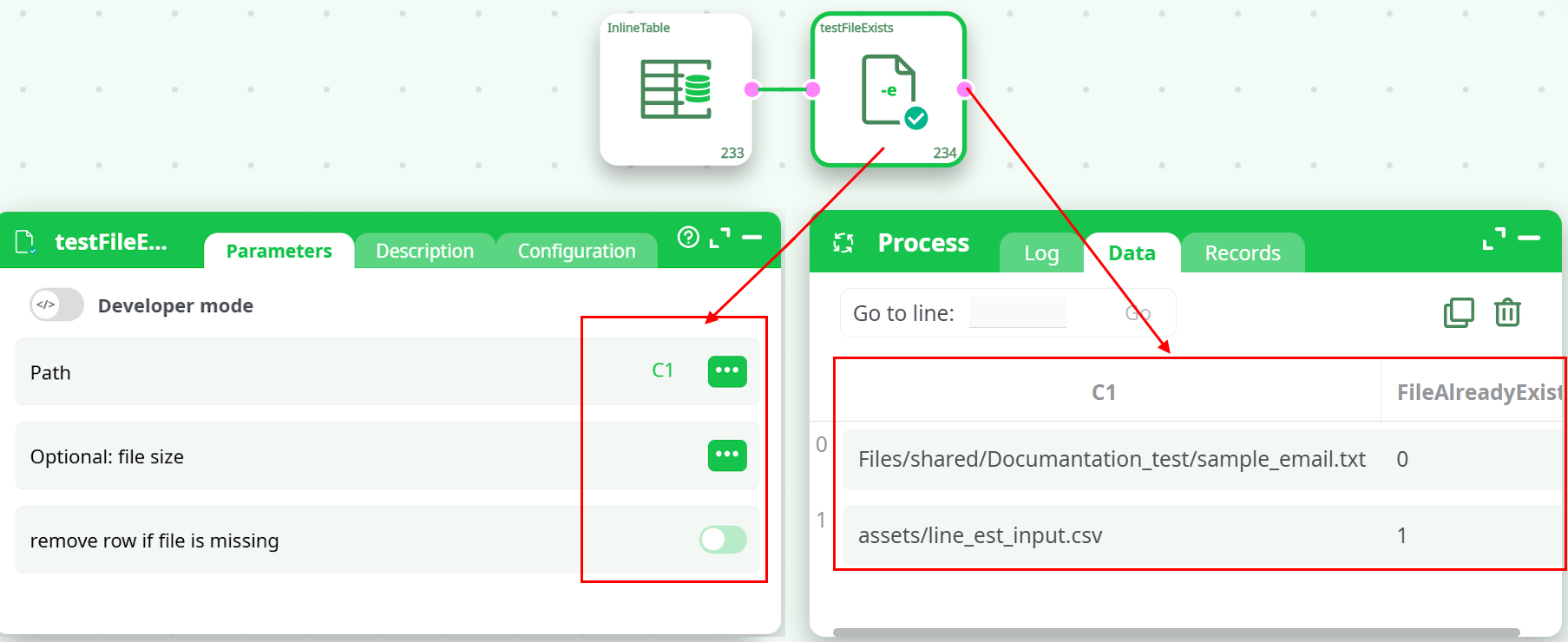
With remove row if file is missing = true
¶ Notes
- File paths must be valid and accessible from the ETL runtime environment.
- If
Optional: file sizeis specified, the action will additionally compare the actual file size with the provided value. If mismatched, the file is treated as non-existent. - Using
remove row if file is missinghelps sanitize datasets early, avoiding conditional logic downstream. - This action is especially useful in production pipelines where missing files could result in partial loads or corrupted outputs.
¶ Summary
The testFileExists action ensures that only valid, accessible files are processed in your ETL pipeline. Its flexibility to optionally remove invalid records or validate file sizes makes it a powerful tool for defensive data integration workflows.