¶ Description
List the processes and the jobs inside your UIPath Orchestrator.
¶ Parameters
¶ Parameters tab
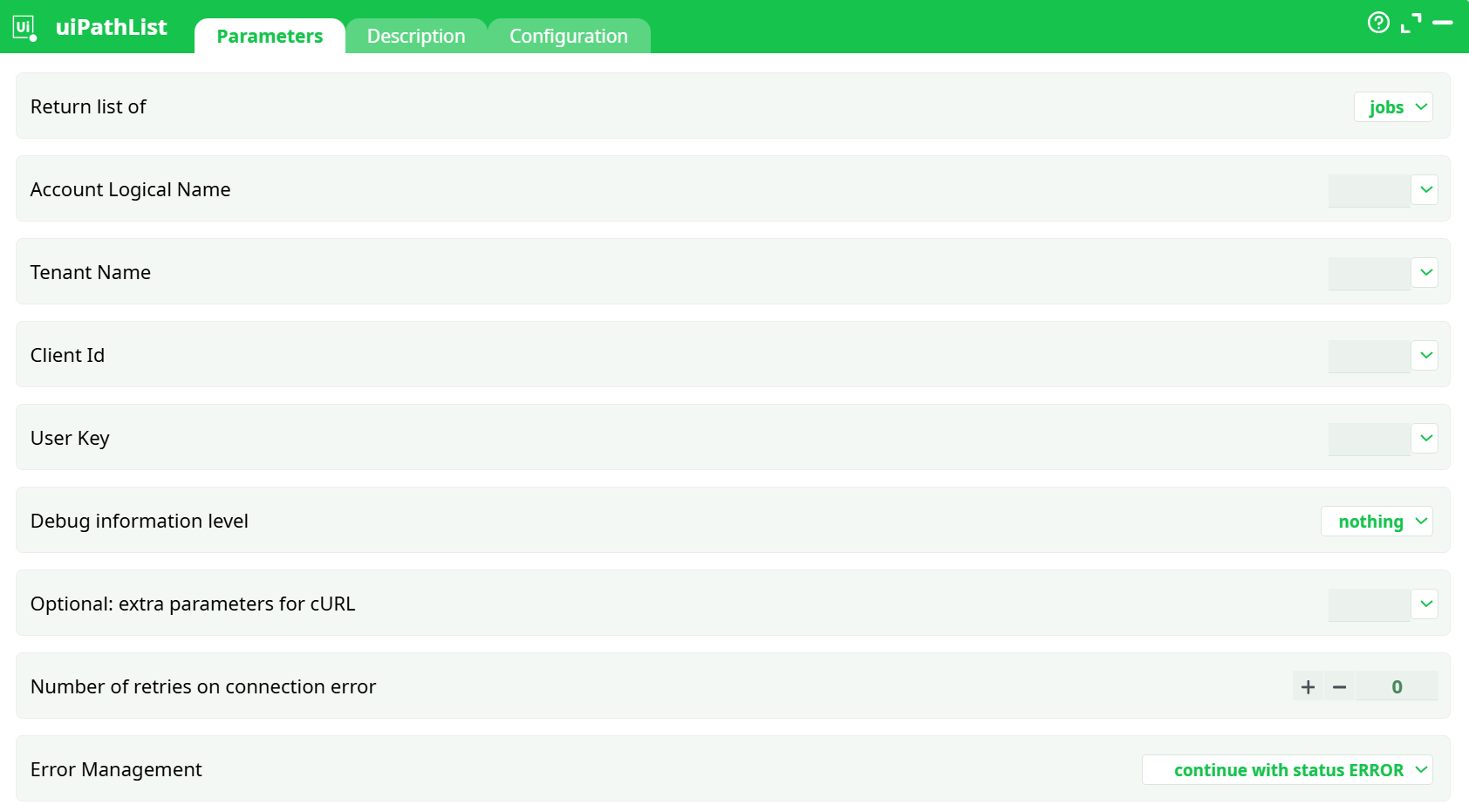
Parameters:
- Return list of
- Account Logical Name
- Tenant Name
- Client Id
- User Key
- Debug information level
- Optional: extra parameters for cURL
- Number of retries on connection error
- Error Management
¶ Description tab
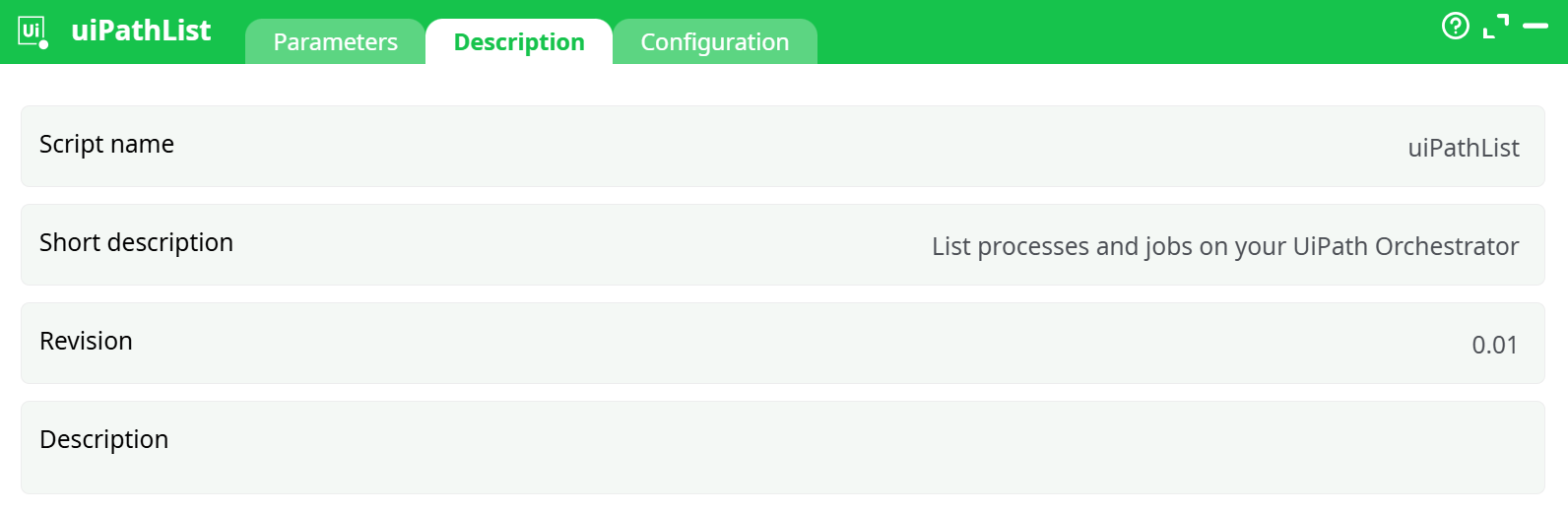
Parameters:
- Script name
- Short description
- Revision
- Decription
¶ Configuration tab
See dedicated page for more information.
¶ About
To use this action, you’ll need to get four parameters from the UIPath Orchestrator Website (i.e. you need the parameters P2, P3, P4 and P5).
Once you have completed the “setup process” , you can use the parameter P1, P6, P7, P8, P9 to List the processes and the jobs inside your UIPath Orchestrator.
¶ UIPath first time setup
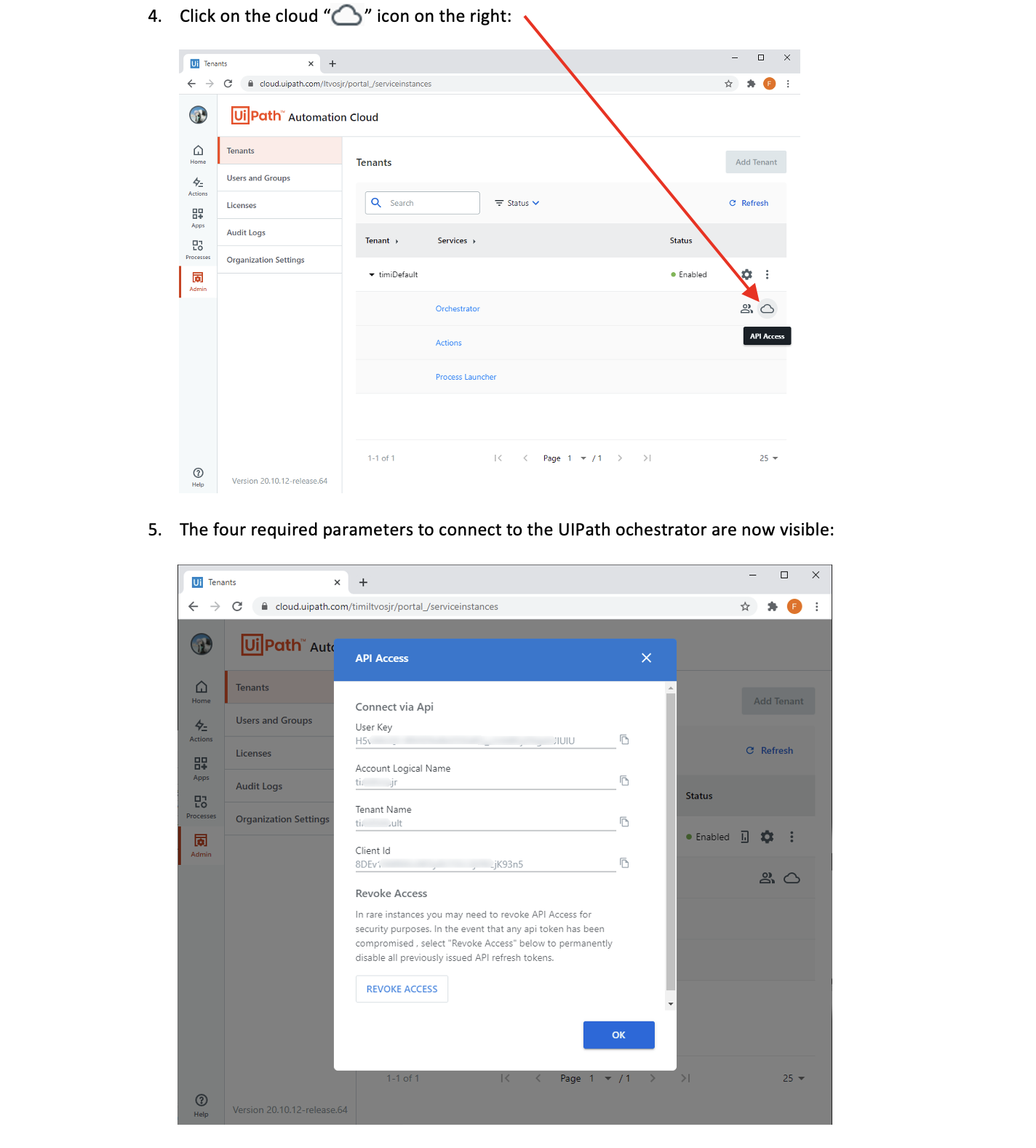
Before using the UIPath actions inside ETL, you need to get:
- the Acccount Logical Name
- the Tenant Name
- the Client ID
- the User Key
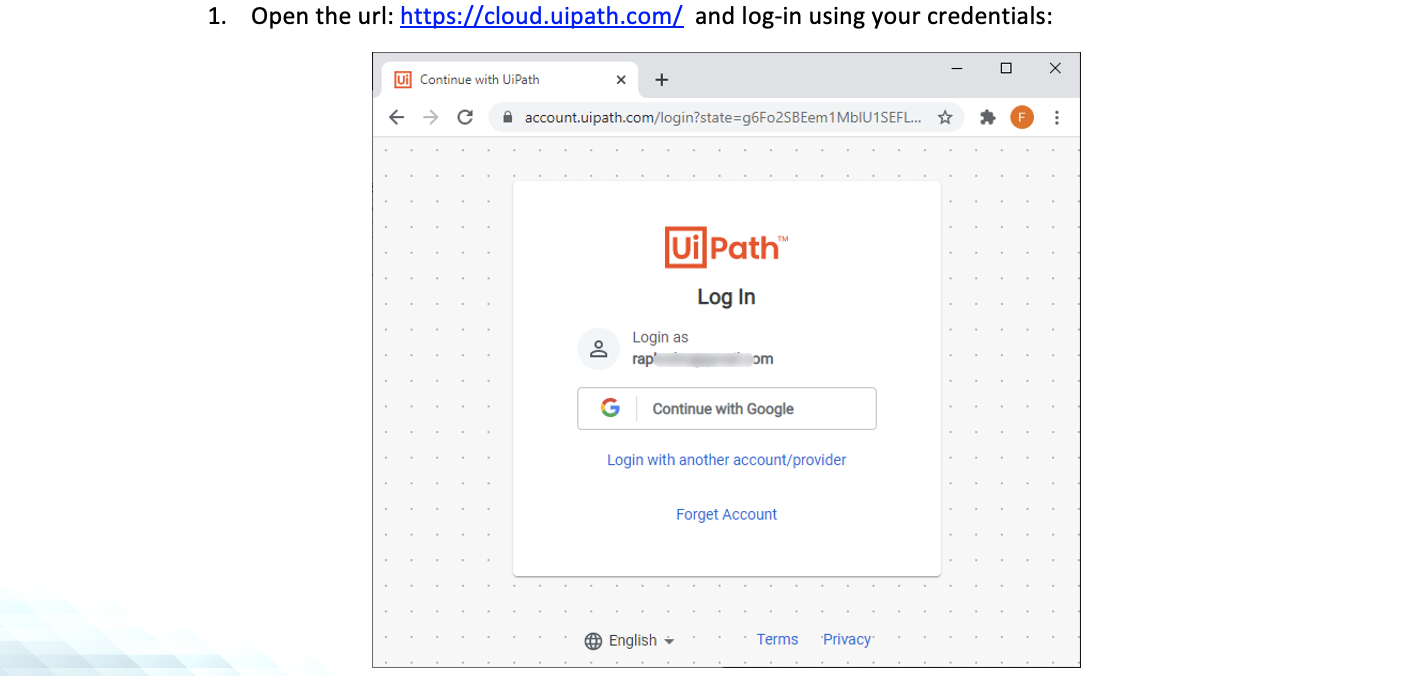
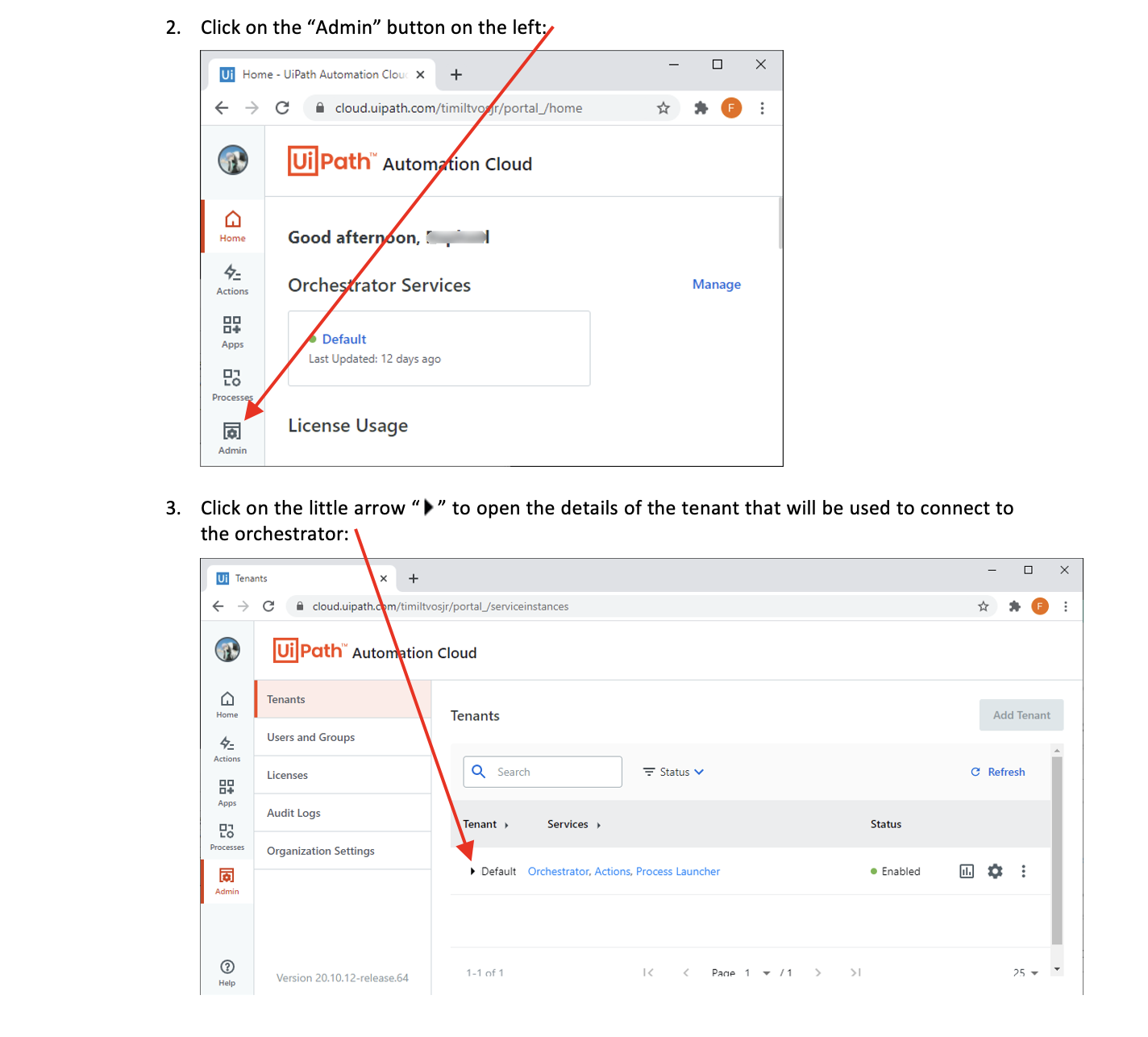
…from the UIPath Orchestrator website. Here are the steps to get these 4 parameters: