¶ Description
Upload a table to Google BigQuery from a Google Cloud Storage.
¶ Parameters
¶ Parameters Tab
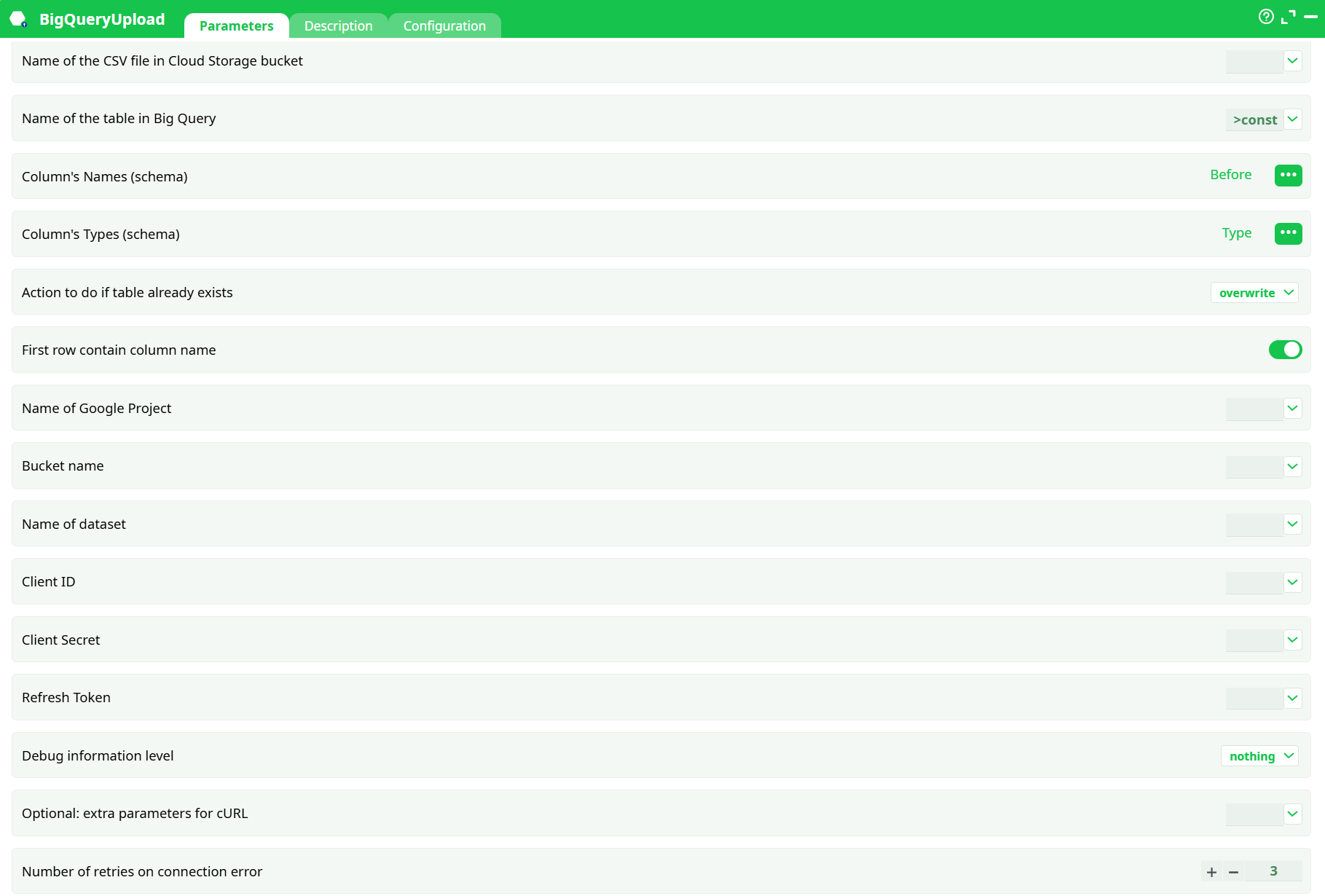
Parameters:
- Name of the CSV file in Cloud Storage bucket
- Name of the table in Big Query
- Column's Names (schema)
- Column's Types (schema)
- Action to do if table already exists
- First row contain column name
- Name of Google Project
- Bucket name
- Name of dataset
- Client ID
- Client Secret
- Refresh Token
- Debug information level
- Optional: extra parameters for cURL
- Number of retries on connection error
¶ Description Tab
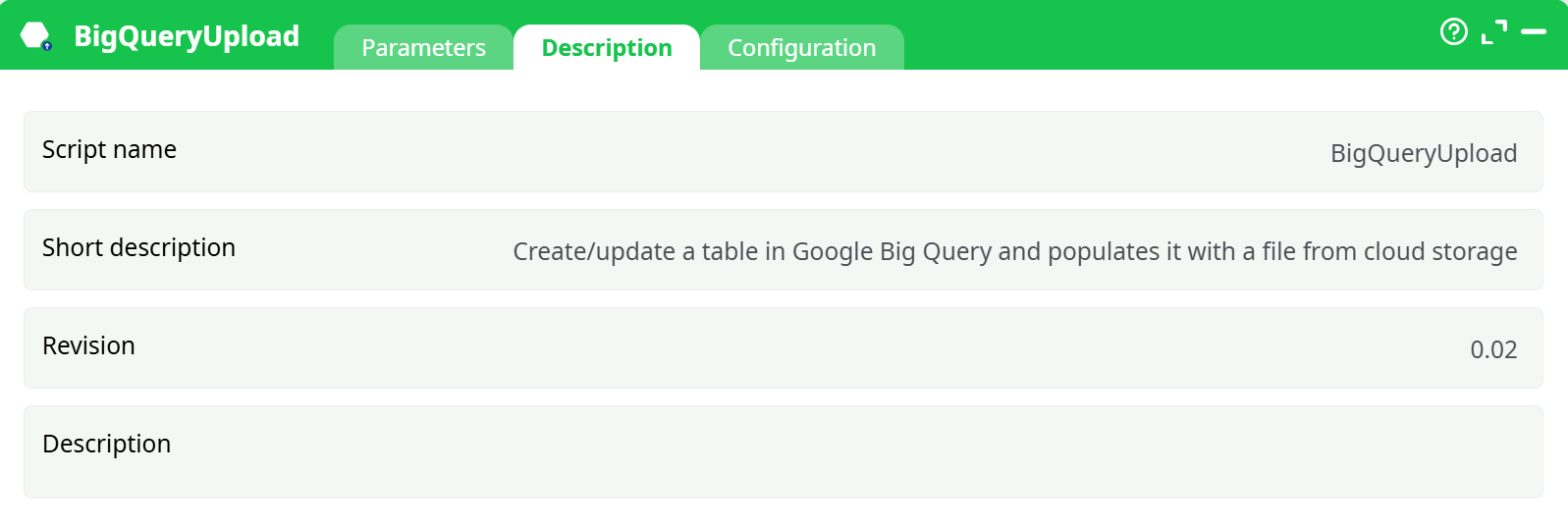
Parameters:
- Script name
- Short description
- Revision
- Decription
¶ Configuration Tab
See dedicated page for more information.
¶ About
BigQueryUpload loads a CSV file already stored in Google Cloud Storage (GCS) into a BigQuery table.
You pass a tiny schema table (two columns) on the input pin that names the destination columns and their types. The action then creates/overwrites/appends the destination table and performs the load.
¶ Prerequisites
-
A GCP project with BigQuery and Cloud Storage enabled.
-
A GCS bucket that contains the CSV file.
-
OAuth2 credentials: Client ID, Client Secret, and Refresh Token
(use your platform’s “Unlock Google Services” action to obtain them). -
The service/user associated with the credentials must have:
roles/storage.objectVieweron the bucket (read CSV)roles/bigquery.dataEditorandroles/bigquery.jobUseron the dataset
¶ Input pin (schema)
The action expects a table with two columns:
| Column name (default) | Meaning |
|---|---|
| Before | Destination column names in BigQuery (one row per column) |
| Type | Destination data type code |
Type codes → BigQuery types
K→INTEGERF→FLOAT- anything else (e.g.
U) →STRING
Example schema rows:
Before,Type
customer_id,K
amount,F
comment,U
¶ Outputs
- Loads data into the specified BigQuery table.
- No tabular output; progress and errors are written to the Log.
¶ Key parameters
¶ File & table
-
Name of the CSV file in Cloud Storage bucket — Name of the CSV file in the Cloud Storage bucket.
Example:orders_2024_08.csv(bucket is set separately). -
Name of the table in Big Query — Destination table name (no dataset). Example:
TIMiTable. -
Action to do if table already exists — What to do if the table exists:
overwrite(drop & create then load)append(keep table & insert rows)
-
First row contain column name — First row contains column names (toggle). Leave ON if the CSV has a header row.
¶ Google project & storage
- Name of Google Project — GCP project ID, e.g.
my-gcp-project. - Bucket name — GCS bucket name, e.g.
my-data-lake. - Name of dataset — BigQuery dataset, e.g.
sales_analytics.
¶ OAuth credentials
- client ID — OAuth client ID.
- client Secret — OAuth client secret.
- refresh token — Refresh token.
Tip: store these securely in your platform’s secrets vault and reference them.
¶ Debug & reliability
- Debug information level — Log verbosity (
nothing,basic). - Optional: extra parameters for cURL — Extra cURL parameters (advanced; proxy, timeouts, etc.).
- Number of retries on connection error — Number of retries on transient connection errors (default
3).
¶ Configuration (conversions & strictness)
These options control how the helper converts values when deriving keys or floats from strings, and what to do on invalid cases. They are useful when your CSV contains imperfect data.
-
Convert float to key
- If negative →
abort | … - If > 2^32-3 →
abort | set to lower integer - If not an integer →
abort | set to lower integer
- If negative →
-
Convert string to float
- If not a number →
abort | …
- If not a number →
-
Convert ‘String/?’ to key
- If not a number / negative / > 2^32-3 / not an integer → action as above
-
Additional JavaScript libraries — optional list if your platform supports custom parsing.
-
If column missing —
issue warning and return index -1(default) orabort.
Leave defaults unless you have specific cleansing rules.
¶ Minimal working example
-
Upload CSV to GCS bucket
my-data-lakeasorders_2024_08.csv. -
Build schema input (two columns):
Before,Type order_id,K order_amount,F notes,U -
Set parameters
Name of the CSV file in Cloud Storage bucket:orders_2024_08.csvName of the table in Big Query:ordersAction to do if table already exists:overwrite(first run) /append(subsequent runs)First row contain column name: ONName of Google Project:my-gcp-projectBucket name:my-data-lakeName of dataset:sales_analytics- OAuth:
clientID,clientSecret,refresh_token Number of retries on connection error:3(default)
-
Run. Verify table
sales_analytics.ordersin BigQuery.
¶ Notes & best practices
- Header row: If your CSV contains headers, keep skipLeadingRows ON; the schema table defines the real destination schema.
- Types: Only the three simple codes are needed (K/F/U). For DATE/TIMESTAMP or BOOLEAN, first convert in a staging step or load as STRING then cast in SQL.
- Large loads: Prefer
overwritefor deterministic rebuilds; useappendfor incremental ingestion. - Proxy environments: You can pass proxy options via idOptional (cURL flags).
- Security: Treat
clientSecretandrefresh_tokenas secrets; never hard-code them in flows shared with others.
¶ Troubleshooting
- Permission denied: Check bucket read access and BigQuery dataset permissions for the OAuth identity.
- Table already exists: Switch Action to do if table already exists to
overwriteorappend. - CSV not found: Confirm
bucketandName of the CSV file in Cloud Storage bucket(names are case-sensitive). - Schema mismatch / wrong types: Ensure your schema input lines up with the CSV column order and the K/F/U mapping.
- Rate limits / transient failures: Increase Number of retries on connection error and consider backoff via idOptional.