¶ Description
Upload JSON documents to Elastic Search.
¶ Parameters
¶ Parameters Tab
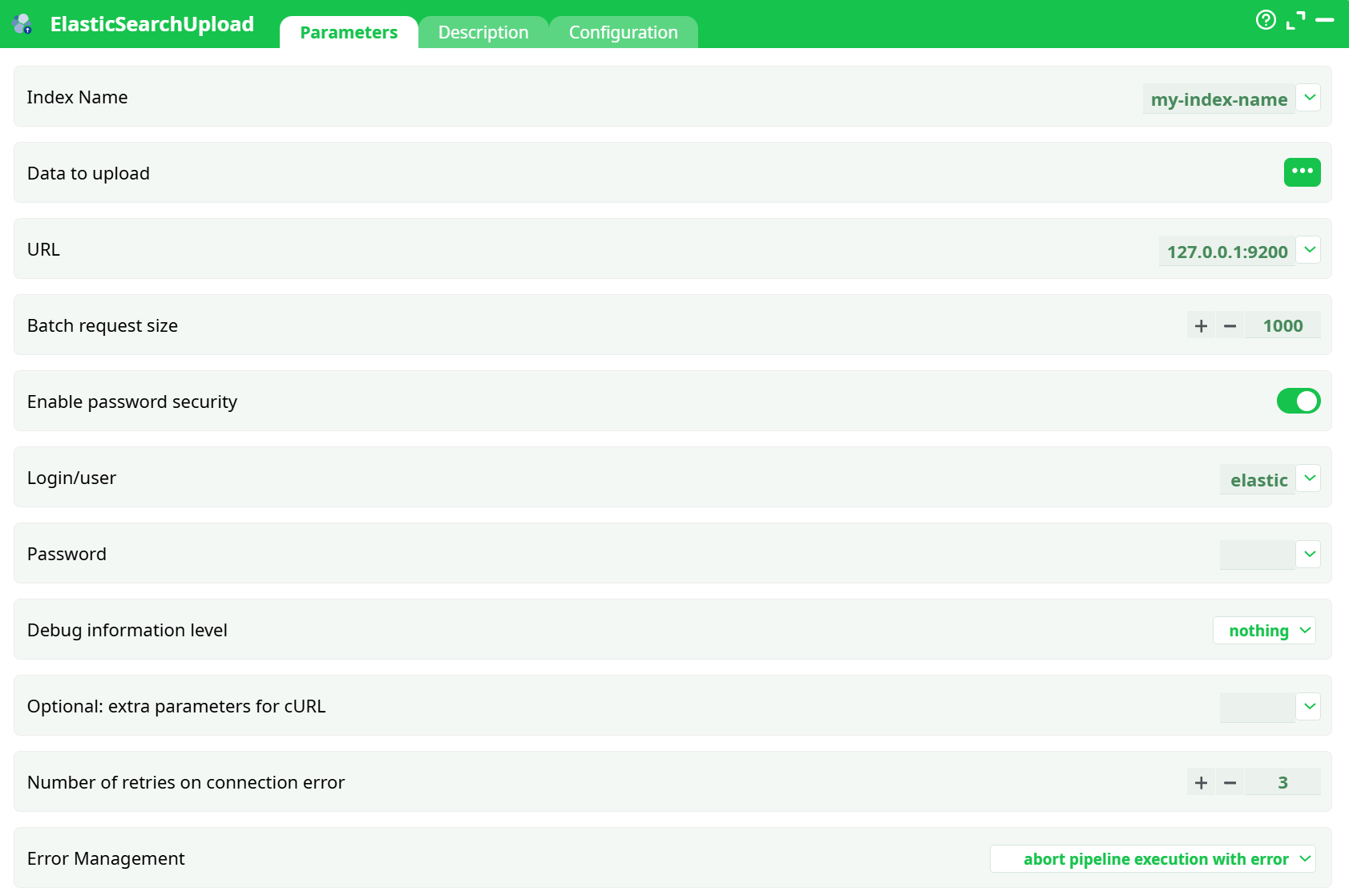
Parameters:
- Index Name
- Data to upload
- URL
- Batch request siz
- Enable password security
- Login/user
- Password
- Debug information level
- Optional: extra parameters for cURL
- Retries on connection error
- Error Management
¶ Description Tab
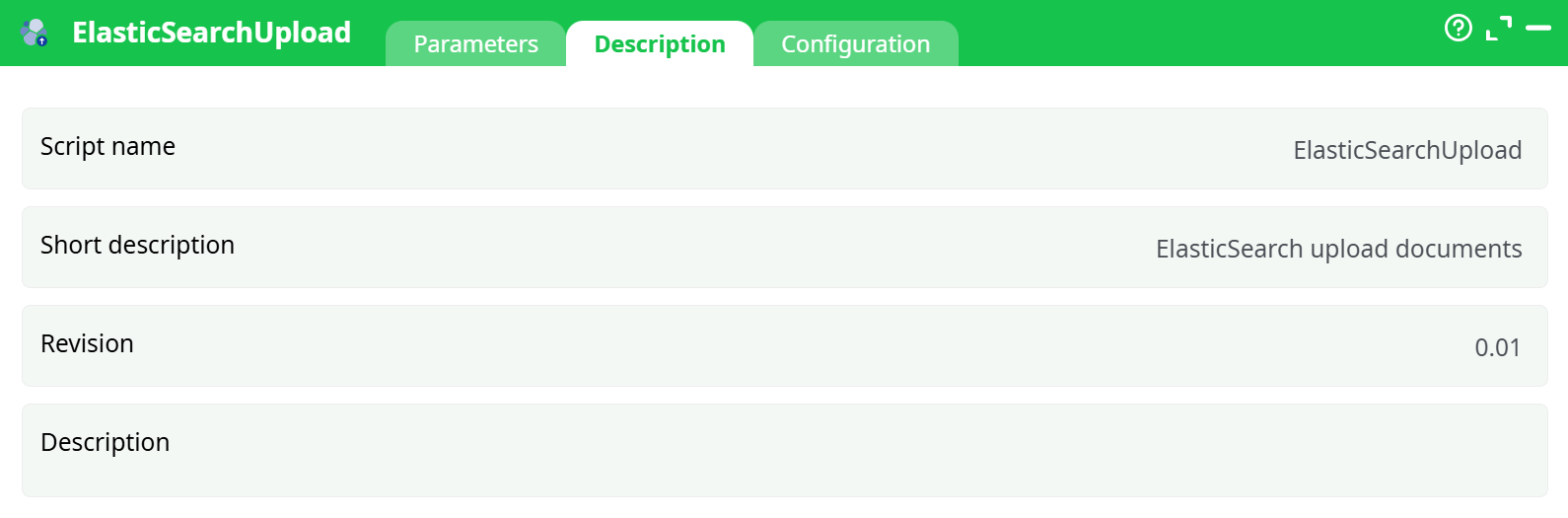
Parameters:
- Script name
- Short description
- Revision
- Decription
¶ Configuration Tab
See dedicated page for more information.
¶ About
Upload rows from your pipeline to Elasticsearch using the Bulk API.
¶ What it does
- Streams your data to
https://<cluster-host>:443/<index>/_bulk - Sends NDJSON (
application/x-ndjson) in batches - Uses the Bulk create operation (new docs only; ES auto-generates
_idunless your platform adds one)
¶ What you need before you run it
-
Cluster URL (Elastic Cloud example)
Looks like:https://<random>.us-central1.gcp.cloud.es.io:443
-
One of the two auth methods
-
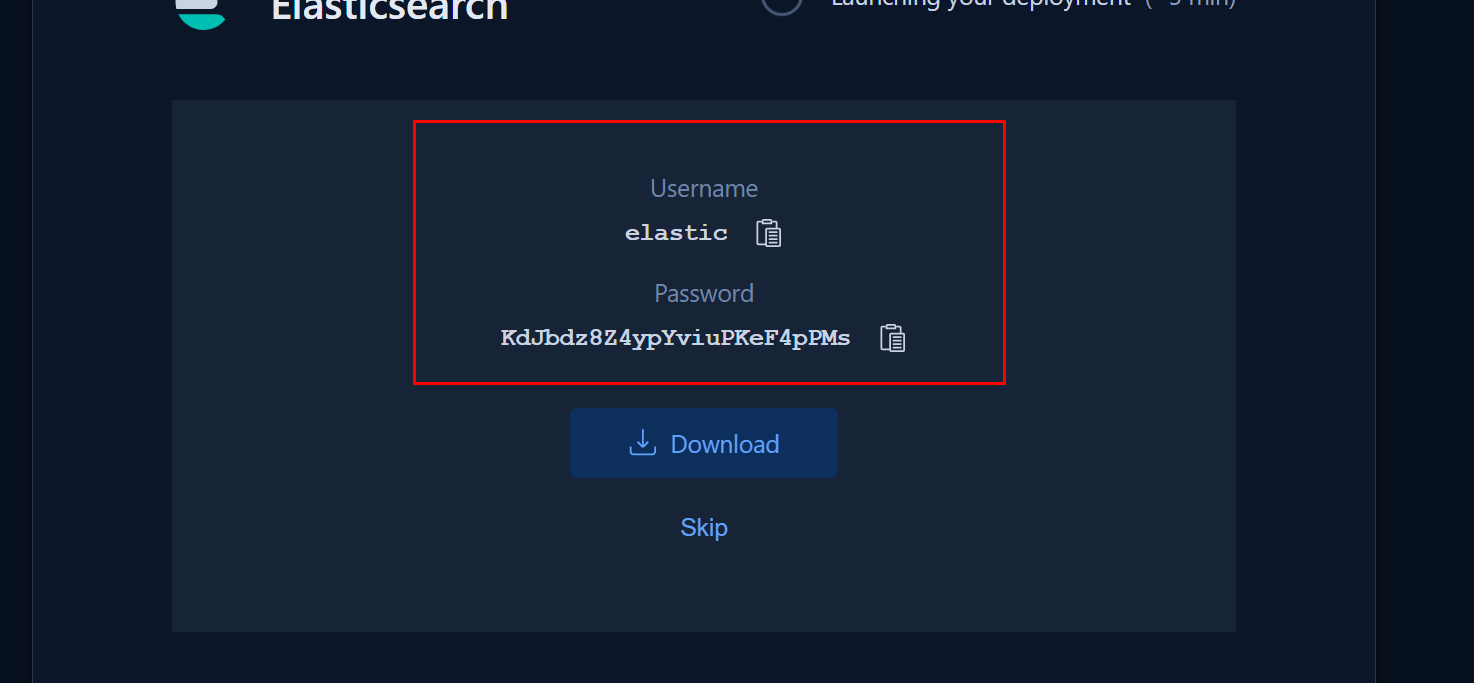
Basic auth
- Username: usually
elastic - Password: the long auto-generated one you saved at deployment time
- Username: usually
-
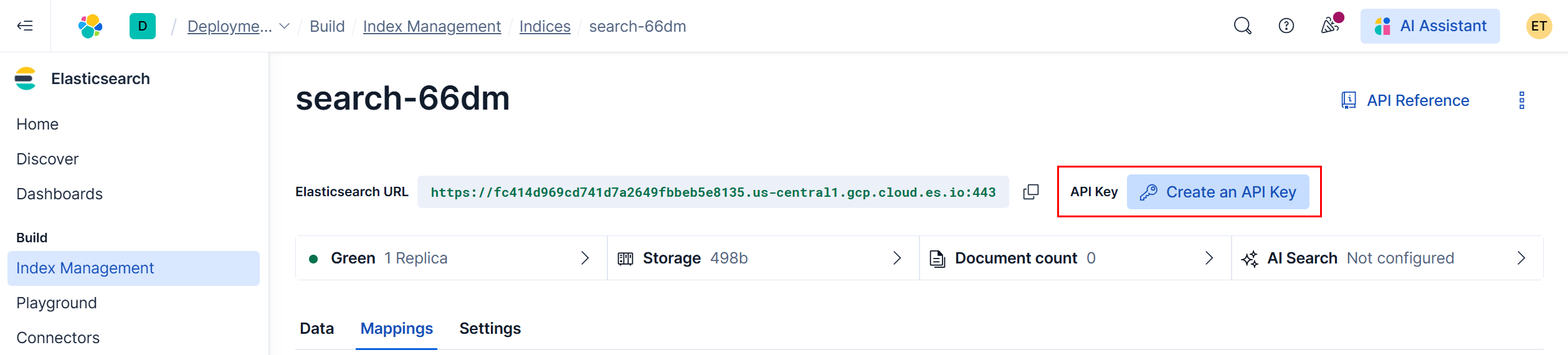
API key auth (recommended for production)
- Create in Elastic Cloud Console → Create an API key → Copy the Key value
¶ Inputs & Expected Shape
The action expects a column whose cells contain one JSON object per row (not a file path).
- Typical column name:
body - Example cells:
{"customer_id":"C001","name":"Alice","email":"alice@example.com","created_at":"2025-08-20T10:00:00Z"}
{"customer_id":"C002","name":"Bob","email":"bob@example.com","created_at":"2025-08-21T09:30:00Z"}
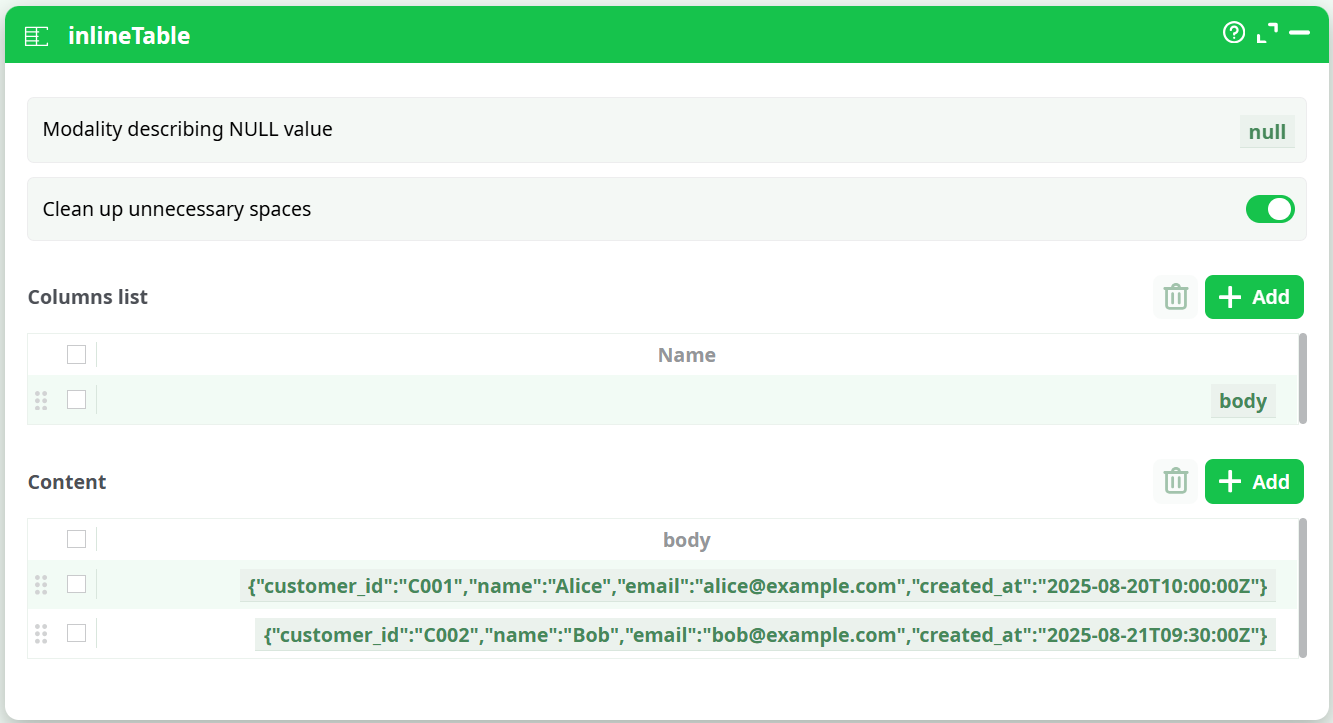
Why: the Bulk API consumes NDJSON. The action builds that for you from the column values. If you pass a path string instead of JSON, ES returns
not_x_content_exception.
¶ Quick Start (minimal)
-
Prepare data
- Add an InlineTable (or any upstream step) with one column named
body. - Put one JSON object per row (see example above).
- Add an InlineTable (or any upstream step) with one column named
-
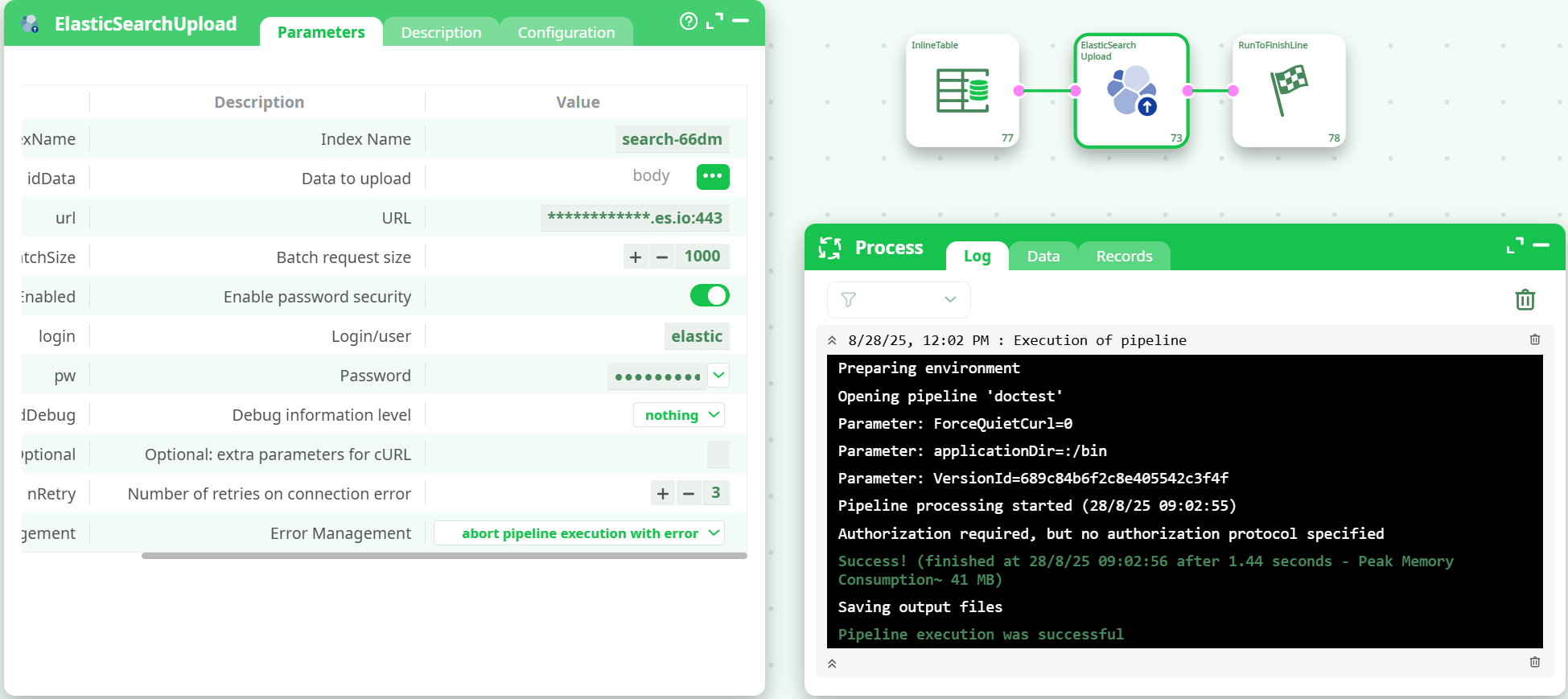
Configure ElasticSearchUpload
- Index Name:
search-66dm - Data to upload (idData): select the
bodycolumn - URL:
https://<your-cluster>.cloud.es.io:443 - Enable password security: ON
- Login/User:
elastic - Password: your password
- Leave Batch request size =
1000(tune later) - Run ▶
- Index Name:
Success signal in log:
"successful": <n>, "failed": 0 and each item shows "result":"created".
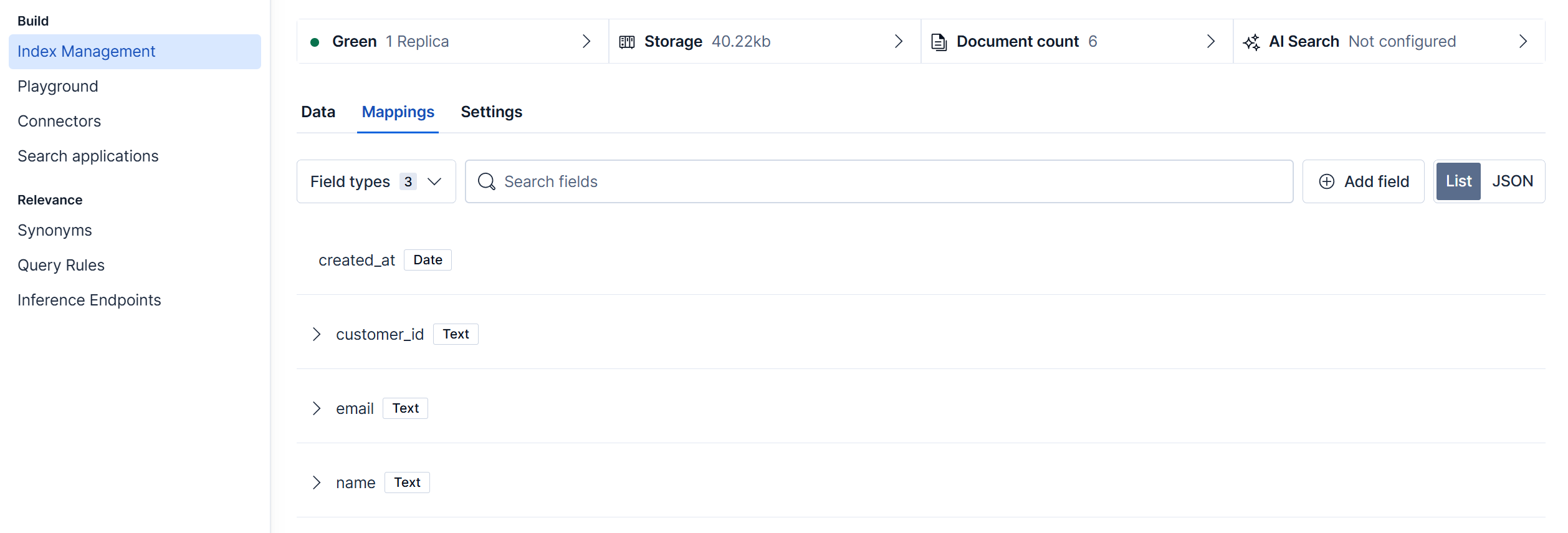
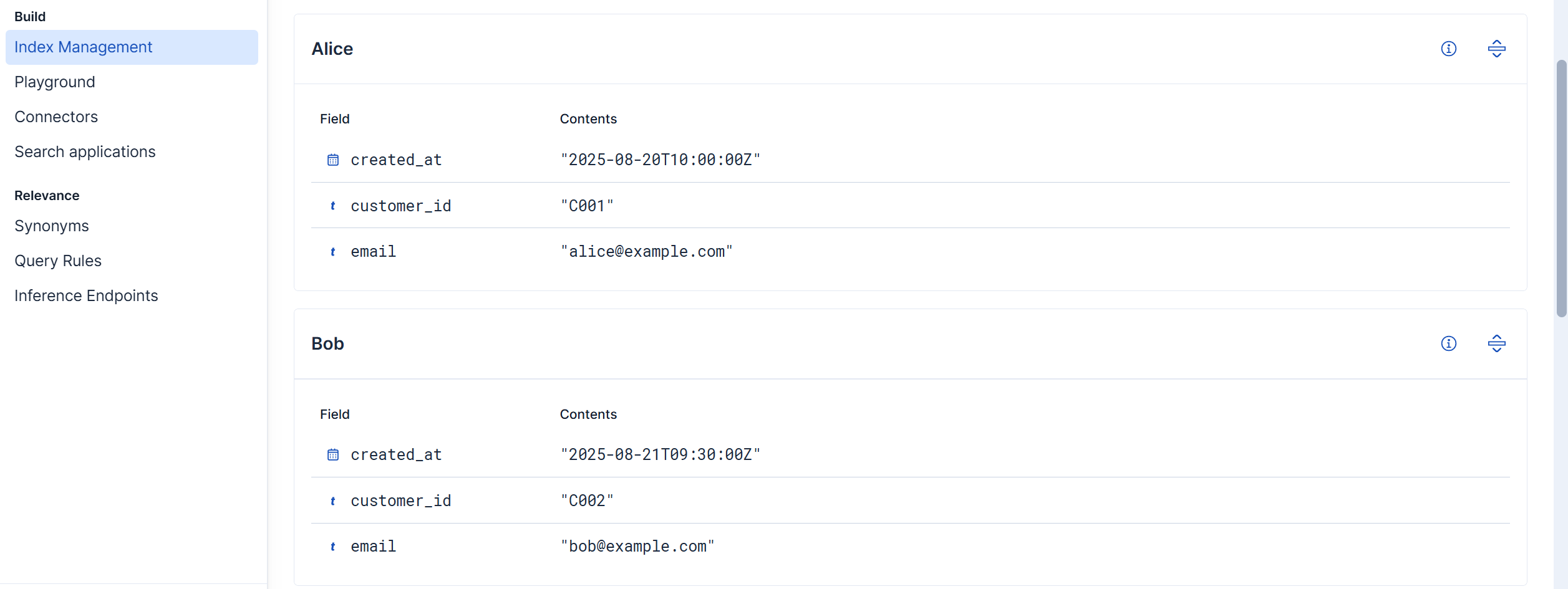
Check result:
¶ Advanced options
-
Refresh after indexing: add
refresh=wait_forin idOptional (query string) to make docs immediately searchable. -
Ingest pipeline: add
pipeline=my_ingestin idOptional. -
Rate limiting / throughput:
- Lower maxBatchSize (e.g., 200–500) if you see 429 or long GC pauses.
- Increase nRetry for flaky networks.
-
IDs & duplicates:
- Bulk create fails if a doc with the same
_idexists (this action logs the 409s as failures). - If you need upserts, use (or request) an action that performs
index/update, or delete/reindex.
- Bulk create fails if a doc with the same
¶ Troubleshooting
-
not_x_content_exception: Compressor detection…
Cause:idDatapoints to a file path string or non-JSON text.
Fix:idDatamust be a column whose values are JSON objects (see Inputs). -
Log line:
Authorization required, but no authorization protocol specified
This banner comes from the runner; if your request showsresult:"created"andfailed:0, you’re fine. -
401/403 Unauthorized
ChecksecEnabled, username/password, and that url is the cluster root (not the Kibana URL). -
Index not found
Create the index first in Index Management, or allow auto-create in your cluster settings. -
Partial success (some failed)
Switch idErrorManagement to “continue and report” to let the pipeline progress, then inspect the per-item errors in the log.
¶ Good practices
- Define mappings (especially
datefields likecreated_at) before big loads. - Start with small maxBatchSize (100–200) in new clusters, then scale up.
- Keep JSON slim; avoid deeply nested objects unless you need them.