¶ Description
Upload files to a Huwaei Blob Storage.
¶ Parameters
¶ Parameters Tab
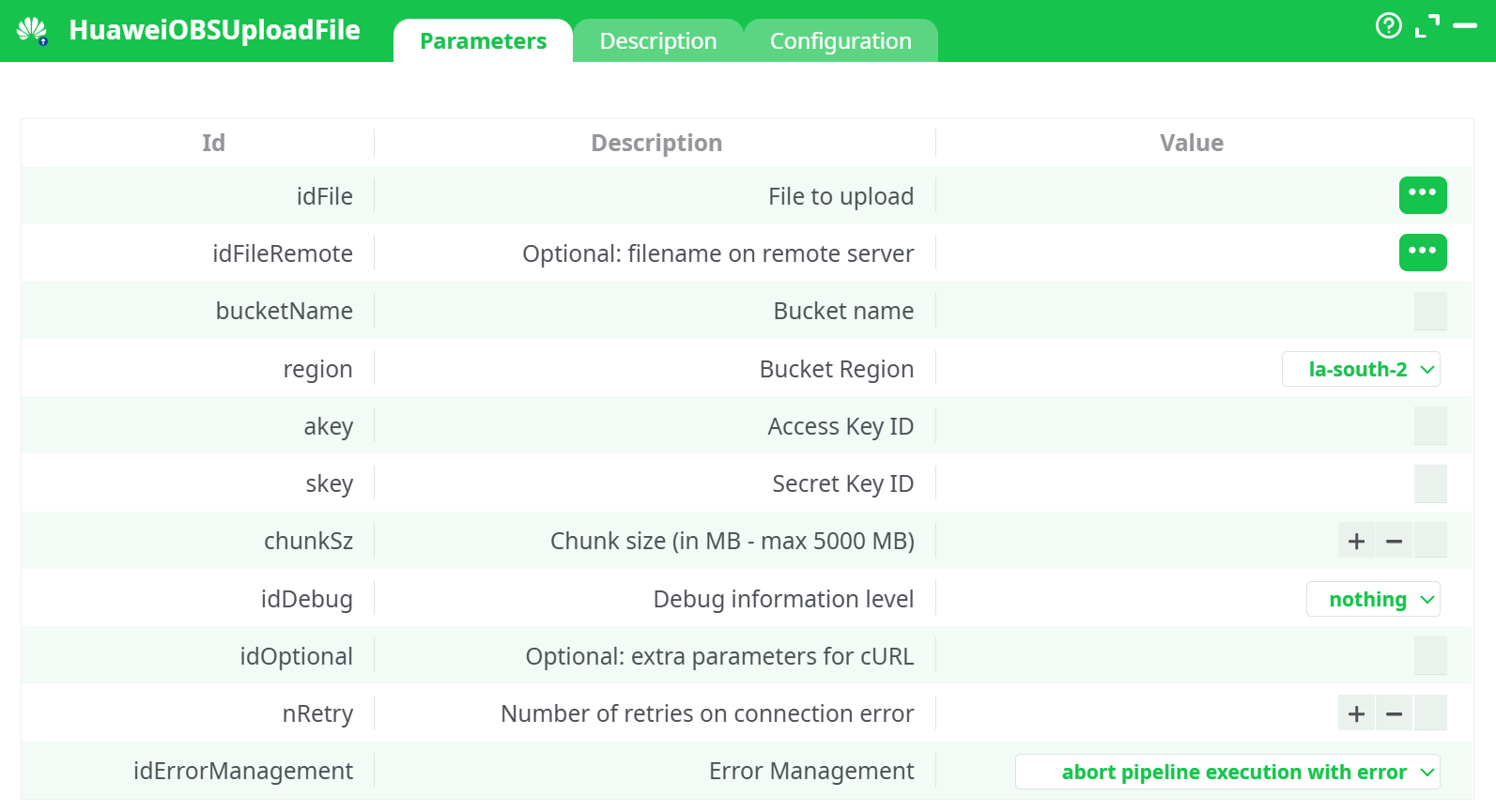
Parameters:
- File to upload
- Optional: filename on remote server
- Bucket name
- Bucket region
- Access Key ID
- Secret Key
- Chunk size (in MB - max 5000 MB)
- Debug information level
- Optional: extra parameters for cURL
- Number of retries on connection error
- Error Management
¶ Description Tab
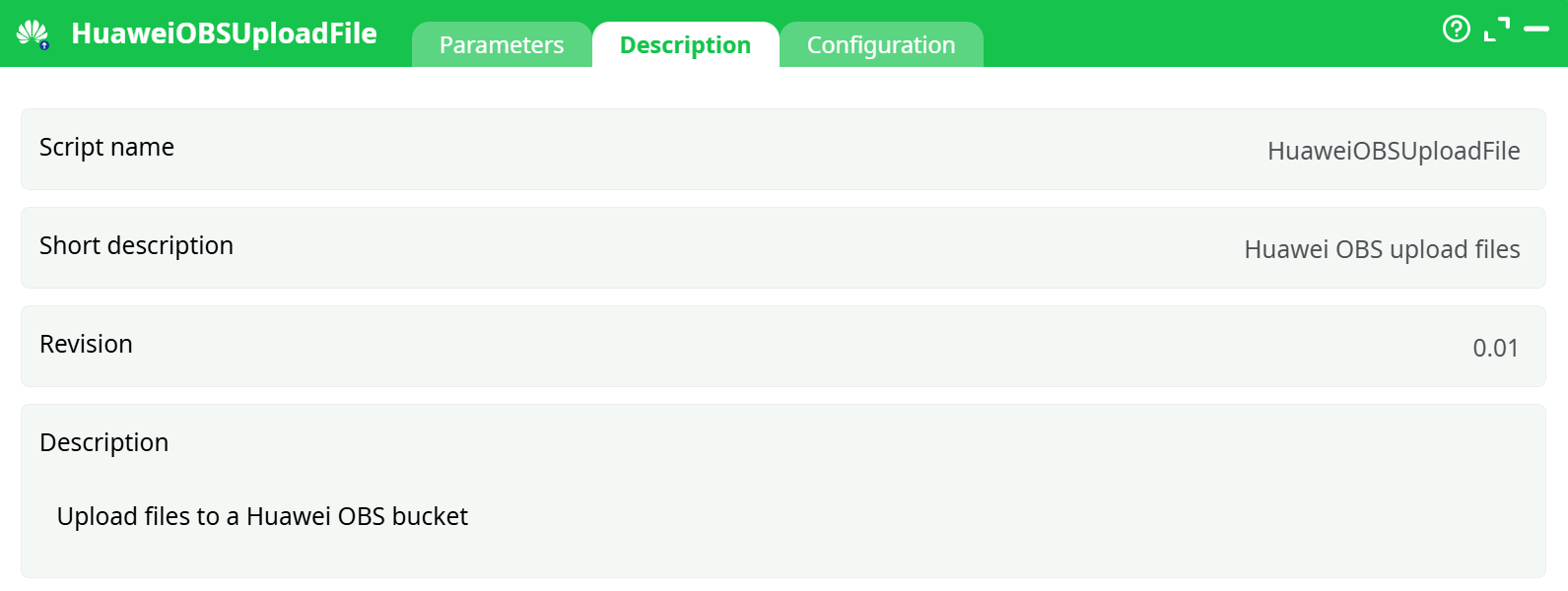
Parameters:
- Script name
- Short description
- Revision
- Decription
¶ Configuration Tab
See dedicated page for more information.
¶ About
Upload a local file to a Huawei Object Storage Service (OBS) bucket.
Supports large uploads through multipart transfer (configurable chunk size, up to 5 000 MB per part), automatic retries, and detailed debug logging. Works both on direct internet connections and through an HTTP proxy (see Configuration).
What this action does
HuaweiOBSUploadFile pushes a file from your local runtime (server, desktop, or container) to a specified OBS bucket/key. If the destination key already exists, OBS semantics apply: the object is replaced by the newly uploaded content.
How uploading works
For small files the action performs a straightforward upload. For large files it switches to multipart upload: the file is cut into parts of size Chunk size (in MB - max 5000 MB) MB (up to 5 000 MB / part, which aligns with OBS limits). Parts are uploaded in sequence; if a transient failure happens, the action retries up to Number of retries on connection error times before failing and applying the selected Error Management policy.
When to use it
- Automating delivery of reports, exports, model artifacts, or logs to OBS.
- Moving generated assets (e.g., documents created with
writeReport) into cloud storage. - Feeding downstream services that watch a bucket path.
Tip
The remote object name (Optional: filename on remote server) defines the full path inside the bucket (e.g.,reports/2025/out.docx). If you leave it empty, the action uploads using just the local file’s base name.
¶ Prerequisites (first-time Huawei setup)
You need four OBS credentials/settings:
- P1: Bucket Region
- P2: Bucket Name
- P3: Access Key (AK)
- P4: Secret Key (SK)
You already have step-by-step screenshots and instructions in the HuaweiOBSListFiles documentation. Follow those to create a bucket and generate AK/SK, then come back here.
¶ How to use (step-by-step)
¶ A. Minimal pipeline (single file)
-
Provide the file path from an upstream action (e.g., an InlineTable with a
FilePathcolumn). -
Open HuaweiOBSUploadFile and set:
- File to upload → select your
FilePathcolumn. - bucketName → your bucket.
- Bucket Region → the exact region of the bucket.
- Access / secret key → your AK/SK.
- File to upload → select your
-
(Optional) Set Optional: filename on remote server if you want a different object name (e.g.,
reports/out.docx). -
(Optional) Tune Chunk size (in MB - max 5000 MB) (e.g., 50–200 MB for stable networks; larger for very big files).
-
Choose idErrorManagement:
- Continue with status ERROR to keep the pipeline running and record the failure, or
- Abort pipeline execution with error to fail fast.
-
Run the pipeline. On success, your object appears in the bucket at the specified key.
¶ B. Renaming on upload
- Leave
File to uploadpointing to/path/to/local/myfile.pdf. - Set
Optional: filename on remote servertoinbox/daily-report.pdf. - The uploaded object will be
s3://<bucket>/inbox/daily-report.pdf.
¶ Notes & Best Practices
- Paths:
File to uploadmust be readable from the agent that runs the pipeline. Use absolute paths where possible. - Overwrites: Uploading an existing key overwrites the object. Use a date-stamped
Optional: filename on remote serverto keep history. - Chunk size: For very large files and stable bandwidth, increase
Chunk size (in MB - max 5000 MB)to reduce the number of parts; for unstable links, smaller parts can help retries succeed. - Retries:
Number of retries on connection erroronly covers transient network issues. Authentication or region mismatches fail immediately. - Proxy: If your environment requires a proxy, set it in Configuration; no change is needed in the parameters.
- Security: Keep AK/SK secret. Use read/write-scoped credentials where possible.
¶ Troubleshooting
- AccessDenied / Signature errors: Check AK/SK, region, and that the AK/SK has OBS permissions for the bucket.
- NoSuchBucket / region mismatch: Ensure the region dropdown matches the bucket’s actual region.
- Timeouts: Increase Number of retries on connection error, verify proxy/egress rules, or reduce Chunk size (in MB - max 5000 MB).
- Object not at expected path: You likely left
Optional: filename on remote serverempty—OBS used the local filename. SetOptional: filename on remote serverto a full key likefolder/name.ext.