¶ Description
Upload data to Hubspot.
¶ Parameters
¶ Standard Tab
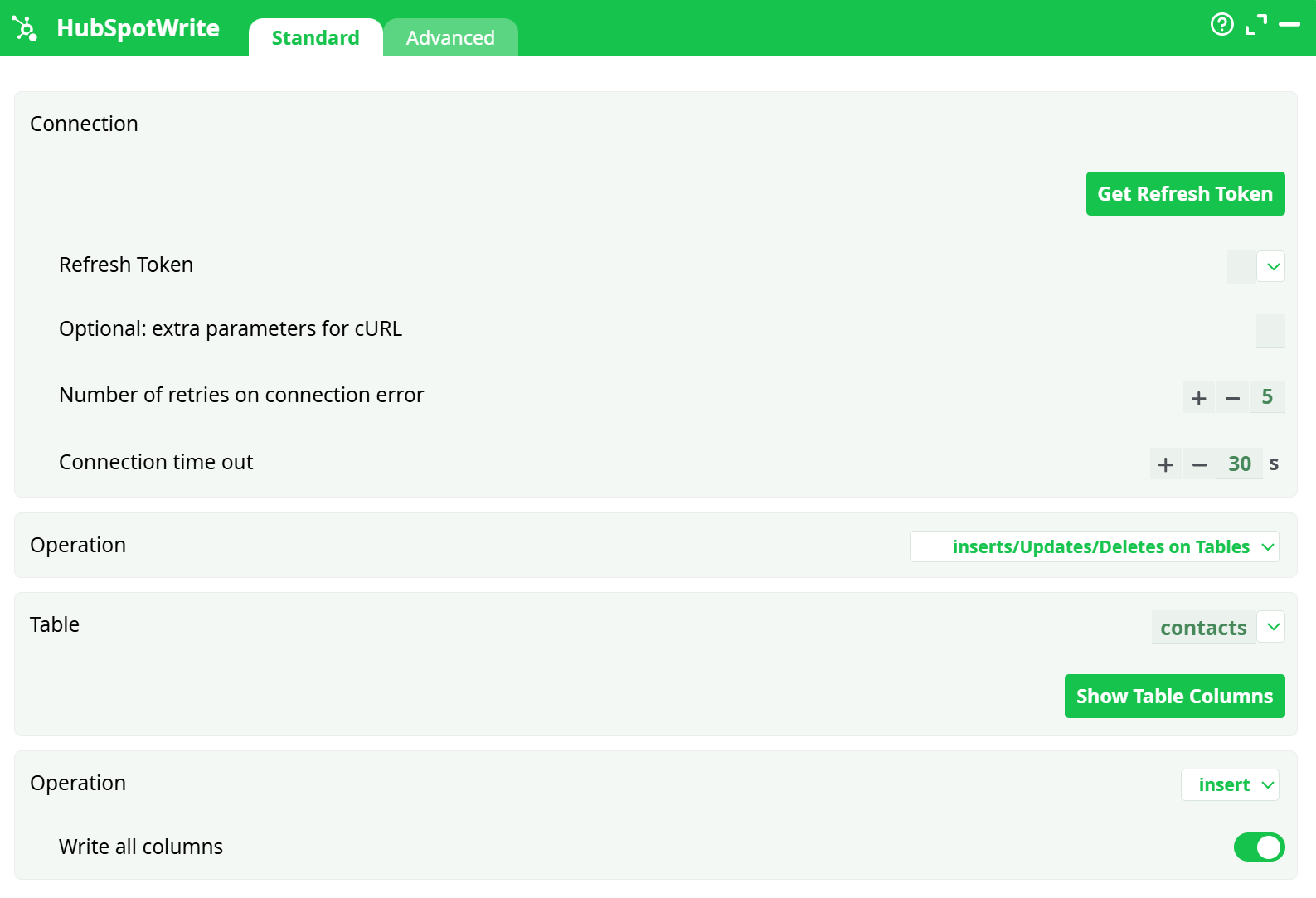
Parameters:
- Connection
- Refresh Token
- Optional: extra parameters for cURL
- Number of retries on connection error
- Connection time out
- Operation
- Table
- Operation
- Write all columns
¶ Connection Tab
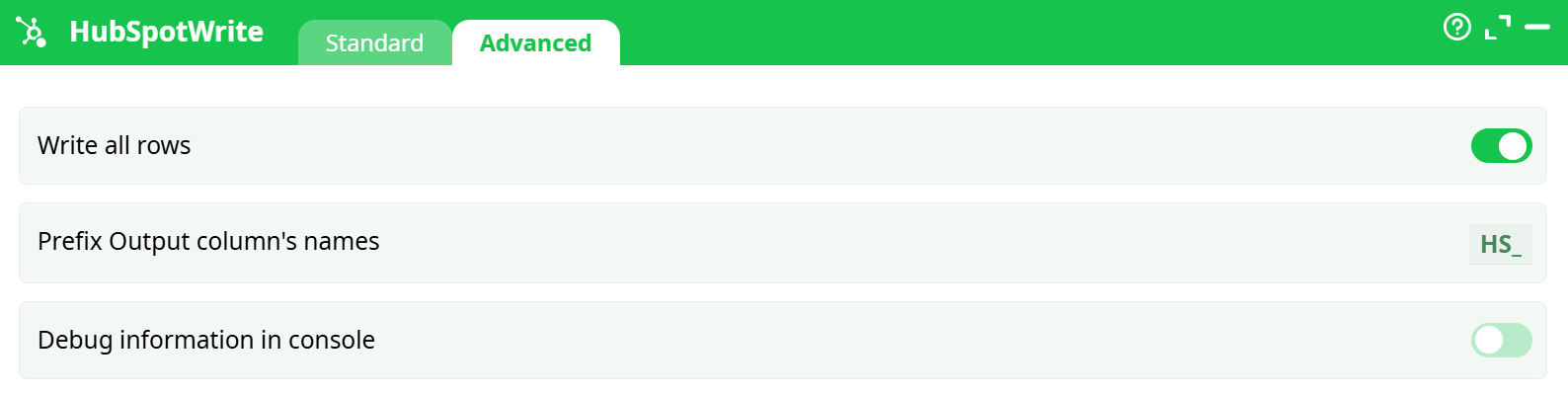
Parameters:
- Write all rows
- Prefix Output column's names
- Debug information in console
¶ About
Use this action to create, update, or delete objects in your HubSpot CRM (Deals, Contacts, Companies, Tickets, etc.).
It writes one or many rows at a time, mapping your input columns to HubSpot property names.
¶ 1) Connect to HubSpot (Private App token)
You need a HubSpot Private App token with the right scopes.
Create a Private App & copy the token
-
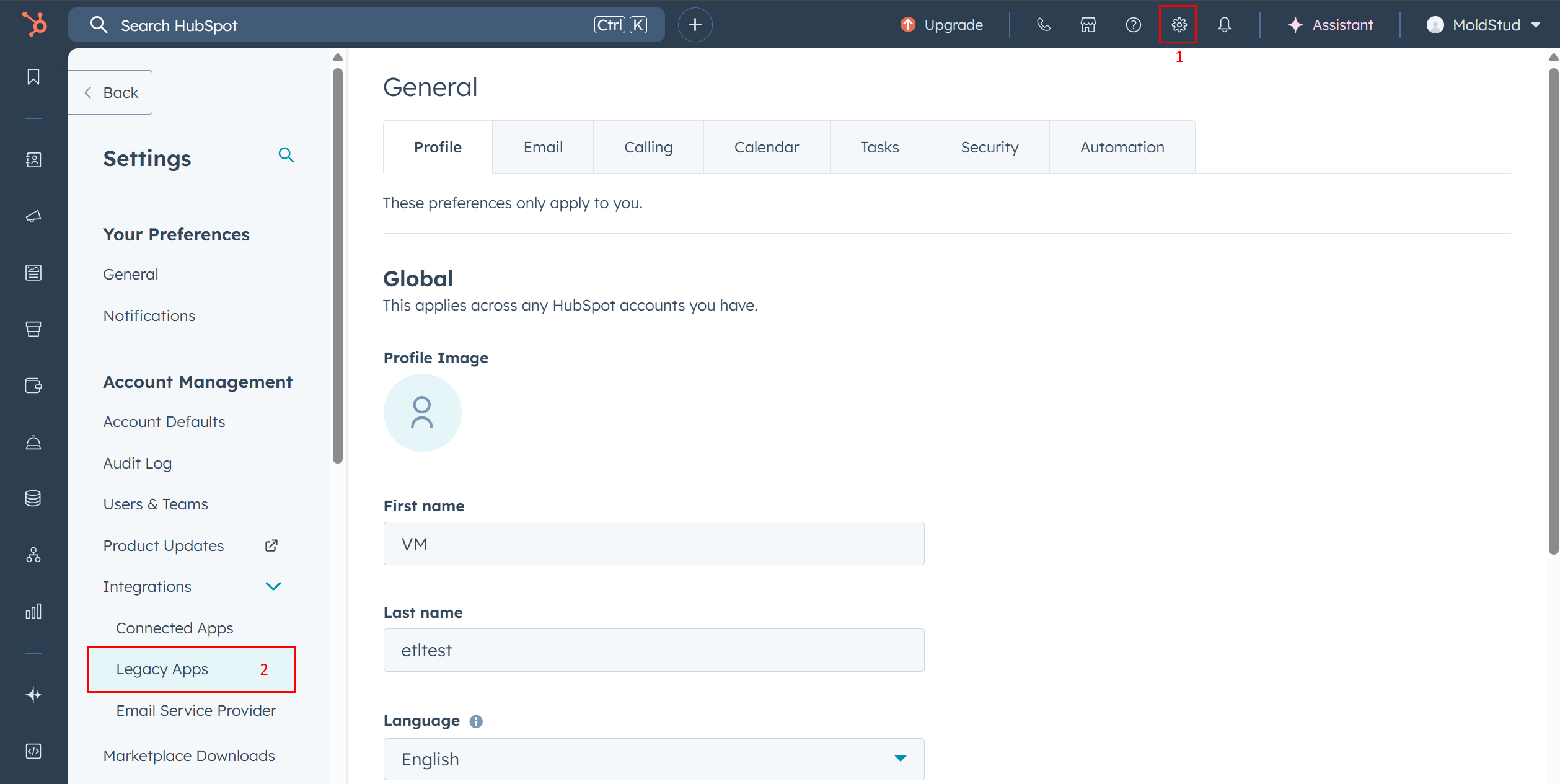
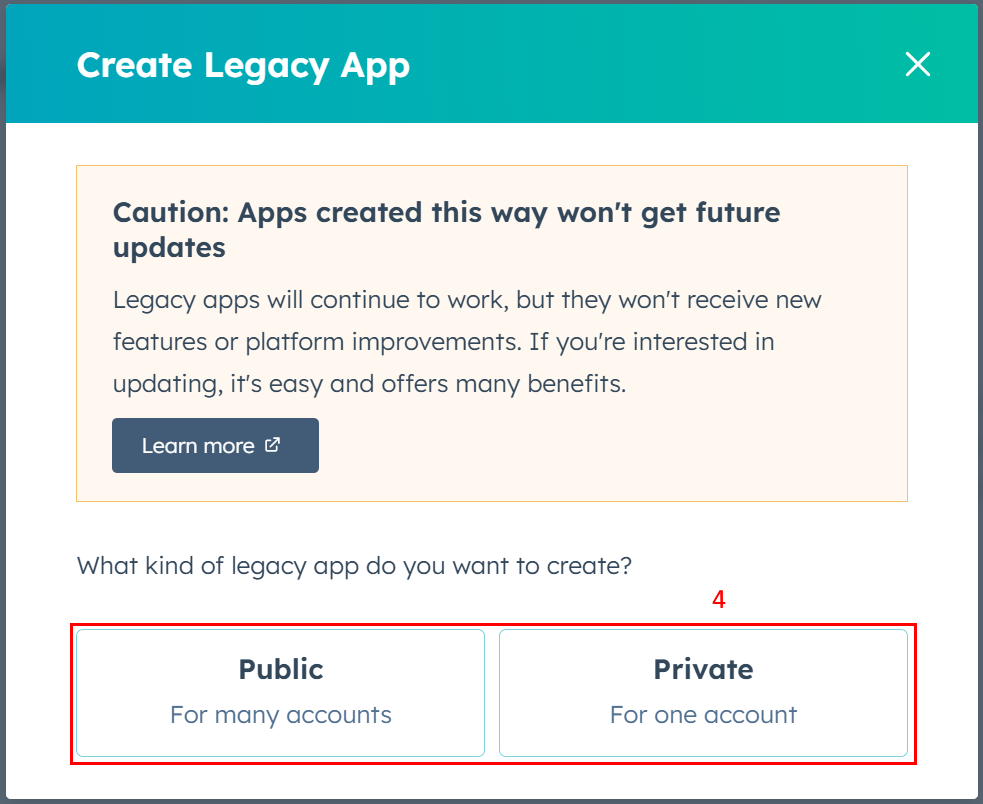
In HubSpot, open Settings → Integrations → Private Apps → Create private app.
-
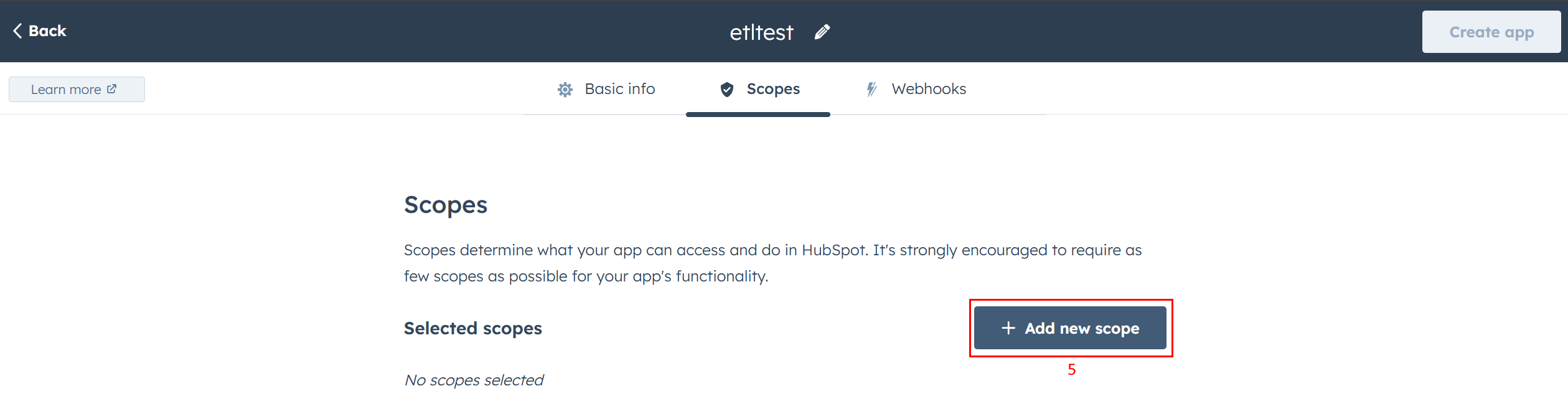
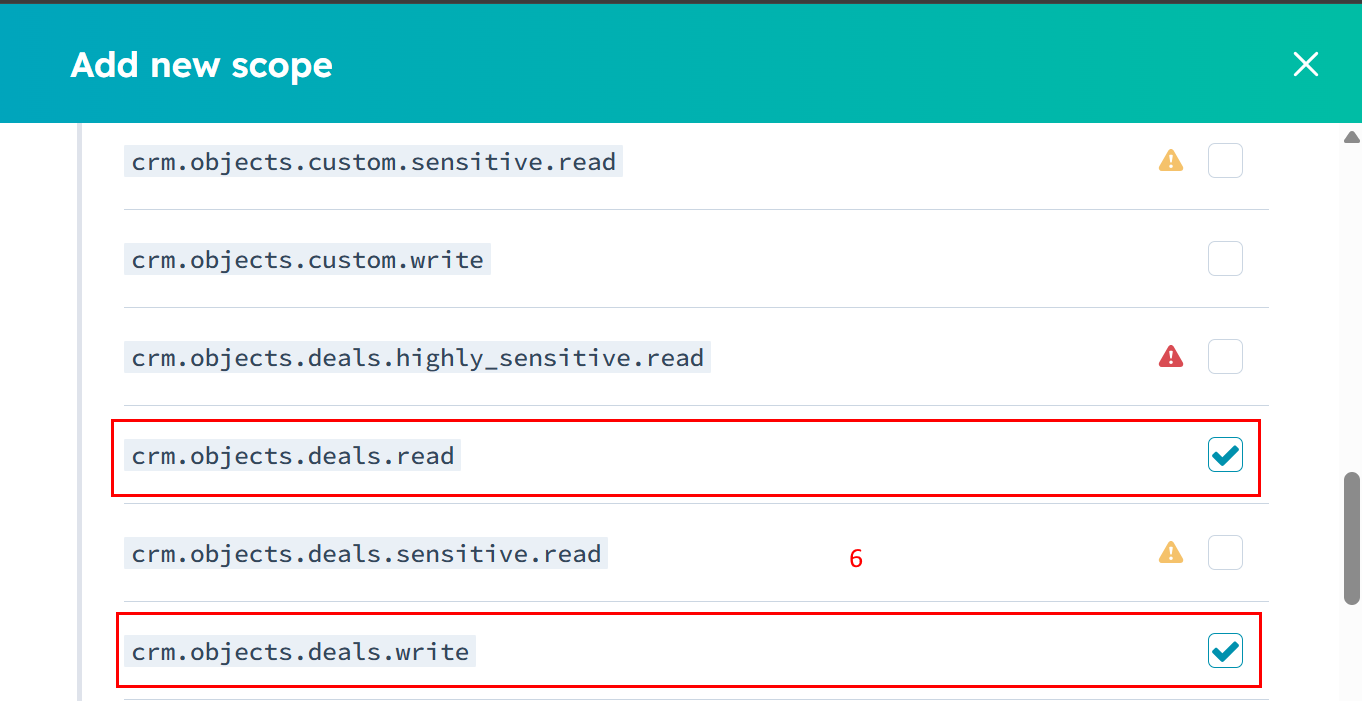
Name the app. In Scopes/Permissions, enable what you need, for example:
- Deals:
crm.objects.deals.read,crm.objects.deals.write - Contacts:
crm.objects.contacts.read,crm.objects.contacts.write - Companies:
crm.objects.companies.read,crm.objects.companies.write
- Deals:
-
Create the app and copy the Access token (starts with
pat-…). Keep it secret.
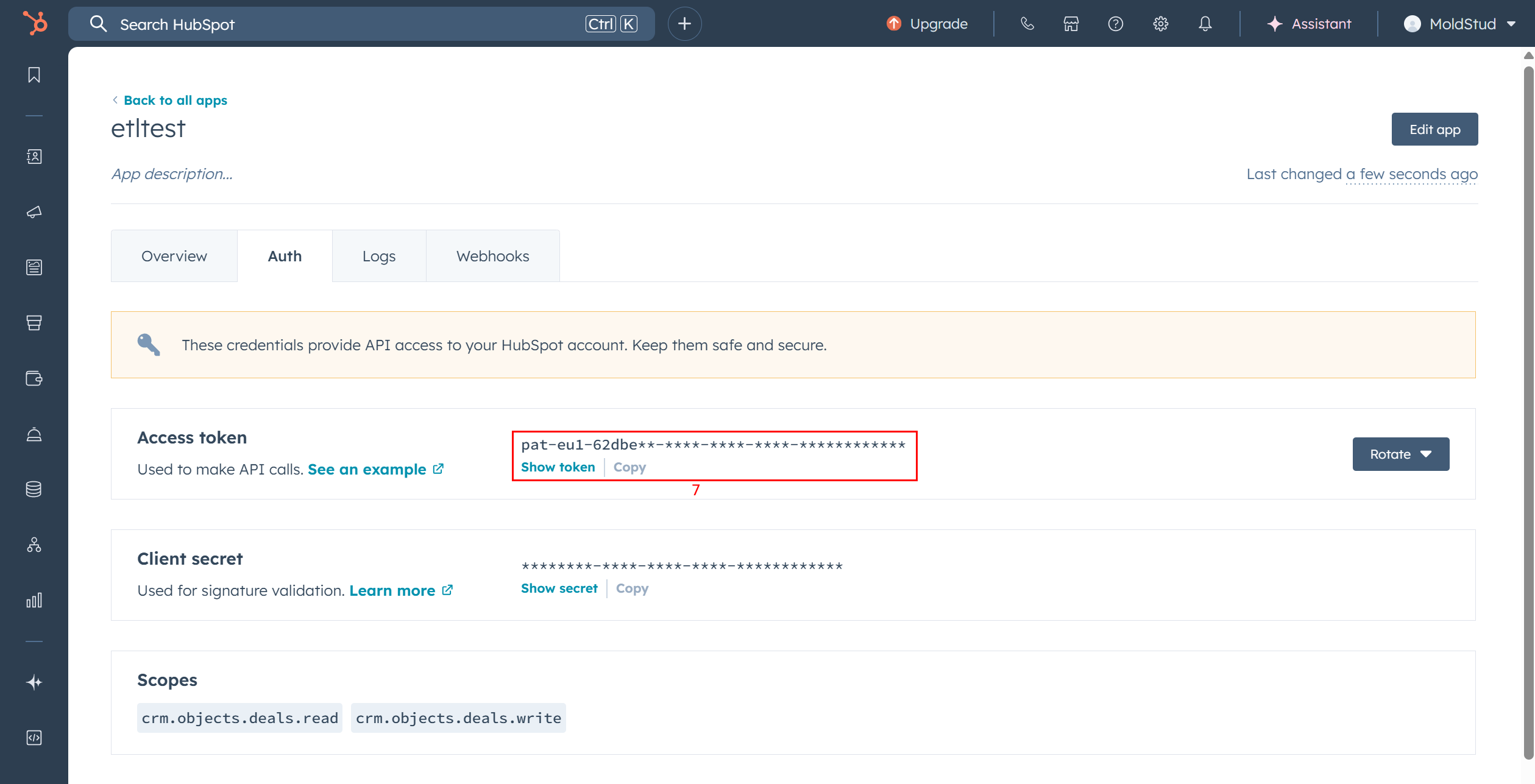
Paste the token in the box
¶ 2) How the action works
-
Rows in → API calls out
Each input row represents one object write operation in HubSpot. -
You choose the HubSpot table (object type) and the operation:
- insert: create a new record
- update: modify an existing record
- delete: remove a record
-
Column mapping
Your input column names must match HubSpot property internal names (not labels).
Use Show Table Columns to see the expected names for the chosen table.
¶ 3) Standard tab — field reference
Connection
- Refresh Token — leave empty when using a Private App token.
- Optional: extra parameters for cURL — place your Authorization & Content-Type headers here.
- Number of retries on connection error — automatic retry count for transient network issues.
- Connection time out — max time to wait per request.
Operation
-
Mode
- inserts/Updates/Deletes on Tables — standard CRM object writes.
- add new Form Submissions — submit data to HubSpot forms (optional mode).
Table
- Choose the HubSpot object you want to write to (e.g.,
deals,contacts,companies,tickets, etc.). - Click Show Table Columns to list property internal names required by HubSpot.
¶ 4) Advanced tab — options
- Write all rows — process every input row (recommended ON).
- Prefix Output column’s names — add a prefix (e.g.,
HS_) to the columns returned by the box. - Debug information in console — print detailed request/response info to the log for troubleshooting.
¶ 5) Inputs & outputs
Inputs
- A dataset (e.g., from InlineTable, a previous step, or a database) with columns named after HubSpot property internal names.
- For update and delete, include the HubSpot id column.
Outputs
-
One result row per input row with:
- The created/updated HubSpot ID
- Status information and any error message returned by HubSpot
- Any extra response fields, prefixed if you enabled “Prefix Output column’s names”
¶ 6) Object-specific notes (what to send)
- Deals often require
dealname, plus pipeline/stage properties likepipelineanddealstage. - Contacts typically use properties like
email,firstname,lastname. - Companies often use
name,domain. - Tickets can require
subject,content, and pipeline/stage equivalents.
The exact set of required/optional properties depends on your HubSpot configuration and validations. Use Show Table Columns and review your HubSpot object settings to confirm.
¶ 7) Security & permissions
- Your Private App token must include the read/write scopes matching the objects you intend to modify.
- Rotate tokens regularly and store them securely.
- Restrict scopes to the minimum needed.
¶ 9) Best practices
- Use Show Table Columns before your first run to align property names.
- Keep Write all columns OFF for updates to avoid overwriting fields unintentionally.
- Start with a tiny test set (1–2 rows), then scale up.
- Keep your token in a secure variable or vault and never hard-code it in shared pipelines.