¶ Description
Bulk upload a table to Redshift.
¶ Parameters
¶ Parameters tab
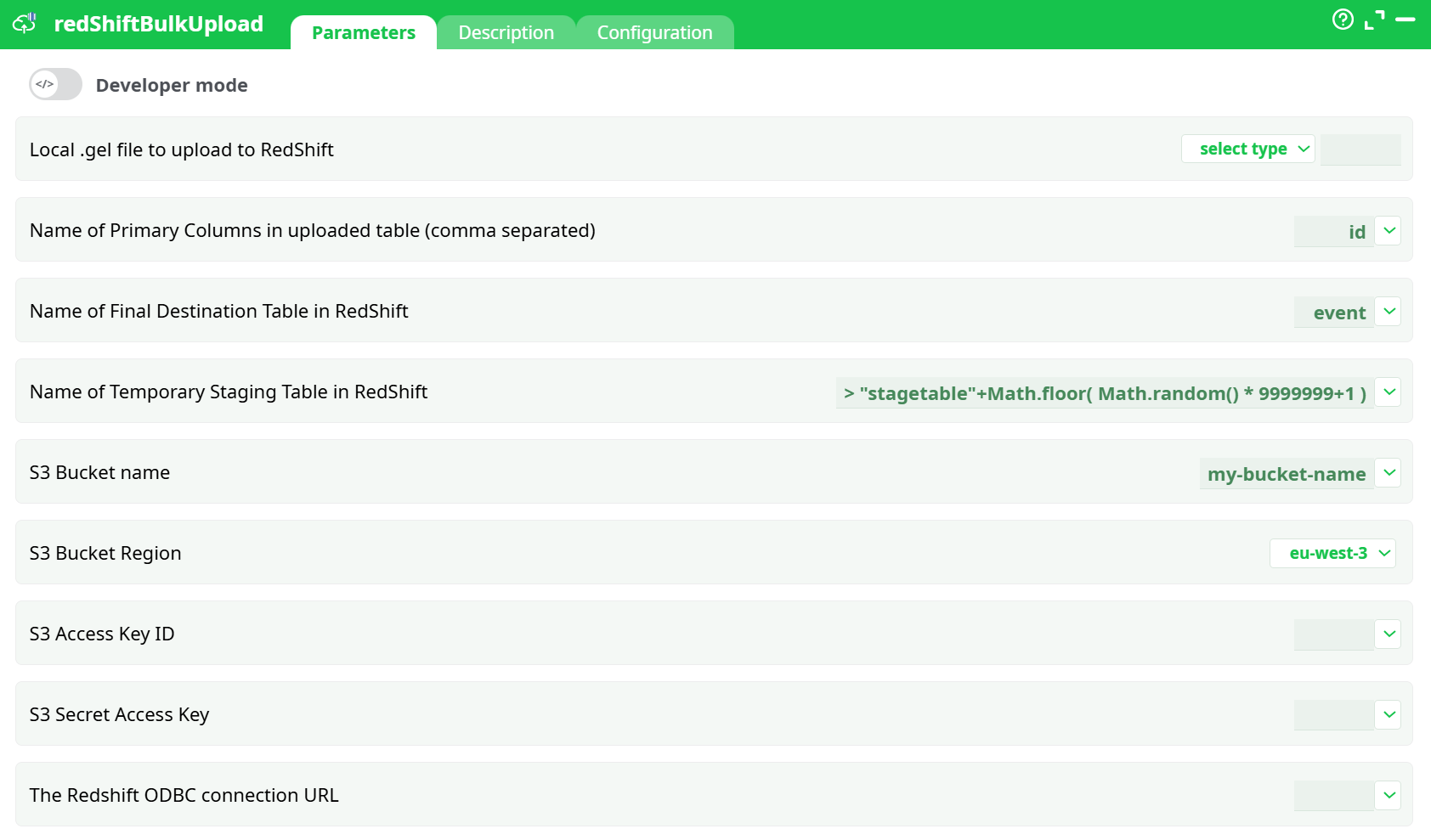
Parameters:
- Local .gel file to upload to RedShift
- Name of Primary Columns in uploaded table (comma separated)
- Name of Final Destination Table in RedShift
- Name of Temporary Staging Table in RedShift
- S3 Bucket name
- S3 Bucket Region
- S3 Access Key ID
- S3 Secret Access Key
- The Redshift ODBC connection URL
¶ Description tab
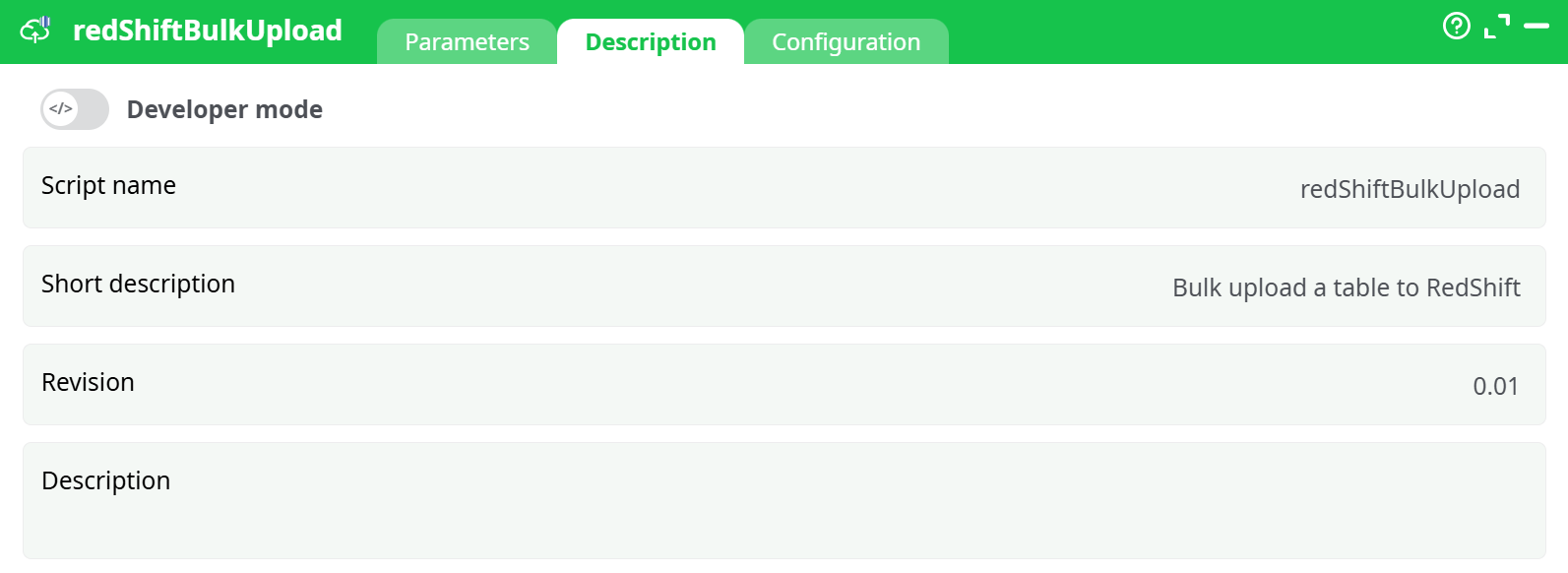
Parameters:
- Script name
- Short description
- Revision
- Description
¶ Configuration tab
See dedicated page for more information.
¶ About
¶ redShiftBulkUpload — Bulk-load to Amazon Redshift (via S3 + COPY)
¶ About
redShiftBulkUpload automates a fast, reliable bulk load of a local dataset into Amazon Redshift.
Under the hood it:
- uploads your file to Amazon S3 (to a bucket you provide),
- creates a temporary staging table in Redshift,
- COPY-loads the file from S3 into that staging table, and
- swaps/merges the data into your final destination table.
This design keeps loads repeatable and safe (you never write directly to the destination table until the staging step succeeds). The action works well for both one-off transfers and production pipelines.
¶ Prerequisites
-
An S3 bucket accessible from your Redshift cluster.
-
AWS credentials (Access Key ID & Secret) with permissions to:
s3:PutObject,s3:GetObject,s3:AbortMultipartUploadon the bucket/prefix you’ll uses3:ListBucketon the bucket
-
A reachable Redshift cluster and a valid ODBC connection string.
-
Destination schema/table must exist (the action will load into the table you specify).
Tip: Use a staging table name per run (the node can auto-generate one).
¶ Minimal example
- Local file: prepare a CSV/TSV/Parquet/… file (the node accepts the path from Assets, Temporary data, Recorded data, or a JS expression).
- Primary key(s): decide which column(s) uniquely identify rows (comma-separated).
- Destination table: e.g.
public.event. - S3 details: bucket name and region (e.g.
my-bucket-name,eu-west-3). - AWS keys: provide Access Key ID and Secret securely (use your platform’s secret storage).
- ODBC URL: a standard Redshift ODBC connection string (server/port/database/user/password).
Run the pipeline. You’ll see a temporary table like stagetable1234567 created, loaded, and the data committed to public.event.
¶ Parameters
| Section / Field | What it is | Notes / Examples |
|---|---|---|
| Local .gel file to upload to RedShift | The input file to load. | Choose a source: assets, temporary data, recorded data, or a JavaScript expression. For dynamic paths you can use JS (e.g., >"${vars.loadPath}/daily_export.csv"). |
| Name of Primary Columns in uploaded table (comma separated) | One or more key columns. | Example: id or tenant_id,order_id. Used during the finalization step (upsert/replace semantics depend on your environment). |
| Name of Final Destination Table in RedShift | The table that will hold the final data. | Example: public.event. Must exist and be compatible with the file schema. |
| Name of Temporary Staging Table in RedShift | The transient table used by the loader. | Default shown in the UI is a safe generator: > "stagetable"+Math.floor( Math.random() * 9999999+1 ). You may also provide a fixed name (e.g., stg_event). |
| S3 Bucket name | Target bucket for the intermediate upload. | Example: my-bucket-name. |
| S3 Bucket Region | Region of that bucket. | Select from the dropdown (e.g., eu-west-3, us-east-1, …). |
| S3 Access Key ID | AWS access key (for the upload). | Use secret storage; avoid hardcoding. |
| S3 Secret Access Key | AWS secret key. | Use secret storage; avoid hardcoding. |
| The Redshift ODBC connection URL | Standard Redshift ODBC DSN/connection string. | Example pattern: Driver={Amazon Redshift (x64)};Server=<endpoint>;Port=5439;Database=<db>;UID=<user>;PWD=<pwd>; |
Security tips
- Store AWS keys and ODBC credentials in your platform’s secrets/variables, not inline.
- If your environment supports assume-role or IAM profiles (no static keys), prefer those.
¶ How it works (execution flow)
- Upload – The node pushes your local file to
s3://<bucket>/<auto-generated prefix>/…. - Stage – It creates a temporary staging table (name from “Name of Temporary Staging Table”).
- COPY – It issues a Redshift
COPYfrom S3 → staging (leveraging Redshift’s parallel readers). - Finalize – Data is published to the final destination table. (Depending on platform policy: replace, insert-only, or upsert using the provided primary key columns.)
- Cleanup – Temporary resources can be removed after a successful run.
¶ File format & schema notes
- The loader expects the file’s column order and types to match the destination table or be castable by Redshift.
- For CSV/TSV, ensure consistent delimiters, quoting, null markers, and encoding.
- If you use compressed files (e.g.,
file.csv.gz), Redshift’sCOPYsupports them transparently.
¶ Best practices
- Partition your loads by date/batch to simplify troubleshooting and re-runs.
- Keep S3 prefixes organized (e.g.,
redshift/stage/event/y=2025/m=09/d=18/…). - For large tables, pre-create the destination with sort keys and dist style appropriate for your queries.
- Validate a small sample first; then scale up.
- Monitor Redshift’s WLM and COPY stats for performance tuning.
¶ Troubleshooting
- Permission denied (S3) – Verify the Access Key/Secret and the bucket policy. The user/role needs
s3:PutObjectands3:ListBucket. - ODBC/connection error – Check the Redshift endpoint, port, security group rules (cluster must allow inbound from your runner), and credentials.
- COPY failed – Mismatch in schema or bad CSV options are common causes. Inspect Redshift
stl_load_errorsfor row-level failures. - Region mismatch – Ensure the S3 bucket region matches the dropdown selection.
- Temporary table exists – If you provided a static staging name and a prior run failed, drop the old table or switch back to the default random generator.
¶ Output
- Data committed to the final destination table in Redshift.
- (Depending on your platform settings) logs will show the S3 path used, staging table name, COPY statistics, and any row-level errors reported by Redshift.