¶ Description
Writes to a Text/CSV file
¶ Parameters
¶ Standard Tab
Parameters:
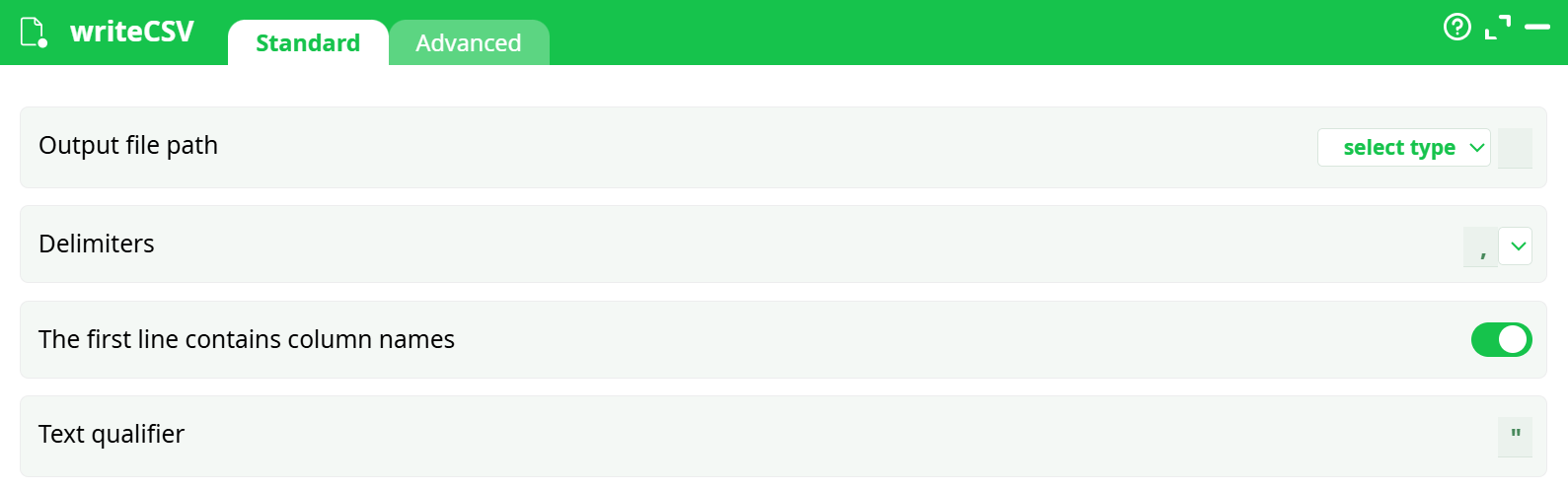
- Output file path
- Delimiters
- The first line contains column names
- Text qualifier
¶ Advanced Tab
Parameters:
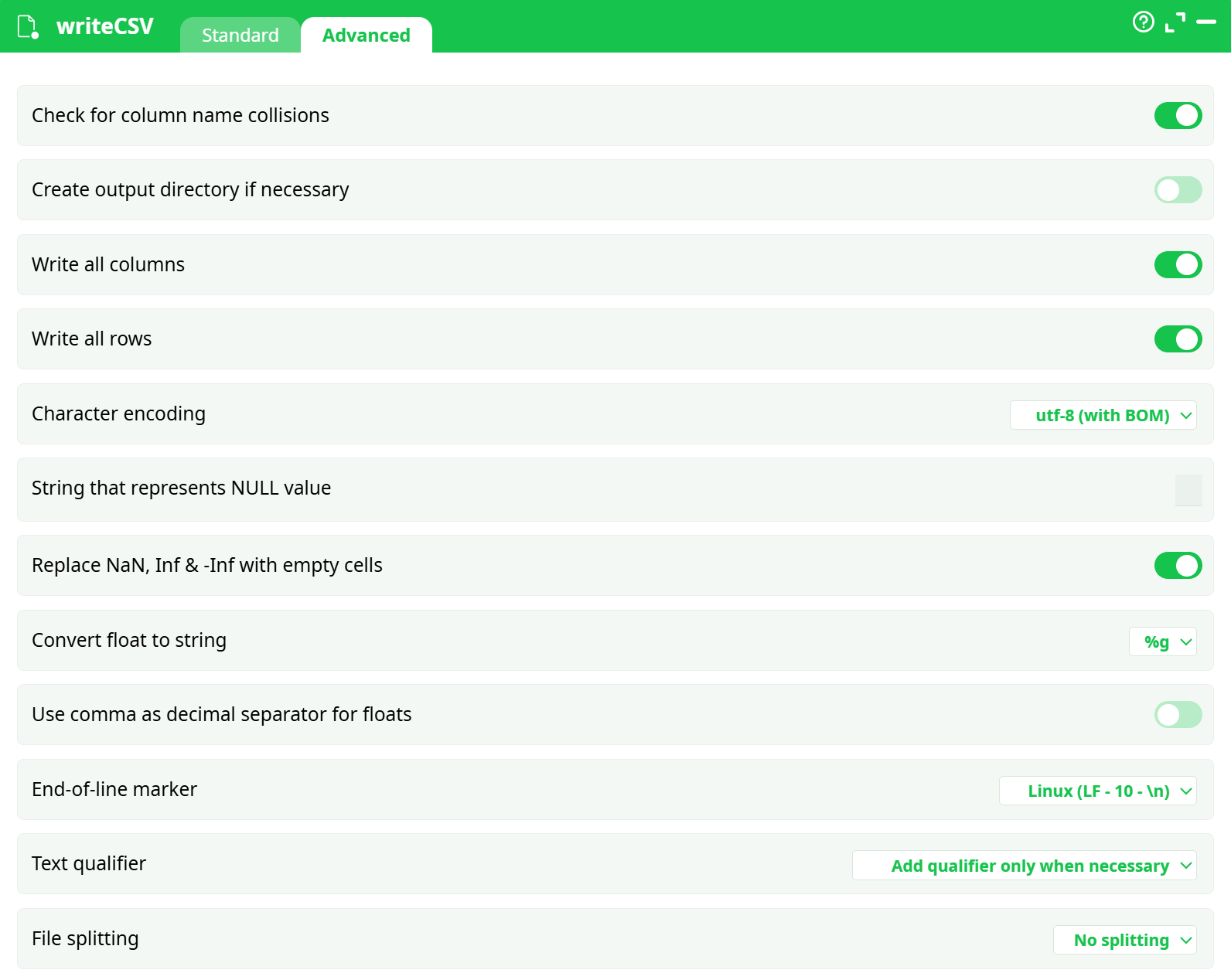
- Check for column name collisions
- Create output directory if necessary
- Write all columns
- Write all rows
- Character encoding
- String that represents NULL value
- Replace NaN, Inf & -Inf with empty cells
- Convert float to string
- Use comma as decimal separator for floats
- End-of-line marker
- Text qualifier
- File splitting
¶ About
When writing to a Text/CSV file, ETL converts the internal Unicode Character representation (UTF16) to, either:
• Standard UTF-8
• The default character encoding used inside your Windows OS.
ETL must convert (i.e. “cast”) all the columns of the floating point data-type to the String data-type before writing them inside a Text/CSV file. The parameter that defines the notation used for converting numbers to string is the “Float to String Cast” parameter. It can either be: %g, %.16g, %5.3f, %f.
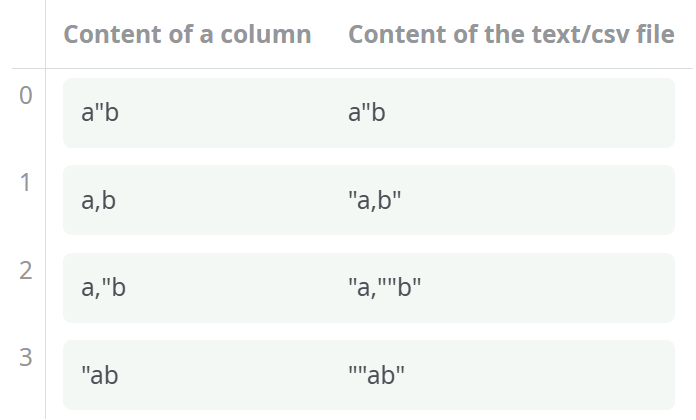
The Text/CSV format is simple but not 100% standardized. Here are some examples that clarifies the usage of the “Text Qualifiers” into the Text/CSV files generated with ETL (in these examples the delimiter is the comma and the “Text Qualifier” is the double-quote):