¶ Description
Write to ETL source.
¶ Parameters
¶ Parameters tab
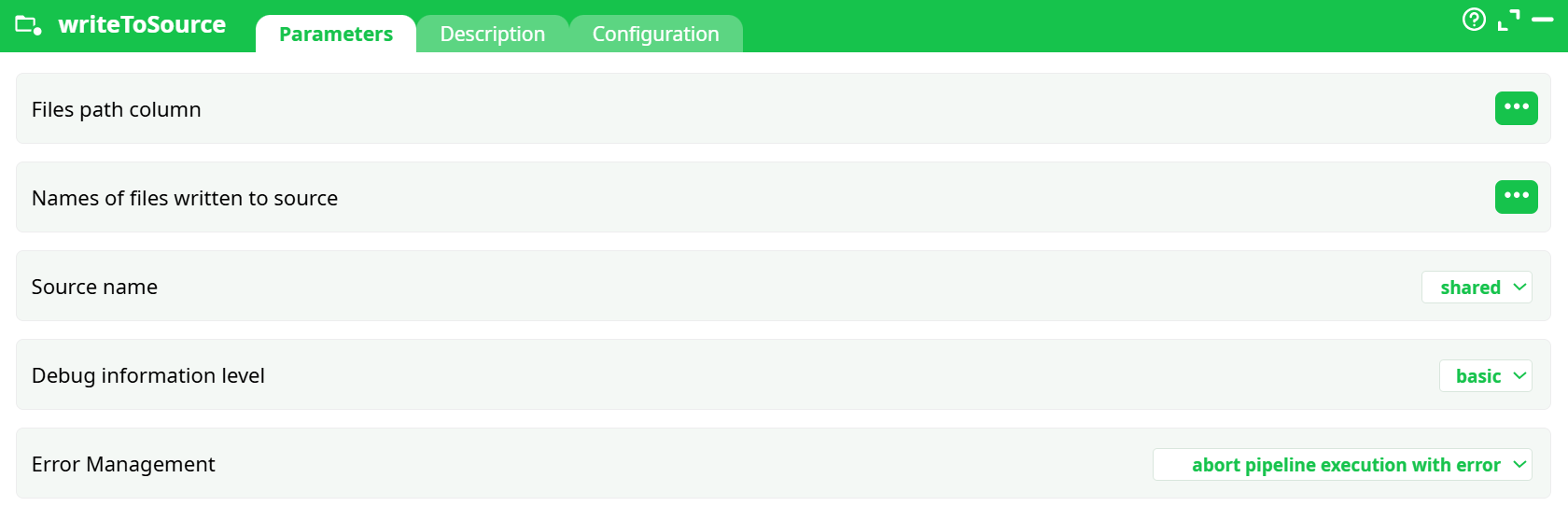
Parameters:
- File path column
- Names of files written to source
- Source name
- Debug information level
- Error management
¶ Description tab
See dedicated page for more information.
¶ Configuration tab
See dedicated page for more information.
¶ About
writeToSource takes a list of local file paths from the current project workspace and uploads them to a Source you select in the UI. Optionally, you can specify the remote object name for each file and capture the upload status. Use this when a pipeline’s outputs should become durable, shareable inputs for other pipelines/projects.
Publish files produced by your pipeline (e.g., under
out/) into a configured Source so they can be reused as long-term inputs by other projects or teams.
¶ Input
¶ Required table (one row per file)
- A column with local file paths relative to the project (e.g.,
out/myfile.csv).
Do not supplysources/@...paths here; those represent remote sources, not local files. - (Optional) a column with the remote object name to use in the Source (e.g.,
reports/myfile.csv).
Minimal example (CSV):
C1,remoteName
out/example.csv,doctestexample.csv
Tip: If you don’t have a file yet, create one upstream with
writeCSV(e.g.,out/example.csv), then pass its path to writeToSource.
¶ Output
- Uploads files to the selected Source under the provided
remoteName(or derived name). - Appends status columns to the output table (platform-dependent), e.g.
_S3_Status = OK. - The action itself does not alter the files in your local
/out/folder; it publishes them to the remote Source.
Where to verify: In your platform’s Sources browser for the chosen Source. Uploaded files will not appear under your project’s local sources/ directory.
¶ How to Run
-
Create a local file (if needed)
Upstream:InlineTable → writeCSVwith Output pathout/example.csv. -
Provide the driving table (list of files to publish)
Example viaInlineTable:C1,remoteName out/example.csv,doctestexample.csv -
Configure writeToSource
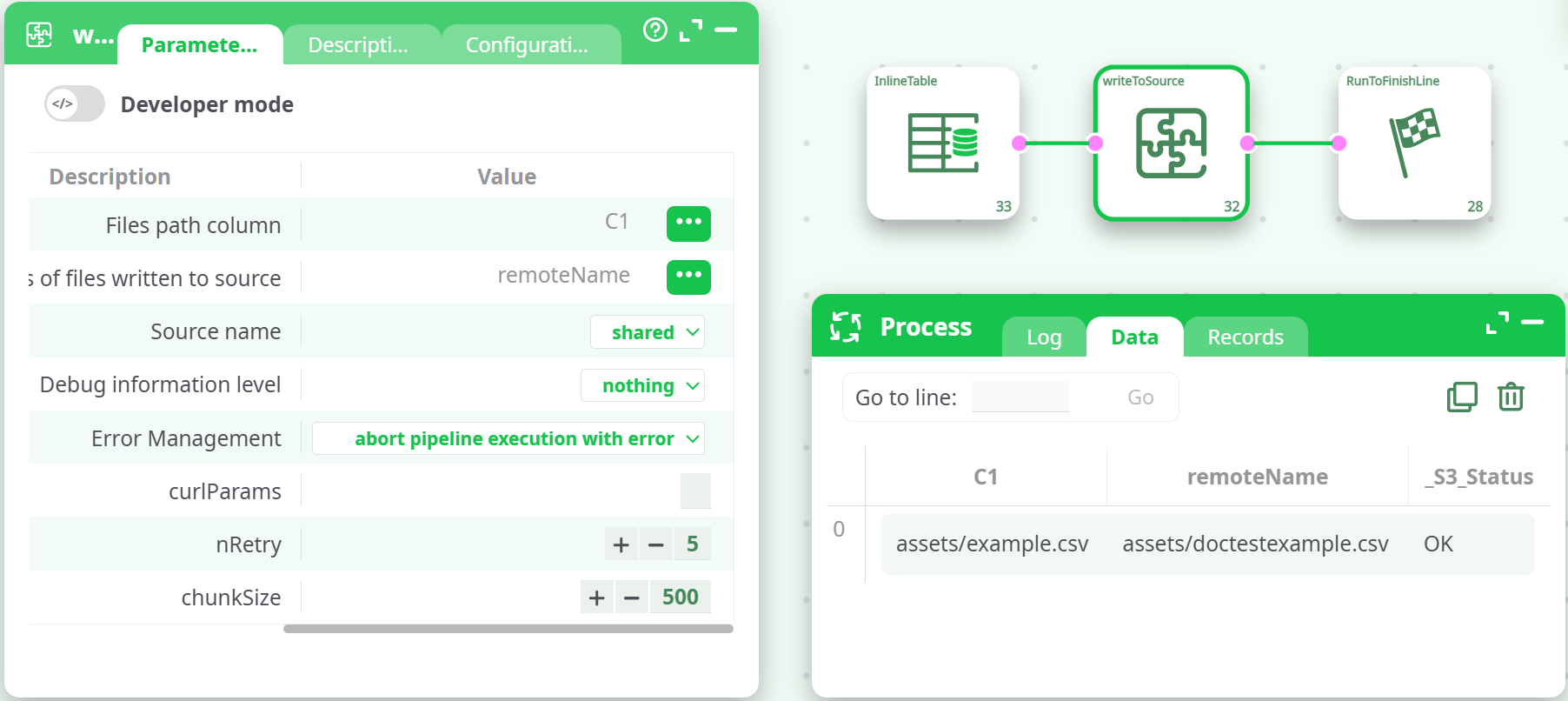
Files path column→C1Names of files written to source→remoteName(optional but recommended)Source name→ pick a valid, authorized Source (from the dropdown)Debug information level→basic(useverboseonly when diagnosing)- Leave other options at defaults.
-
Run the pipeline (not preview)
-
Preview may show simulated
OK, but no remote write occurs in preview. -
After a full run, check:
- Logs for upload messages
- Data after the node for
_S3_Status = OK - Source browser / bucket for
doctestexample.csv
-
¶ Example Pipeline
InlineTable (sample rows)
   → writeCSV (out/example.csv)
   → InlineTable (C1,remoteName listing local → remote)
   → writeToSource (publish to Source)
¶ Troubleshooting
-
Upload succeeds in preview but file not in Source
Preview mode is non-persistent for side-effect actions. Run the full pipeline. -
SignatureDoesNotMatch(AWS)
The selected Source’s credentials/region/endpoint are mismatched or clock skewed. Check:- Access key/secret (and session token if temporary creds)
- Region and endpoint (S3 vs S3-compatible)
- System time (must be close to UTC)
Try another known-good Source to isolate configuration issues.
-
Overwrites or clashes
Use uniqueremoteNamevalues (include a timestamp or iteration counter when looping).
¶ Notes & Best Practices
- Keep local → remote naming explicit via
remoteNamefor traceability. - For bulk publishes, generate the driving table programmatically upstream (e.g., list and map files) and then pass to writeToSource.
- Combine with
loopPipelineto publish outputs per iteration using${gpcounter}or${runTag}inremoteName.