¶ Description
Delete JSON documents from an Elastic Search Server.
¶ Parameters
¶ Parameters Tab
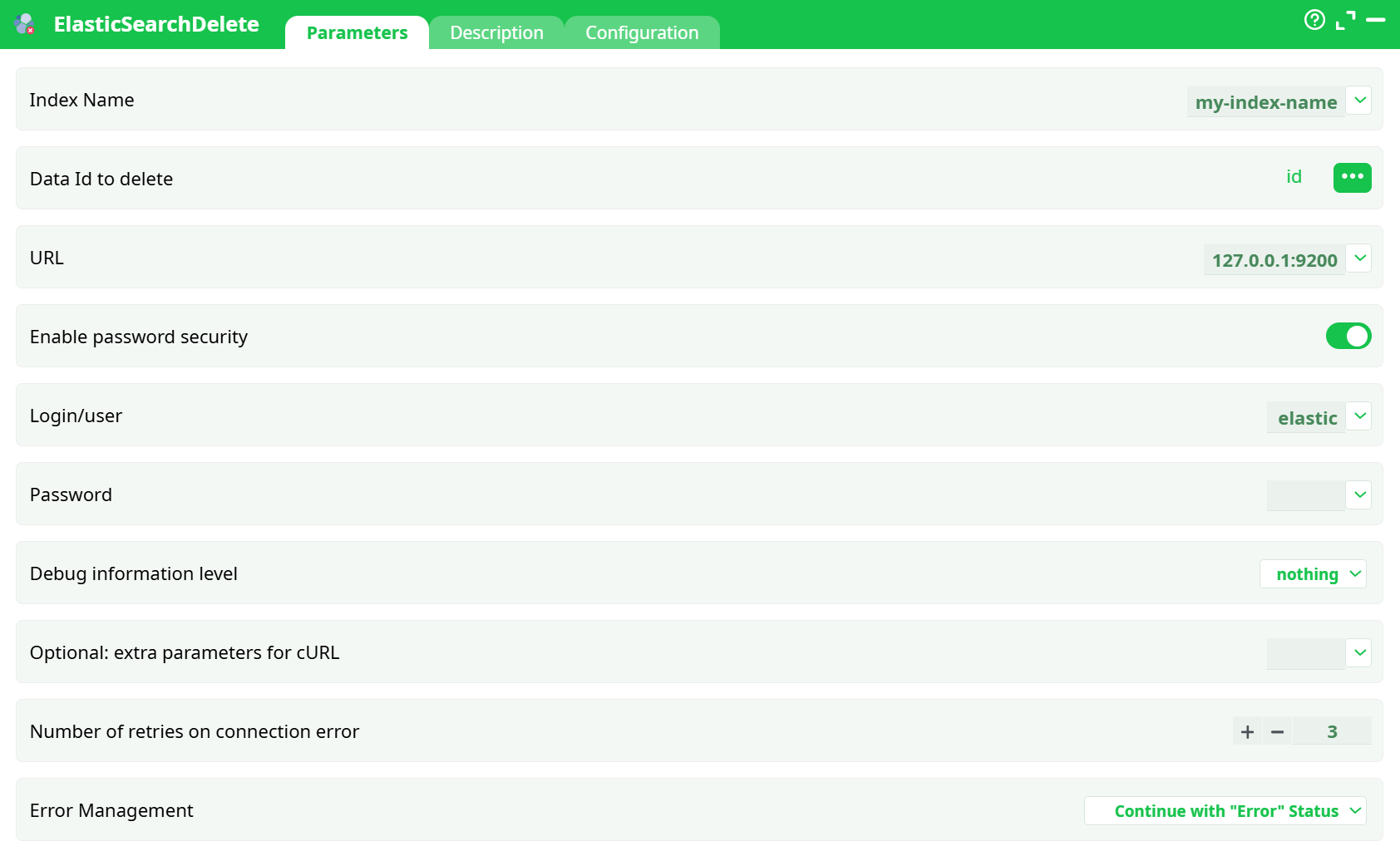
Parameters:
- Index Name
- Data Id to delete
- URL
- Enable password security
- Login/user
- Password
- Debug information level
- Optional: extra parameters for cURL
- Number of retries on connection error
- ErrorManagement
¶ Description Tab
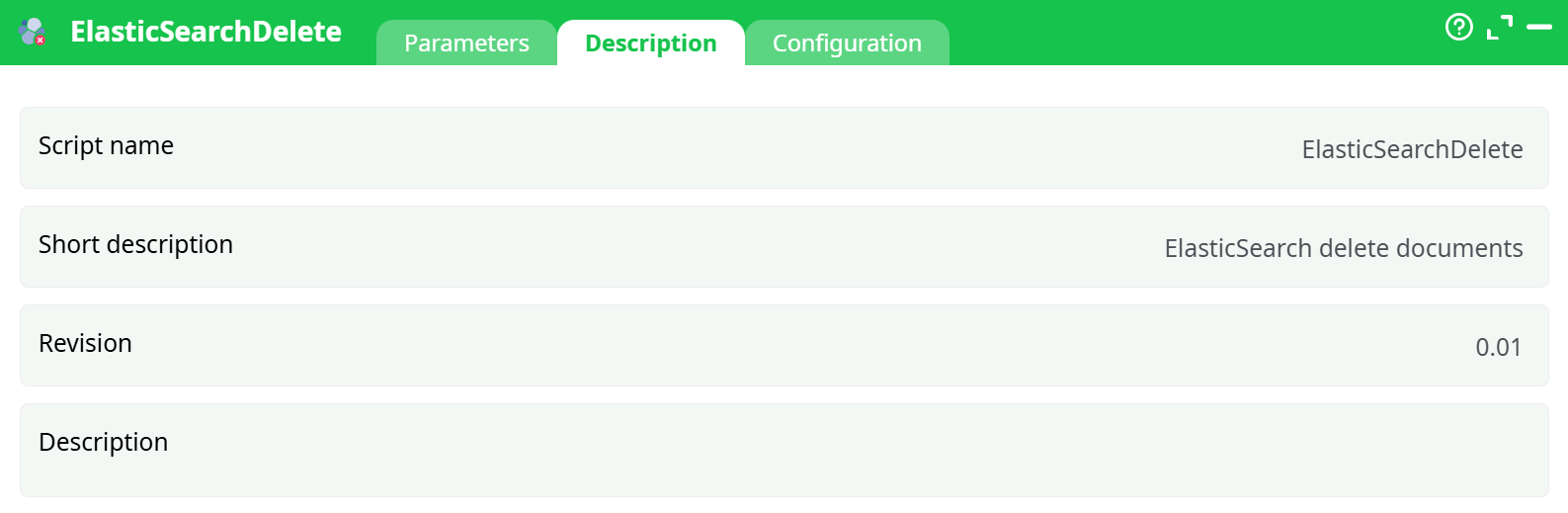
Parameters:
- Script name
- Short description
- Revision
- Decription
¶ Configuration Tab
See dedicated page for more information.
¶ About
Deletes one or more documents from an Elasticsearch index using their _id.
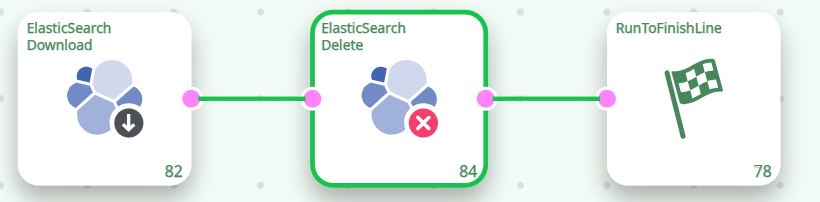
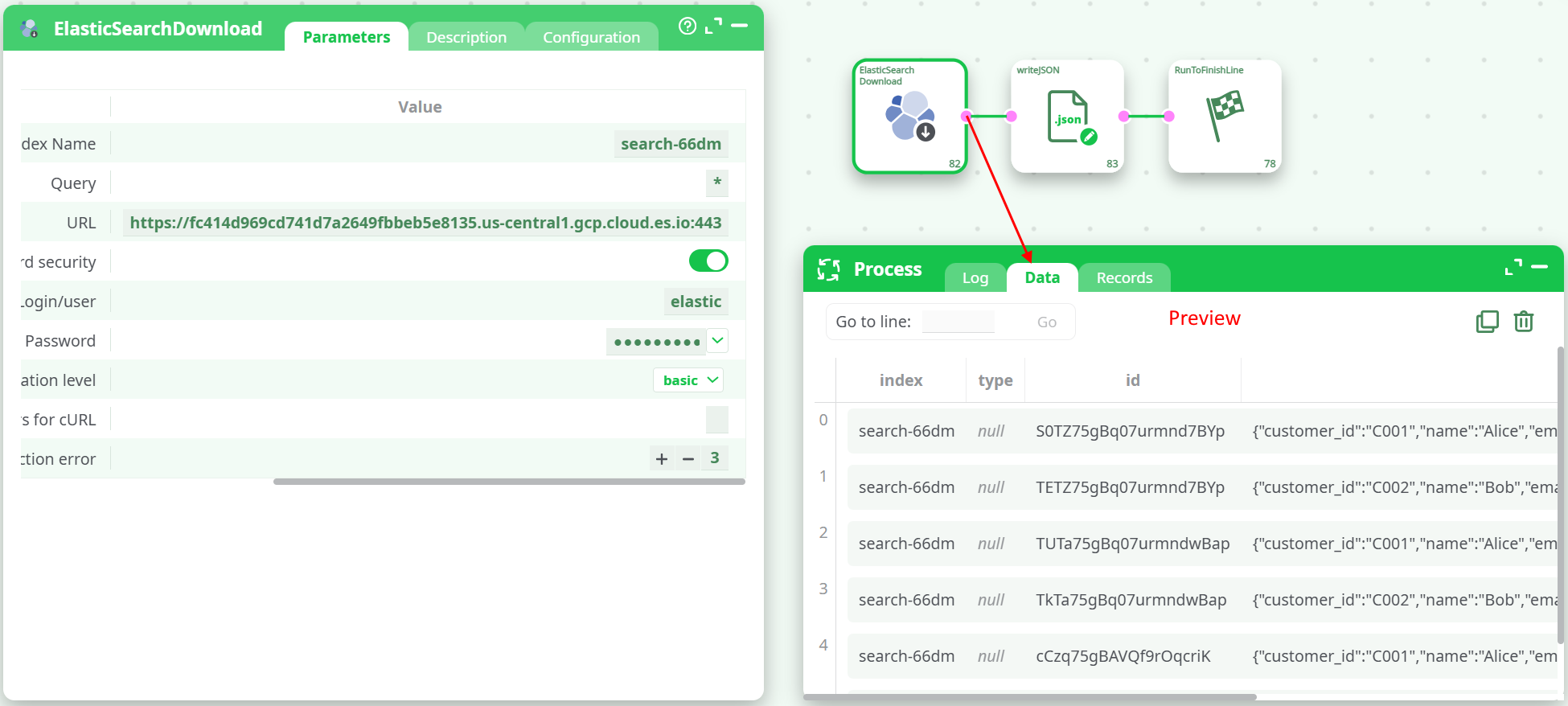
Typical wiring: ElasticSearchDownload ➜ ElasticSearchDelete ➜ RunToFinishLine.
¶ 1) Prerequisites
-
An Elasticsearch cluster (Elastic Cloud or self-hosted).
-
Index already created (e.g.,
search-66dm). -
Credentials with permission to delete documents (e.g., user
elastic). -
A column that contains the document
_idvalues.
Easiest way: use ElasticSearchDownload to fetch data first and expose theidcolumn, then feed its output to this action.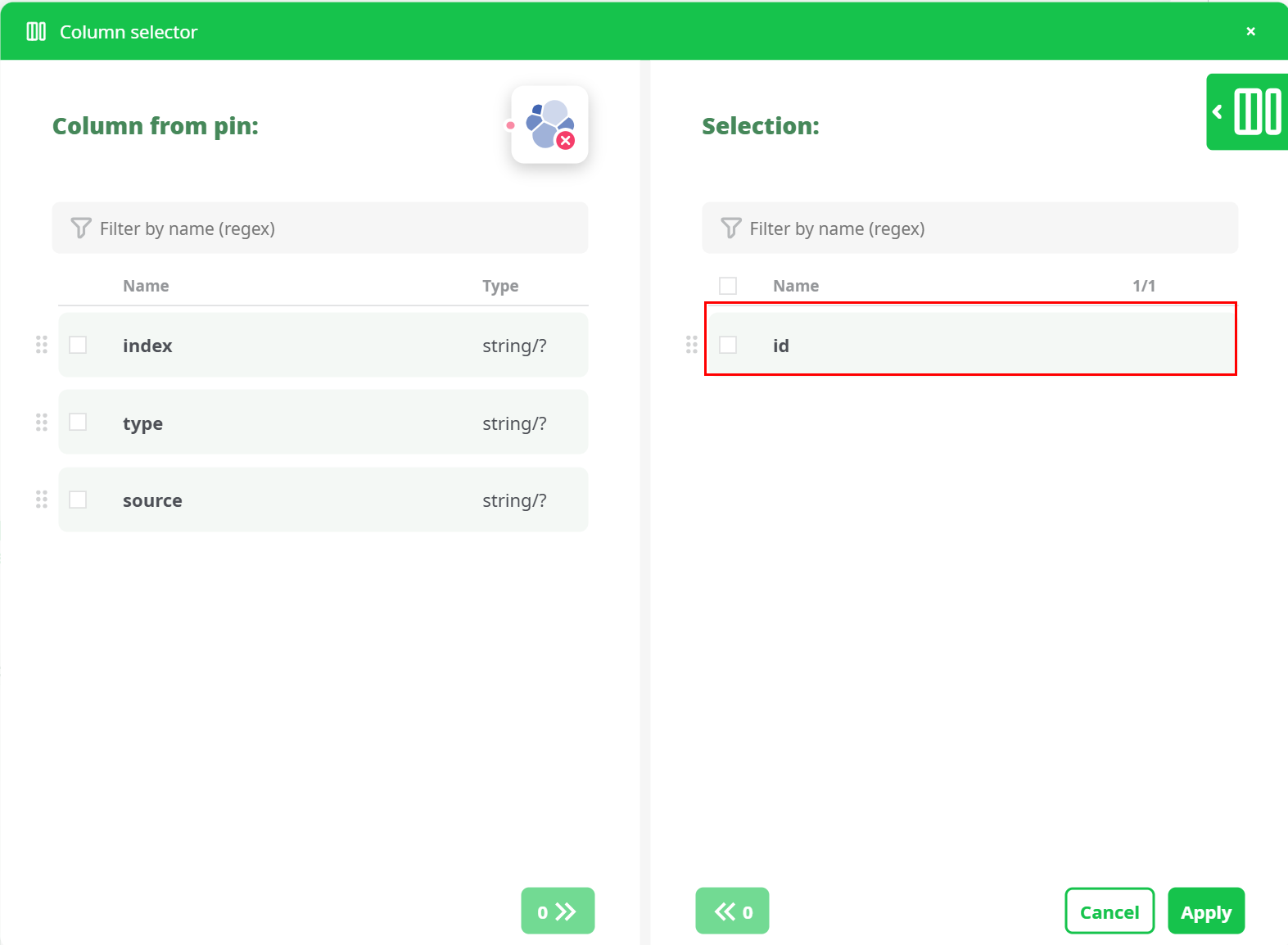
¶ 2) What the action expects
- One row per document to delete.
- A single column selected in parameter Data Id to delete (
Data Id to delete) that contains the document_id.
Example id values in your run:S0TZ75gBq07urmnd7BYp,TETZ75gBq07urmnd7BYp, …
¶ 3) Configuration (Parameters tab)
| Field | What to put | Notes |
|---|---|---|
| Index Name | search-66dm |
Target index. |
Data Id to delete (Data Id to delete) |
Select the id column from the incoming pin |
In the column picker, choose the id field. (You found it in Download results.) |
| URL | Your cluster endpoint, e.g. https://…cloud.es.io:443 |
Copy from Index Management › Elasticsearch URL. |
| Enable password security | ON | Enables Basic auth. |
| Login/user | elastic (or another user) |
|
| Password | your password / API key | Stored securely. |
| Debug information level | basic (recommended) |
Use higher only when diagnosing. |
| Optional: extra parameters for cURL | (empty) | Advanced. |
| Number of retries | 3 |
Retries on transient network errors. |
| Error Management | Continue with "Error" Status or Abort | Choose based on pipeline policy. |
¶ 4) How it works (under the hood)
For each incoming row, the action issues a Bulk API request with delete operations against the specified index (content-type application/x-ndjson). This is the most efficient way to remove multiple documents by _id.
¶ 5) Run & Verify
-
Click Run.
In the Log, look for a line like:{"errors":false,"took":...,"items":[{"delete":{"_index":"search-66dm","_id":"S0TZ...","result":"deleted", ...}}, ...]}That means Elasticsearch acknowledged the deletions.
-
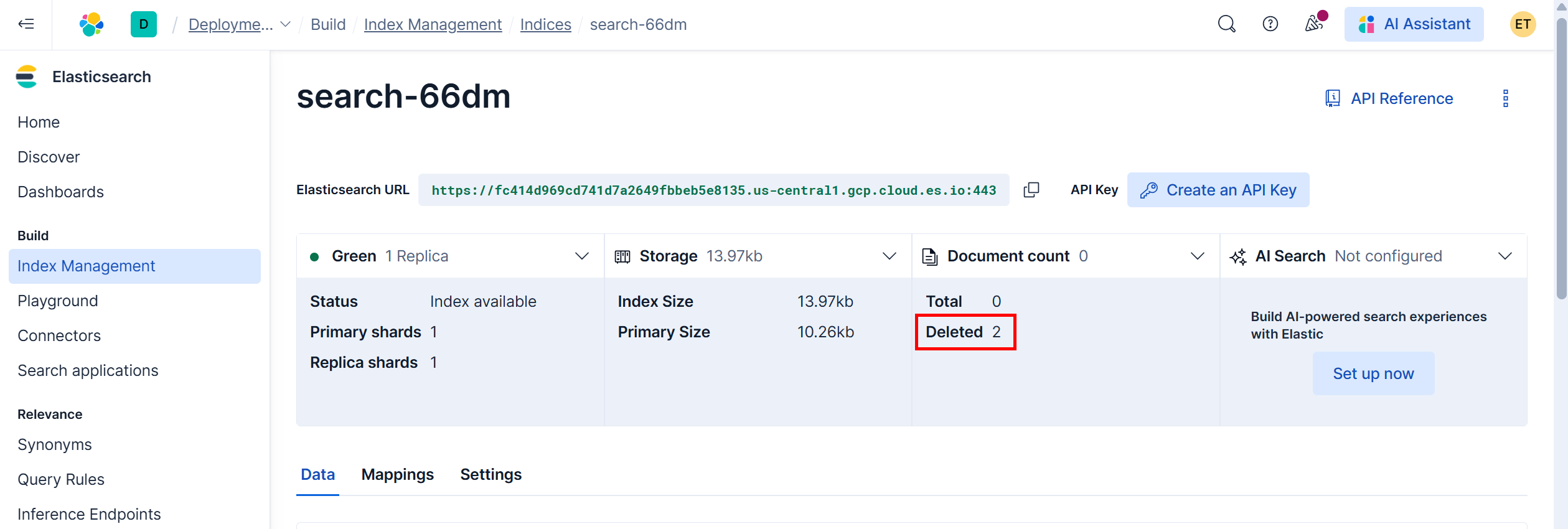
In Elastic Console › Index Management, open your index and verify:
-
Document count reflects the current total
-
Deleted counter increased (Elastic keeps soft-delete stats)
-
¶ 6) End-to-end example (what you already did)
-
ElasticSearchDownload retrieved rows from
search-66dmand exposed columns:index,type,id,source. -
ElasticSearchDelete was configured with:
- Index Name:
search-66dm Data Id to delete:idcolumn from the Download output- URL + credentials (security ON)
- Index Name:
-
Run completed successfully; the log showed multiple:
"result":"deleted"and the Elastic UI displayed Document count: 0, Deleted: 2.
¶ 7) Best practices & safety
- Test with a small set: filter first, delete a single
_id, then scale up. - Backups: deletions are irreversible; consider snapshots on important indices.
- Least privilege: use a role with only the necessary
deleterights. - Batching: feed reasonable volumes per run; the action already uses bulk requests.
¶ 8) Troubleshooting
| Symptom in Log | Likely Cause | Fix |
|---|---|---|
{"errors":true, ...} inside bulk response |
Some _id not found or index mismatch |
Confirm Index Name and that Data Id to delete holds valid IDs for that index. |
401 Unauthorized |
Wrong credentials or security off | Turn Enable password security ON; verify user/password/API key. |
index_not_found_exception |
Index name typo or missing index | Open Elastic › Index Management to confirm exact name. |
| “Authorization required, but no authorization protocol specified” | Informational line from the runner | Safe to ignore if the bulk response shows result":"deleted". |
| Nothing deleted | Data Id to delete not selected or empty |
Reopen the column selector and pick the id field from the incoming pin. |
¶ Where do I get the id column?
- Use ElasticSearchDownload to query the same index.
Its output includes anidcolumn (Elasticsearch_id). Feed that into ElasticSearchDelete and select it inData Id to delete.
¶ Proxy support
This action works behind HTTP/S proxies (via cURL). If your environment requires a proxy, add the cURL flag(s) under Optional: extra parameters for cURL (e.g., --proxy https://user:pass@host:port).
You’re all set. With the Download ➜ Delete chain in place and Data Id to delete pointing to the _id column, you can confidently prune documents from your Elasticsearch index.