¶ Description
Expand the contour of Geometries.
¶ Parameters
¶ Standard tab
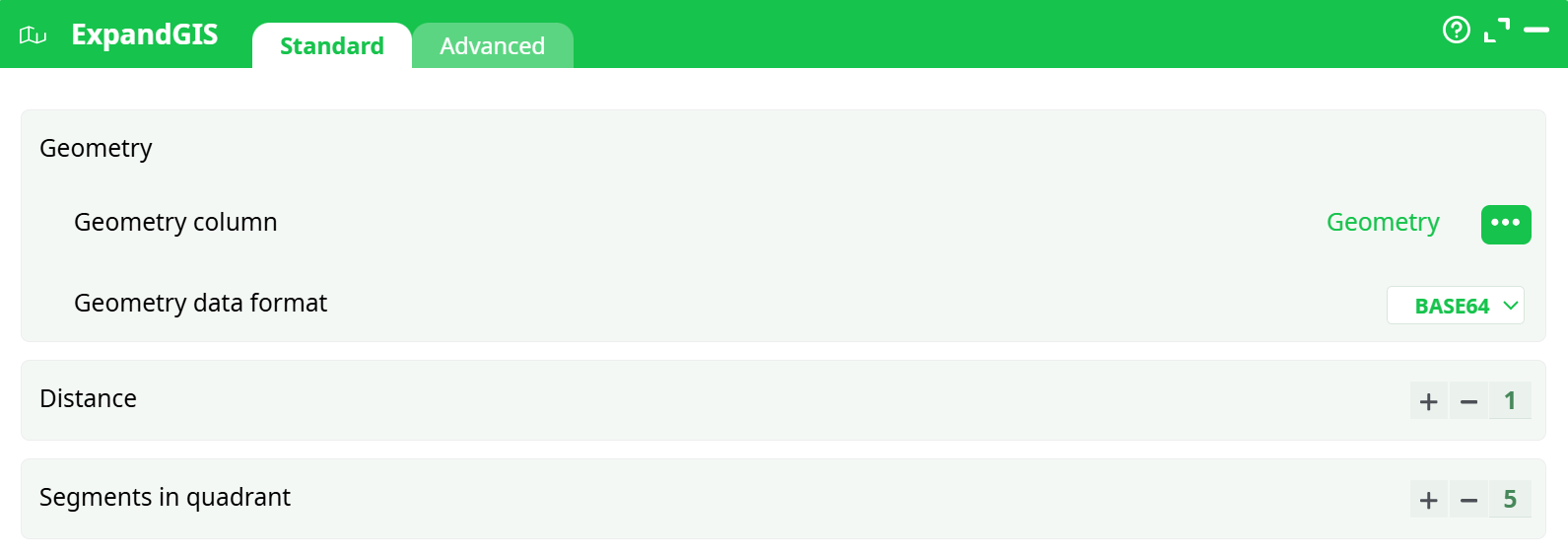
Parameters:
- Geometry
- Geometry column
- Geometry data format
- Distance
- Segments in quadrant
¶ Advanced tab

Parameters:
- Display debug information in the log window
¶ About
The ExpandGIS action expands encoded geometric data into a human-readable form and allows segmentation of geometries into smaller quadrants based on a specified distance. It supports various geometry formats, including WKT, HEX, and BASE64, and is typically used in GIS pipelines for spatial analysis and visualization.
¶ Supported Geometry Formats
point "Latitude Longitude"rectangle "Latitude1 Longitude1 Latitude2 Longitude2"WKTHEXBASE64
¶ How to Use
- Prepare a table with a column containing encoded geometries.
- Select the appropriate Geometry data format that matches the input column.
- Set Distance and Segments in quadrant to control subdivision.
- Execute the action to decode and segment geometries.
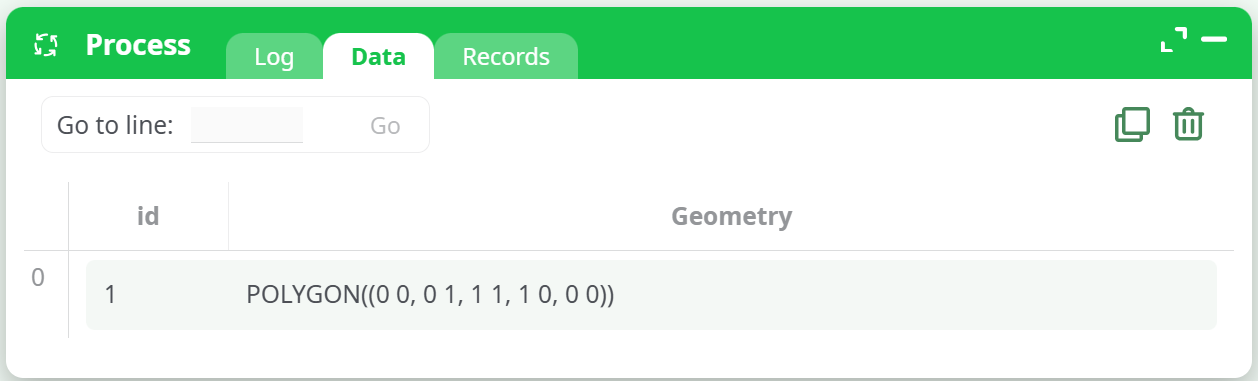
¶ Input Table Example
📌 See the screenshot below for an input table example:
¶ Output Table Example
📌 The decoded or segmented geometries appear in the output table:
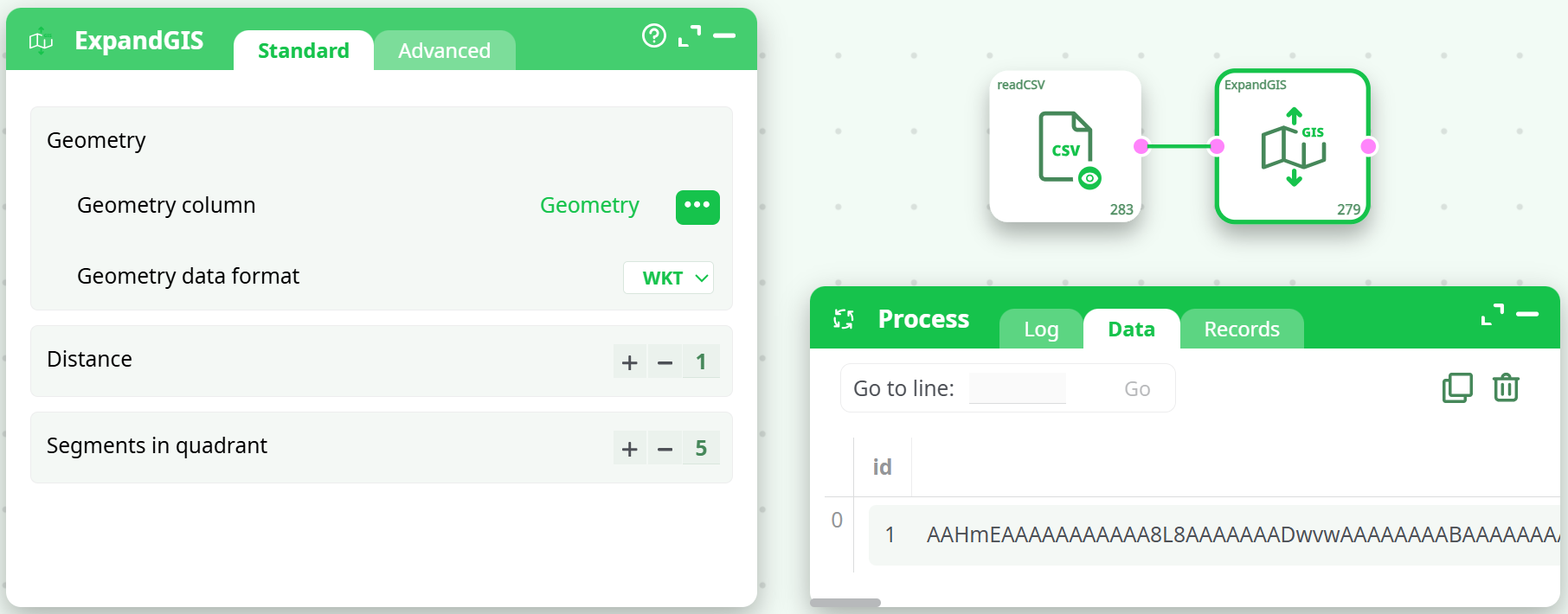
Each row represents a processed geometry object.
¶ Use Cases
- Expanding GIS-encoded geometry for display or processing.
- Splitting large polygons into smaller segments for regional analysis.
- Preparing geometry data for spatial joins or overlays.
- Decoding compact binary geometry formats (HEX, BASE64).
¶ Important Notes
- ⚠️ This action assumes that the geometries are defined in a standard PLANAR coordinate system (i.e. not inside the SRID 4326).
- 🔄 For best results, reproject your geometries before using this action using reprojectGIS.
¶ Troubleshooting
- ❌ Wrong geometry format — check your input encoding and match it in the dropdown.
- ❌ Empty output — likely due to malformed or incompatible geometry values.
- 🧪 Test on a few rows first before applying it to a large dataset.