¶ Description
Smoothen N rows.
¶ Parameters
¶ Standard tab
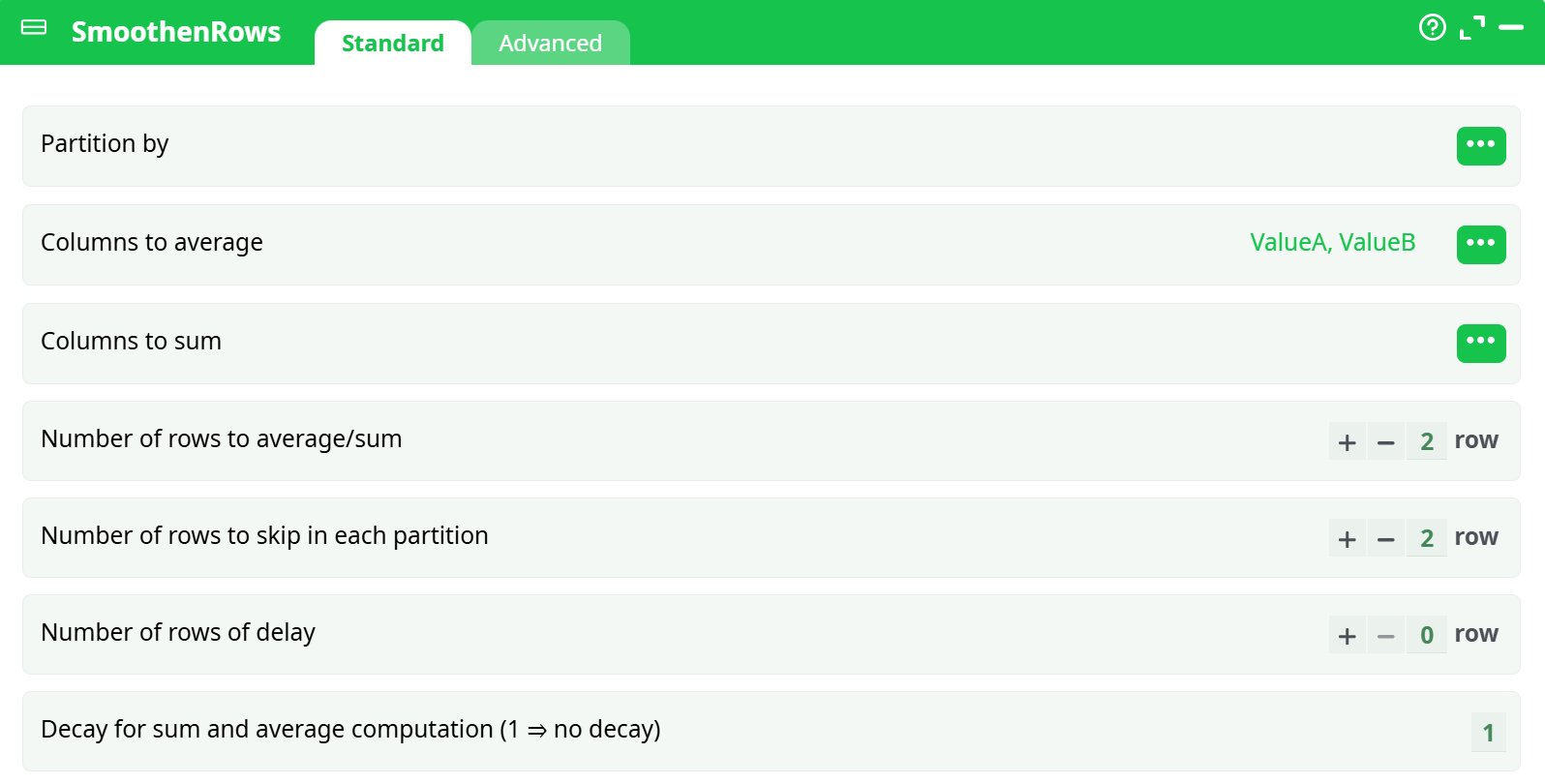
Parameters:
- Partition by (Optional) Column to partition data before processing. If used, smoothing is performed within each partition.
- Columns to average List of columns for which rolling averages will be computed.
- Columns to sum List of columns for which rolling sums will be computed.
- Number of rows to average/sum Number of previous rows to include in each rolling window.
- Number of rows to skip in each partition Skips the specified number of rows in each partition before starting calculations.
- Number of rows of delay Number of rows to delay before starting aggregation. Useful for causal modeling.
- Decay for sum and average computation Exponential decay factor. Value
1means no decay. Values < 1 assign higher weight to recent rows.
¶ Advanced tab
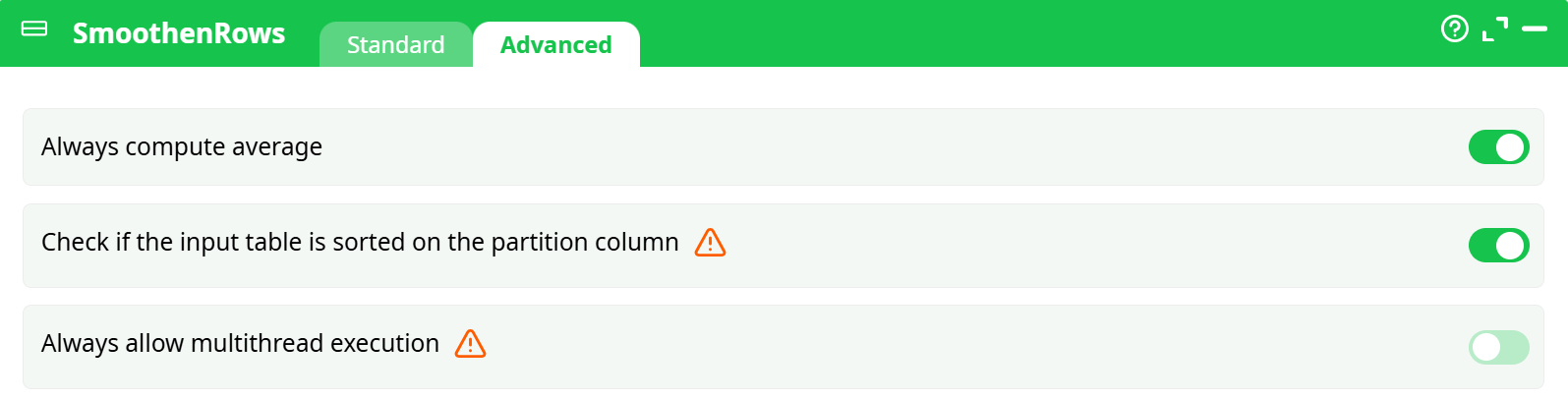
Parameters:
- Always compute average If enabled, averages are always computed even if no column is selected under "Columns to average".
- Check if input table is sorted on partition column Ensures correct order of records for time-series smoothing. Highly recommended when partitioning is used.
- Always allow multithread execution Enables multi-threading for performance. Use cautiously in partitioned or order-sensitive tasks.
¶ About
The SmoothenRows action button is used to generate datasets tailored for time-series prediction tasks by computing row-wise aggregates (averages and/or sums) over rolling windows. This transformation is critical in predictive modeling when the target variable at a specific time point depends on multiple past observations of input features.
Note: This operator is a replacement for the deprecated
smoothen_rowsaction and provides enhanced parameter control.
¶ Example Use Case
Suppose you have the following time-series dataset:
| ValueA | ValueB | TargetToPrediction |
|---|---|---|
| 12 | 18 | 3 |
| 13 | 17 | 4 |
| 14 | 16 | 5 |
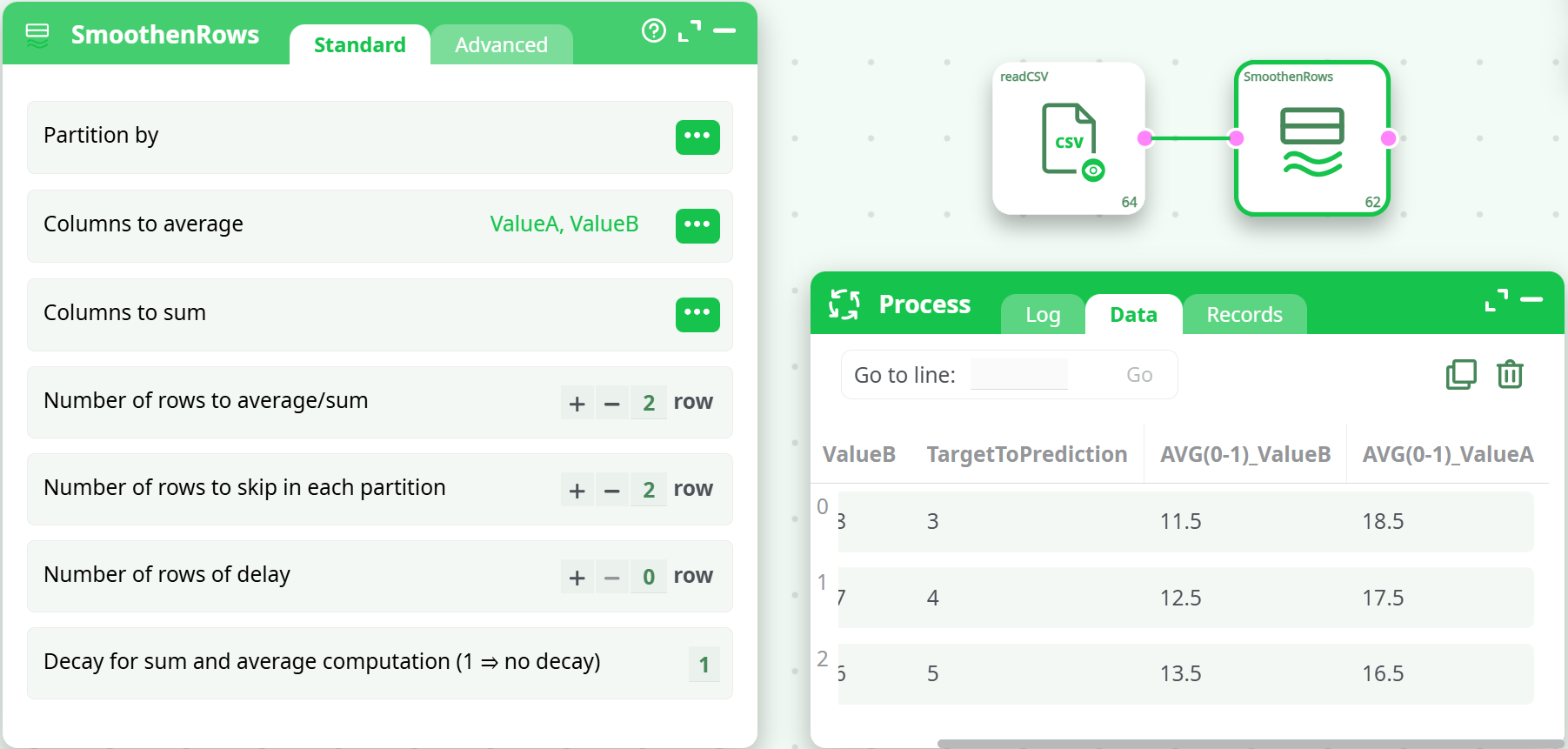
If you apply SmoothenRows with the following configuration:
- Columns to average:
ValueA, ValueB - Number of rows to average/sum:
2 - Decay:
1
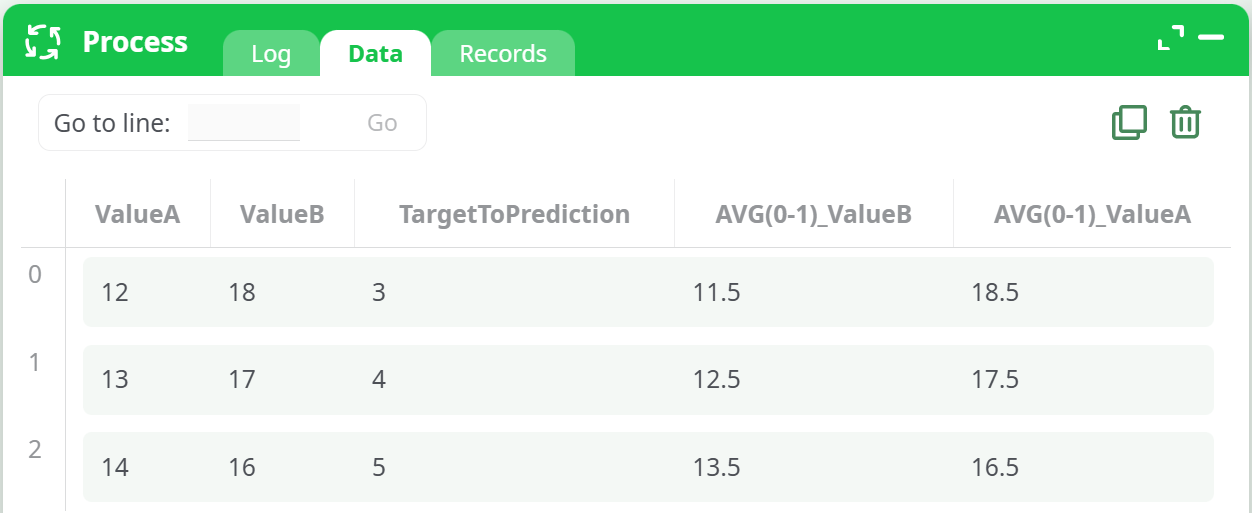
You will get an output like:
¶ Output Behavior
The output table will include original columns and new computed fields prefixed with AVG(x-y)_ or SUM(x-y)_ where x and y are row indices in the rolling window. Rows for which not enough data exists in the window will contain null values.
¶ When to Use
Use SmoothenRows when:
- You're preparing data for time-series modeling (e.g., forecasting future values using past trends).
- You need rolling averages/sums across sliding time windows.
- You want to include lag-based predictive signals in your dataset.
This action is especially useful before applying regression or machine learning models like RandomForest, TIM, or XGBoost in forecasting scenarios.
¶ Additional Notes
- This action assumes that the dataset is chronologically sorted. Make sure to sort your data accordingly.
- Combine this operator with
FilterColumns,TimeTravel, orTimeAggregatefor more advanced time-series preparation workflows.