¶ Description
Transform a date for transactional analysis.
¶ Parameters
¶ Parameters tab
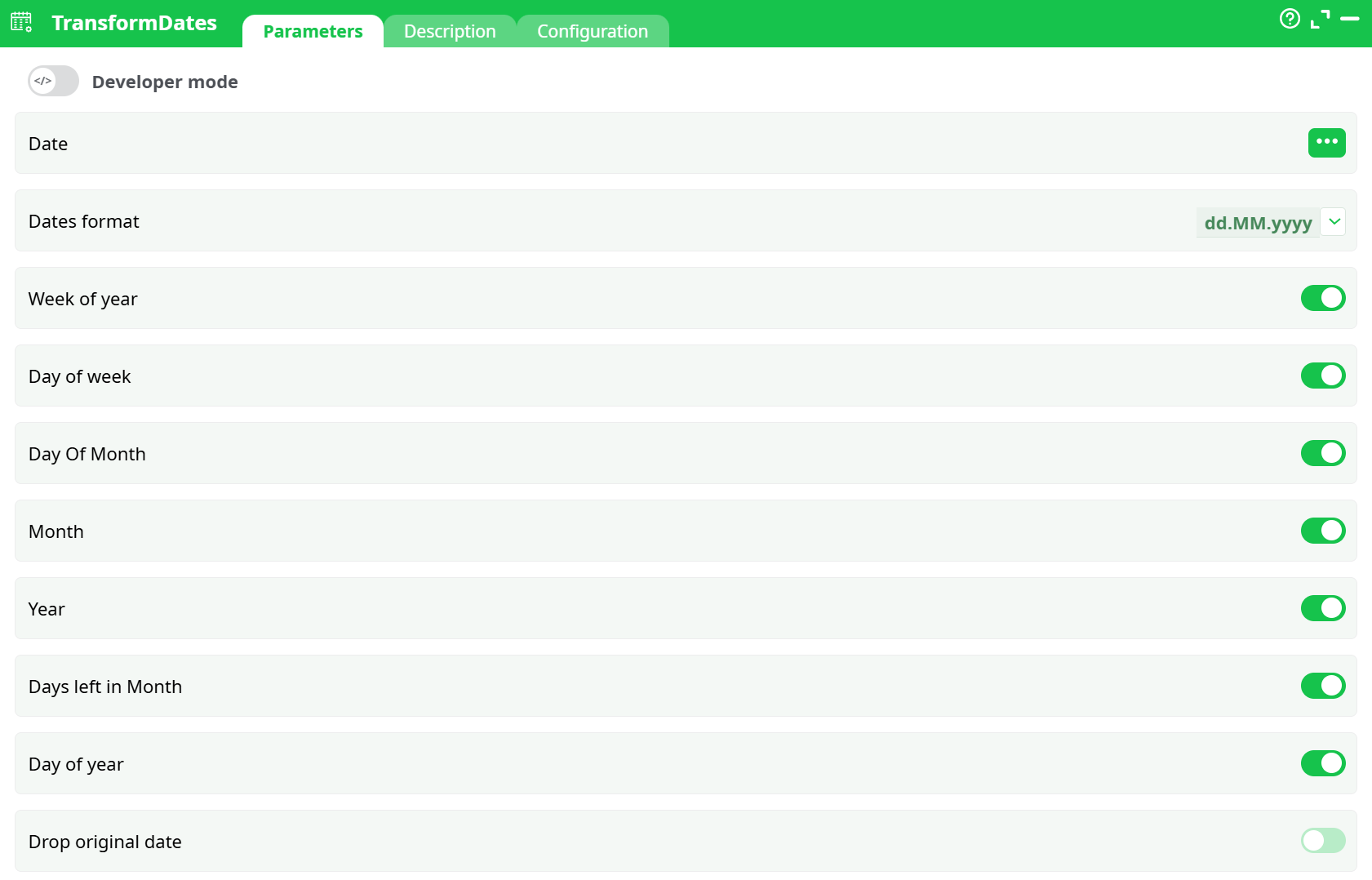
Parameters:
- Date Input column with date values
- Dates format Format used to parse input dates
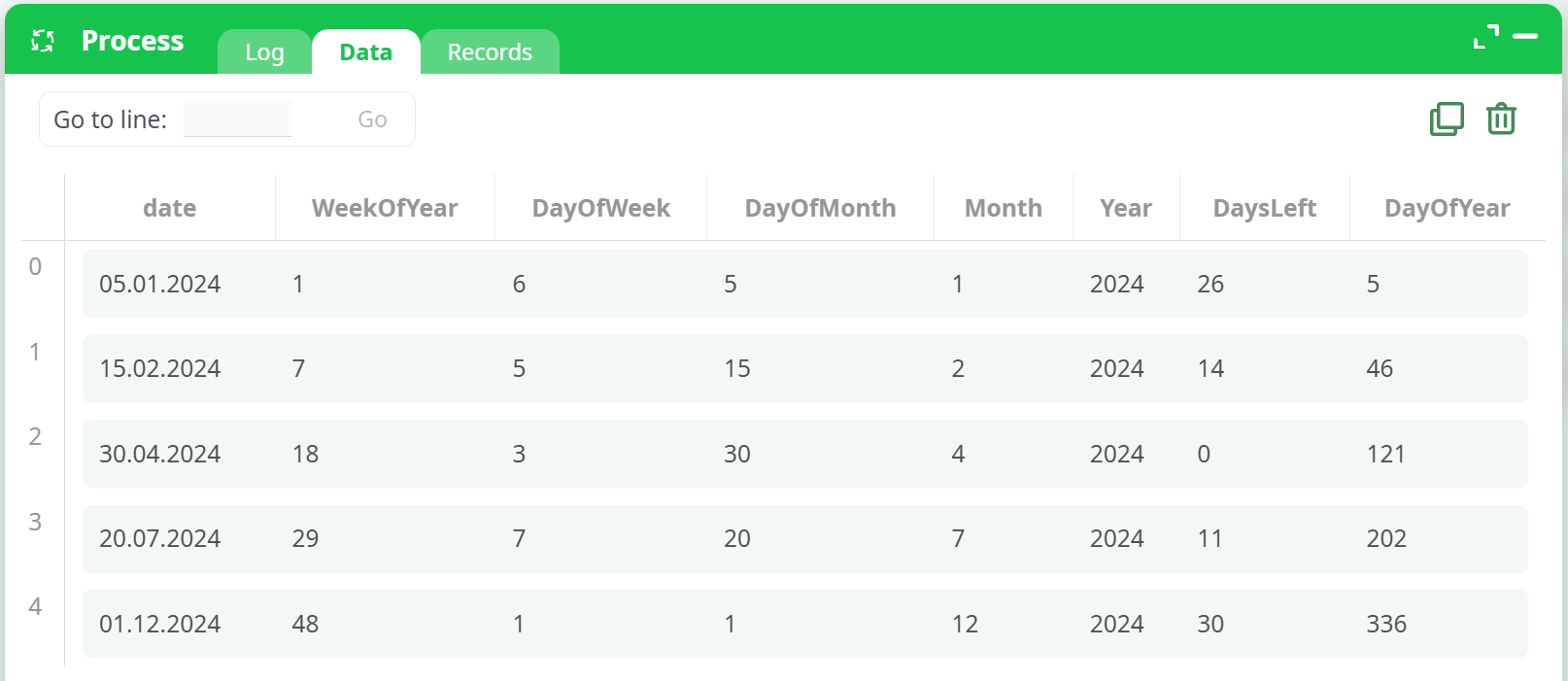
- Week of year Week of the year (1–52/53)
- Day of week Day of the week (1=Monday, 7=Sunday)
- Day Of Month Day of the month (1–31)
- Month Extract numeric month (1–12)
- Year Extract 4-digit year
- Days left in Month Days remaining in the month
- Day of year Day of the year (1–365/366)
- Drop original date Drop the original date column
¶ Description tab
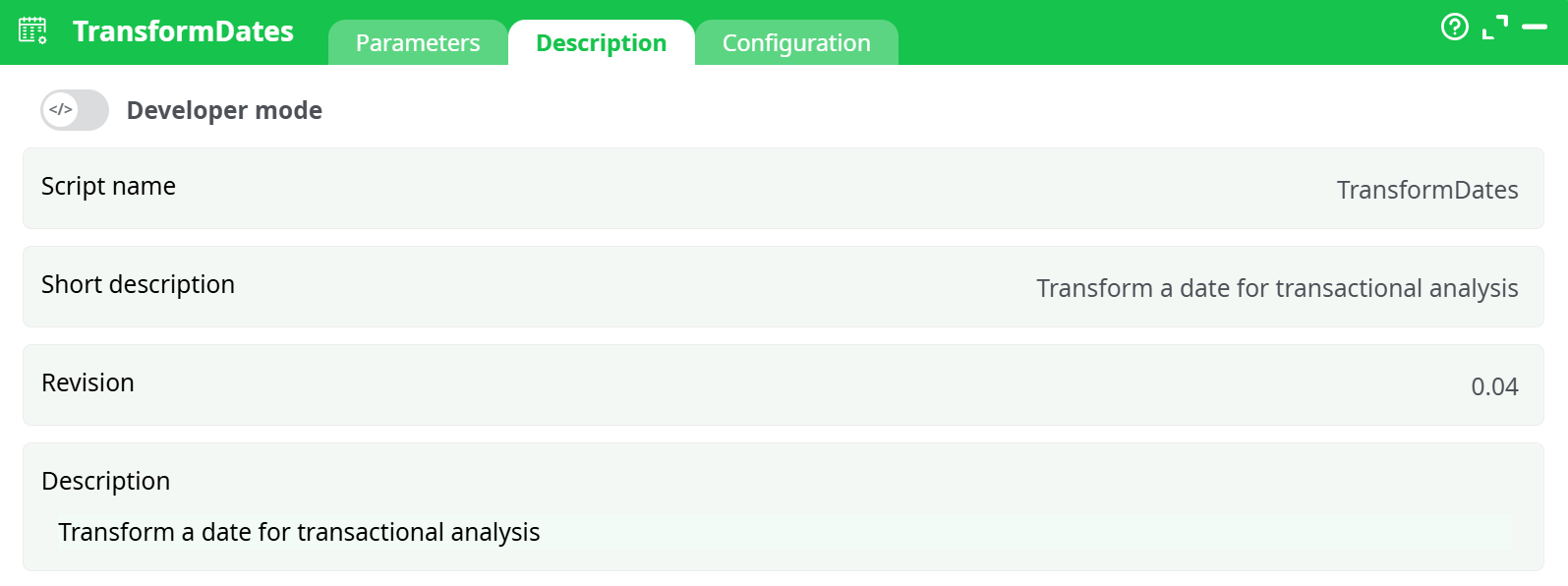
Parameters:
- Script name
- Short description
- Revision
- Description
¶ Configuration tab
See dedicated page for more information.
¶ About
The TransformDates action enables date decomposition by extracting multiple date-related features from a single date column. This is especially valuable in data preprocessing pipelines where time-based behavior or periodicity plays a critical role.
By extracting features such as the day of the week, week of the year, day of the month, month, year, and others, this transformation helps you structure temporal data into analyzable components.
This action is often used as a preparatory step for time-series modeling, calendar-based analysis, seasonal trend discovery, and grouping metrics by different date parts (e.g., sales by month or weekday).
Key features:
- Flexible date parsing: Supports various date formats using a customizable
DateFormatsetting. - Granular extraction: Enables toggling for individual temporal features.
- Time-aware insights: Provides metrics like "Days left in the month" and "Day of year" to assist in forecasting models.
- Optional cleanup: Offers control to retain or remove the original date column after transformation.
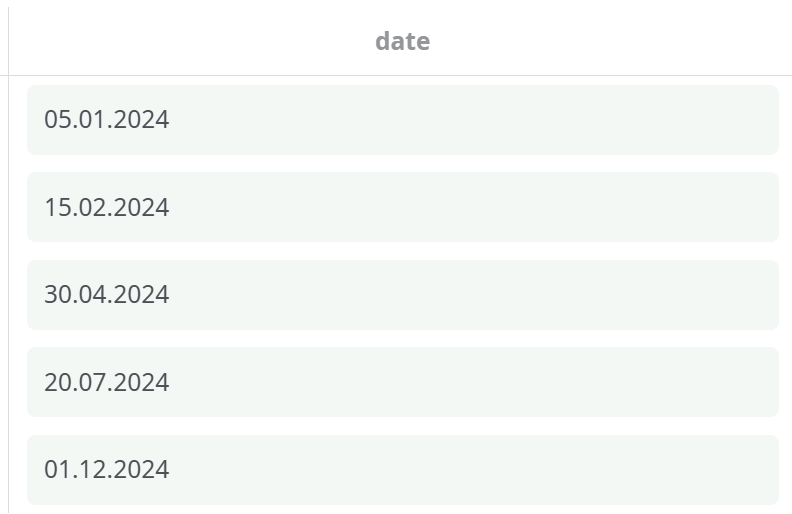
¶ Example Input
¶ Example Output
¶ Use Cases
- Time-Series Feature Engineering
Add time-based features like week, month, or day of week to enrich input data before training forecasting models such as ARIMA, Prophet, or LSTM. - Dashboard Aggregation
Create period-based metrics such as "Sales by Week of Year" or "Activity by Day of Week" for business intelligence dashboards. - Transactional Analysis
Track purchase behavior by date, analyze seasonality, or find trends like most active months or weekends with high volume. - Scheduling and Planning
Use "Days Left in Month" or "Day of Year" to prioritize actions and manage resources or campaigns throughout the calendar.
Notes
- Make sure the format in DateFormat matches the date format in your input column exactly.
- If isDropOriginal is ON, the source date will not be retained in the output.
- This transformation does not modify the date itself; it derives additional columns for analytics.