¶ Description
This operator aggregates multiple columns and/or rows into a single cell.
¶ Parameters
¶ Parameters tab
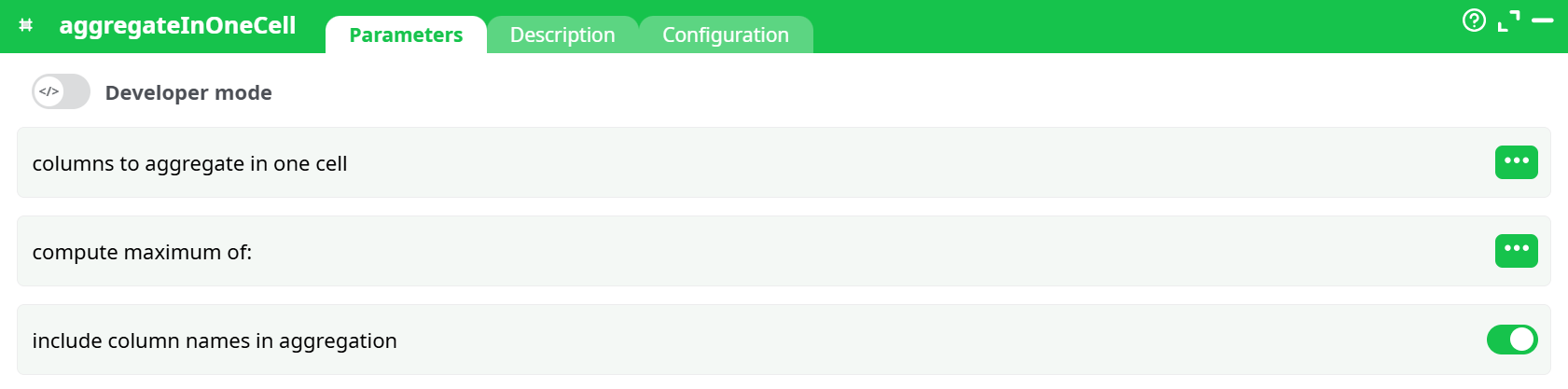
Parameters:
- Developer mode: activate/deactivate code tab.
- columns to aggregate in one cell
- compute maximum of:
- include column names in aggregation
¶ Description tab
See dedicated page for more information.
¶ Code tab
aggregateInOneCell is a scripted action. Embedded code is accessible and customizable through this tab.
¶ Configuration tab
See dedicated page for more information.
¶ About
This operator aggregates multiple columns and/or rows into a single cell.
- Columns are separated by tabs (
\t) - Rows are separated by carriage returns (
\r)
You can choose which columns to include in the aggregation, and optionally compute the maximum of a specific column within those inputs.
¶ Input Example
Inline Table:
| ID | Name | Score1 | Score2 | Score3 |
|---|---|---|---|---|
| 1 | Alice | 8 | 7 | 9 |
| 2 | Bob | 6 | 5 | 7 |
| 3 | Carole | 9 | 8 | 10 |
¶ Example Configurations & Output
¶ Case 1:
Config:
idAgg:Score1, Score2, Score3idMax: (not set)addNames:false
Output:
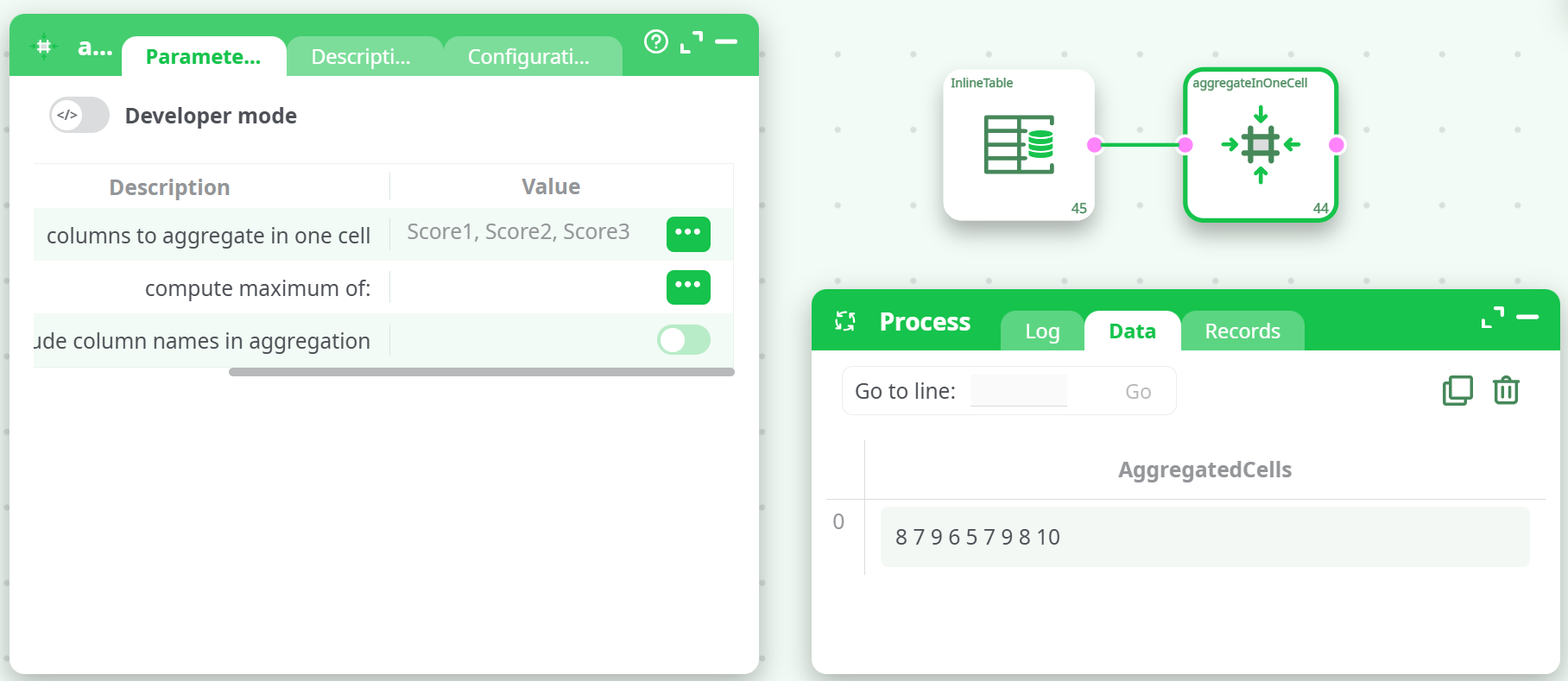
Explanation:
Each row's Score1, Score2, and Score3 values are combined into one cell. Column names are not included.
¶ Case 2: Same aggregation with maximum computation
Config:
idAgg:Score1, Score2, Score3idMax:Score1addNames:false
Output:
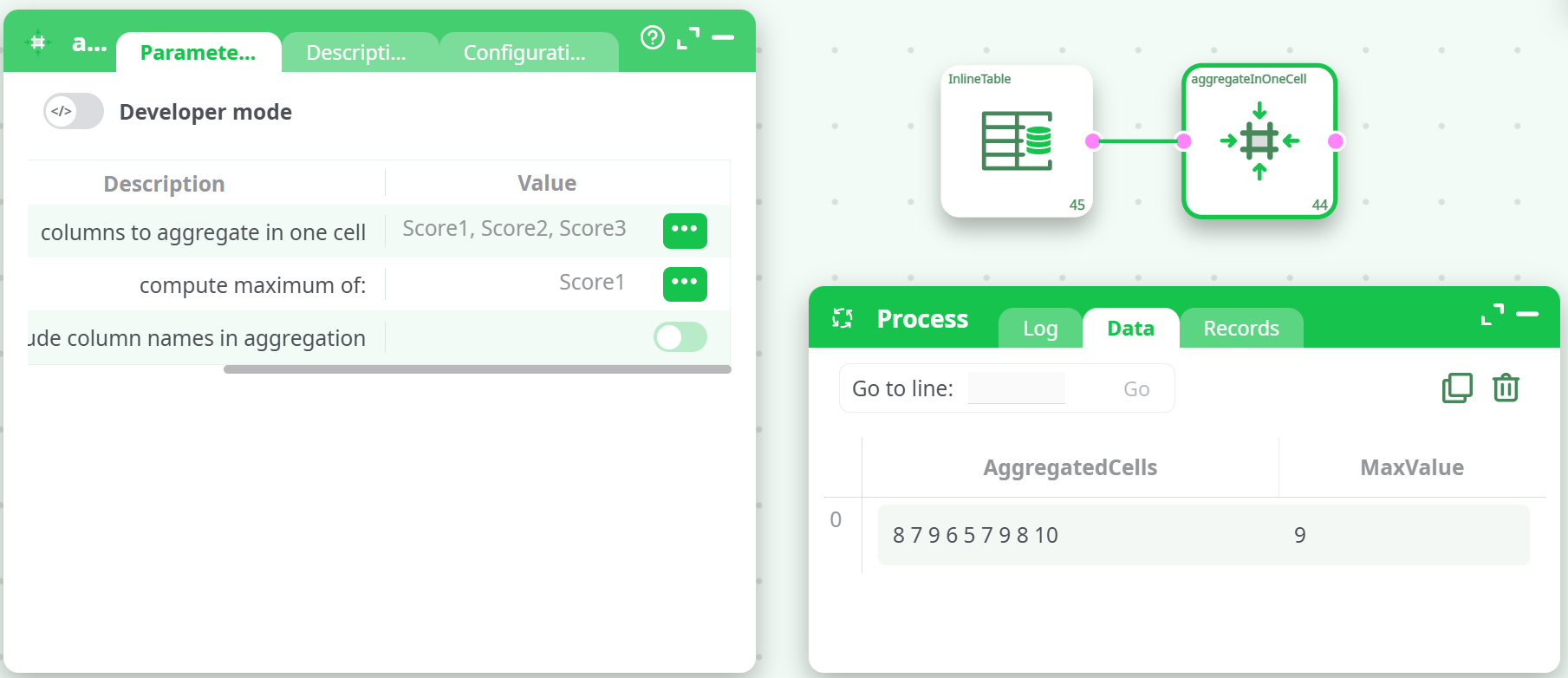
Explanation:
Same as Case 1, but a new column (MaxValue) shows the maximum value in Score1.
¶ Case 3: Include column names in aggregation
Config:
idAgg:ID, Name, Score1, Score2, Score3idMax: (not set)addNames:true
Output:
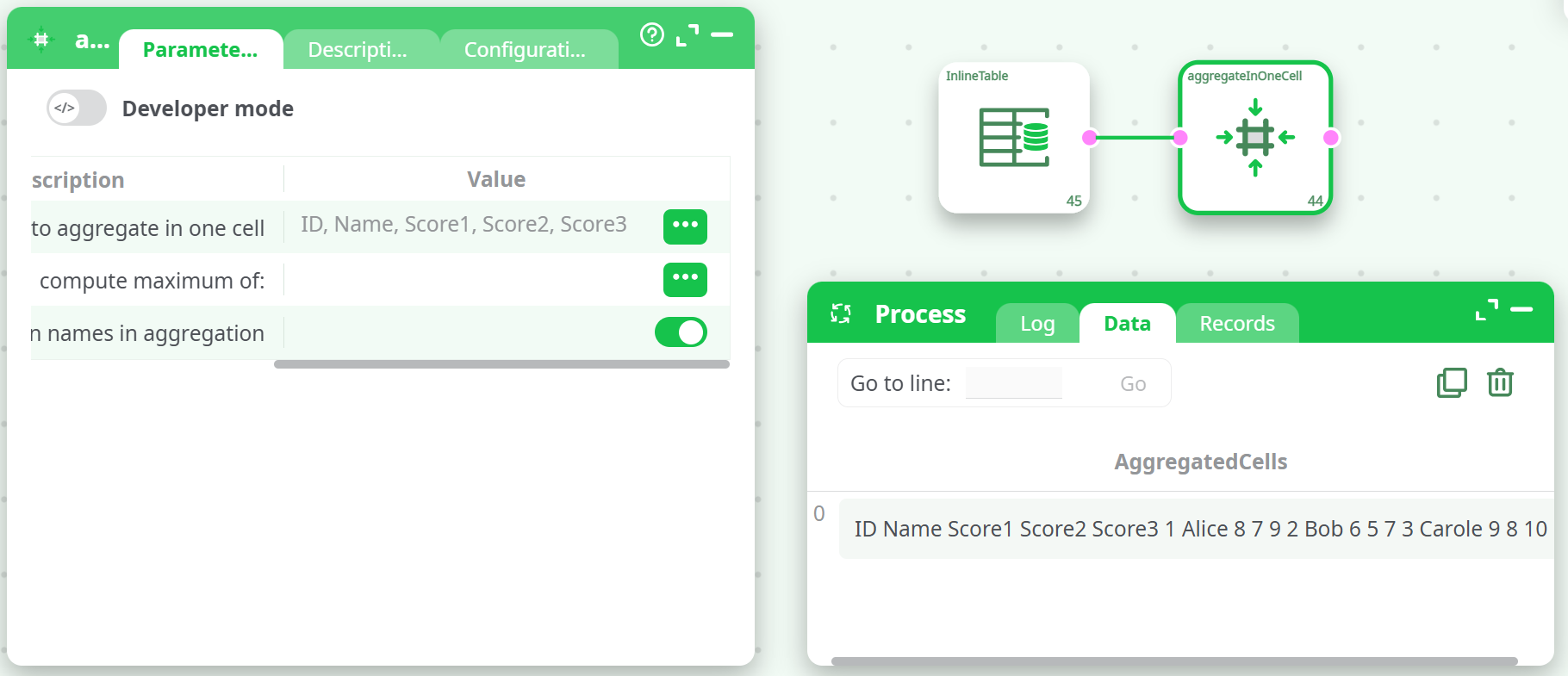
Explanation:
All selected columns are aggregated, and each value is prefixed by its column name.
Notes
idMaxcomputes the maximum across rows, only from the selected column (e.g.,Score1).- Aggregated output is formatted using tab-separated values inside one cell.
- This action is useful for flattening datasets, exporting structured summaries, or building compact row representations.