¶ Description
Downgrade Excel 2003+ format (.xlsx) to the old Excel 97 format (.xls).
¶ Parameters
¶ Parameters tab

Parameters:
- Name of XLSX file to convert The identifier (column name) that contains the paths to the
.xlsxfiles to be downgraded. These paths must be passed from a preceding table such as aninlineTable. - Delete original file Optional toggle to delete the original
.xlsxfile after conversion. Useful in cleanup pipelines.
¶ Description tab
See dedicated page for more information.
¶ Configuration tab
See dedicated page for more information.
¶ About
The downgradeToXLS action is used to convert Excel workbooks from modern formats (.xlsx – Excel 2007 and later) into the legacy Excel 97–2003 format (.xls). This operation is crucial when compatibility with older systems or applications that do not support the .xlsx format is required.
This action is often used in backward compatibility scenarios, system migrations, or data exchanges where the target software only accepts .xls files. Despite its older structure, .xls remains a commonly used format in legacy environments, and this action enables automated batch conversions inside ETL pipelines.
This conversion process preserves the core content of the file but may not support newer
.xlsxfeatures like advanced formatting, formulas, or cell styles that are incompatible with the.xlsstructure.
¶ Input Table (InlineTable)
| C1 |
|---|
assets/excel-update-demo.xlsx |
¶ Pipeline Example
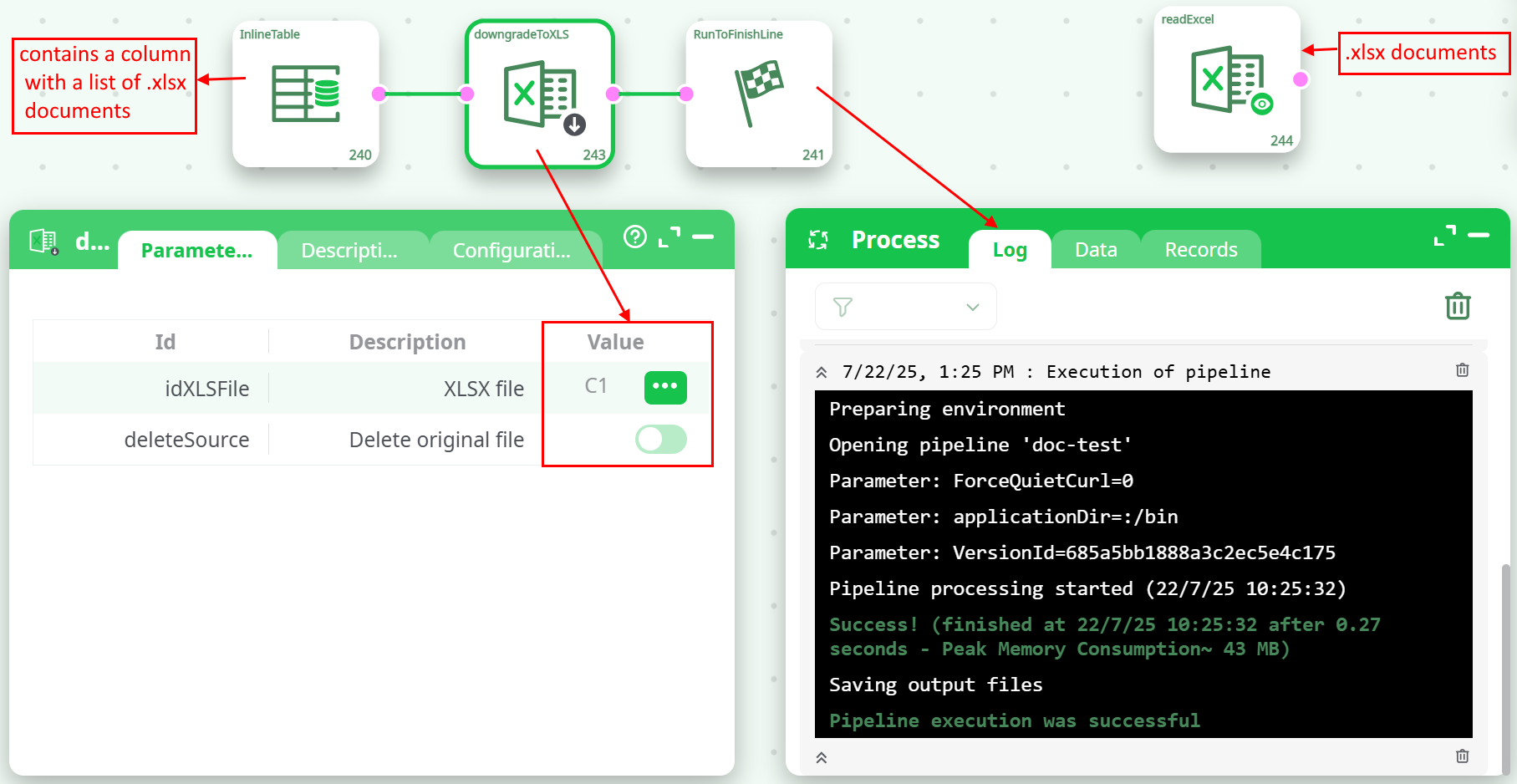
- Prepare a table that contains a column with a list of .xlsx documents
- Connect this table to the input pin of downgradeToXLS
- Optionally enable the "delete original file" toggle
- Run the pipeline
¶ Use Cases
- Legacy System Integration: Convert .xlsx to .xls to feed into old accounting/reporting systems.
- Cross-Compatibility: Generate Excel files compatible with older versions of Microsoft Office (pre-2007).
- ETL Cleanup Pipelines: Automate downgrading and cleanup of converted files.
Notes:
- Converted files will have the same filename but with the .xls extension.
- Ensure filenames in input do not contain unsupported characters for older Excel versions.
- Enabling Delete original file is irreversible; use with caution.