¶ Description
Extract the content of emails.
¶ Parameters
¶ Parameters tab

Parameters:
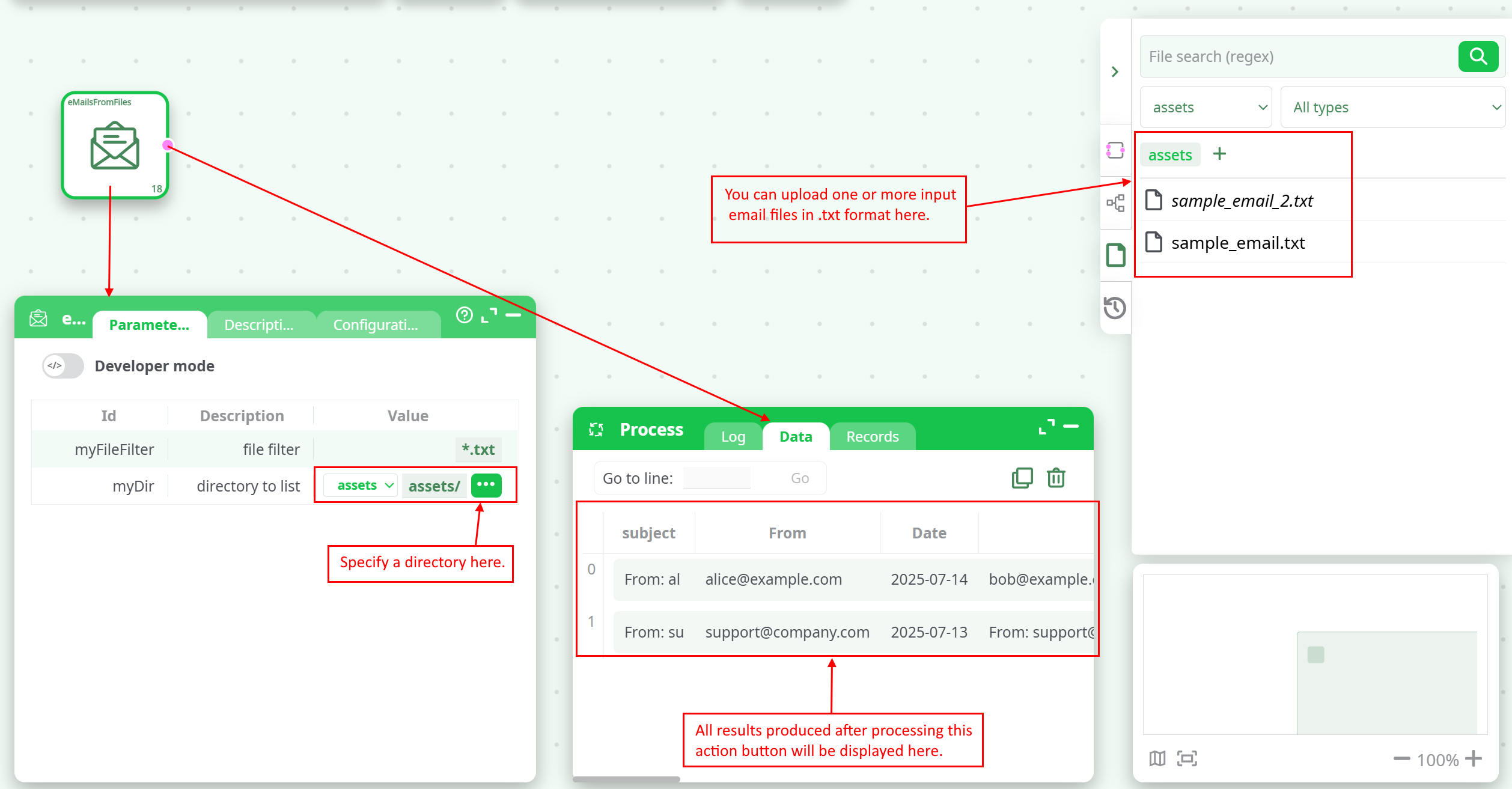
- file filter
- directory to list
¶ Description tab
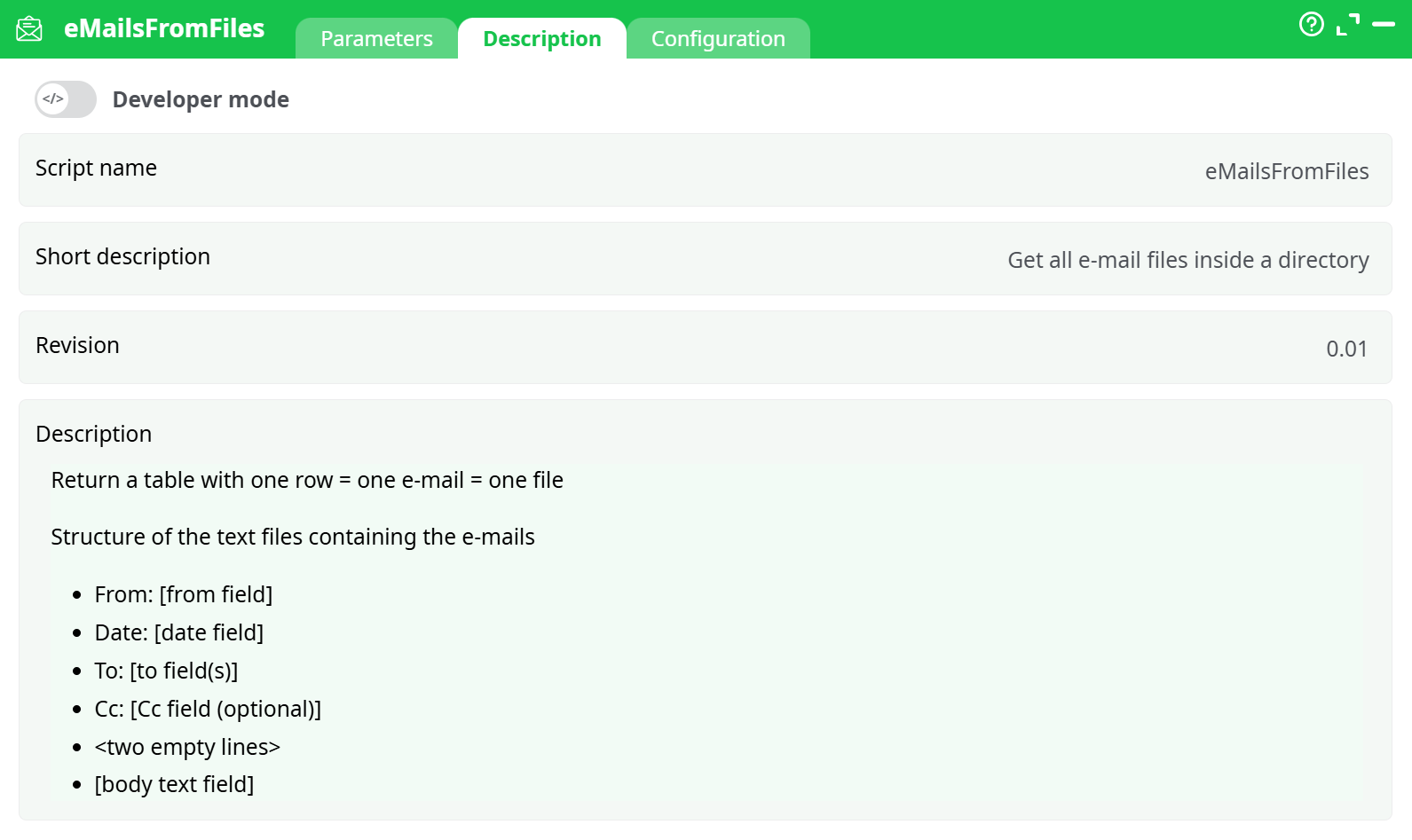
Parameters:
- Script name
- Short description
- Revision
- Description
¶ Configuration tab
See dedicated page for more information.
¶ About
Extract the content of the emails contained inside the classical file structure used by Outlook.
The eMailsFromFiles action reads structured email files from a specified directory and converts them into a structured table format.
Each file represents a single email and is parsed into fields such as From, To, Date, Subject, and Body.
This action is useful for extracting data from plain-text email archives for further processing, indexing, or reporting.
¶ Input File Format
Each file must follow a consistent email-like structure:
-
From: alice@example.com
-
Date: 2025-07-14
-
To: bob@example.com
-
[Body starts after two empty lines]
-
Hello Bob,
-
This is a reminder about the meeting tomorrow at 10am.
- Important Notes:
- The
Cc:field is optional.- The body begins after two empty lines.
- Files should have the
.txtextension or match the filter you define.
¶ Example Output
Each email is extracted into one row with the following fields:
| subject | From | Date | To | Cc | Body |
|---|---|---|---|---|---|
| From: al... | alice@example.com | 2025-07-14 | bob@example.com | charlie@example.com | Hello Bob, This is a reminder... |
| From: su... | support@company.com | 2025-07-13 | user@example.com | (empty) | Your ticket has been resolved... |
The output fields are:
- From: Sender's email address
- Date: Email date
- To: Recipient(s)
- Cc: Optional copy recipients
- Body: All remaining lines after the headers
See screenshot bellow :
¶ Use Case Examples
¶ 1. Email Parsing for Audit Trails
Extract and store inbound support requests or employee communications for legal or compliance review.
¶ 2. Text Mining for Email Analytics
Feed the extracted content into wordCloud, textClassifier, or sentiment analysis pipelines.
¶ 3. Archival and Indexing
Build search indexes or export structured email data to a database for long-term storage.
¶ 4. Security & Alerting
Scan parsed emails for suspicious phrases, unapproved attachments, or specific patterns (e.g., phishing).