¶ Description
Delete files/Objects from a container in Cloud Object Storage.
¶ Parameters
¶ Parameters tab
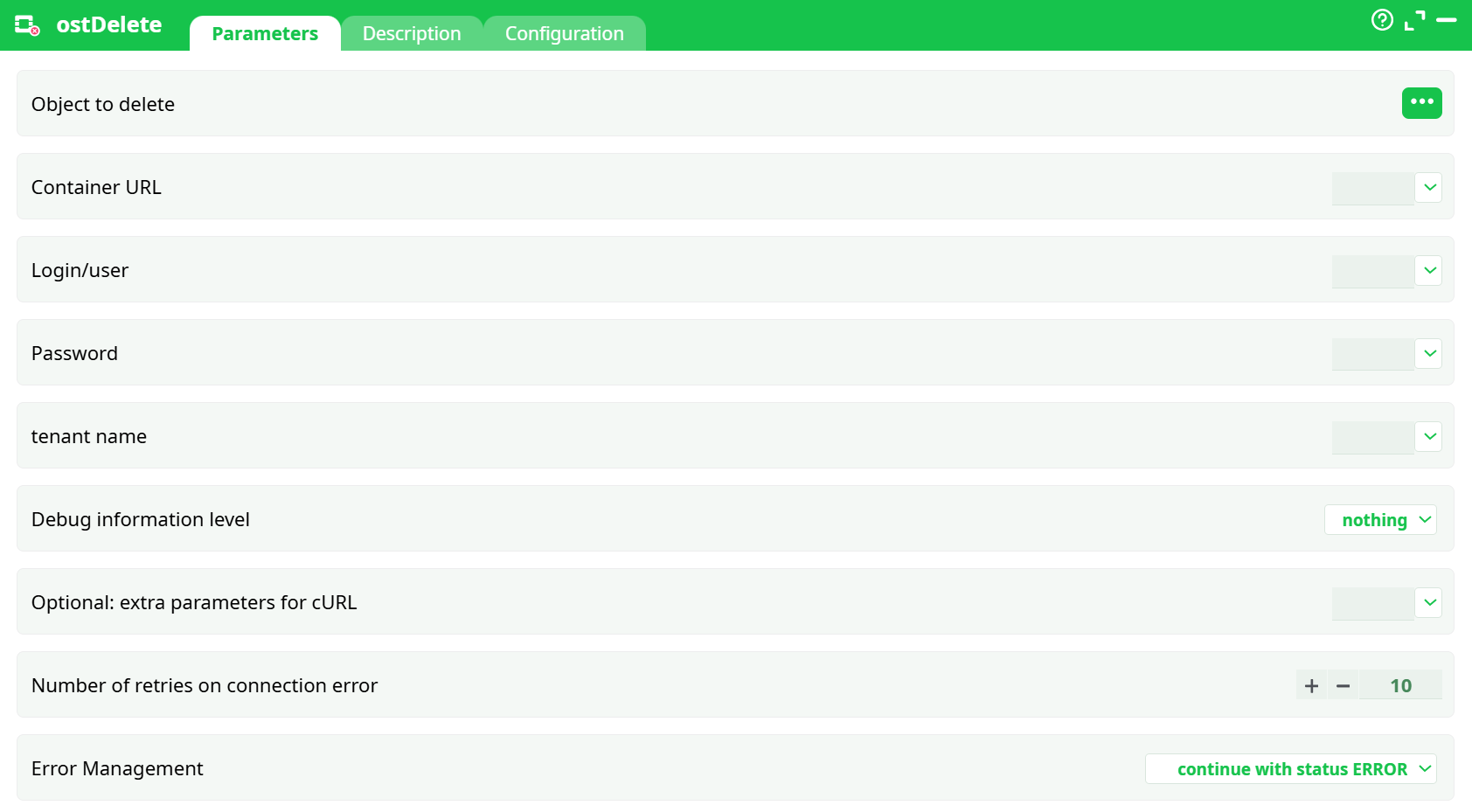
Parameters:
- Object to delete
- Container URL
- Login/user
- Password
- tenant name
- Debug level information
- Optional: extra parameters for cURL
- Number of retries on connection error
- Error Management
¶ Description tab
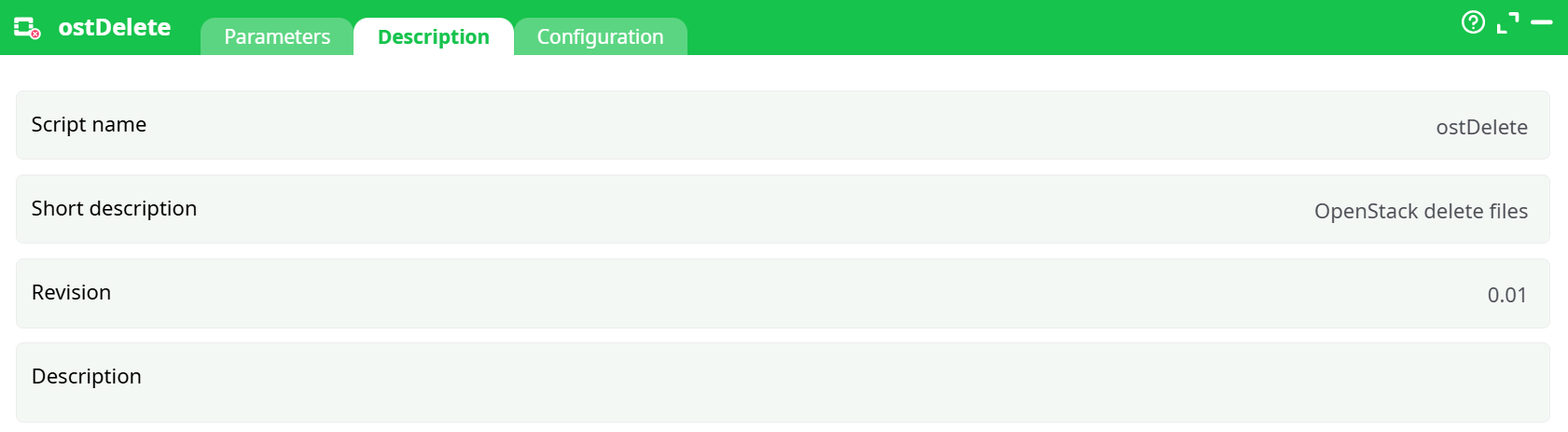
Parameters:
- Script name
- Short description
- Revision
- Decription
¶ Configuration tab
See dedicated page for more information.
¶ About
ostDelete removes a single object from an OpenStack Swift–compatible Object Storage container. It authenticates with your Keystone credentials, issues an HTTP DELETE to the object path, and returns the outcome to the pipeline. No data is copied or downloaded.
Deletion is immediate and irreversible at the storage level (unless your provider has a separate retention/Versioning feature enabled outside this box).
¶ Where it works (clouds/providers)
Any storage exposing an OpenStack Swift API (Keystone auth), including but not limited to:
- OpenStack Swift clusters (on-prem/private cloud)
- OVHcloud Object Storage
- CityCloud, Selectel, and other public OpenStack providers
- Swift-compatible endpoints behind Keystone v3
¶ Minimal setup (fast start)
-
Object path
SetObject to deleteto the object you want to delete, e.g.
my-folder/report.parquet(path is relative to the container root). -
Container & endpoint
Setcontainer URLto your Swift container URL or base endpoint + container (the format used elsewhere in your pipeline). -
Credentials
FilluserName,Password(API password / application credential), and (if required by your cloud)tenant Name. -
(Optional) Region
If your environment requires a region, make sure the endpoint/tenant you use targets the right region (this action doesn’t expose an explicit region selector; use the correct endpoint). -
Run
Choose the error behavior inError Management(abort or continue with status ERROR) and execute the node.
¶ Parameters
-
Object to delete
Path of the object inside the container (no leading/). Required. -
Container URL
Full container URL or a variable that resolves to it. Must point to the same container that containsObject to delete. -
Login/user
Keystone user name (or application credential ID, depending on provider setup). -
Password
Keystone password / application credential secret. Stored as a secret field in the UI. -
Tenant (project) name
Your OpenStack project/tenant, if your environment requires it. Leave empty if your application credential already scopes the project. -
Debug information level
nothing | basic | verbose
Controls how much request/response info is logged. Useverboseonly for troubleshooting (never in production logs containing secrets). -
Extra cURL parameters (advanced)
Additional low-level flags passed to the HTTP client (cURL). Use only if you know exactly what you need (e.g., custom headers). -
Number of retries on connection error
Retries for transient network failures (e.g., timeouts). Defaults to10. Does not retry on a clean 404/401/403 from the server. -
Error Management
- Abort pipeline execution with error – stop the pipeline on failure.
- Continue with status ERROR – mark the action in error but let downstream steps continue (status is propagated in logs/records).
¶ Behavior & notes
-
Idempotency
Deleting a non-existent object typically returns404. With continue with status ERROR the pipeline keeps running; with abort it stops. -
Segmented (large) objects
If the object you delete is a manifest of a segmented upload, providers may or may not automatically remove segment parts (depends on how the upload was created and provider policy).- If you used separate “_segments” containers, ensure lifecycle policies or a cleanup routine remove orphan segments.
- The box issues a standard object
DELETE; it does not perform bulk segment deletion.
-
Permissions
Your user/project must haveDELETErights on the container/object. 401/403 responses indicate auth/ACL issues. -
Safety
There is no trash bin from this action. If your provider has object versioning/retention, deletion may create a previous-version state rather than physical removal, but that’s controlled outside this box. -
Networking
Retries apply to connection errors only. Use appropriate timeouts and keepDebug information levellow in production.
¶ Good practices
- Dry-run with a test object before wiring into production pipelines.
- Use variables (secrets / environment) for
container URL,userName,Password, andtenant Name, not literals. - Set Number of retries on connection error sensibly (e.g., 3–5 for stable networks; keep 10 for flaky links).
- Choose error policy intentionally: use abort for hard guarantees, continue for best-effort cleanup steps at the end of a flow.
- Document your path conventions (prefixes/folders) in the pipeline description to avoid accidental deletions.
¶ Troubleshooting
- 404 Not Found: wrong
Object to deletepath or container; confirm the exact key name (case-sensitive). - 401/403: invalid credentials / missing role; verify tenant/project scope and ACLs.
- 5xx / timeouts: provider incident or network issue; increase
Number of retries on connection erroror try later; checkDebug information level=verbosetemporarily to inspect responses. - Segments remain: your object was a manifest and the provider does not cascade delete segments—clean them via lifecycle/bulk-delete process.
¶ Change control
- The node does not mutate inputs; it only performs a server-side deletion at the storage endpoint and emits status telemetry to the logs/records.
Use this action when you need deterministic removal of an object in Swift as part of an ETL or housekeeping stage.