¶ Description
Shift columns advanced.
¶ Parameters
¶ Parameters tab
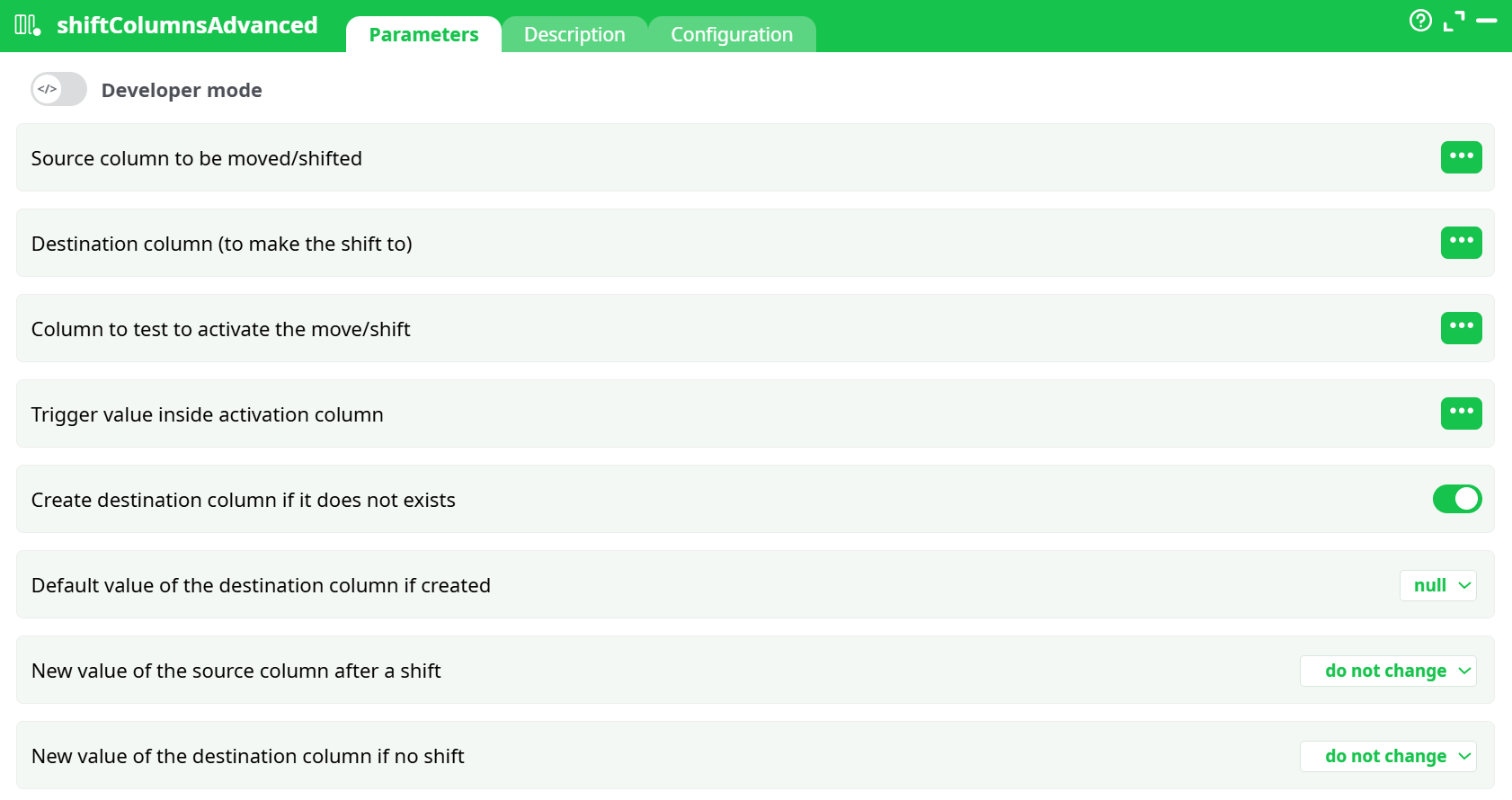
Parameters:
- Developer mode
- Source column to be moved/shifted
- Destination column (to make the shift to)
- Column to test to activate the move/shift
- Trigger value inside activation column
- Create destination column if it does not exists
- Default value of the destination column if created
- New value of the source column after a shift
- New value of the destination column if no shift
¶ Description tab
See dedicated page for more information.
¶ Code tab
shiftColumnsAdvanced is a scripted action. Embedded code is accessible and customizable through this tab.
¶ Configuration tab
See dedicated page for more information.
¶ About
The shiftColumnsAdvanced action shifts values between columns conditionally, based on matching values from a second input table (connected to the second pin). This action is useful for performing controlled data shifts depending on external conditions.
¶ Input Requirements
This action requires two input tables:
- Pin 0 (Main Table): Contains the data where shifts will occur.
- Pin 1 (Trigger Table): Contains the triggering conditions.
¶ Example Input Data
¶ Pin 0: Main Table (InlineTable)
| Amount | Target | Flag |
|---|---|---|
| 10 | 0 | A |
| 20 | 0 | B |
¶ Pin 1: Trigger Table (InlineTable)
| Trigger |
|---|
| A |
| A |
¶ Example Configuration
| Setting | Value |
|---|---|
| Source column to be moved/shifted | Amount |
| Destination column | Target |
| Column to test | Flag |
| Trigger value inside activation column | Trigger |
| Create destination column if it does not exist | Enabled (✔) |
| Default value of destination column if created | null |
| New value of source column after a shift | Do not change |
| New value of destination column if no shift | Do not change |
¶ Explanation of Workflow:
- For each row in the main table (Pin 0), the action checks the value in the
Flagcolumn. - It compares this value against the corresponding value from the
Triggercolumn of the trigger table (Pin 1). - If they match, the value in the
Amountcolumn is shifted into theTargetcolumn.
Notes
- Column selection must be done via the selector to avoid mistakes.
- Both input tables must contain data; empty tables will trigger errors.
- The number of rows in Pin 1 typically should match or be compatible with Pin 0 to ensure proper shifting.
- This action supports advanced conditional shifting, making it ideal for data preparation workflows.
¶ Common Errors
cannot find column ... on pin 0: This means the required column is missing in the main table (Pin 0).There are no rows available on input pin 1: Pin 1 (trigger table) is empty.- Misaligned rows between the main and trigger tables can cause unexpected results.
¶ Example Use Case:
- Shift product quantities from
AmounttoTargetcolumn only if the product flag matches a certain trigger condition in an external table.
¶ Tips:
- Always check your column names carefully (case-sensitive).
- Test with minimal data first to verify expected behavior.
