¶ Description
Sorts the table and modifies the meta-data of the table to reflect that the table is now sorted in specific way.
¶ Parameters
¶ Standard tab
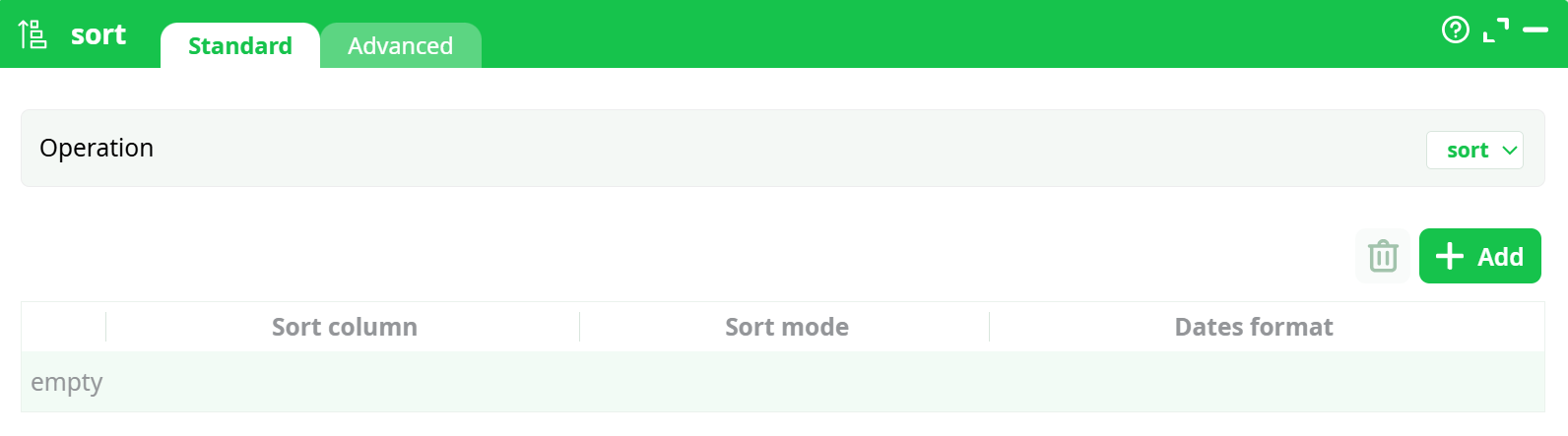
Parameters:
- Operation
- Sort
¶ Advanced tab
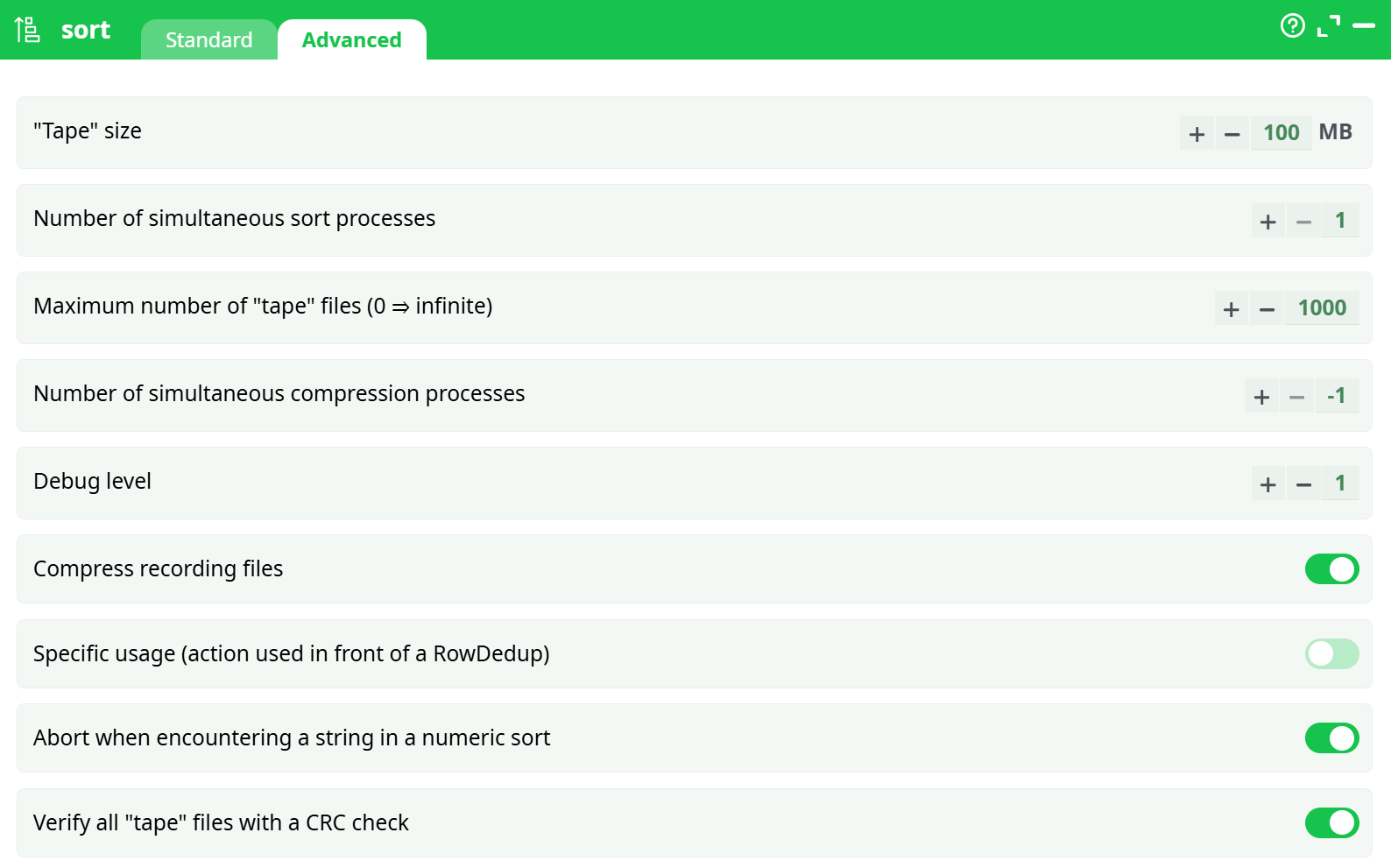
Parameters:
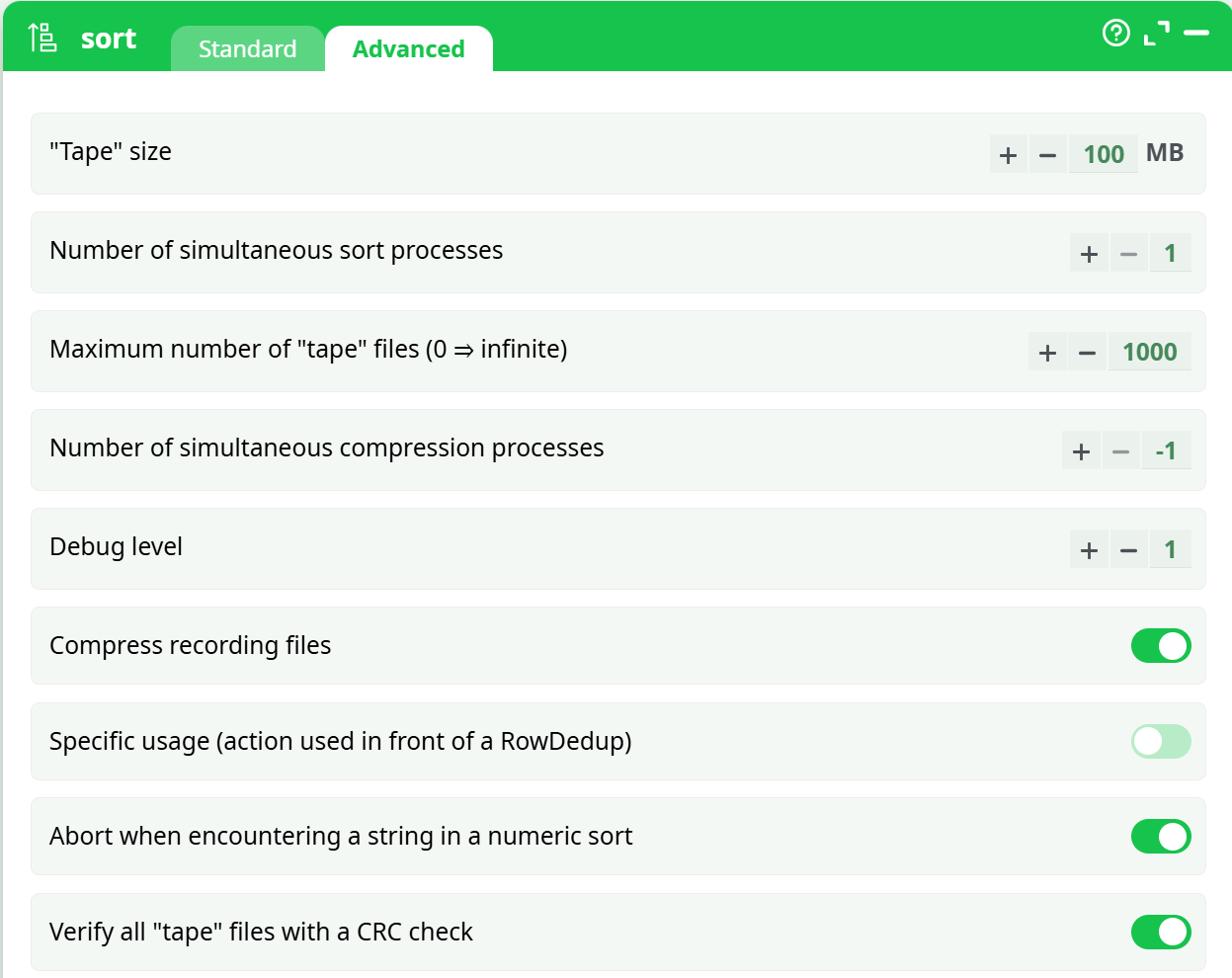
- Tape size
- **Number of simultaneous sort process **
- Maximum number of tape files (0 = infinite)
- Number of simultaneous compression processes
- Debug level
- Compress recording files
- Specific usage (action used in front of a RowDedup)
- Abort when encountering a string in a numeric sort
- Verify all tape files with a CRC check
¶ About
The "Sort task" can be:
- Really Sort data (This modifies the meta-data)
- Only check sort (with errors) (This modifies the meta-data)
- Only check sort (with warning) (This does NOT modify the meta-data)
Thus, by using the "Only check sort (with errors)" option, you can modify the table's metadata without actually sorting the table—which is typically a resource-intensive operation.
Let’s look at a simple example. Suppose we want to sort a CSV file based on the "revenue" column in increasing numerical order. To achieve this, we will set up the following ETL pipeline:

Let’s configure the properties of the Sort action. Click the indicated button to open the standard Column Selector window:
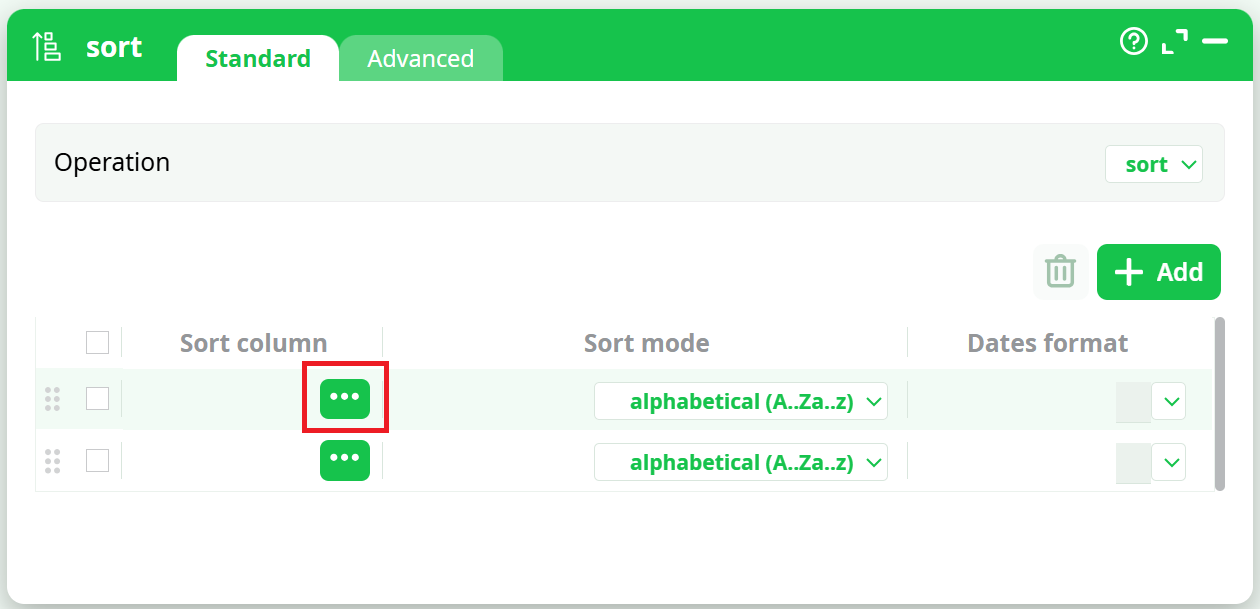
Click on the indicated button. We obtain the following list of columns:
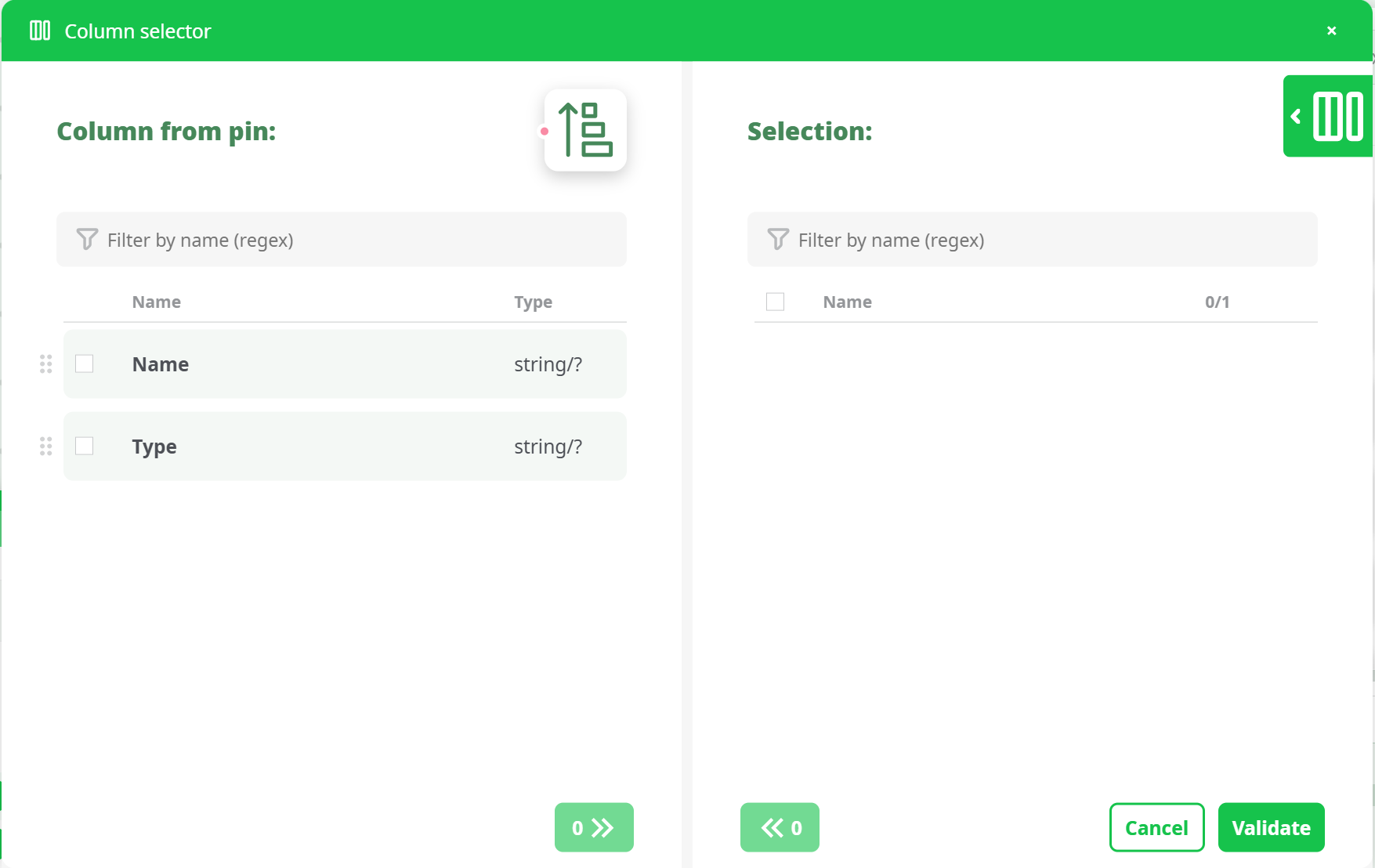
Double-Click on the "Type" column name you obtain:
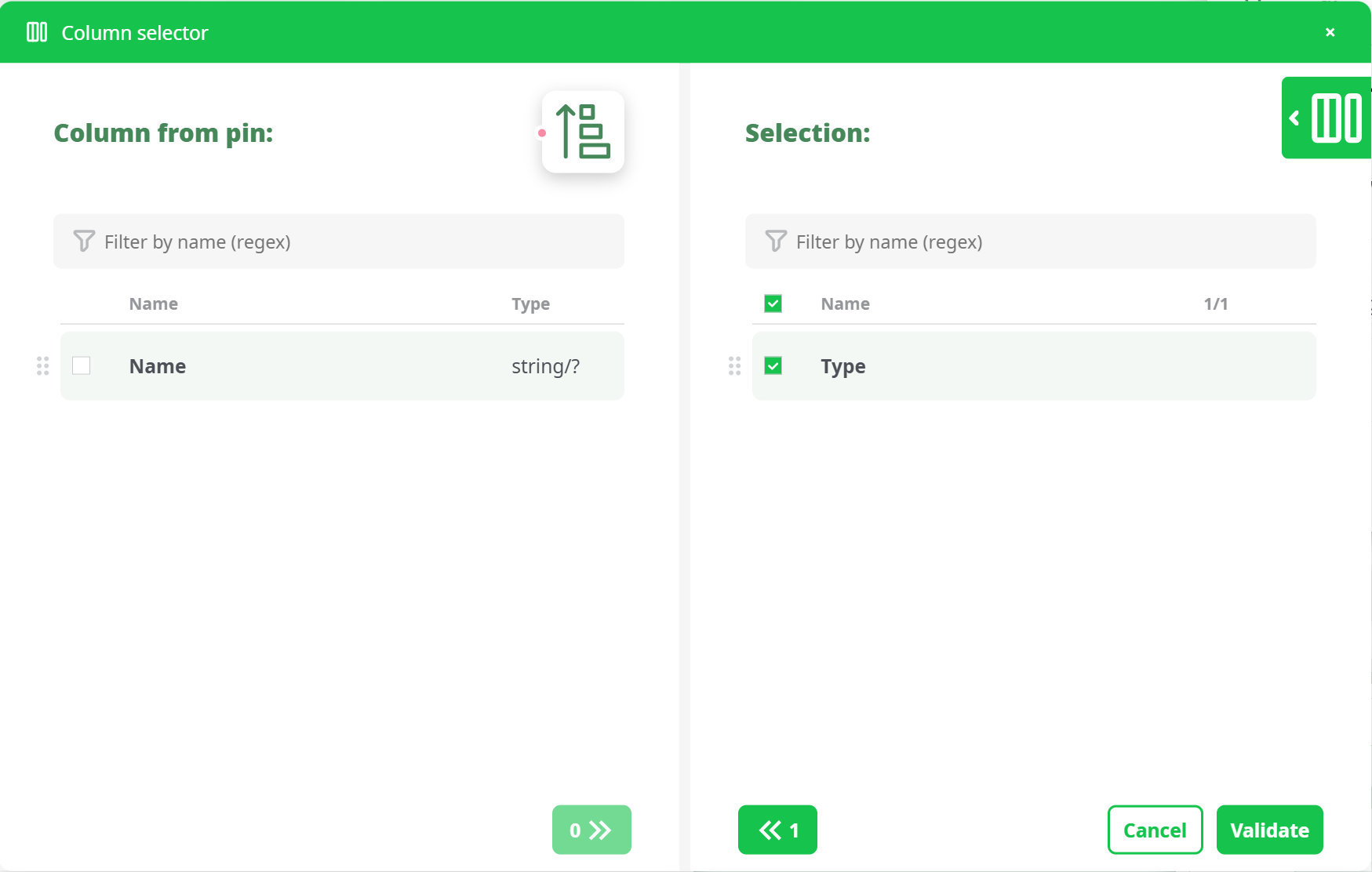
After clicking the Validate button, the Column Selector window closes. You can now choose the sort mode you want—we will select "Numerical ascending (0..9)".
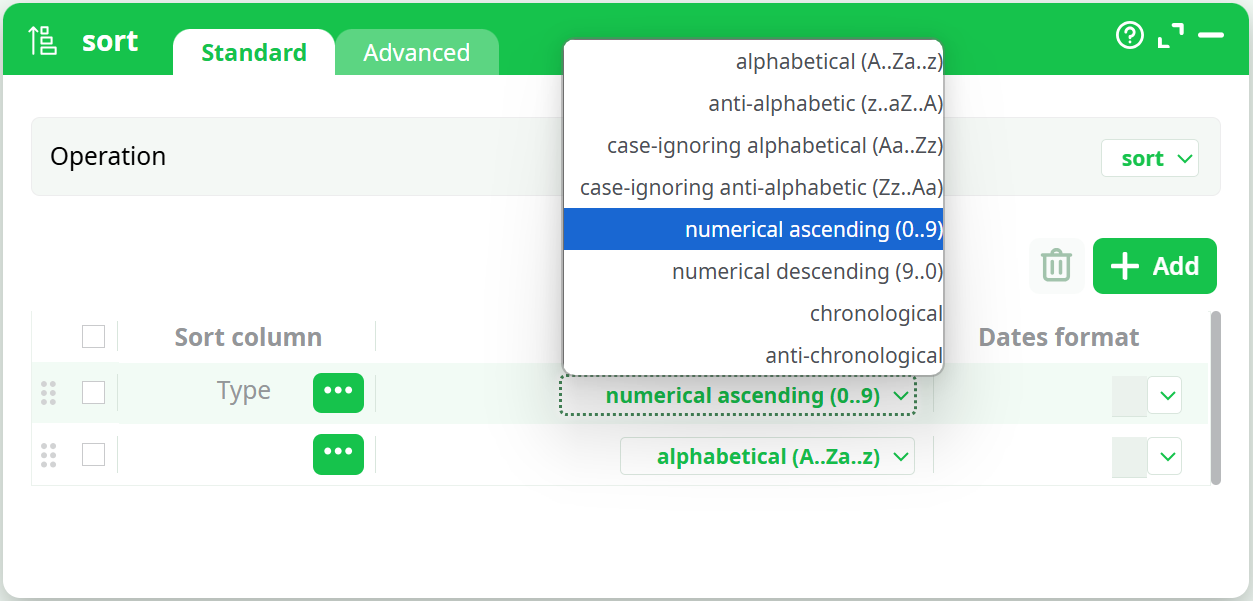
As you can see, ETL currently offers a variety of "Sort mode":
-
Alphabetical (A..Za..z)
-
Anti-alphabetical (z..aZ..A)
-
Case-ignoring alphabetical(Aa..Zz)
-
Case-ignoring anti-alphabetical (Zz..Aa)
-
Numerical ascending (0..9)
-
Numerical descending (9..0)
-
Chronological
-
Anti-chronological
More "Sort modes" may be added in the future.
¶ What are tapes? What is “Merge Sort”?
In the Advanced Parameters tab of the Sort properties window, you will find several references to "tapes." But what are these tapes?
The term "tape" is commonly used to describe the sorting algorithm implemented in ETL. This algorithm works as follows:
- A large RAM memory buffer (with a size defined by the Memory Buffer Size parameter) is created and filled with as many rows from the input table as possible.
- Sort the in-memory buffer using a standard sorting algorithm (such as Quicksort, Heapsort, etc.). Once the buffer is sorted, write it to the hard drive as a file typically referred to as a "tape."
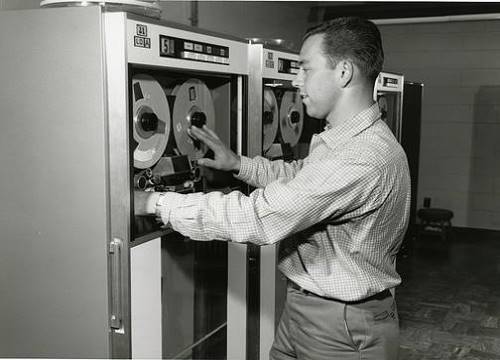
The term "tape" is used because, in the past, the in-memory buffer was physically written to magnetic tapes like these:
-
Repeat steps 1 and 2 (creating multiple "tape" files) until there are no more rows left to read from the input. At this point, the entire input table has been written into several tape files, with each tape individually and properly sorted.
We will now use an algorithm called "Merge Sort", which reads all the different tapes and produces a properly sorted output table.Let’s assume (without loss of generality) that we are sorting the data from the smallest number to the largest. The Merge Sort algorithm works as follows: -
Create a small in-memory RAM table T.
Use the first row from each tape file to fill in table T—row N of table T will contain the first row from tape number N.
We now begin reading all the tape files, row by row. -
Search for the smallest row in table T (remember, we are sorting from the smallest to the largest). Let’s assume it is row number X.
5.1. Send row X as the output of the Sort action (i.e., we are adding one row to the output table).
5.2. Replace row X in table T with the next row from tape number X. -
Repeat step 5 until all rows from all the tape files have been read.
To summarize:
We iterate through the tape files. At each iteration, we find the smallest row among all open tape files, send it as output, and replace it with the next row from the same tape file.
Here is a simple illustration of the Merge Sort algorithm using a small example:
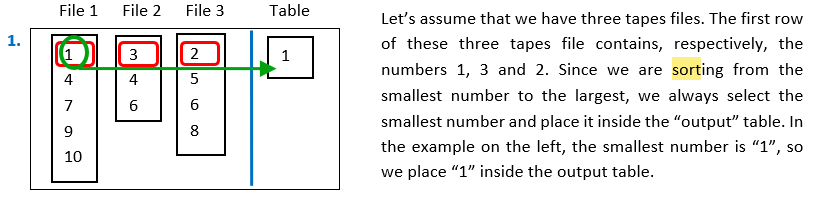
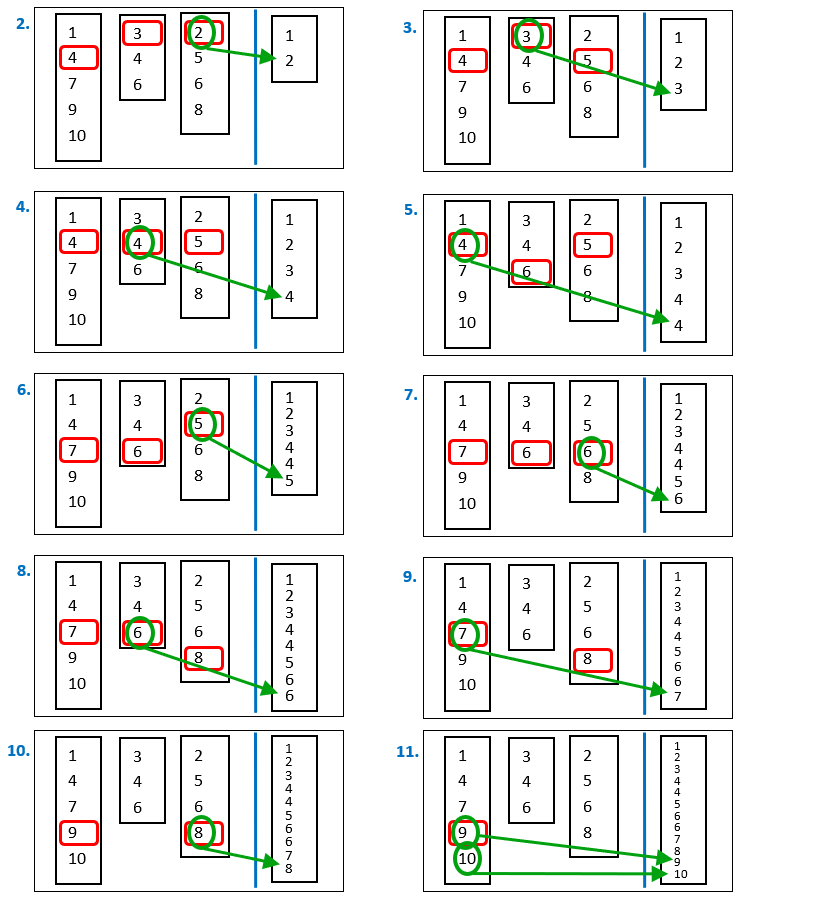
Here are the next iterations of the “Merge Sort” algorithm:
¶ Faster Alternatives to the “simple” Sort
Sorting is one of the slowest operations you can perform in any ETL process because it involves writing all the data to the hard drive (as tape files) and then reading the same data again from the hard drive during the Merge Sort phase.
All these I/O operations (writing and reading from the hard drive) take a considerable amount of time (especially for large input tables). Thus, when optimizing your ETL pipeline for speed, you should avoid to use any Sort action. There exists many different ways to obtain a sorted table without using a plain Sort action: I strongly suggest you to use instead (if possible)
- a MergeSort action.
- a MergeSortInput action.
- a PartitionedSort action.
These 3 Actions are incomparably faster than a plain Sort action.
Sorting is required for the simple Join action to work properly. If possible, replace the simple Join action with a MultiJoin action, to avoid sorting all the data.
Sorting is also required for the “out-of-memory” mode of the Aggregate action to work properly. If possible, replace the “out-of-memory” mode with the “in-memory” mode, to avoid sorting all the data.