¶ Description
Export word document to PDF, HTML, RTF or MHT.
¶ Parameters
¶ Parameters tab
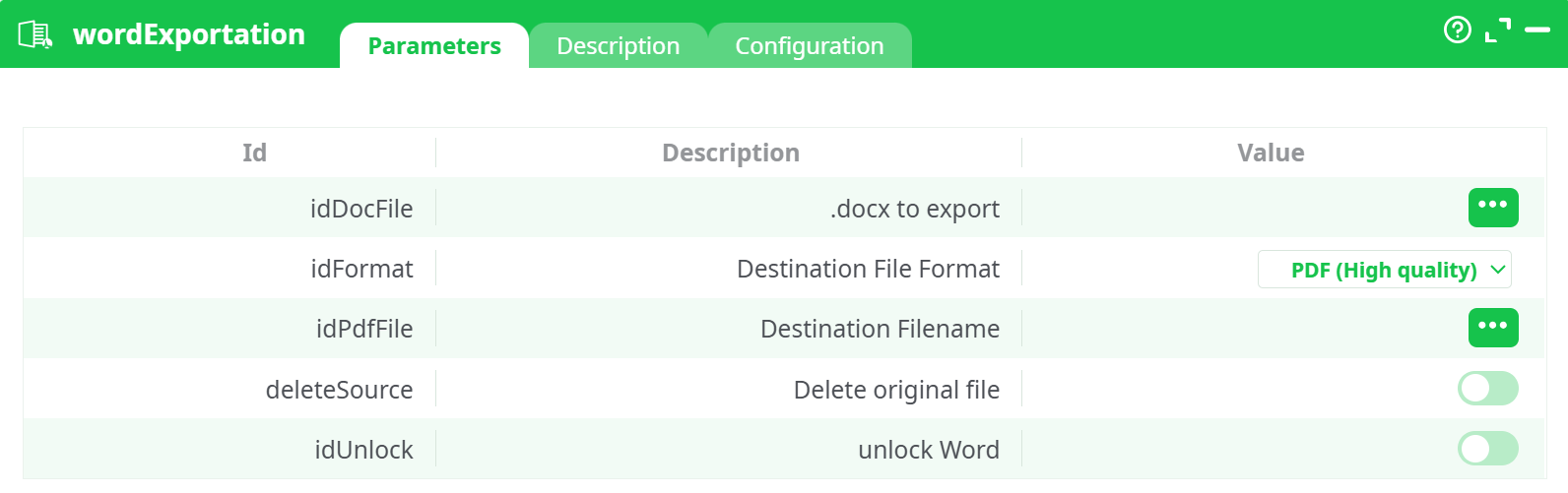
Parameters:
- .docx to export
- Destination File Format
- Destination Filename
- Delete original file
- unlock word
¶ Description tab
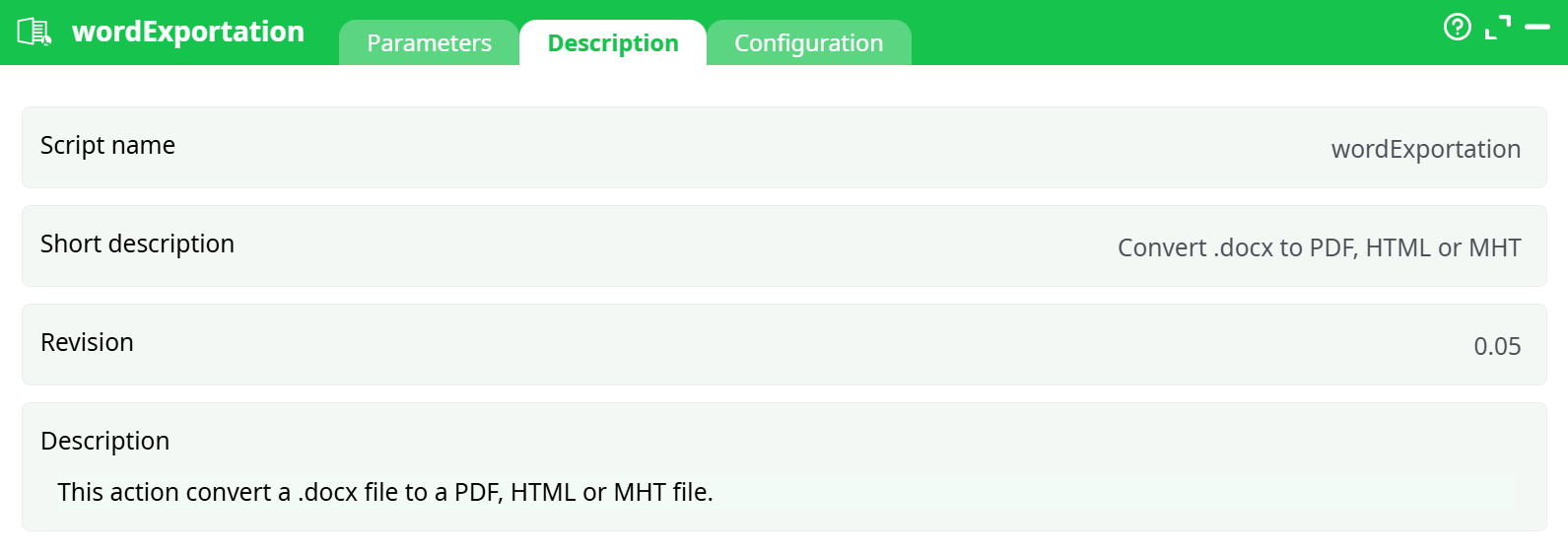
Parameters:
- Script name
- Short description
- Revision
- Description
¶ Configuration tab
See dedicated page for more information.
¶ About
wordExportation converts a .docx file into another document format.
Supported export formats are:
- PDF (High quality)
- HTML
- MHT (web archive)
The action is typically used to generate printable PDFs or web-ready versions of Word reports produced earlier in the pipeline.
¶ Inputs and outputs
Input
-
A table containing at least:
- A column with the full path to the source
.docxfile. - A column with the desired destination file name (without path).
- A column with the full path to the source
This table is usually produced by an inlineTable action, but any upstream action that exposes these columns on its output pin can be used.
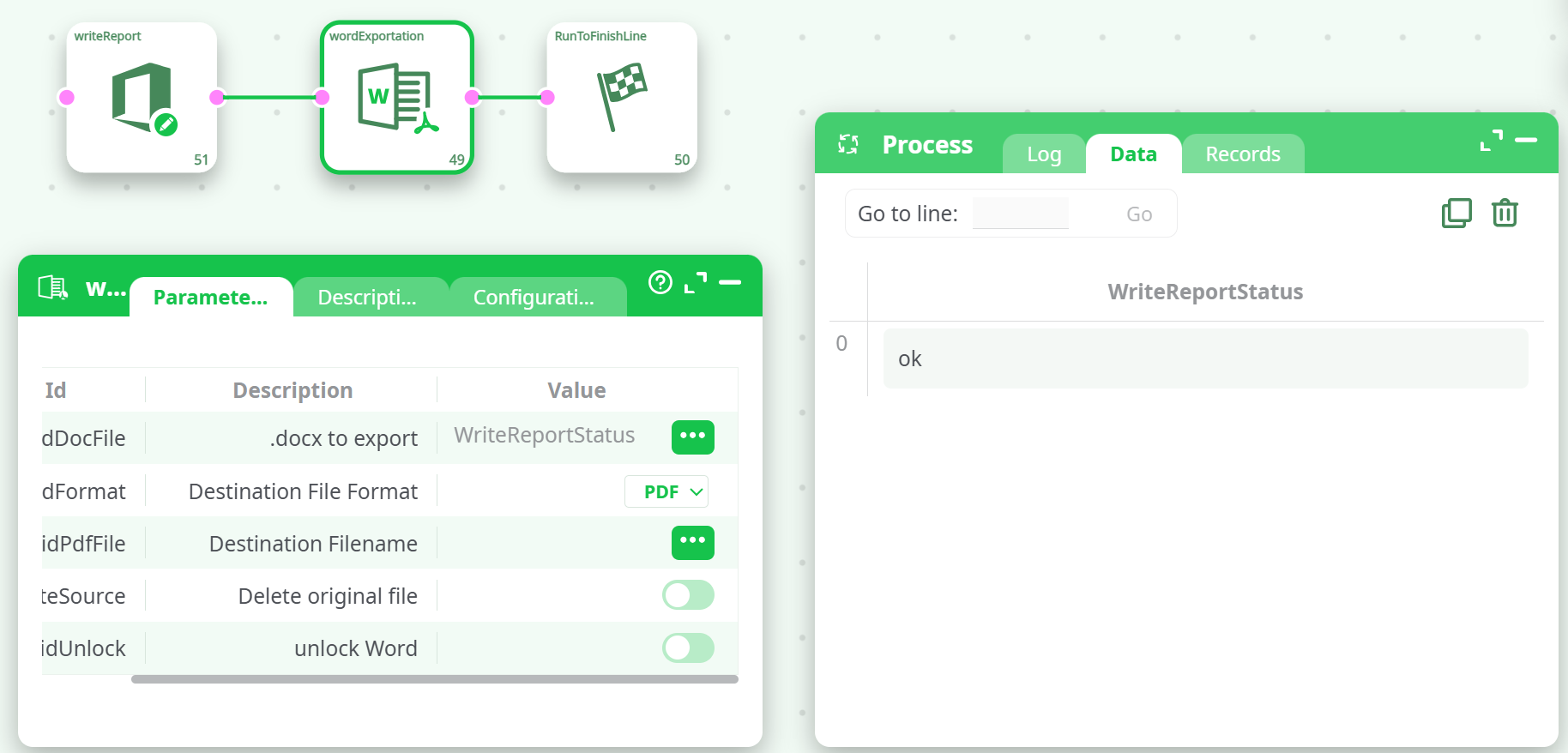
Output
- One file per input row, saved in the pipeline’s working directory.
- The generated files appear in the Process → Records tab after execution, where they can be downloaded.
¶ Execution flow
- The input table provides, for each row, the path to a
.docxfile and the destination file name. wordExportationopens the.docxdocument using the configured Word conversion engine.- The document is exported to the selected format and written to the working directory under the destination file name.
- Optionally, the original
.docxis deleted. - Exported files are exposed in Process → Records.
¶ Quick start test configuration
-
Create an input table
-
Add an
inlineTableaction. -
Define two columns, for example:
filePathfileName
-
Add one row:
filePath= path to an existing.docxin Assets or on a mounted disk (for example%assets%/test_file.docx).fileName= desired output name (for exampletest_file.pdf).
-
-
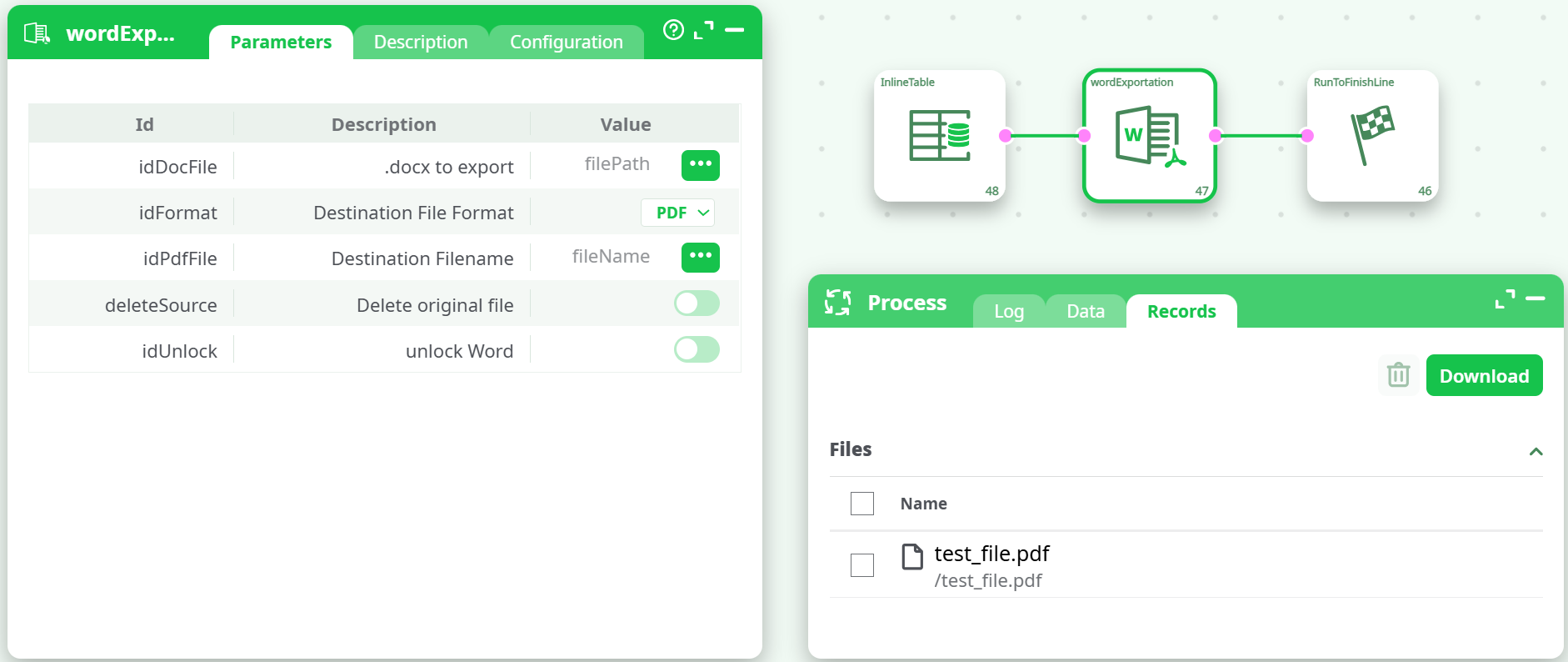
Connect actions
- Connect the
inlineTableoutput pin to the input pin ofwordExportation. - Optionally connect
wordExportationto a terminal action such asRunToFinishLinefor easier testing.
- Connect the
-
Configure
wordExportation.docx to export: select thefilePathcolumn from the incoming pin.Destination File Format: selectPDF(or another required format).Destination Filename: select thefileNamecolumn.Delete original file: leave disabled for testing.unlock Word: leave disabled unless conversion requires unlocking.
-
Run the pipeline
- Execute the pipeline.
- After success, open Process → Records.
- The exported file (for example
test_file.pdf) appears in the list and can be downloaded.
¶ Notes and recommendations
- The conversion relies on the Word export engine configured on the platform. If this engine is not available or cannot open the
.docxfile, the action fails. - Ensure paths in
filePathare valid for the execution environment (correct mount / Assets reference). - When using
Delete original file, confirm that the original.docxis no longer needed, as this deletion is not reversible from within the pipeline.