¶ Description
Find groups.
¶ Parameters
¶ Parameters tab
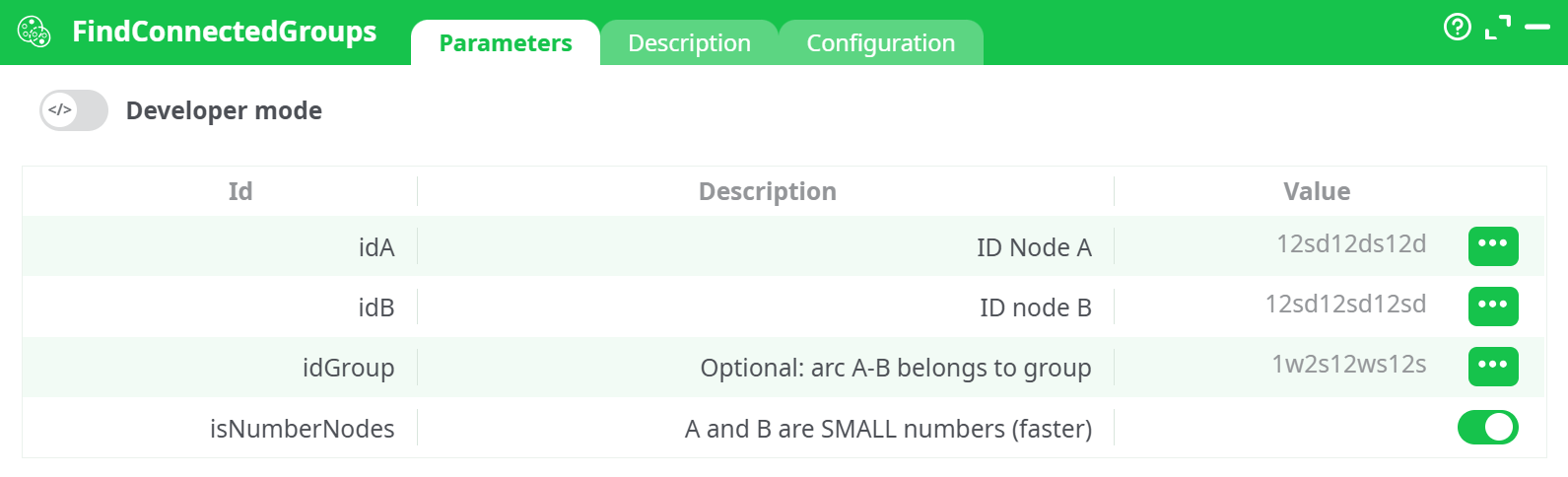
Parameters:
- Developer mode: activate/deactivate code tab.
- ID node A
- ID node B
- Optional: arc A-B belongs to group
- A and B are SMALL numbers (faster)
¶ Description tab
See dedicated page for more information.
¶ Code tab
FindConnectedGroups is a scripted action. Embedded code is accessible and customizable through this tab.
¶ Configuration tab
See dedicated page for more information.
¶ About
The FindConnectedGroups action identifies nodes that belong to the same connected group in an undirected graph. It is commonly used in graph-based data processing, clustering, or network topology tasks to discover isolated or interlinked node communities.
¶ Input Instructions
Follow these steps to set up and run the FindConnectedGroups action:
-
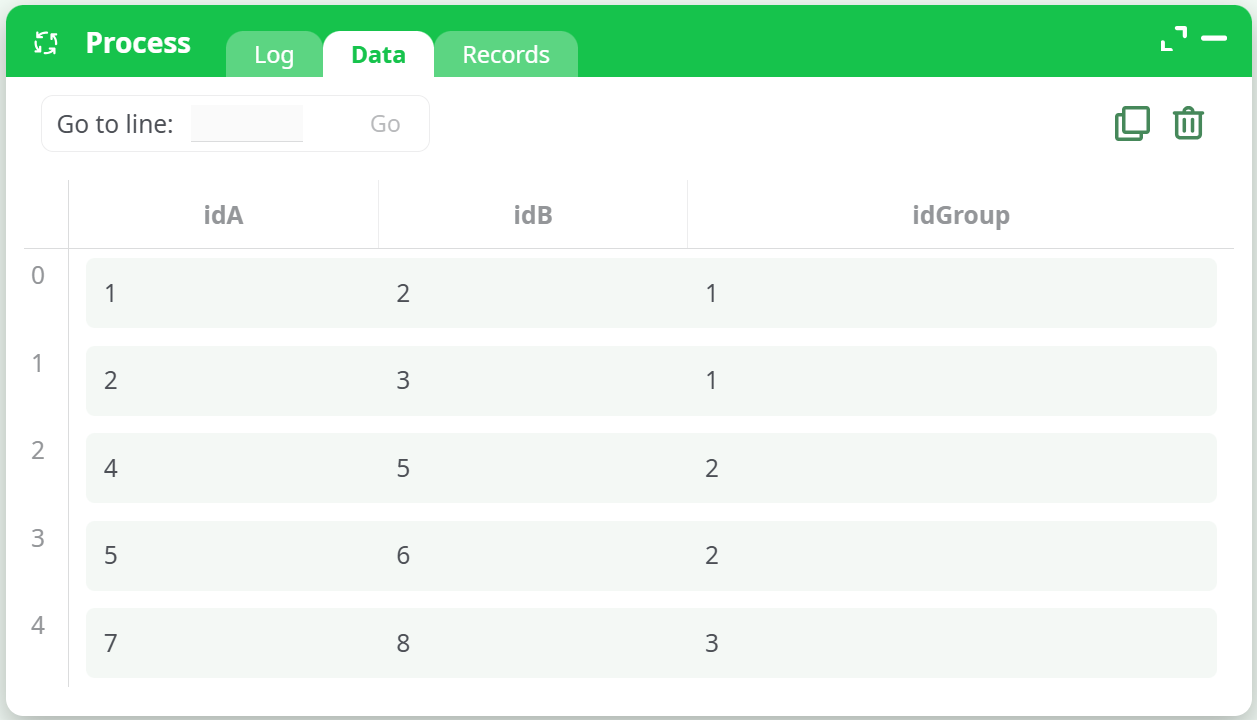
Create Input Table
Use an
InlineTableas input with the following columns:idA: Node A (source node)idB: Node B (target node)idGroup: (Optional) Identifies which group an arc A–B belongs to
Example:
- Connect Actions
Link the output of the InlineTable to the input of the FindConnectedGroups action.
- Set Parameters
In the FindConnectedGroups parameters tab:
idA: Select the columnidAidB: Select the columnidBidGroup: (Optional) Select the columnidGroupif providedisNumberNodes: Enable this ifidAandidBcontain small integers (for performance optimization)
- Developer Configuration (optional)
In the Configuration tab, define how invalid or unexpected input should be handled:
- Convert float to key:
- If negative:
abort - If greater than 2^32-3:
abort - If not an integer:
set to lower integer
- If negative:
- Convert string to float:
- If not a number:
abort
- If not a number:
- Convert 'String/?' to key:
- If not a number:
abort - If negative:
abort - If greater than 2^32-3:
abort - If not an integer:
set to lower integer
- If not a number:
- Run the Action
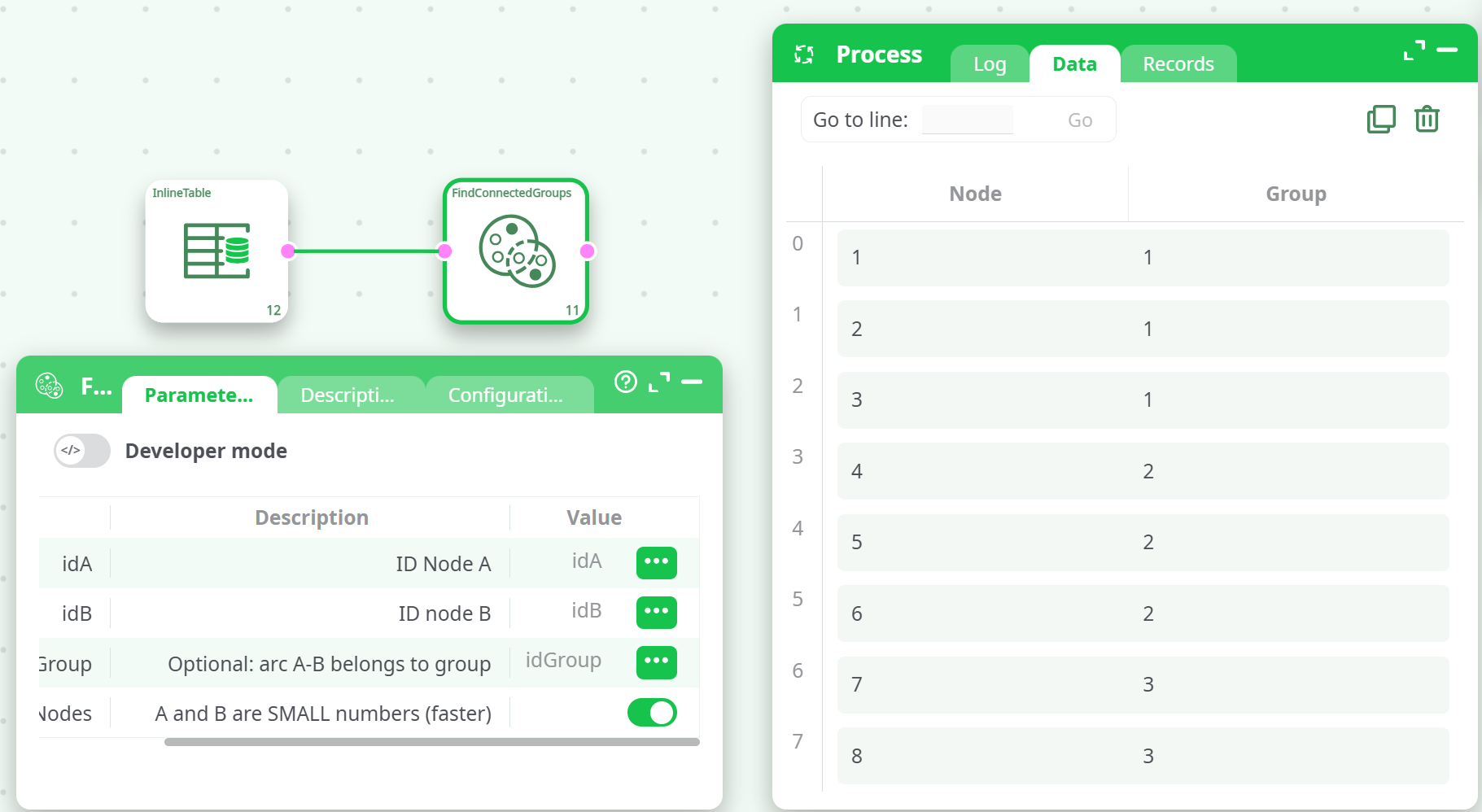
Execute the pipeline. The result will be a list of node IDs with assigned group identifiers for each connected component.
¶ Example Output
¶ Notes
- The graph is undirected, meaning the edge A–B is the same as B–A.
- The
idGroupcolumn is optional and used to partition arcs into different groupings if needed. - Output
Groupvalues are incrementally generated per connected component.