¶ Description
Creates a multinomial logit predictive model.
¶ Parameters
¶ Parameters tab
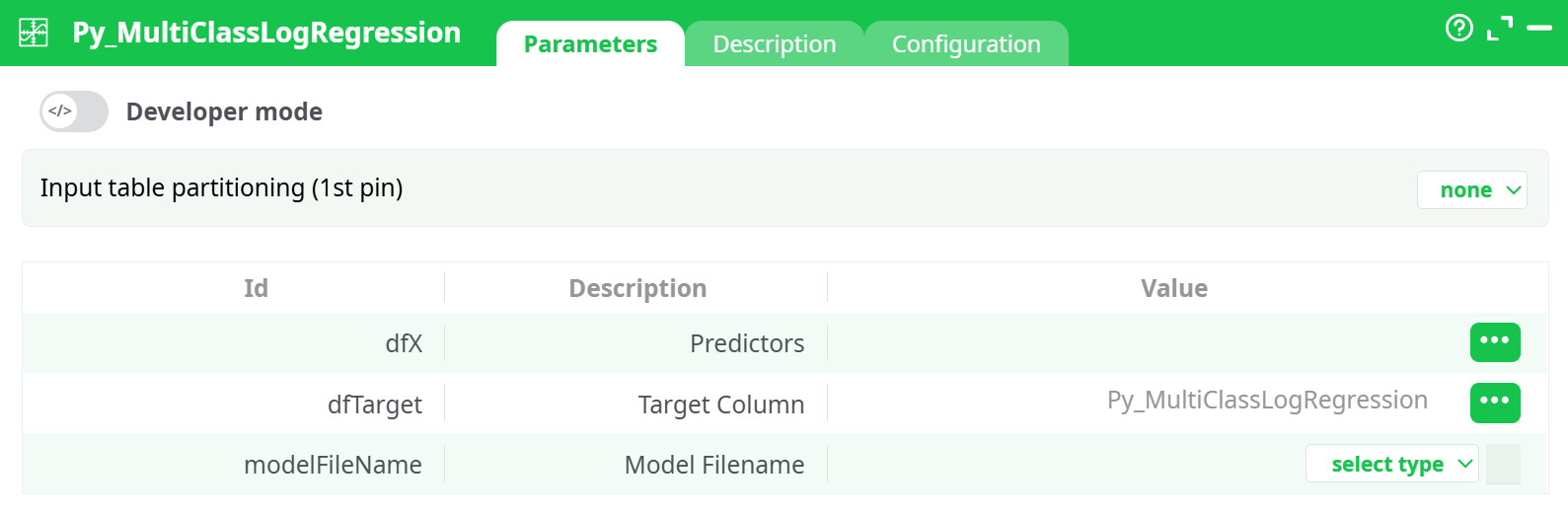
Parameters:
- Input table partitioning (1st pin)
- Predictors
- Target Column
- Model Filename
¶ Description tab
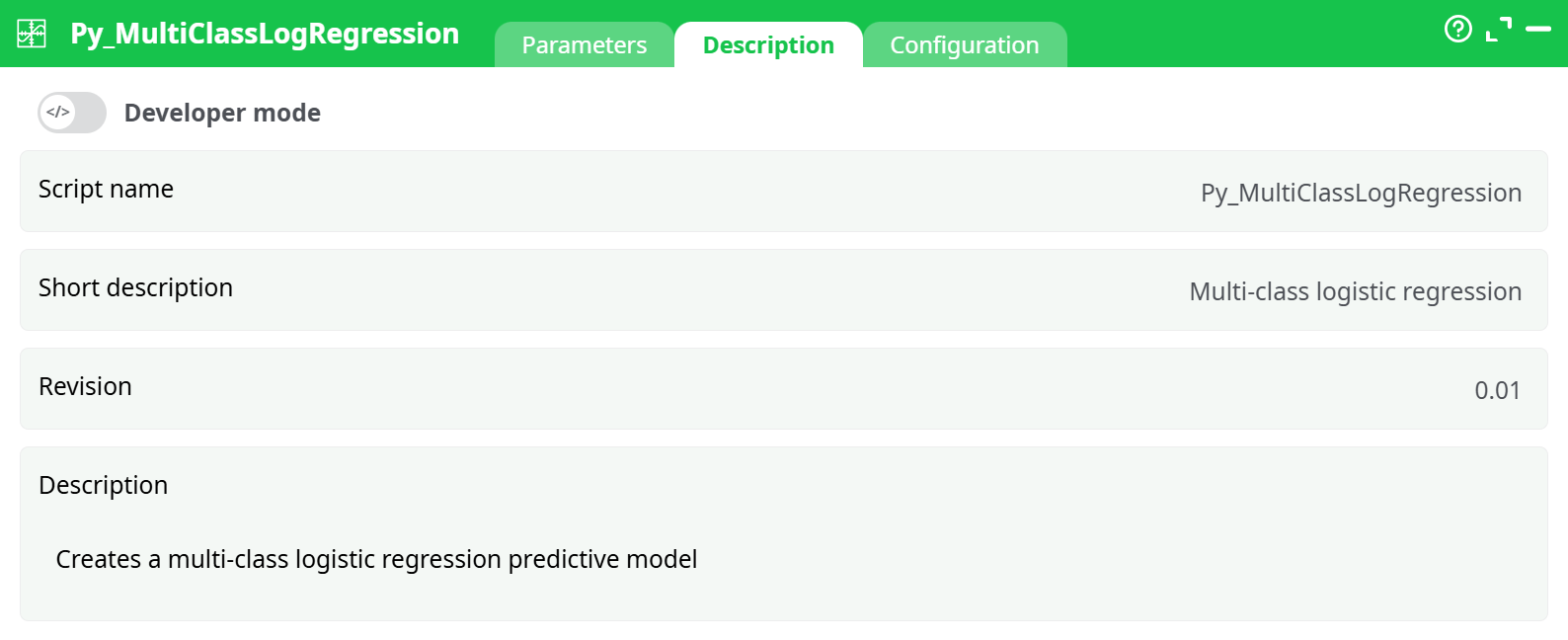
Parameters:
- Script name
- Short description
- Revision
- Description
¶ Configuration tab
See dedicated page for more information.
¶ About
Purpose: Train and persist a multi-class logistic regression model from a tabular dataset. The action consumes an input table with feature columns (predictors) and a single target column (class labels), then writes a serialized model file you can reuse later for scoring.
¶ What this action does
- Learns a multi-class classifier using logistic regression (one-vs-rest or multinomial depending on solver under the hood).
- Accepts numeric features and a single categorical/ordinal target (classes). Categorical predictors must be encoded upstream (e.g., one-hot).
- Persists the trained model to a file you name, so downstream pipelines or scoring actions can reuse it.
- Emits training diagnostics via the log (warnings, errors, timing) and writes the model artifact to the Records area when configured with a recorded path.
¶ Typical use cases
- Baseline multi-class classification for structured data (e.g., product type, customer segment, risk band).
- Fast, interpretable model where feature weights (coefficients) matter.
- As a reference model to benchmark more complex learners.
- Lightweight classifier in automated training pipelines, retrained on schedule and versioned via the Records store.
¶ How it works (conceptual flow)
- Input frame arrives from an upstream action (CSV reader, SQL connector, etc.).
- The action splits columns into
X(predictors) andy(target) based on your selections. - Data checks run: conversions to numeric dtype where possible; optional trimming of extra spaces, optional partition checks when enabled in Configuration.
- A Logistic Regression estimator is fitted.
- The trained estimator object is serialized (typically as a
.pkl) and saved to the path you provided (prefer therecords/area so it appears in the Records tab). - The Process log shows success (and any warnings). The Records tab lists your model file for download/versioning.
Note on scaling: Logistic regression benefits from standardized features. If your columns vary in scale, consider adding a preprocessing step (e.g., standardize action) before training.
¶ Input & Output (what the action expects/produces)
¶ Input table (from the 1st pin)
- Predictor columns: numeric or already encoded categorical variables.
- Target column: a single column containing class labels. Strings are allowed; they are internally mapped to classes.
Data ordering is not important for training here (unlike time-series KPIs). However, missing values must be handled upstream (impute or drop), and mixed types in a single column should be cleaned.
¶ Outputs
-
Model artifact (file): a serialized model written to the path you choose.
- Use a path in
records/(persisted with the pipeline run) for long-term storage, ortemp/for ephemeral artifacts. - The file appears in the Records pane when the run completes.
- Use a path in
-
Process log: warnings, errors, timing, memory usage. This is your primary feedback channel for training.
¶ Operational guidance
¶ Choosing the model file path
- Prefer
records/your_model.pklfor reproducibility and easy download. - Stick to simple ASCII filenames without spaces.
- Use a
.pklextension unless your governance mandates otherwise.
¶ Feature engineering & cleaning
- Numeric only: transform categorical predictors to numeric before training (one-hot or ordinal).
- Impute missing values or filter rows upstream.
- Remove obvious outliers when they distort coefficients.
- Scale features (optional but recommended) to stabilize optimization.
¶ Runtime & performance
- Logistic regression trains quickly and is well suited for small to mid-size tabular datasets.
- For very high-dimensional data, regularization (built into LR) helps; still, consider dimensionality reduction upstream if needed.
¶ Troubleshooting
Below are issues you may see in the Log tab, with immediate remedies.
¶ 1) DataConversionWarning: A column-vector y was passed when a 1d array was expected
Meaning: The target y reached the estimator as a 2D column rather than a 1D array.
Fix:
- Ensure the target selection points to exactly one column.
- Remove accidental extra spaces or separators in the target definition.
- If you created
yvia a previous step that outputs a two-column frame, collapse it to one column before this action.
¶ 2) FileNotFoundError: [Errno 2] No such file or directory: 'records/…' or 'temp/…'
Meaning: The path provided for the model artifact was not resolvable at runtime.
Most common causes & fixes:
- Wrong storage type: Make sure the file selector shows “recorded data” (or “temporary data” for
temp/). - Parent folder typo: Use exactly
records/ortemp/as the virtual roots; do not add leading slashes or custom roots. - Extension mismatch: Use a simple filename like
records/model.pkl. - Upstream abort before write: If training fails earlier, the model file is never created. Resolve prior errors first.
¶ Quality, interpretability & governance
- Coefficients reflect the direction and relative strength of each feature’s influence on each class (when using a multinomial formulation).
- Keep a model change log by versioning the
.pklfiles (the Records pane plus your VCS or artifact store). - Capture data schema alongside the artifact (store a copy of the column list and dtypes).
- Consider a hold-out evaluation pipeline that loads the artifact and emits metrics (accuracy, macro F1, confusion matrix) for monitoring drift.
¶ Summary
Py_MultiClassLogRegression is a dependable, interpretable classifier for multi-class problems on structured data. Feed it clean, numeric features and a single target column, point the artifact to records/your_model.pkl, and wire it to the end of your training pipeline. Use the Process log for diagnostics and the Records pane to retrieve your versioned model.