¶ Description
Create a Naïve Bayes Model.
¶ Parameters
¶ Parameters tab
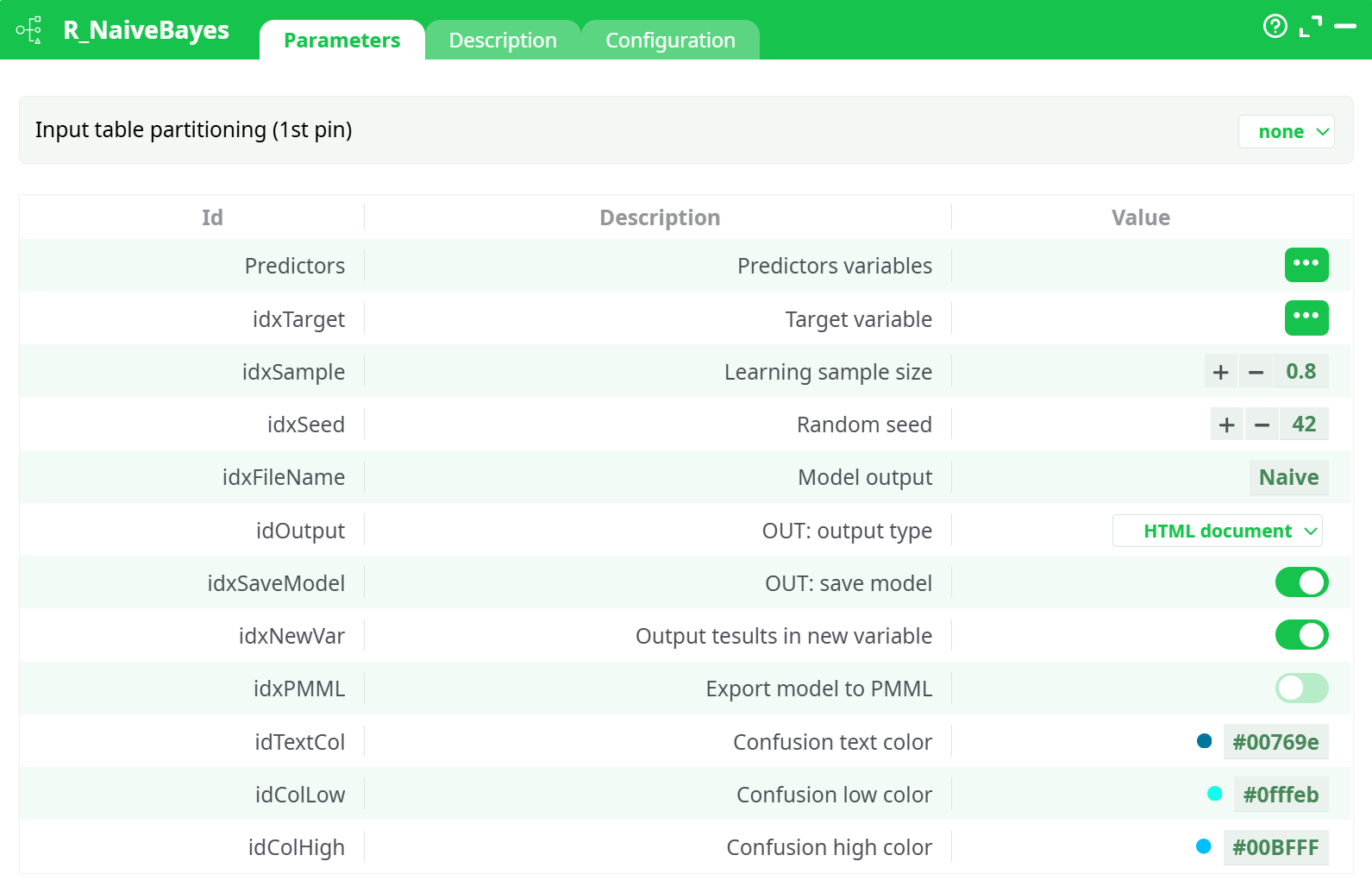
Parameters:
- Input table partitioning (1st pin)
- Predictors variables
- Target variable
- Model output
- Output tesults in new variable
- Export model to PMML
¶ Description tab
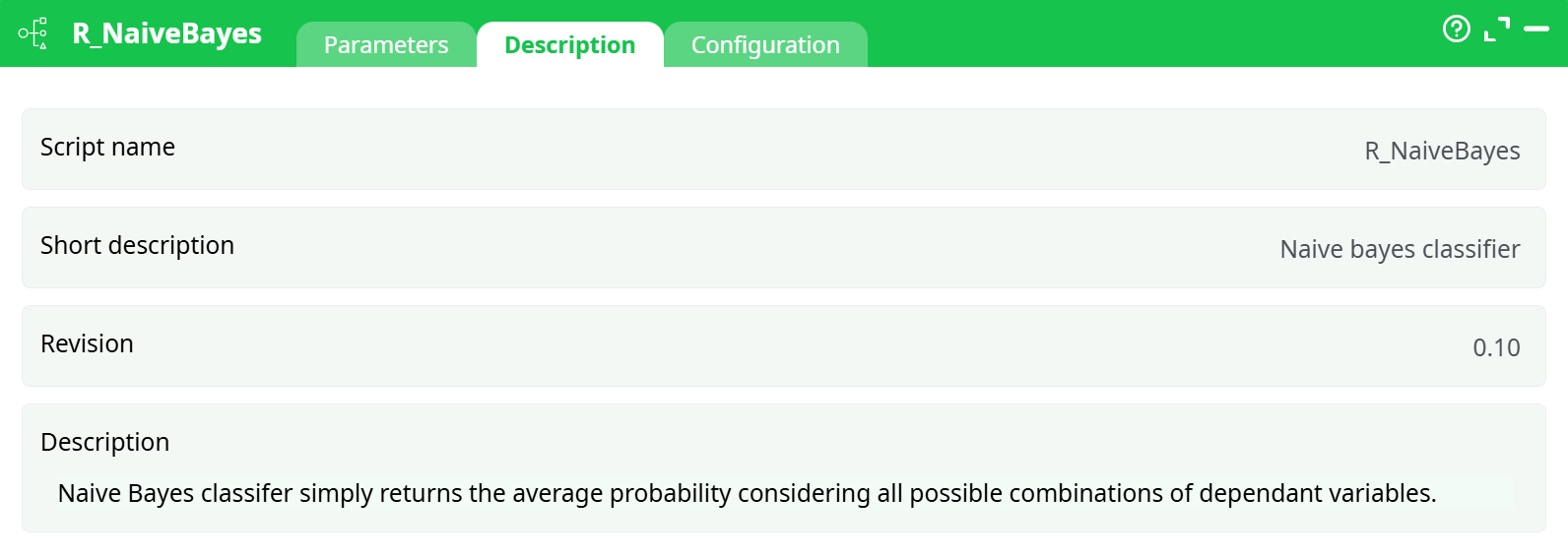
Parameters:
- Script name
- Short description
- Revision
- Decription
¶ Configuration tab
See dedicated page for more information.
¶ About
Naïve Bayes simply “smoothens” the dataset based on the conditional probabilities, basically computes the average probability of an event given a set of characteristics.
The Naïve Bayes algorithm is included in ETL mainly because of historical reasons (and for explanatory/teaching purposes). Indeed, from a pratical point-of-view, the “Naïve Bayes” algorhtm is not very useful anymore because:
- It’s impractical to use because the “Naïve Bayes” algorithm assumes that all your predictor variables are 100% un-correlated, which never happens in practice. Thus, before using the Naïve Bayes action, you should first compute the Correlation Matrix using the Covariance Action from section 5.7.11) to decide which variables you’ll keep inside your dataset (you must only keep un-correlated columns). This “cleaning” procedure is difficult and very time-consumming.
- Compared to other modeling algorithms, the “Naïve Bayes” algorithm is not very accurate (other algorithms have typically higher AUC, and higher accuracy). This fact is visible in all datamining competitions (KDD cups, Kaggle) where the “Naïve Bayes” algorithm always ranks amongst the worst algorithms.
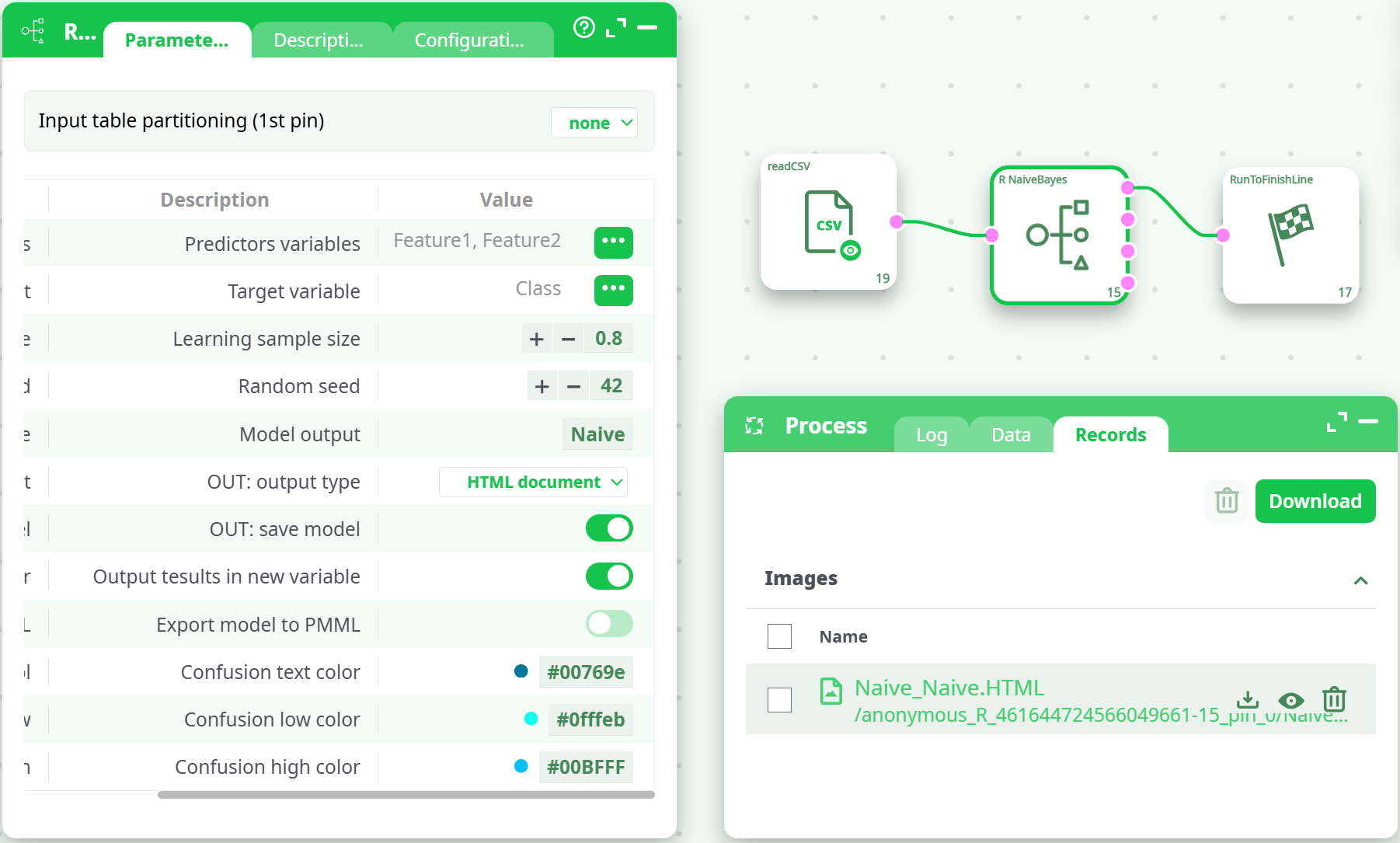
To use the Naïve Bayes action, simply select the predictors, target, and set the model output file name.
¶ Input
- Pin 0: Data Table
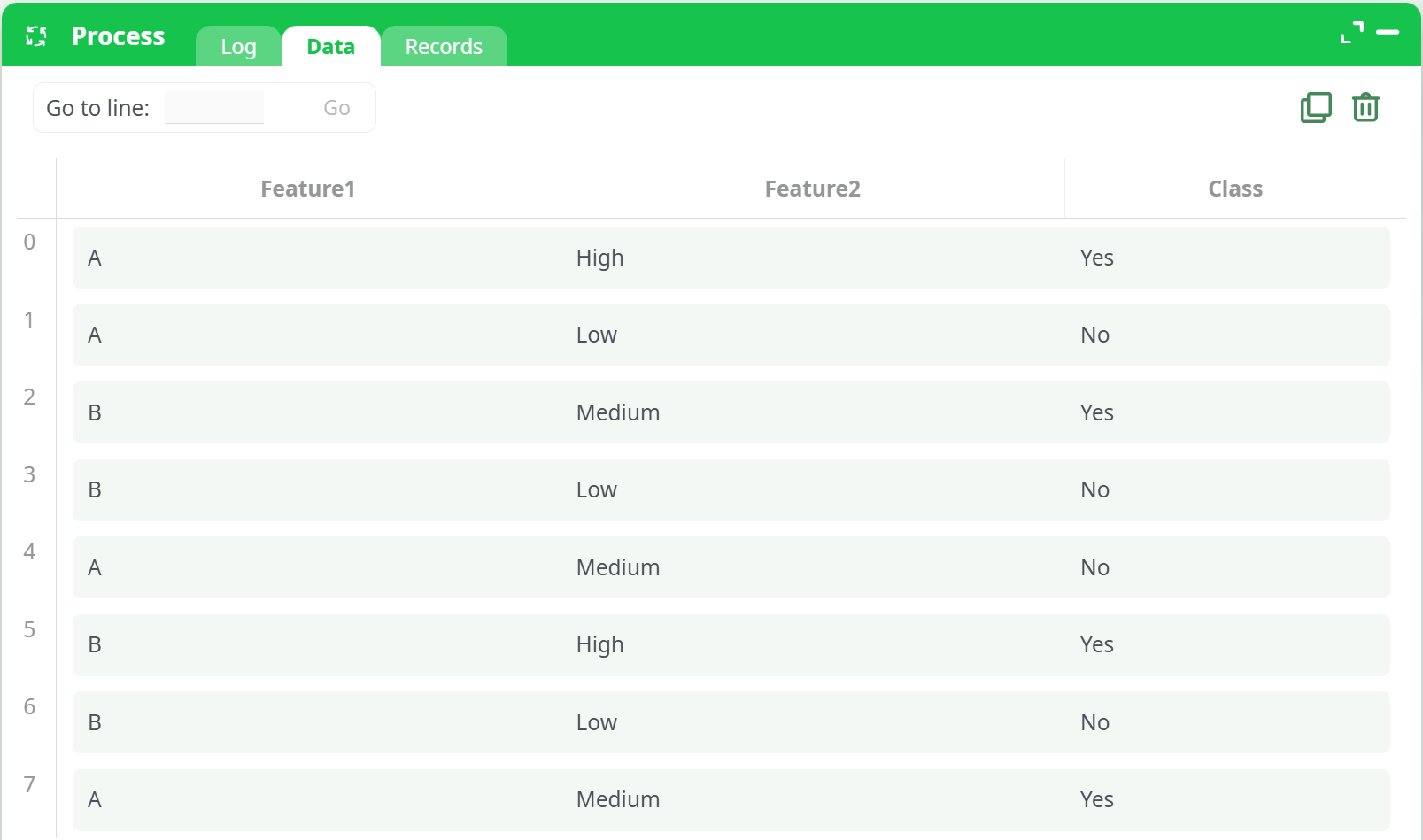
A table containing at least one categorical feature column and one target class column.
¶ Required Columns
| Column Name | Description |
|---|---|
| Class | Target variable for classification |
| Factor1 | Feature column (categorical/factor) |
| Factor2 | Additional feature (optional) |
Important:
- All feature columns must be factors (categorical).
- The
Classcolumn must contain exactly 2 unique values (binary classification only).
¶ Output
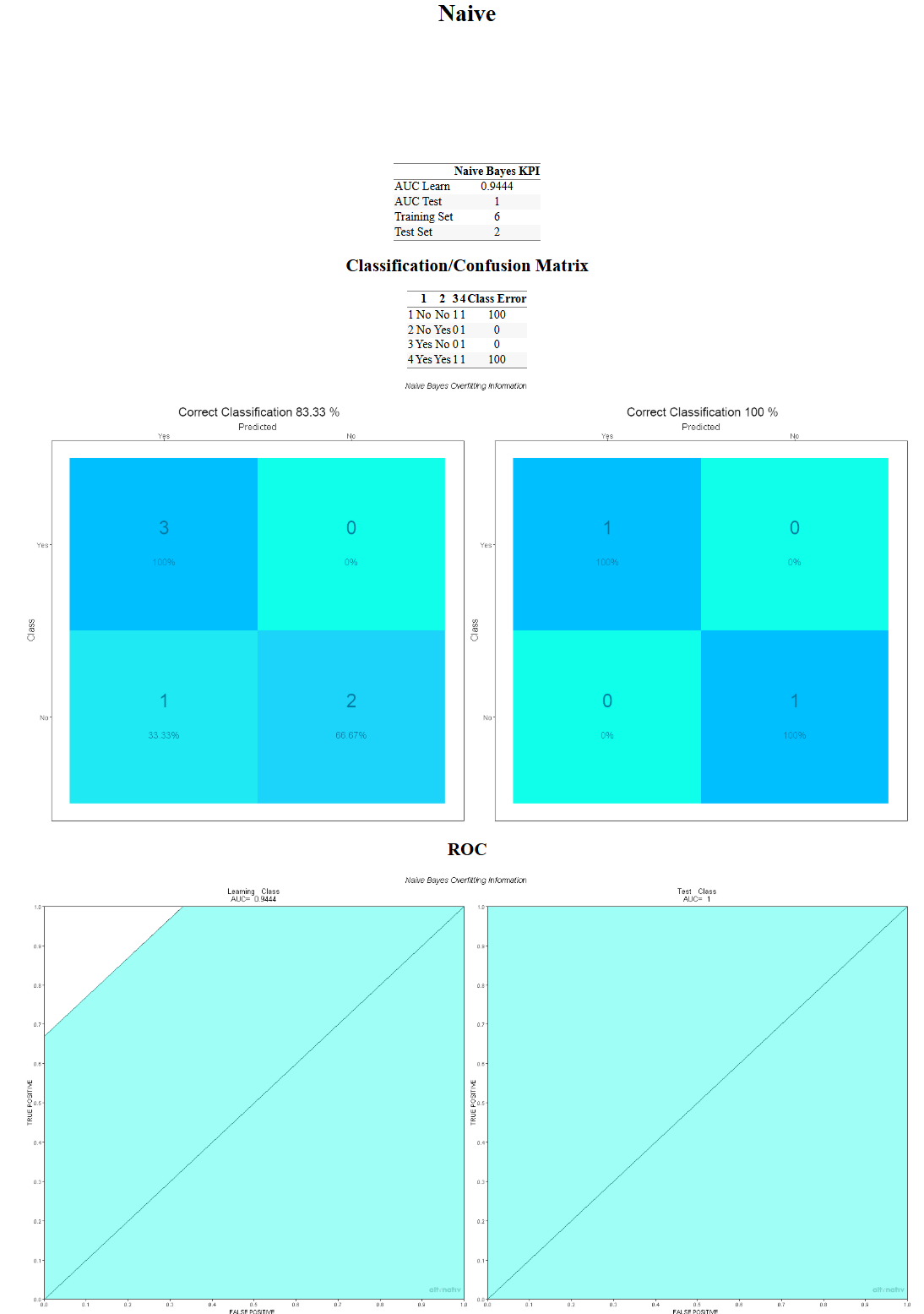
The action generates an HTML report containing:
-
Model Summary
- AUC (train/test)
- Training/Test set size
-
Confusion Matrices
- Training set confusion matrix
- Test set confusion matrix
-
ROC Curves
- Visual comparison of model performance on training and test data
¶ Example Output
¶ Confusion Matrix + ROC
¶ Sample Input CSV
¶ Troubleshooting
| Problem | Solution |
|---|---|
object 'eTarget' not found |
Ensure idxTarget is mapped to a column named Class |
column 'Class' is missing |
Your input file must include the Class column |
Number of classes is not equal to 2 |
Naive Bayes currently supports binary classification only |
Type mismatch in predictors |
All idxFeatures columns must be categorical (factors) |
NA introduced by coercion |
Check for invalid (e.g., numeric or missing) values in feature columns |
Missing packages (XML, mice, etc.) |
Contact admin to pre-install required R libraries |
Notes:
- Exported models can be reused in other pipelines by referencing the .joblib file.
- Use consistent factor levels between training and future prediction datasets.