¶ Description
Create a historized view of a SCD table.
¶ Parameters
¶ Parameters tab
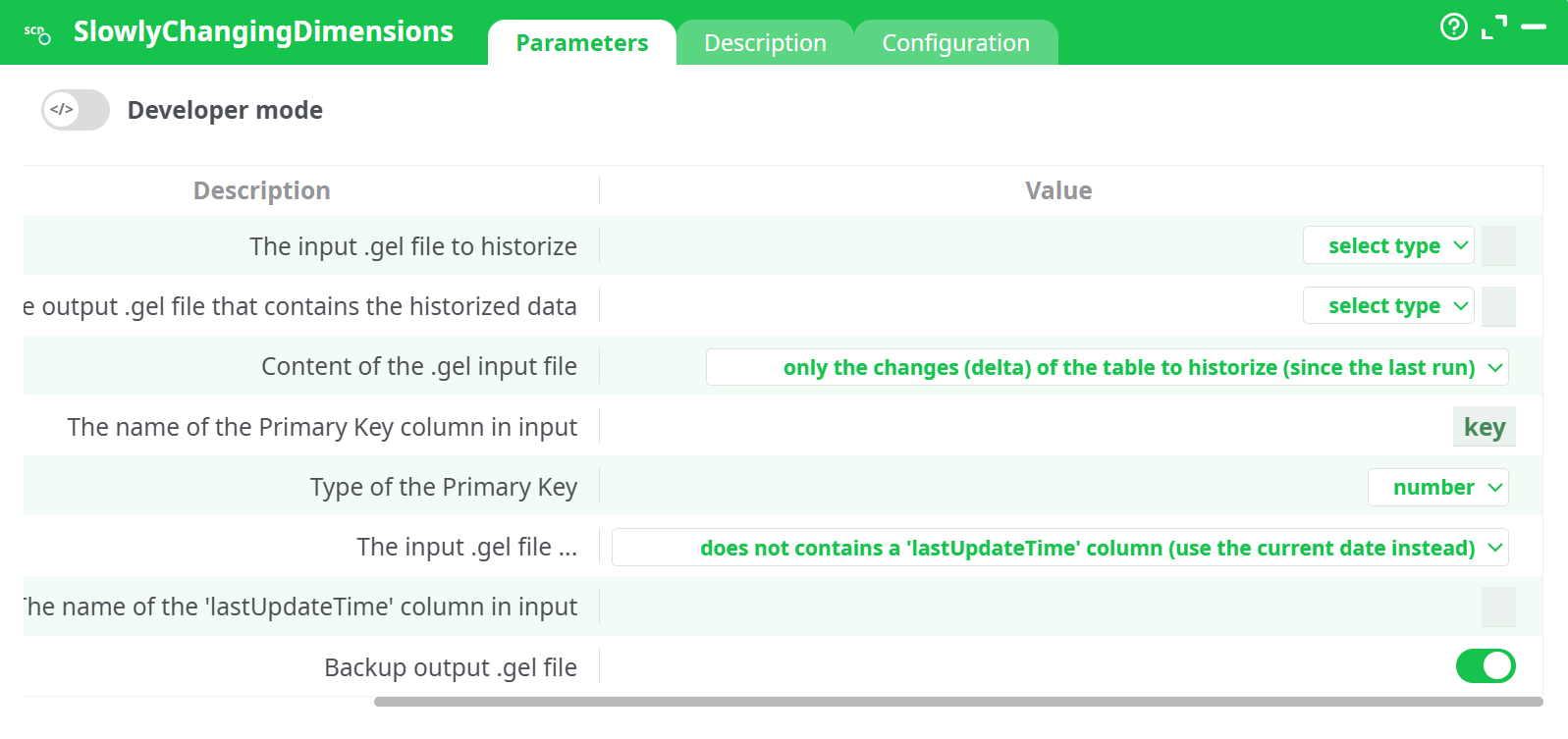
Parameters:
- The input .gel file to historize
- The output .gel file that contains the historized data
- The input .gel file ...
- The name of the Primary Key column in input
- This Primary Key is ...
- The input .gel file ...
- The name of the 'lastUpdateTime' column in input
- Do a backup of the output .gel file
¶ Description tab
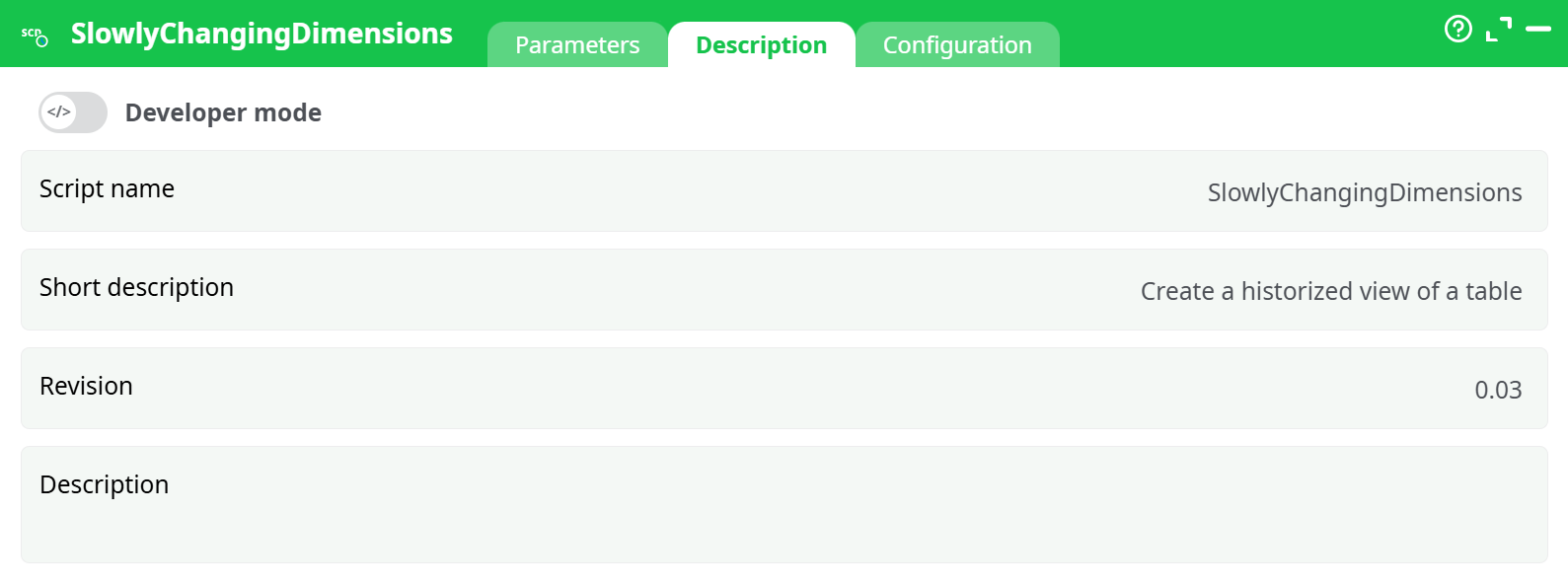
Parameters:
- Script name
- Short description
- Revision
- Description
¶ Configuration tab
See dedicated page for more information.
¶ About
When engaging in predictive analytic activities, we must be able to “see” any table as it was at a specific point in time in the past (i.e. in technical terms, we must see a table at the “observation date”). Unfortunately, most operational systems do not keep an history of their tables and “going back in time” is almost never possible… …unless you use the ETL Slowly Changing Dimensions action!
This action creates an output table that keeps tracks of all the changes made to the specified (database) table. This process is typically referred as “Keeping a historical view of a Slowly Changing Dimension: you’ll find more details on this process here: https://en.wikipedia.org/wiki/Slowly_changing_dimension
Typically, you run this action every day (or week) and it will look for all the changes inside an input table and logs them all inside one output table.
According to wikipedia, there exists 6 different techniques to handle slowly changing dimensions:
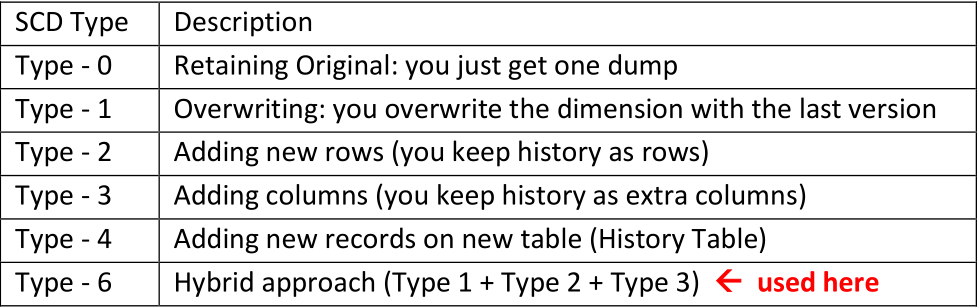
Here we will be using a ‘Type - 6" implementation including :
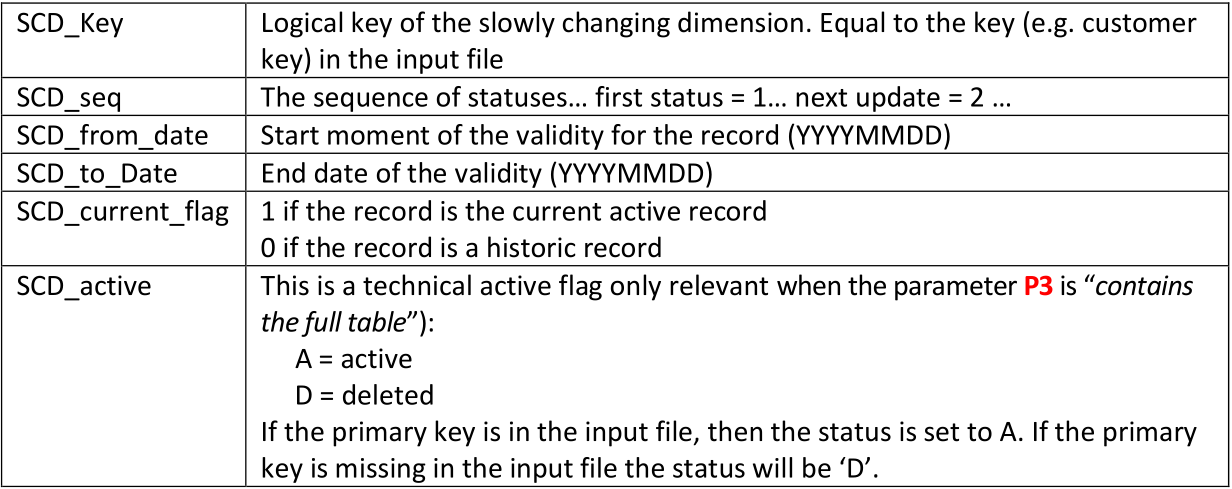
- A surrogate (or technical) key as unique id: This is a composite key composed of the columns “SCD_Key” and “SCD_Seq”.
- Active line indicator: “SCD_current_flag”
- Start date and End date: SCD_from_date, SCD_to_date
- Seq number of history: “SCD_Seq”
- A very basic deactive flag (only when the parameter P3 is “contains the full table”): “SCD_active”
The parameter P4 is the name of a unique key (e.g. customer key) inside the input table. This key must be unique in the input file.
Ideally, the input file should also contain a column that contains the date of the last update of a row (the date format is yyyyMMdd). The name of this “lastUpdateDate” column is given in the parameter P7. If you don’t have such a column, no worries: This is a very common situation: Just set the parameter P6 to “…does not contains a "lastUpdateTime" column (use the current date instead)”.
The output table contains these additional columns (in addition to all the columns from the input table):